Amazon
AMZN
Advanced Micro Devices
AMD
Qualcomm
QCOM
4
Apple
AAPL
5
Disney
DIS
1. Initial Authorisation
For moomoo SMSF trading accounts opened after 30 June, 2026
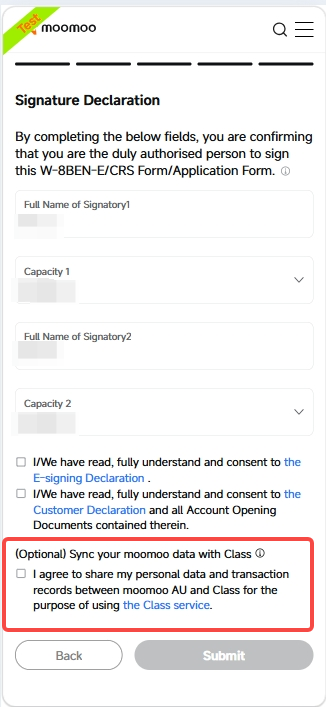
For clients who are opening a new SMSF trading account with moomoo, authorisation can be provided during the account opening process.
At the final step before submitting the account opening application, clients will see the option “Sync your moomoo data with Class”.
To authorise the data feed, select this option and submit the application. Once authorised, moomoo will be able to share the relevant account and transaction data with Class for the purpose of the Class data feed service.
2. Activating Authorisation
For moomoo SMSF trading accounts opened before 30 June 2026
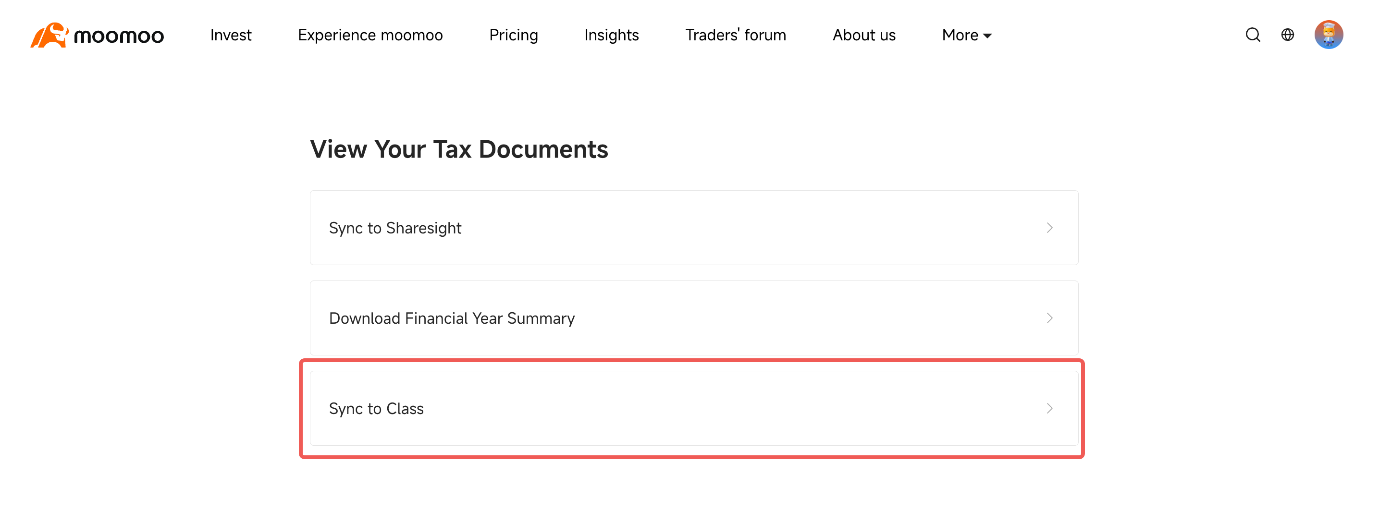
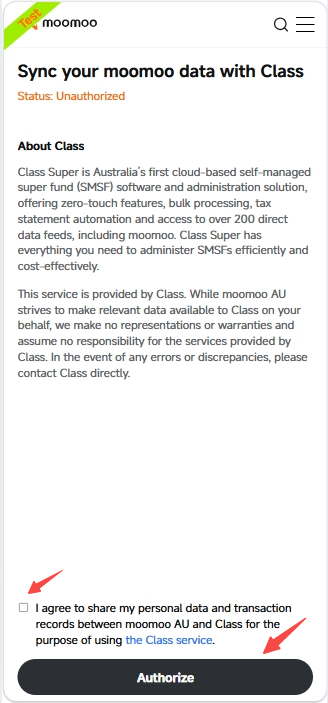
For clients who already held an SMSF trading account with moomoo before 30 June 2026, the data feed authorisation can be activated either via the moomoo website or through the moomoo app.
Option 2: Via the moomoo app
In the moomoo app, go to:
Accounts tab → All → scroll to Account section → Tax → Sync to Class
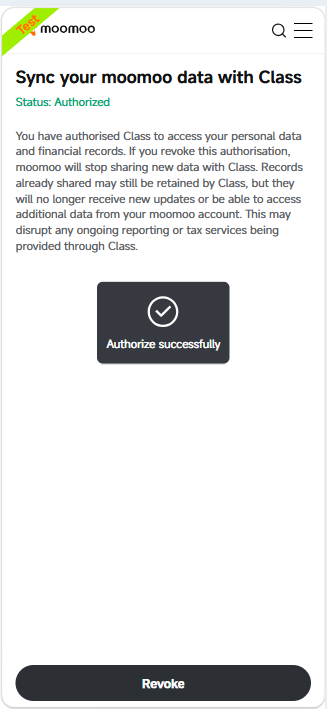
Then follow the prompts to authorise the Class data feed.
3. Removing Authorisation
Clients may remove their authorisation at any time via the same website or app pathway.
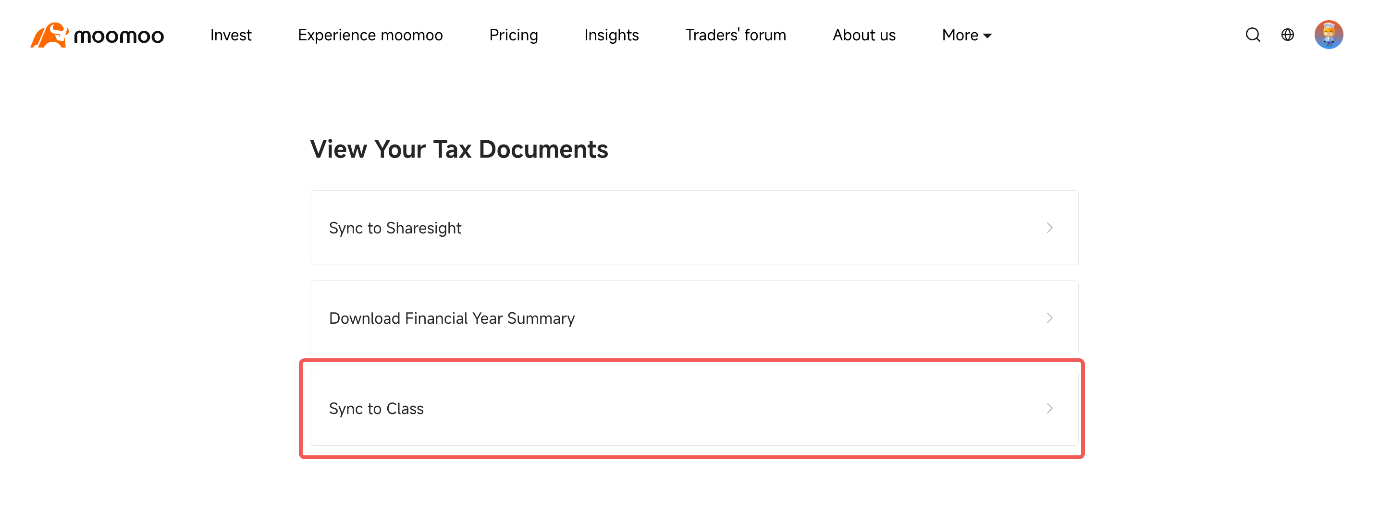
Via the moomoo website
• Visit: https://documents.au.moomoo.com/document/guide
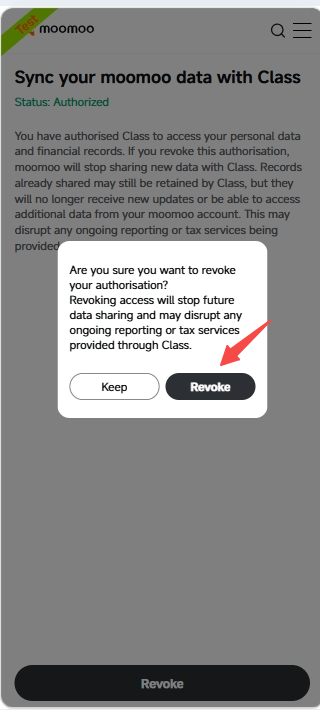
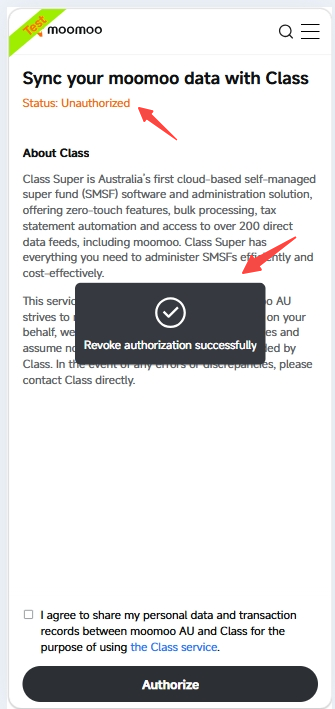
• Log in using your moomoo credentials, select “Sync to Class”, and follow the prompts to remove your authorisation.
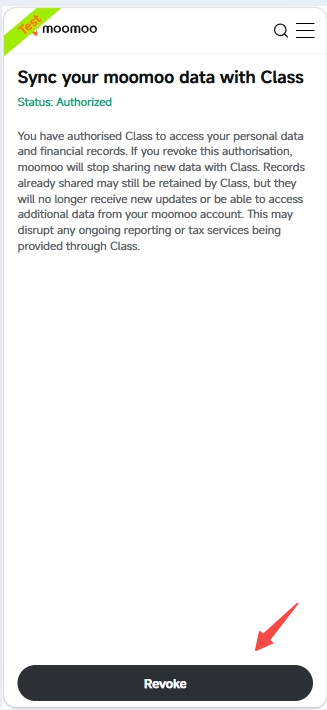
Via the moomoo app
• Go to:
Accounts tab → All → scroll to Account section → Tax → Sync to Class
• Then follow the prompts to remove your authorisation.
4. Historical Data
When a client first authorises the Class data feed, moomoo will send the relevant historical transaction data to Class. This may cover up to two prior financial years, depending on when the authorisation is provided during the financial year.
After the initial authorisation, relevant data will be sent to Class automatically on an ongoing basis.
Please note that if a client removes their authorisation and later re-authorises, moomoo will send the relevant data from the gap period once authorisation is restored.
For example, if a client first authorises the data feed on 1 July 2026 and removes the authorisation on 15 July 2026, the data from 1 July to 15 July 2026 will be sent to Class once the client re-authorises.