Sample Name
Sample Code
Sample Name
Sample Code
Sample Name
Sample Code
4
NXP Semiconductors
NXPI
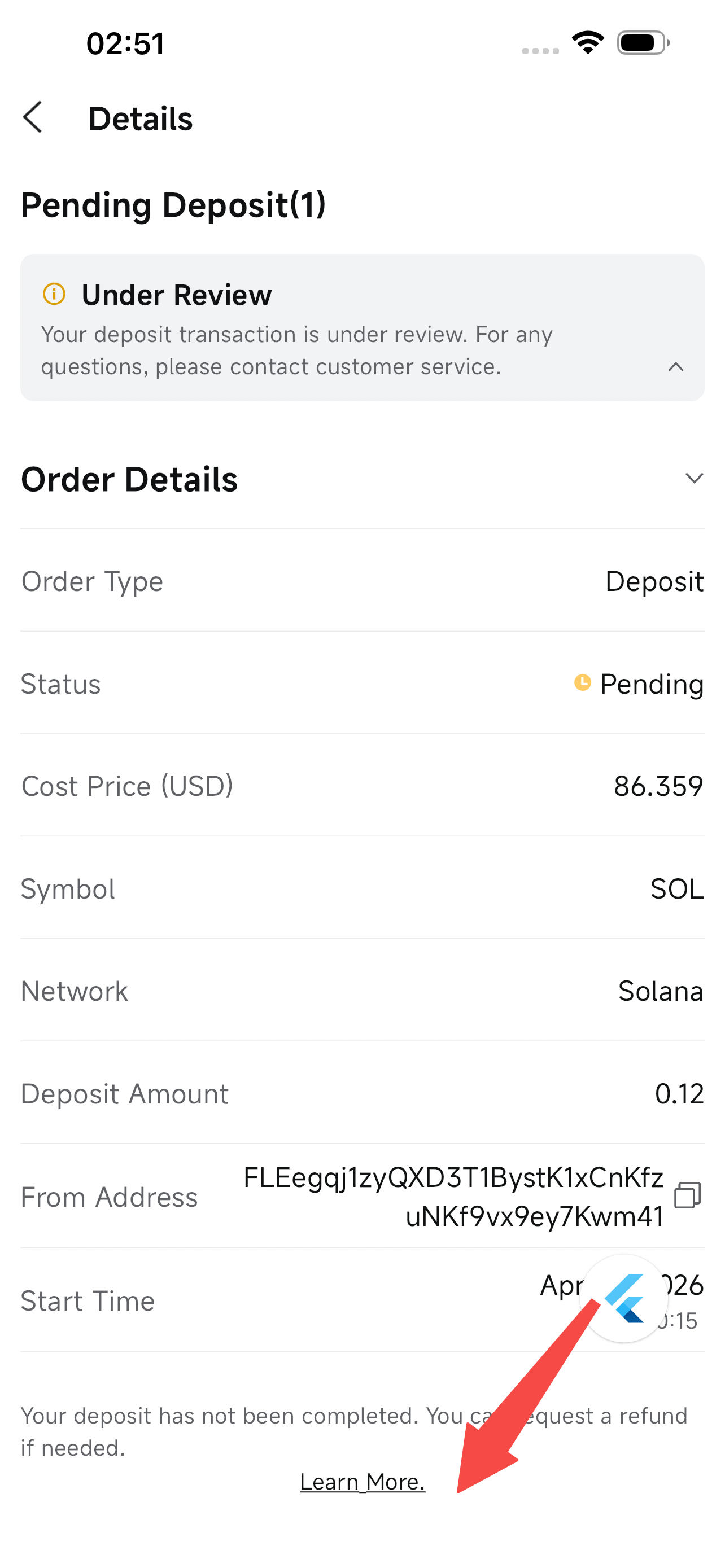
Step 1: Go to the refund page
On the deposit details page, tap the Refund button to get started.
Note: You can also request a refund for pending deposits by tapping the button at the bottom of the deposit details page.
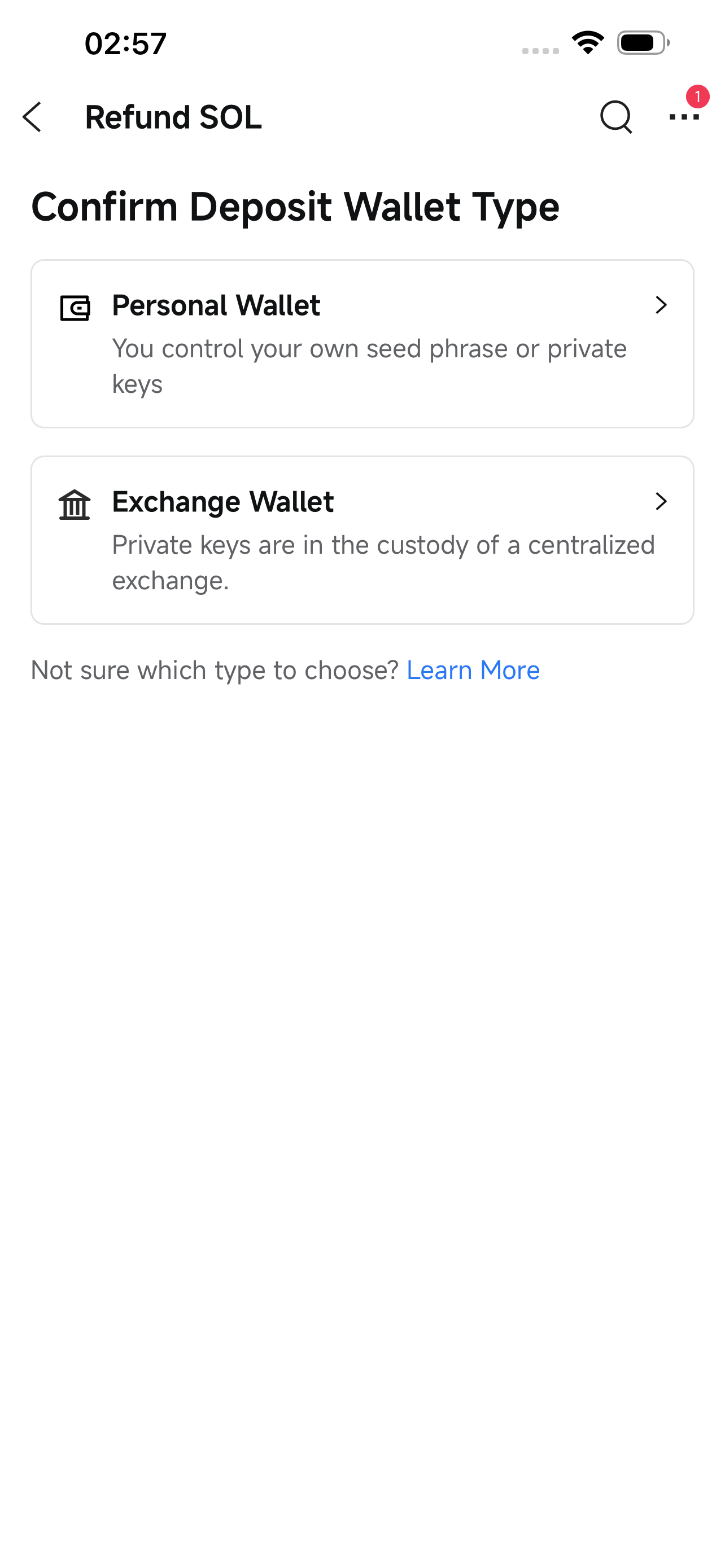
Step 2: Select the wallet type
Select the type of wallet you originally sent the deposit from.
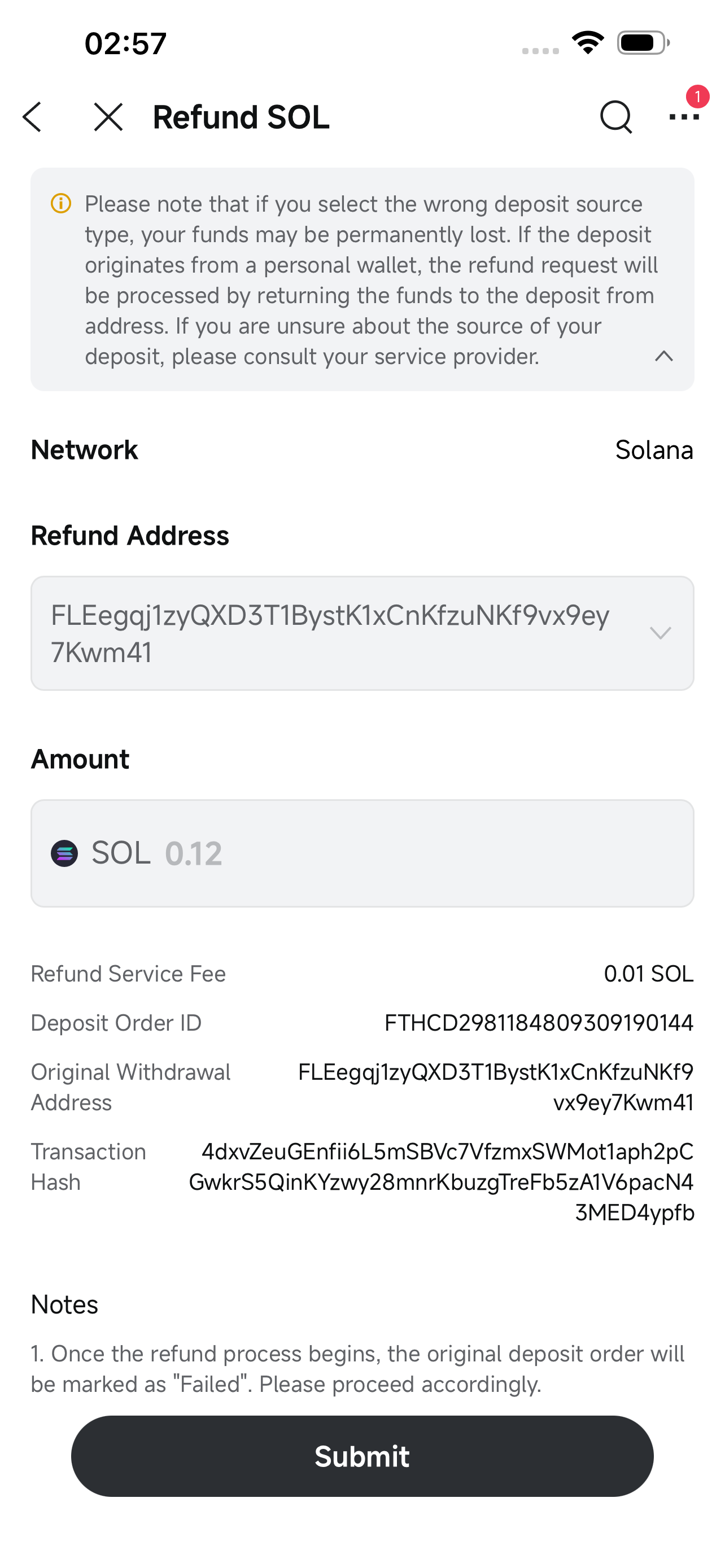
Step 3A (Self-Custodial Wallet): Confirm the refund details
For deposits sent from a self-custodial wallet, the refund will automatically be returned to the original sending address. The refund address and amount are fixed and cannot be changed. Review the details and tap the Submit button.
Step 3B (Exchange Wallet): Fill in the refund details
For deposits sent from an exchange wallet, follow these steps:
1. Select the exchange: Choose the exchange where you'd like the refund sent from the list of available exchanges.
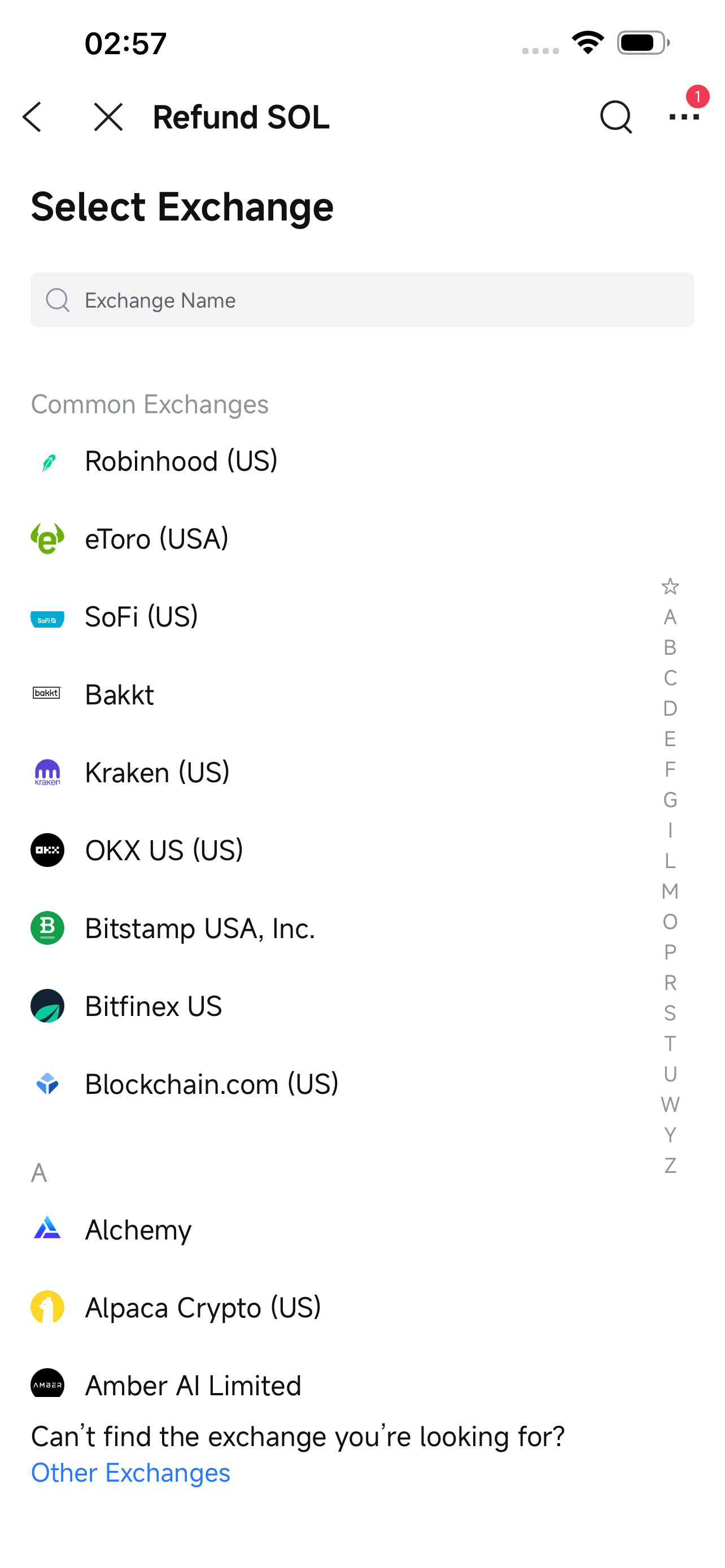
If you don't see your exchange, select "Other Exchanges" and enter the name manually.
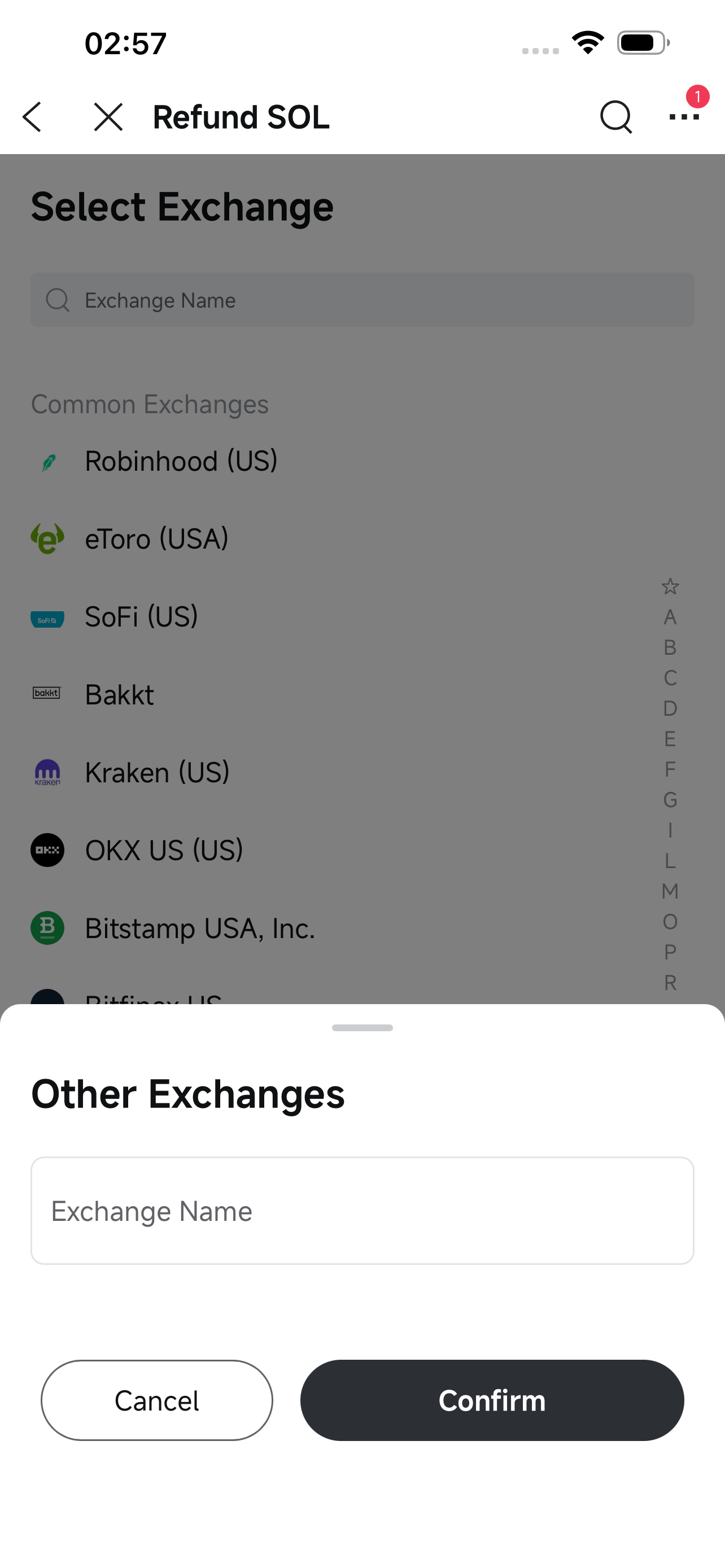
2. Enter the refund address: Enter the address where you'd like to receive the refund and confirm the ownership of the exchange account.
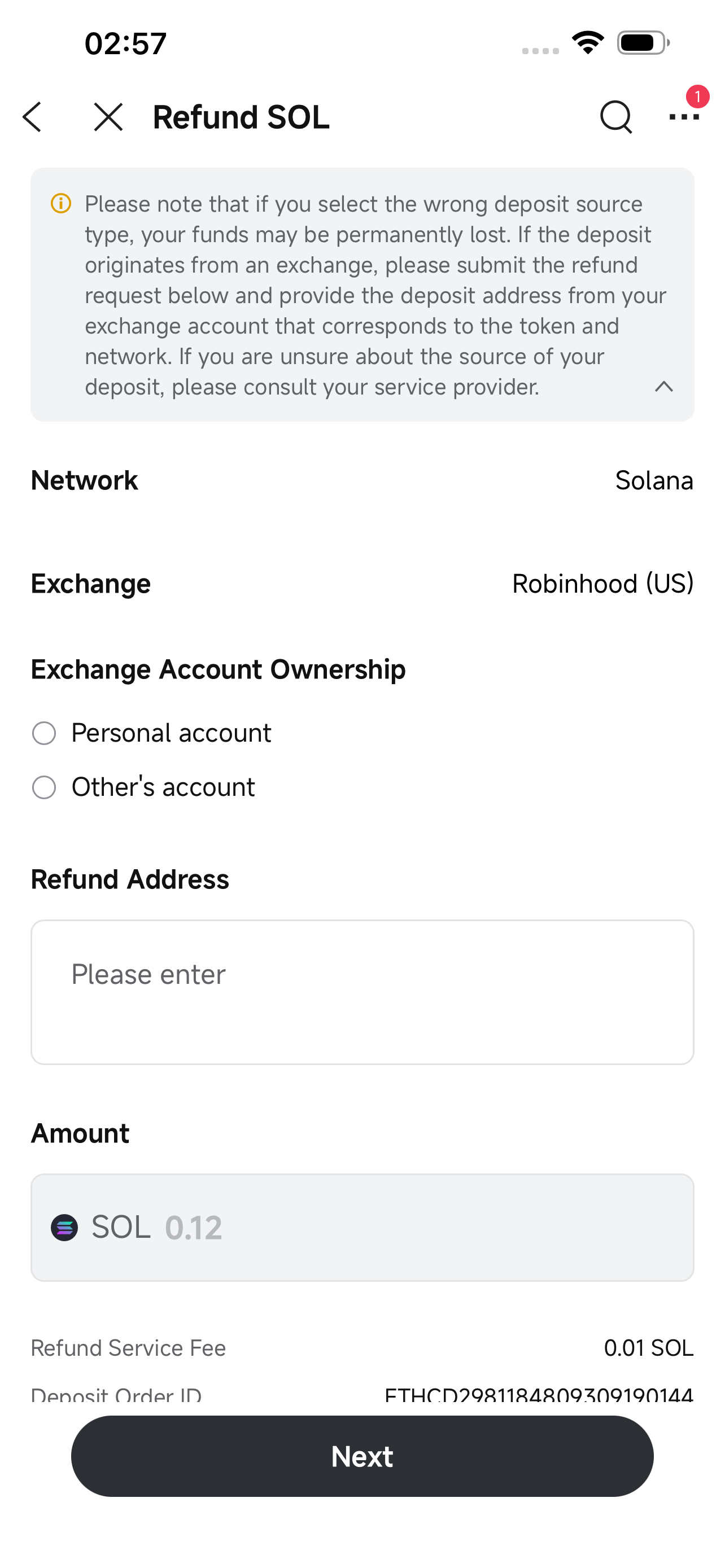
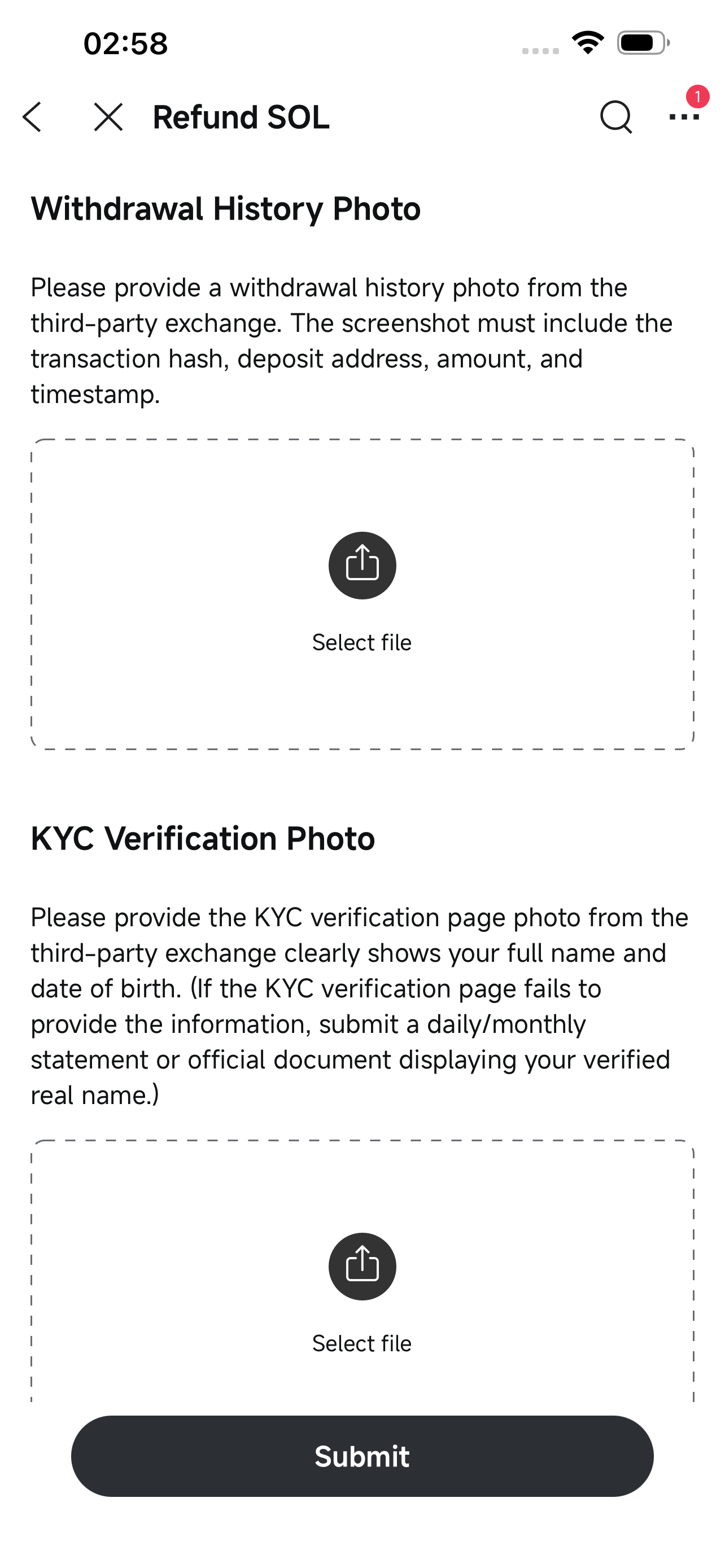
3. Upload the required documents:
- Withdrawal record: A screenshot from the source exchange showing the withdrawal details, including the transaction hash, sending address, receiving address, amount, and timestamp.
- KYC verification: A screenshot of the KYC page from the source exchange, showing your registered name, date of birth, and ID number. If your KYC page doesn't show this information, upload a monthly statement that includes your verified name instead.
- Refund receiving address: A screenshot of the deposit address at the destination exchange where the refund will be received, along with the full address in text format to ensure the refund is sent to the correct address.
If the source exchange account belongs to someone else, you'll also need to provide:
A screenshot of the account holder's identity document
A brief explanation of your relationship with the account holder and why they made the deposit
Step 4: Submit the application
Once all fields are filled, submit the application. Your application will then be reviewed by our team.
Refund processing time
Refund reviews may take up to 10 business days. Once your refund is approved and processed, you will receive an in-app notification. Be sure to check your wallet or exchange account to confirm the funds have arrived.
A processing fee applies to all refunds. For fee details, please refer to What cryptocurrencies does MCI support for deposits and withdrawals?
Please carefully confirm all information before submitting. Incorrect information may result in permanent loss of assets. Once submitted, your application may no longer be editable.
MCI reserves the right to reject applications with incorrect or incomplete information. Please monitor your application status and resubmit if needed.

