Sample Name
Sample Code
Sample Name
Sample Code
Sample Name
Sample Code
4
IBM Corp
IBM
To make a deposit via Apple Pay or Google Pay, tap Accounts > Deposit and select Apple Pay or Google Pay within the moomoo app.
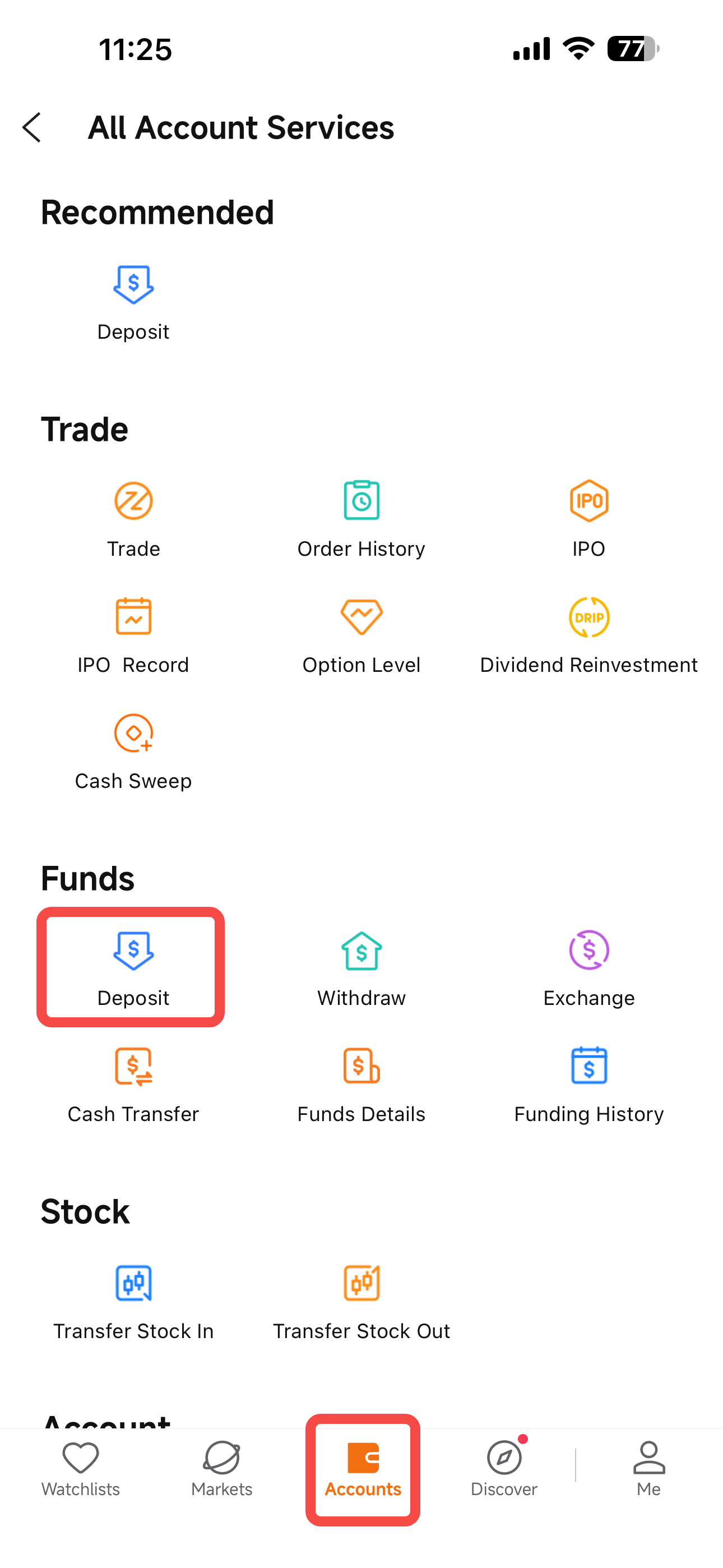
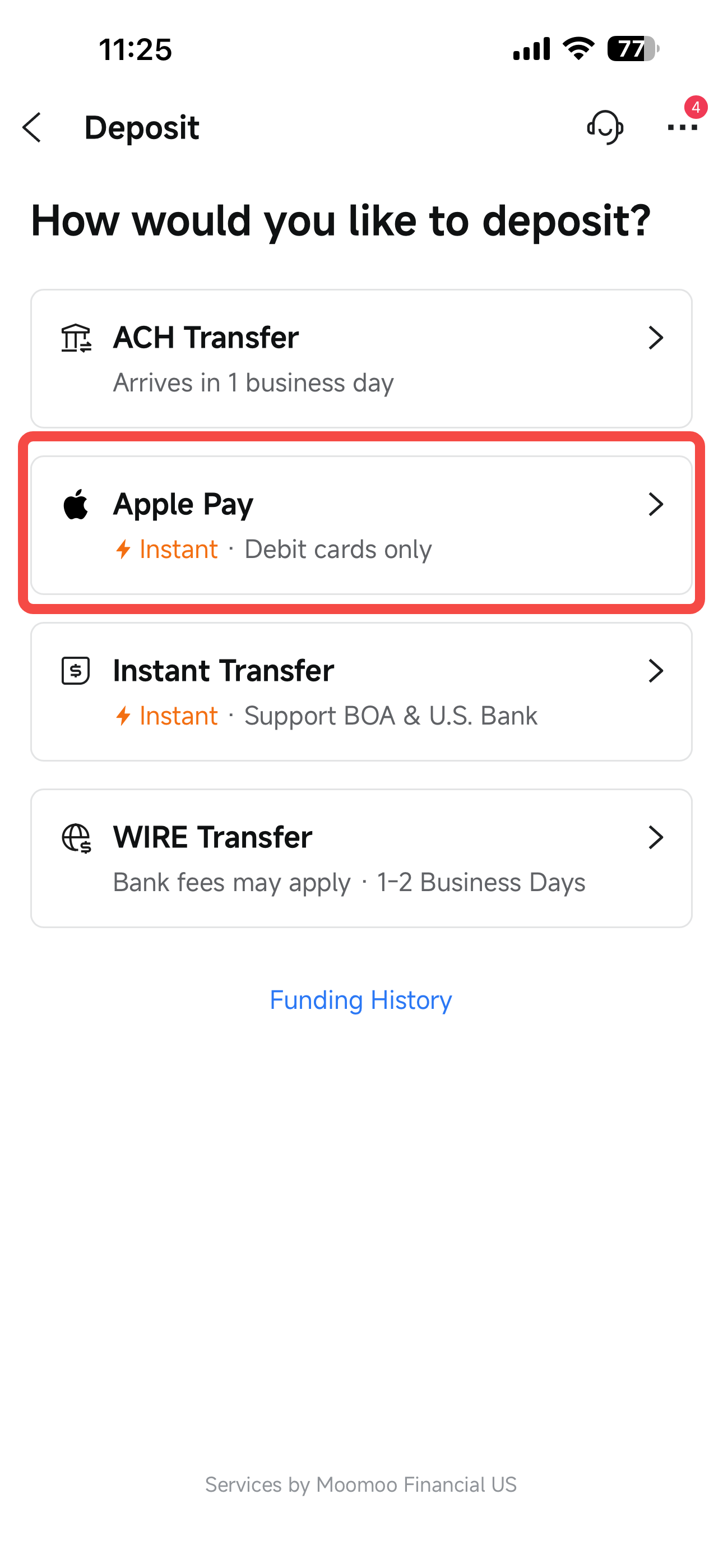
Only US-issued debit cards are eligible for Apple Pay and Google Pay deposits. Credit cards and prepaid cards are not supported.
Only personal or consumer‑type debit cards are eligible for Apple Pay and Google Pay deposits. Commercial cards are not supported.
The corresponding deposit entry will be displayed automatically based on your device OS: Apple Pay for iOS devices and Google Pay for Android devices.
You must bind a valid debit card to Apple Wallet or Google Wallet prior to initiating a deposit. Apple Cash cannot be used for funding.
No fees will be applied for deposits made via Apple Pay or Google Pay.
Deposits submitted through Apple Pay and Google Pay are generally credited instantly. In certain cases, banks may conduct transaction reviews, which could delay fund arrival by several hours.
Apple Pay and Google Pay share aggregate deposit limits: a daily cap of $10,000 and a monthly cap of $50,000.
Note:
If you conduct deposits across multiple devices using both Apple Pay and Google Pay, all transactions will be aggregated under the combined daily limit of $10,000 and monthly limit of $50,000.
Funds deposited via Apple Pay or Google Pay can be withdrawn via ACH transfer or wire transfer starting from 11:00 AM ET on the next business day, to an account at the same bank as the funding card. Deposits submitted on Friday, Saturday or Sunday will first become available for withdrawal at 11:00 AM ET on Monday.
A: Users must be US residents and hold a valid US Social Security Number (SSN).
A: Some card-issuing banks impose restrictions on the transaction frequency and payment limit for outward transfers with debit cards. It is recommended to contact your bank to request a limit increase before resubmitting the fund deposit request.
A: The issuing bank’s risk control system flags this debit card transfer as a risky transaction and blocks it. Please get in touch with your bank to confirm your debit card is in a normal status, verify the moomoo transfer as an authorized personal transaction, and then resubmit your fund deposit application.
A: Funds deposited via Apple Pay & Google Pay during US market trading hours on business days are available for trading immediately once credited. For deposits made outside trading hours, funds will be available for trading the following business day morning.