Deposit
You can choose from the following two deposit methods.
PayID:
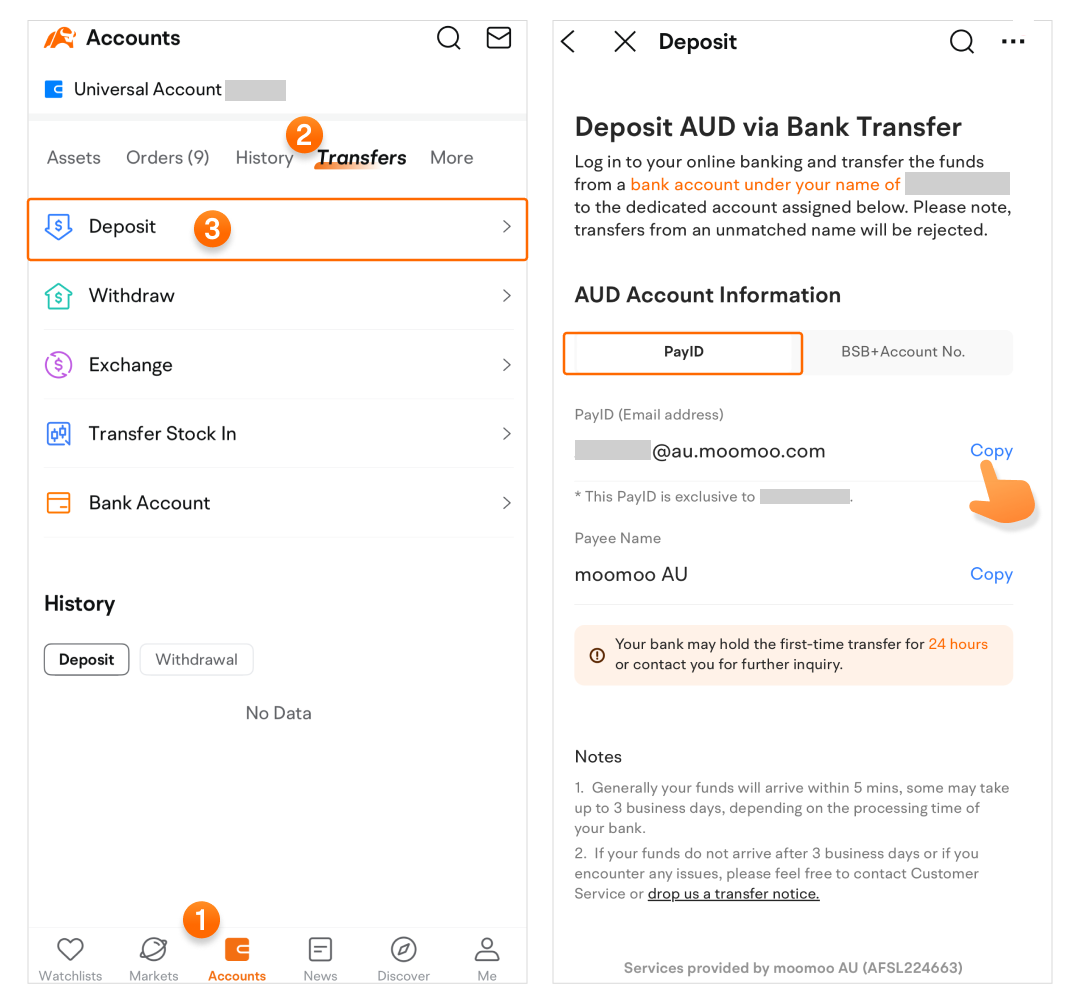
Path: Accounts > Tap an account card > Transfers > Deposit > Pay ID. Then Copy the PayID provided by moomoo in your bank App/online banking.
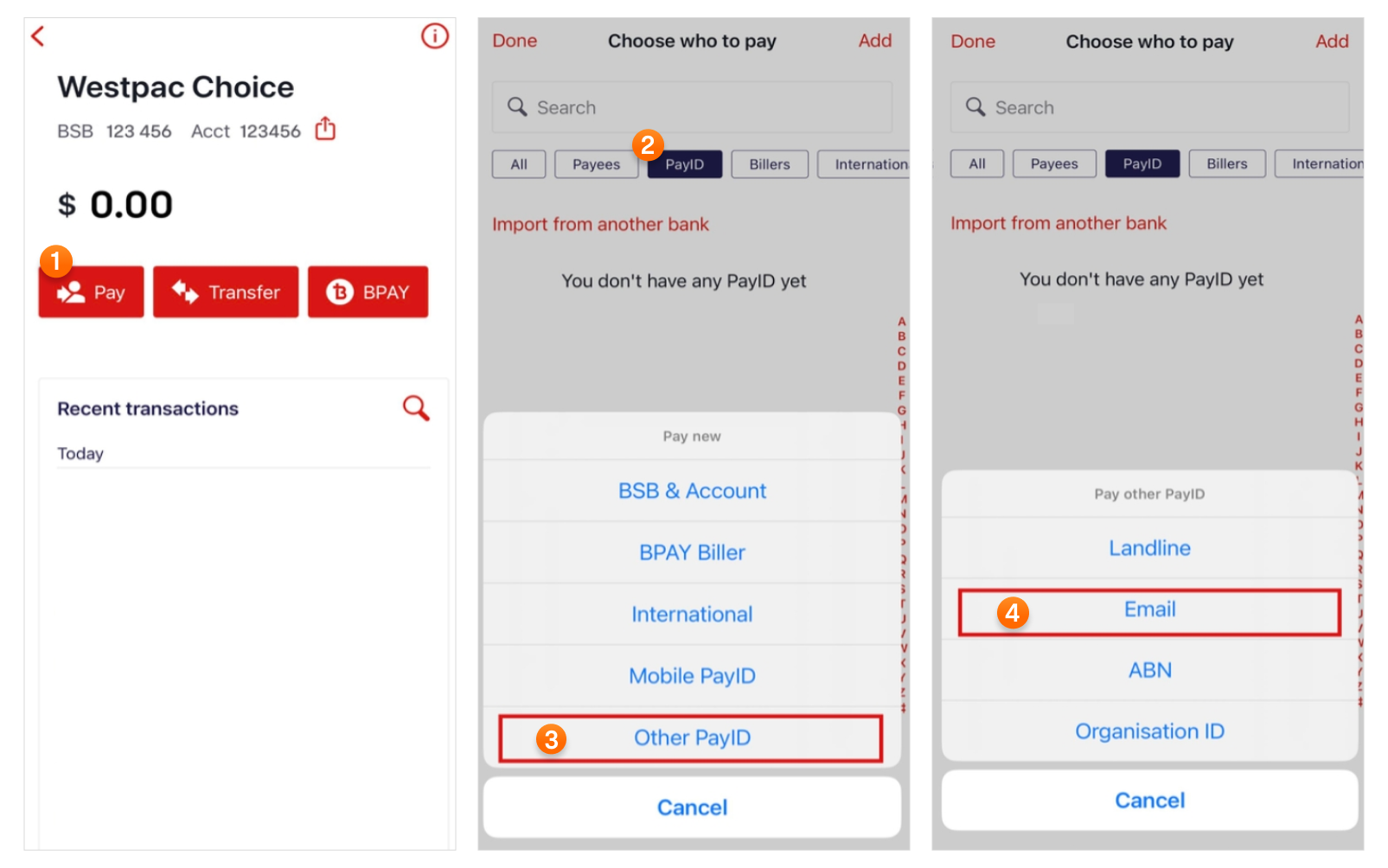
Here, we will use the Westpac app as an example.
-
Open your Westpac App, tap “Pay” to find the PayID feature, and select Email as the type of PayID.
-
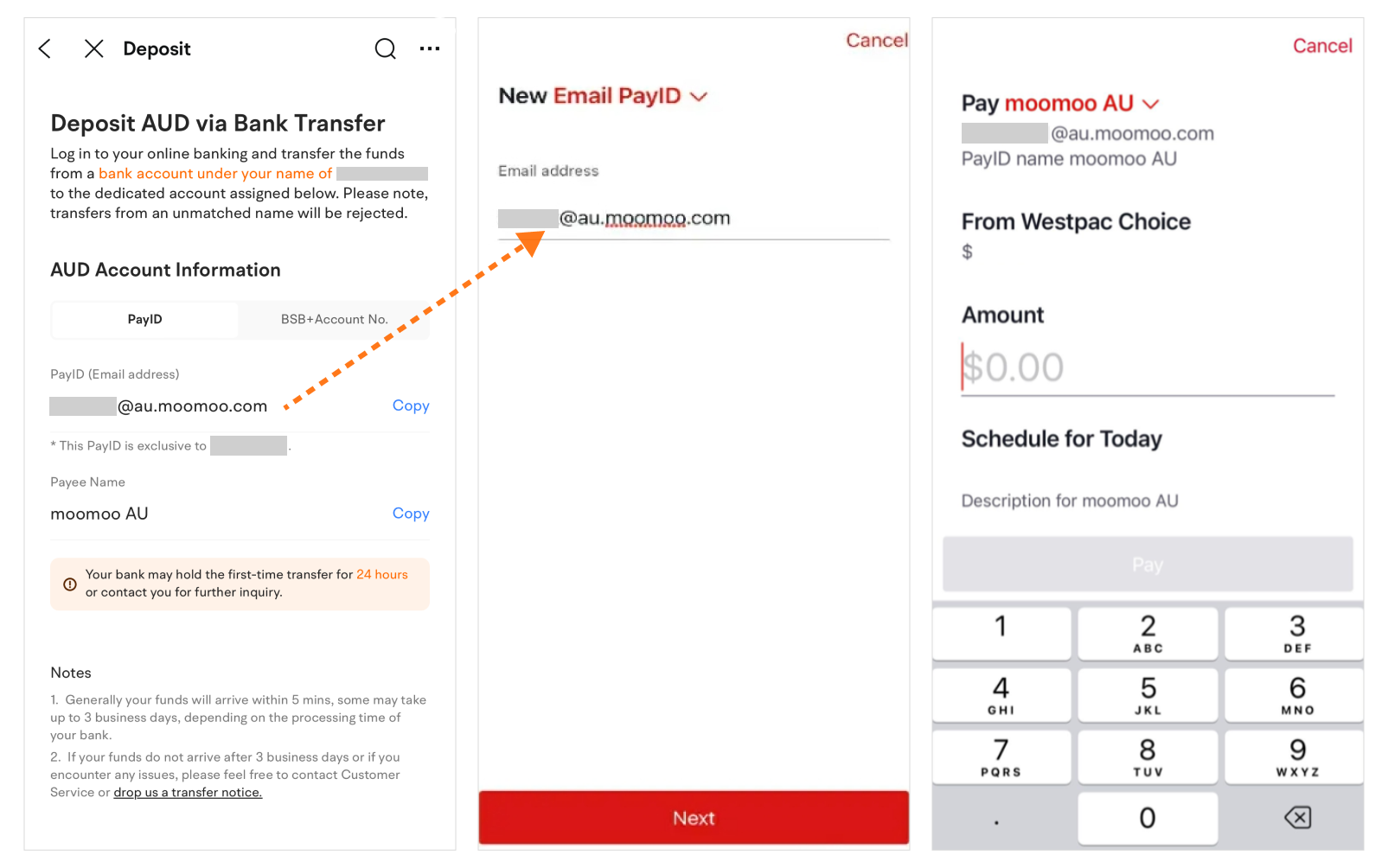
Enter the PayID provided by moomoo in your Westpac App. Then enter an amount in your Westpac App, confirm it, and complete the transfer.
Please ensure your bank account name is the same as your moomoo account name. For example, your moomoo trading account is in the name of ABC, then your must ensure the payer's bank account name is also ABC. Moomooo may request more information from you if account names are unmatched which may result in a delay in the arrival of your funds.
If PayID is not available at your bank, you can still use BSB number and your bank account number to transfer money.
BSB+Account No. :
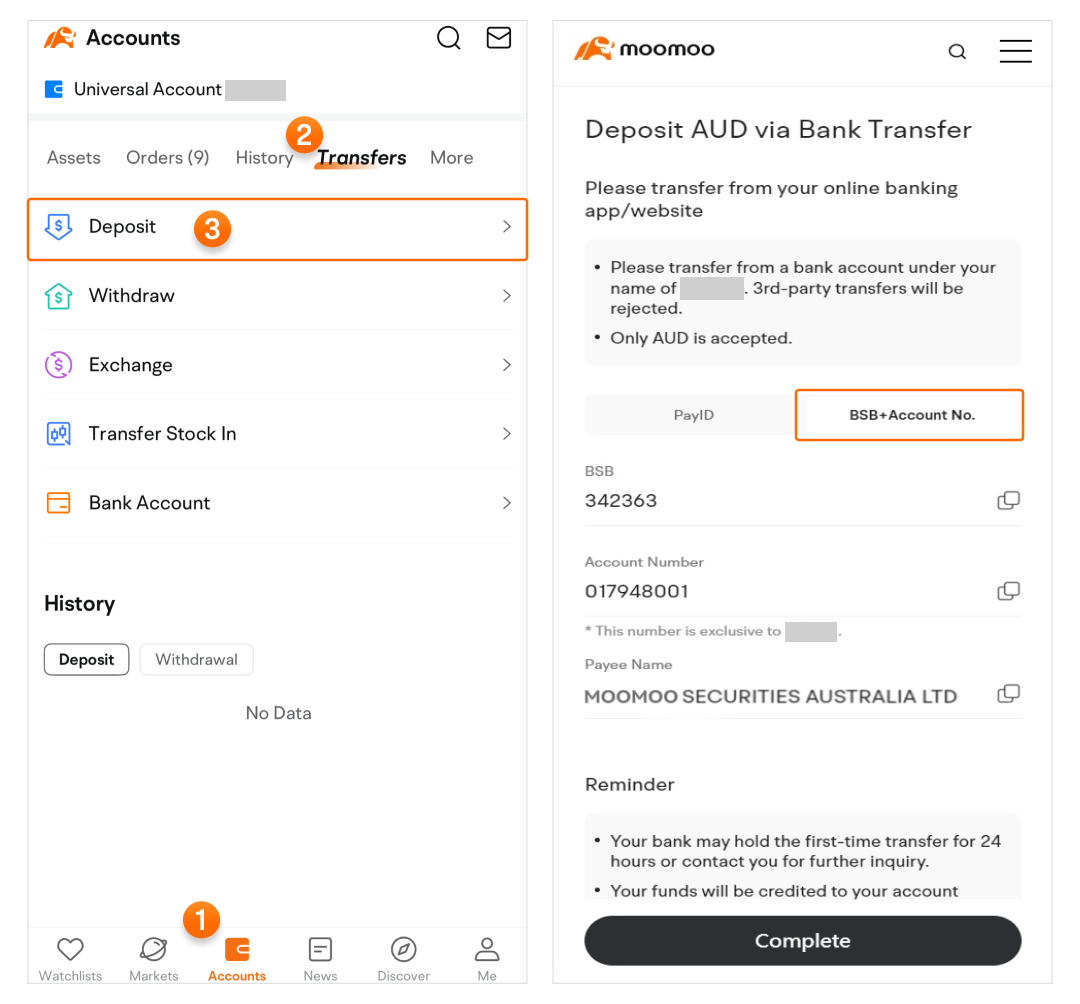
Path: Accounts > Tap an account card > Transfers > Deposit > BSB+Account No..
Copy the bank account information and paste to your Banking app/website to initiate a bank transfer.
For individual accounts, please transfer from your personal bank account. For entity accounts, please use a bank account under the name of the account holder for transfers.
Important notice
Please do not share the beneficiary account provided to you to others as each client is associated with a unique beneficiary account. Transferring money to a wrong beneficiary account will lead to your deposit being delayed or returned to the bank.
Only deposits in AUD are supported.
US stocks are settled in USD. After depositing AUD, you may convert it into USD by going to Currency Exchange in the app. If you need to deposit USD, please contact our customer service team.
Withdraw
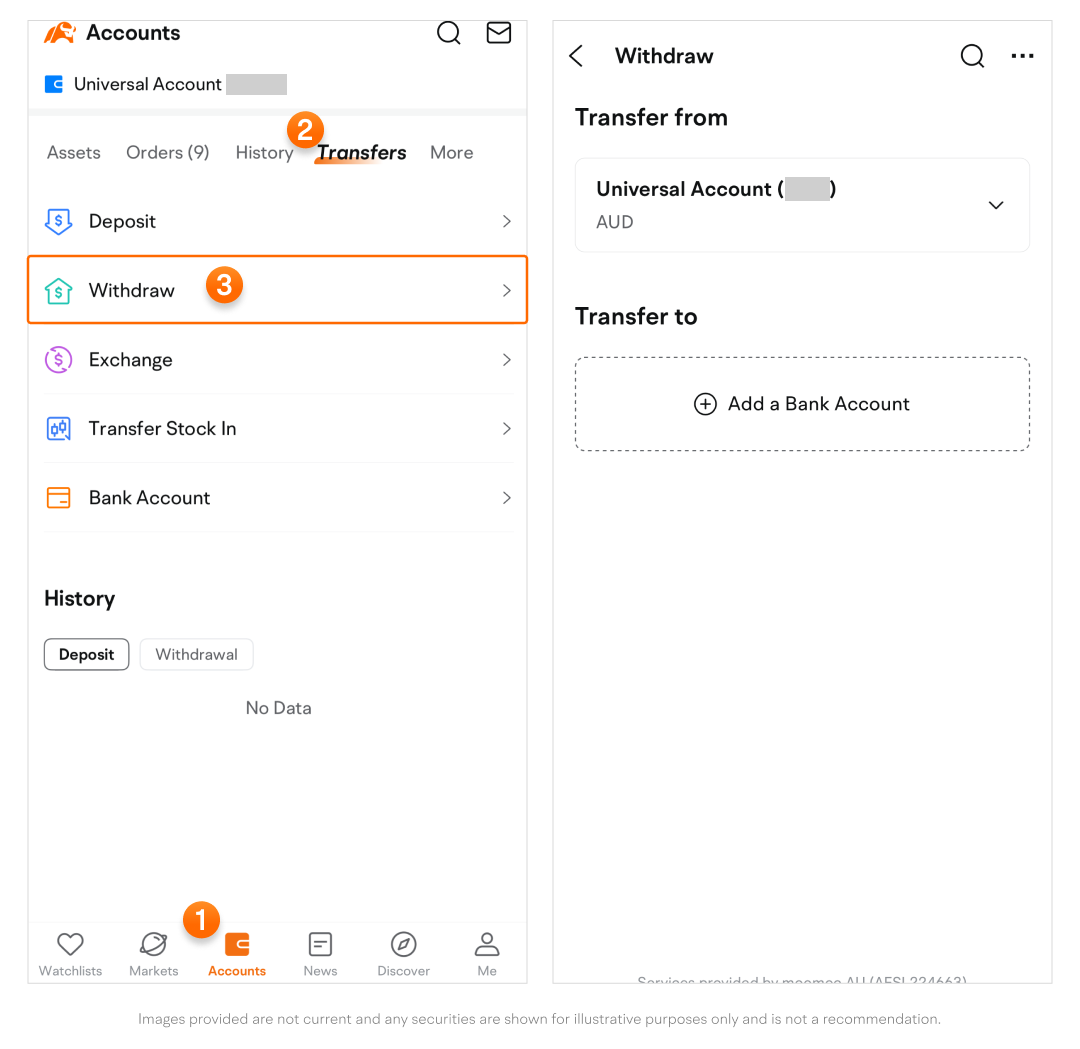
Path: Accounts > Transfers > Withdraw.
-
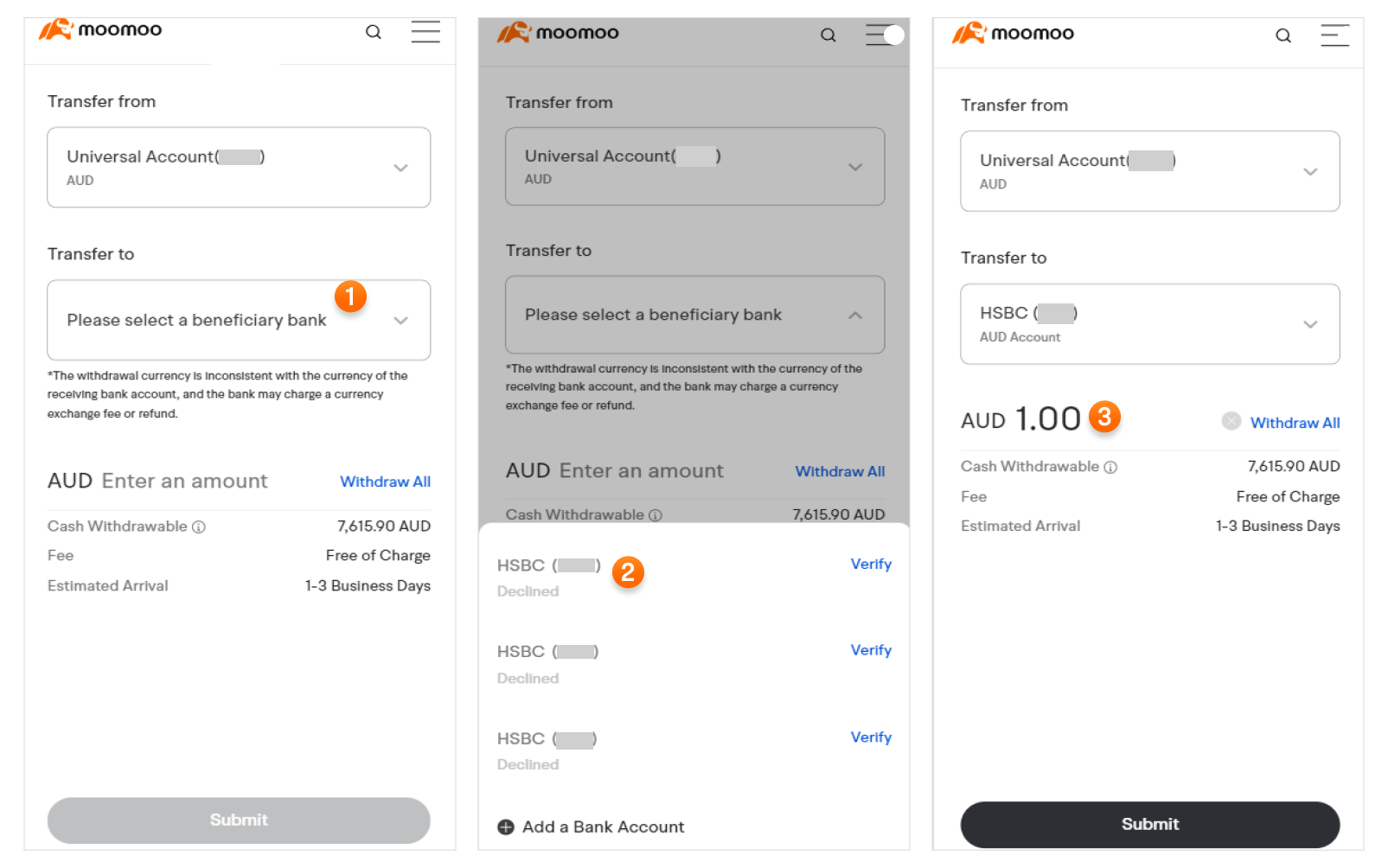
Select the beneficiary account. Enter the amount you'd like to withdraw and tap Submit.
-
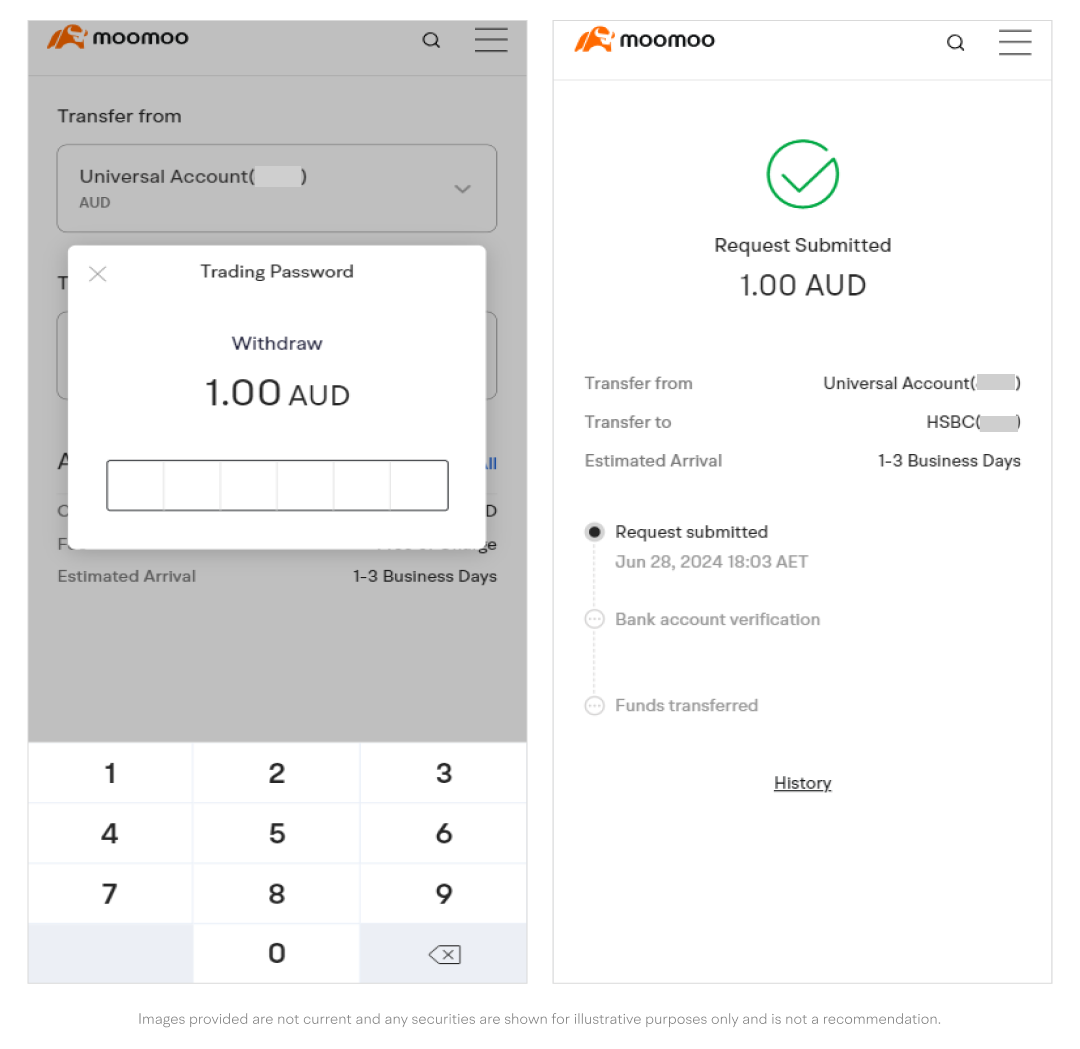
Verify your trading password. Your withdrawal request will then be processed.
View history
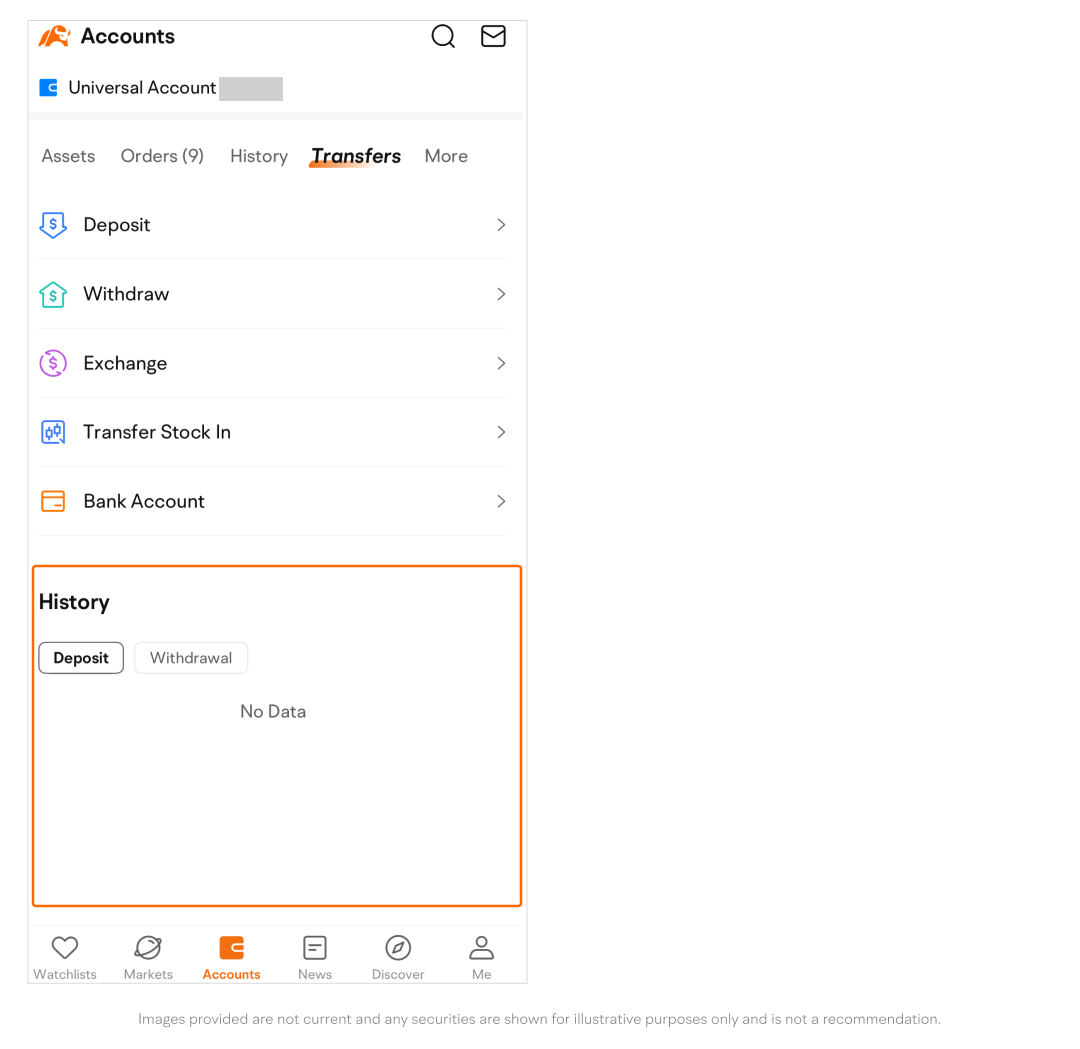
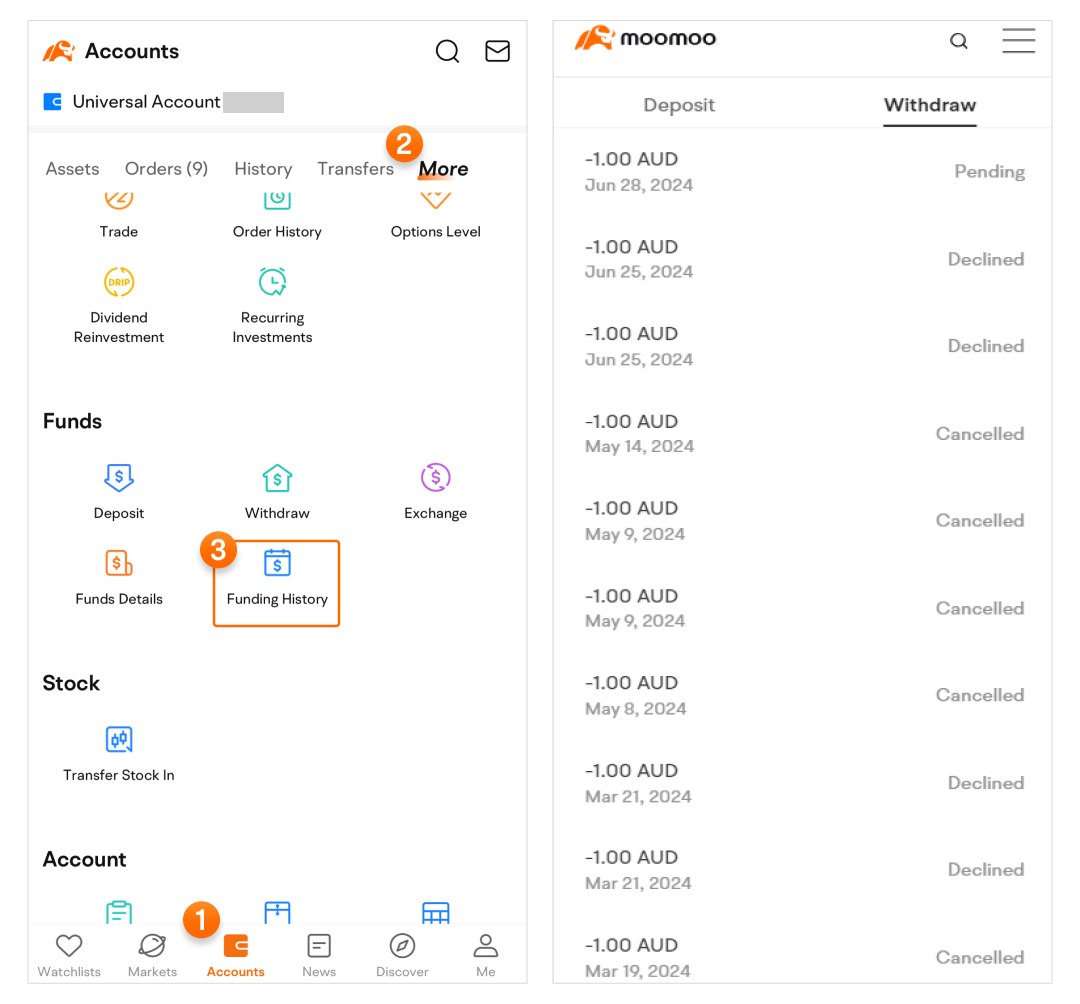
You can easily view your deposit or withdrawal history.
Path 1: Accounts > Transfers > Go to the History section at the bottom of the page > Tap to switch between Deposit and Withdrawal.
Path 2: Accounts > More > Swipe up to find Funds History under the Funds section.
This presentation is for informational and educational use only and is not a recommendation or endorsement of any particular investment or investment strategy. Investment information provided in this content is general in nature, strictly for illustrative purposes, and may not be appropriate for all investors. It is provided without respect to individual investors’ financial sophistication, financial situation, investment objectives, investing time horizon, or risk tolerance. You should consider the appropriateness of this information having regard to your relevant personal circumstances before making any investment decisions. Past investment performance does not indicate or guarantee future success. Returns will vary, and all investments carry risks, including loss of principal.
Moomoo is a financial information and trading app offered by Moomoo Technologies Inc. In Australia, financial services available on the moomoo app are provided by Moomoo Securities Australia Ltd trading as Moomoo AU, AFSL 224663.