How to Use Drawing Tools on moomoo
Are you new to investing and looking for an easy way to identify entry and exit signals on candlestick charts? Look no further than moomoo!
Our platform provides a variety of drawing tools, including more than 30-line types, so even beginners can get started quickly.
In this tutorial, we'll show you how to master drawing skills in just a few minutes. Let's dive in!
First, tap a stock and enter its detailed quotes page.
Then tap the brush icon below the chart to show the toolbar.
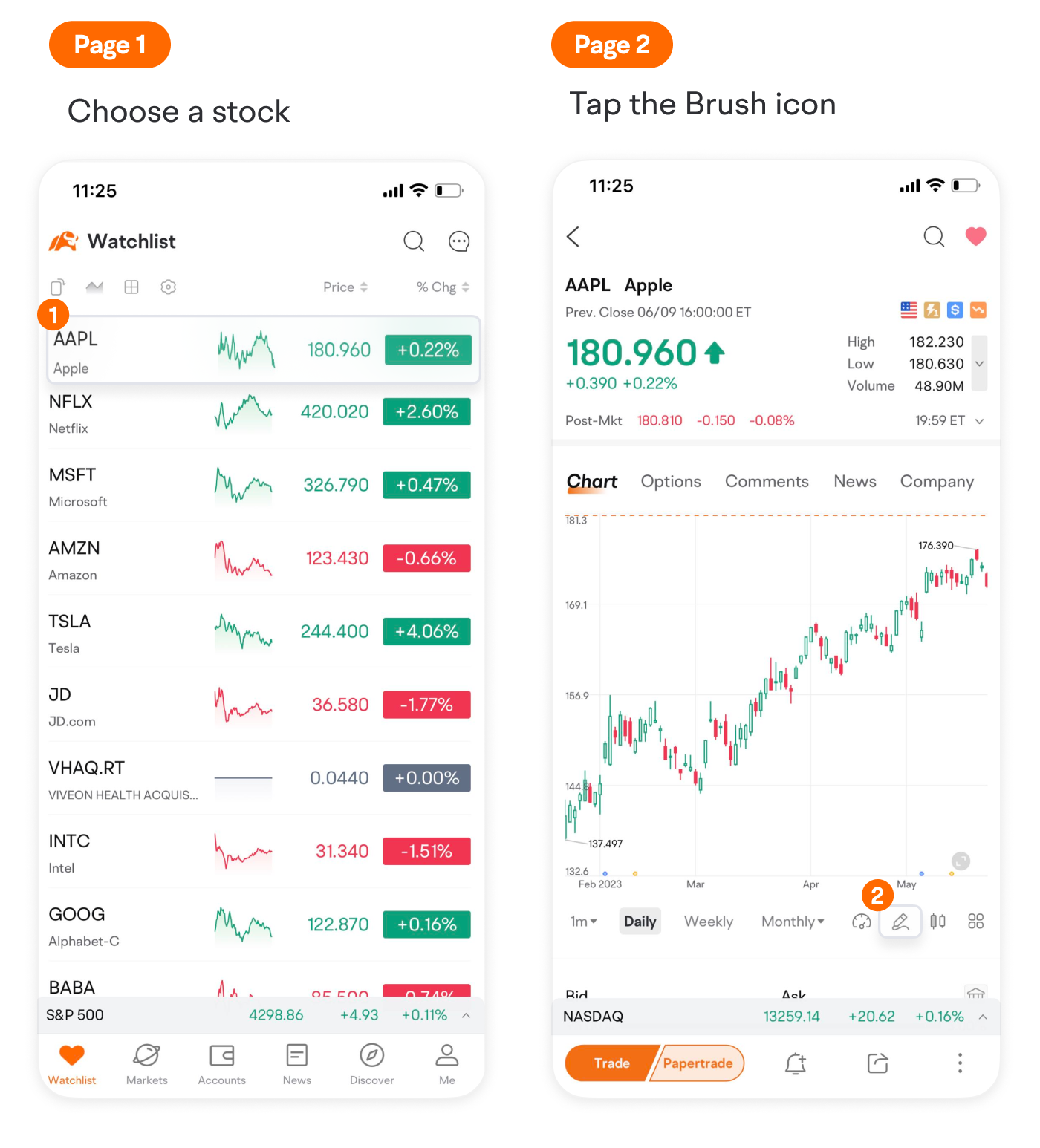
Here you can see some useful shortcuts and 30+ types of lines available on moomoo.
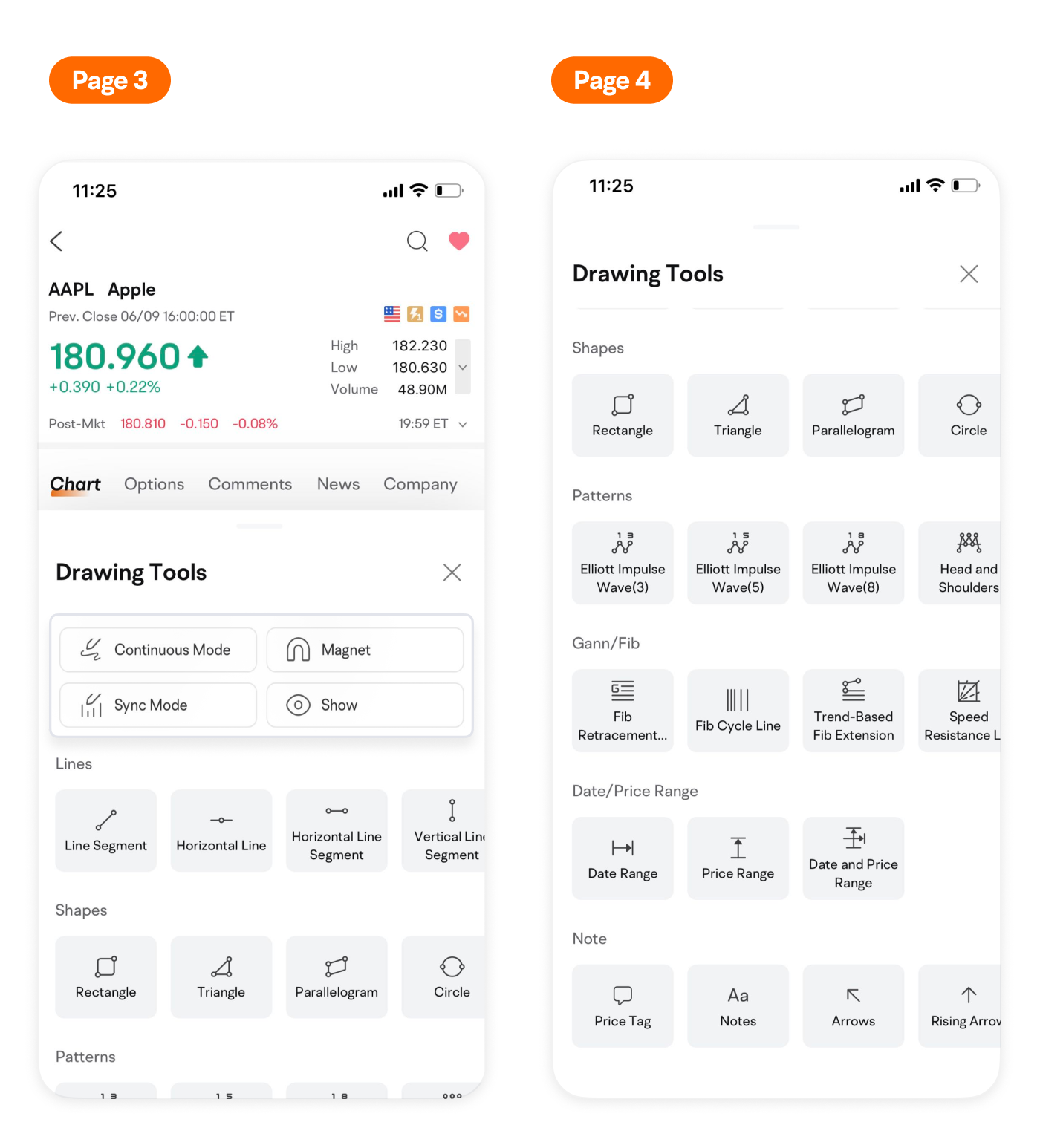
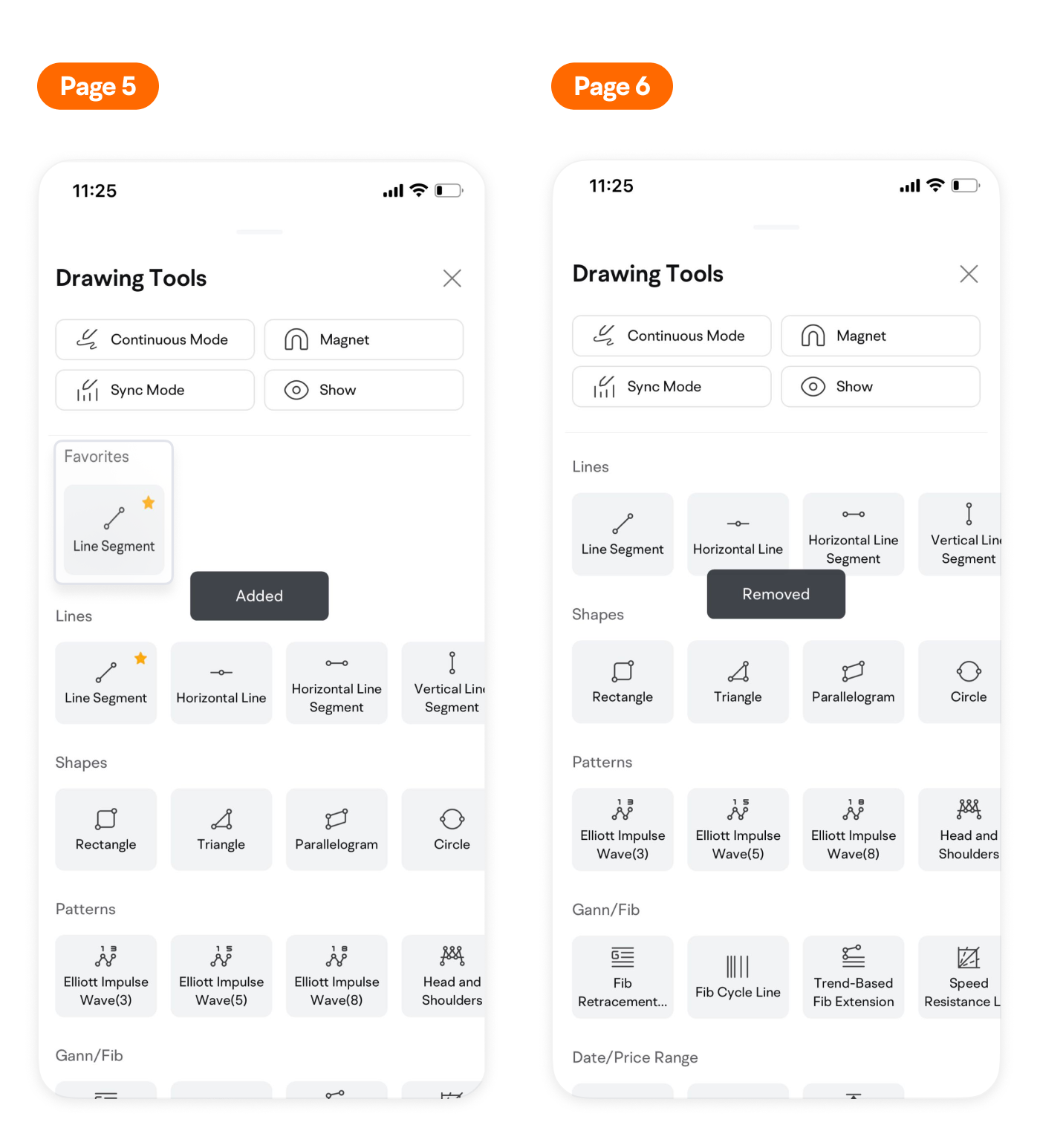
Press and hold to save tools you find most useful and they will be displayed at the top of the panel.
Press and hold a tool again to remove it from the Favorites.
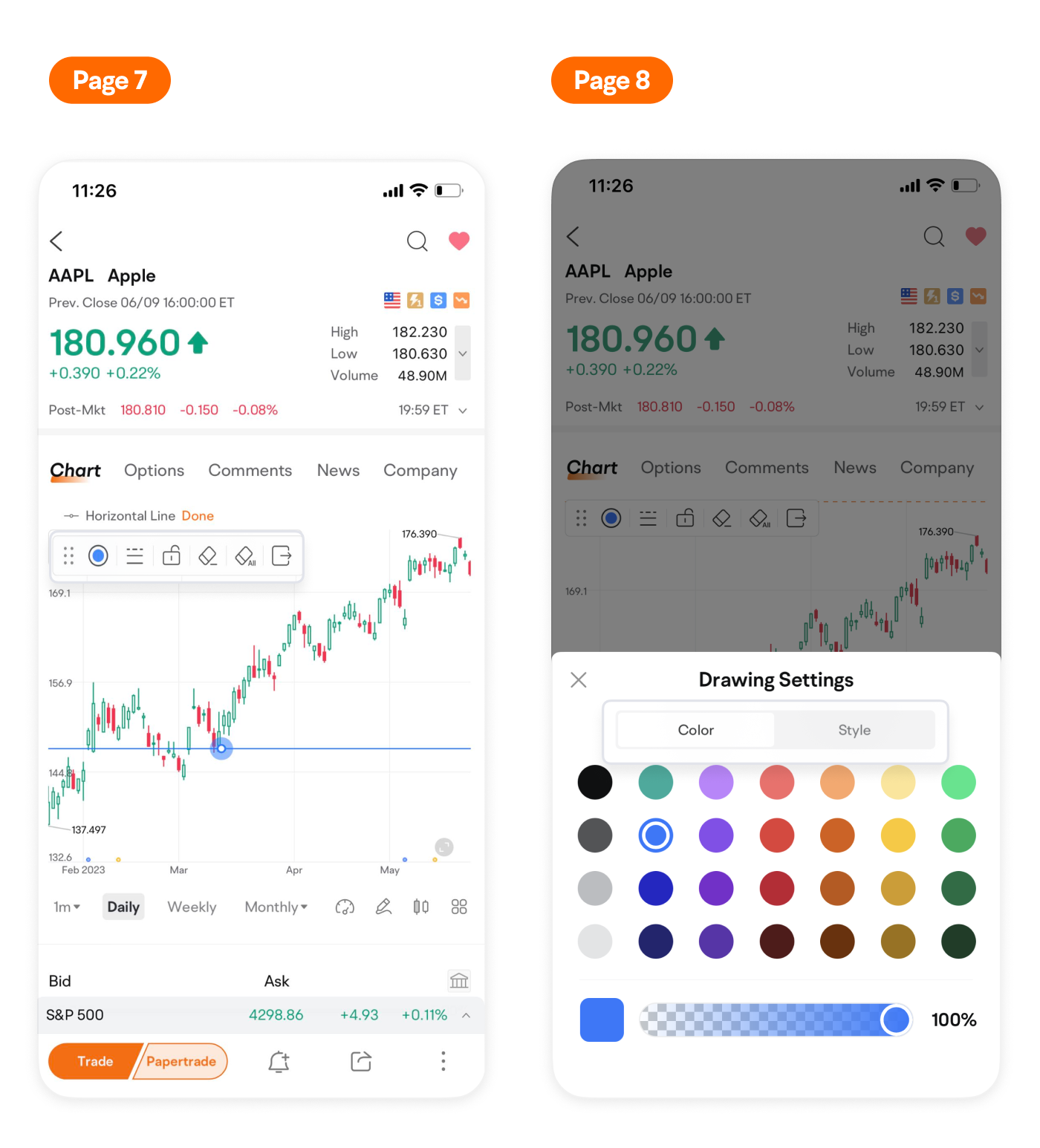
After drawing lines, you can adjust the color, line width and style in the pop-up hovering bar.
Additionally, moomoo syncs your drawings on various logged-in devices.
Lines drawn on your mobile will be automatically saved and synced to your desktop.
Join moomoo Learn to gain more investing know-how.
This presentation is for informational and educational use only and is not a recommendation or endorsement of any particular investment or investment strategy. Investment information provided in this content is general in nature, strictly for illustrative purposes, and may not be appropriate for all investors. Read more
Recommend

How to Track Earnings Reports

5x24 Hour Trading: U.S. Stocks Trading Never Stops

Moomoo AI:Invest Forward and Easier

How to Trade 0DTE Options on moomoo
Trade Overview and Capital Trend: Identify institutional investor moves
How to Use MACD in Real Trading
How to Use Technical Indicators on moomoo
24/5, uninterrupted US stock trading
How to Draw Trend Lines
How to Trade Fractional Shares on moomoo?
How to Use Fibonacci Retracement Levels
How to Use Date/Price Range
How to Identify Candlestick Patterns
How to Use Drawing Tools on moomoo
What is Technical Indicator Sentiment feature
How to set up DRIP for US stocks & ETFs
How to Use MA in Real Trading
How to View Today's P&L Transaction Statement?
How to Place a Basic Order?
Investing in US stocks with Recurring Investments
How to Track Earnings Reports
5x24 Hour Trading: U.S. Stocks Trading Never Stops
Moomoo AI:Invest Forward and Easier
How to Trade 0DTE Options on moomoo
Trade Overview and Capital Trend: Identify institutional investor moves
How to Use MACD in Real Trading
How to Use Technical Indicators on moomoo
24/5, uninterrupted US stock trading
How to Draw Trend Lines
How to Trade Fractional Shares on moomoo?
How to Use Fibonacci Retracement Levels
How to Use Date/Price Range
How to Identify Candlestick Patterns
How to Use Drawing Tools on moomoo
What is Technical Indicator Sentiment feature
How to set up DRIP for US stocks & ETFs
How to Use MA in Real Trading
How to View Today's P&L Transaction Statement?
How to Place a Basic Order?
Investing in US stocks with Recurring Investments