Sample Name
Sample Code
Sample Name
Sample Code
Sample Name
Sample Code
4
International Tower Hill Mines
THM
5
Dakota Gold
DC
If you wish to transfer stocks from your Central Depository (CDP) account in Singapore to Moomoo SG, you can follow the instructions below to complete the transfer via the Form Transfer method.
💡 We recommend CDP Digital Transfer instead: This fully digital method is faster and more reliable than Form Transfer, with no manual processing required. View CDP Digital Transfer Guide
If you prefer to use Form Transfer, please follow the steps below:
Follow these steps to complete your transfer:
Method 1 (Recommended):
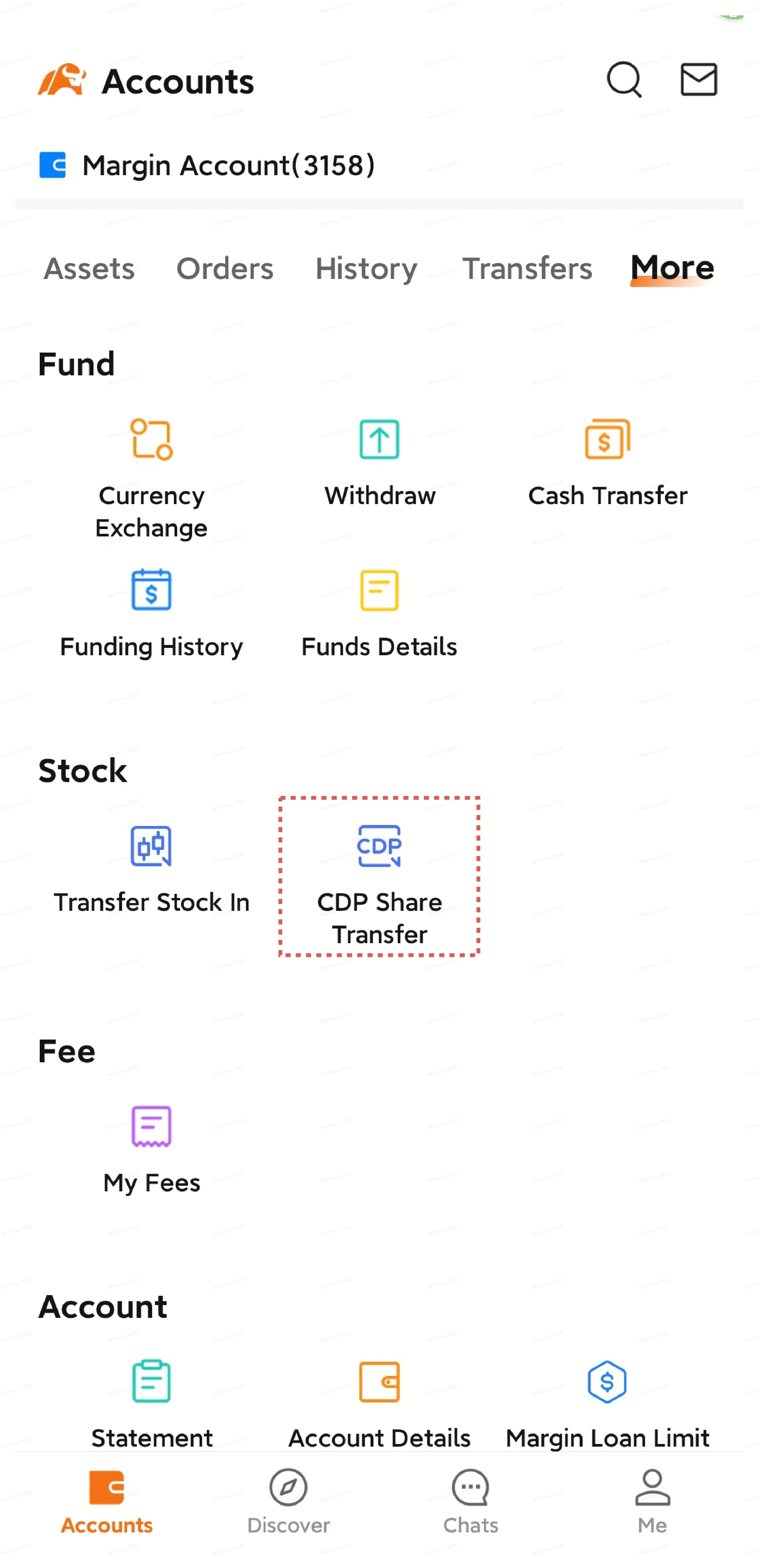
Open the moomoo app and tap Accounts.
Tap More, then select CDP Share Transfer.
CDP will be automatically selected as your broker.
Method 2:
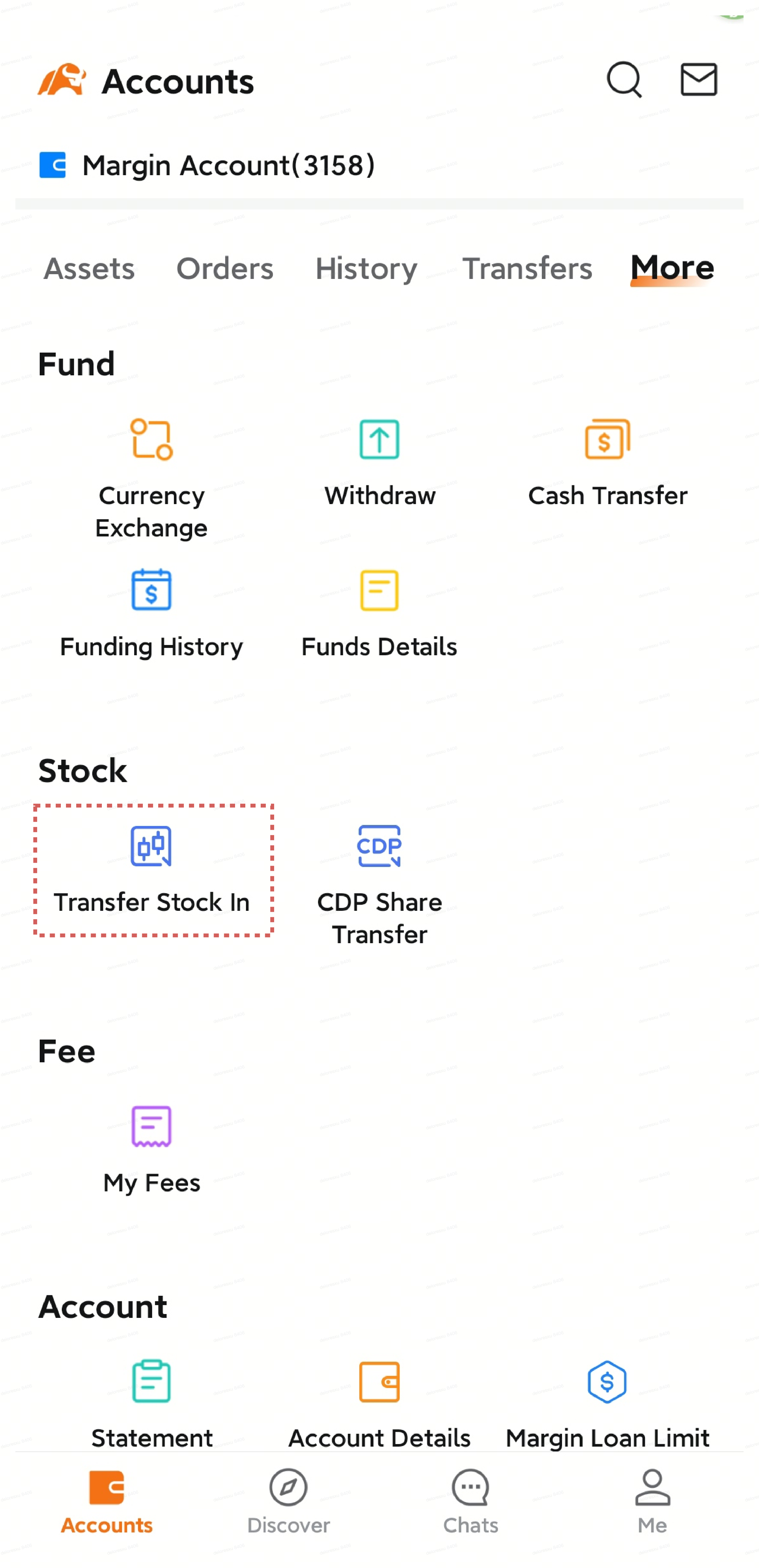
Open the moomoo app and tap Accounts.
Tap More, then select Transfer Stock In.
Select SG Market.
Select Central Depository (Pte) Limited (CDP) to transfer from.
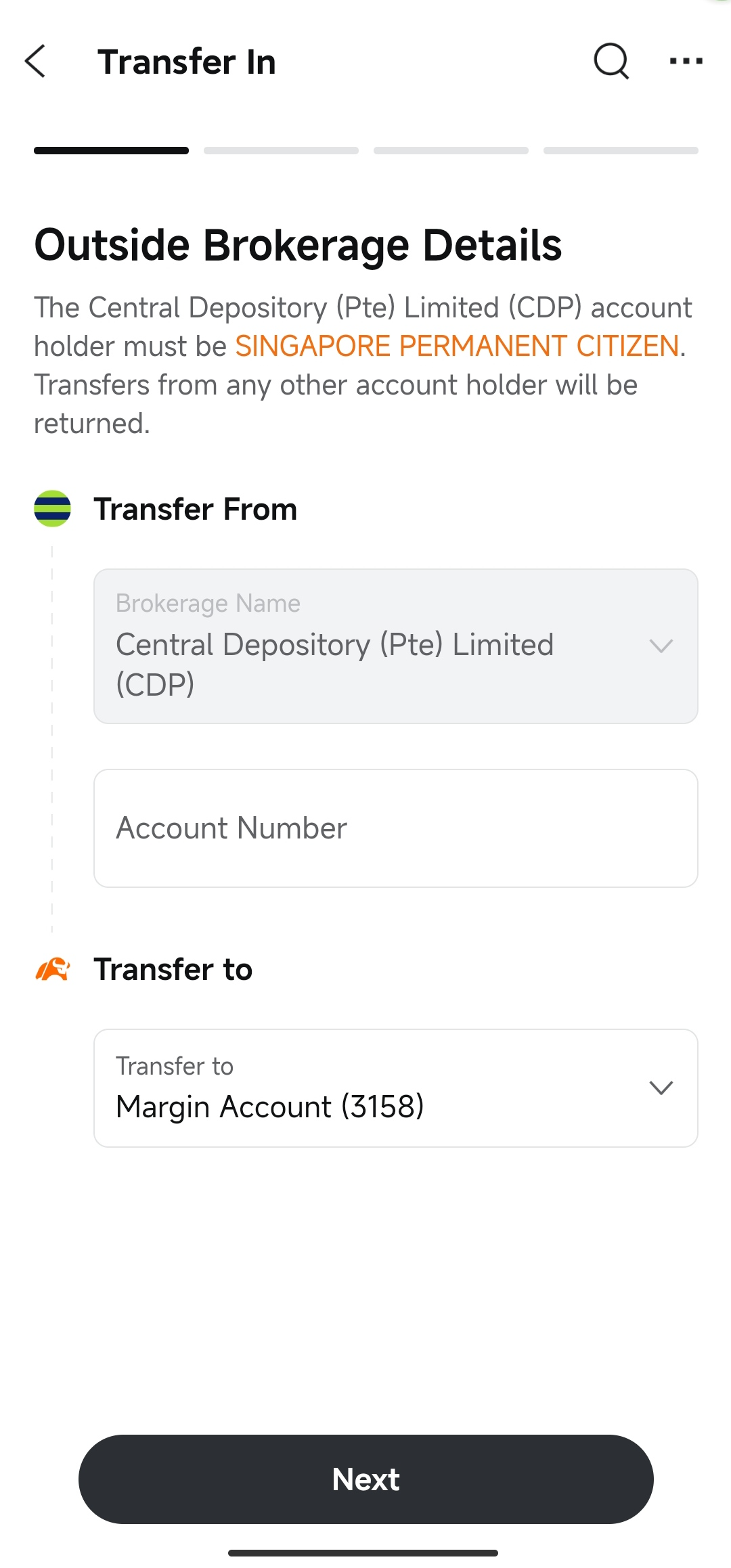
Transfer From: Central Depository (Pte) Limited (CDP) will be automatically selected if you used Method 1.
Account Number: Enter your 12-digit CDP account number (starting with 1681).
Transfer to: Select your receiving account on moomoo (Universal Account).
Tap Next.
Tip: You can find your CDP account number on your CDP statement. It is a 12-digit number starting with 1681.
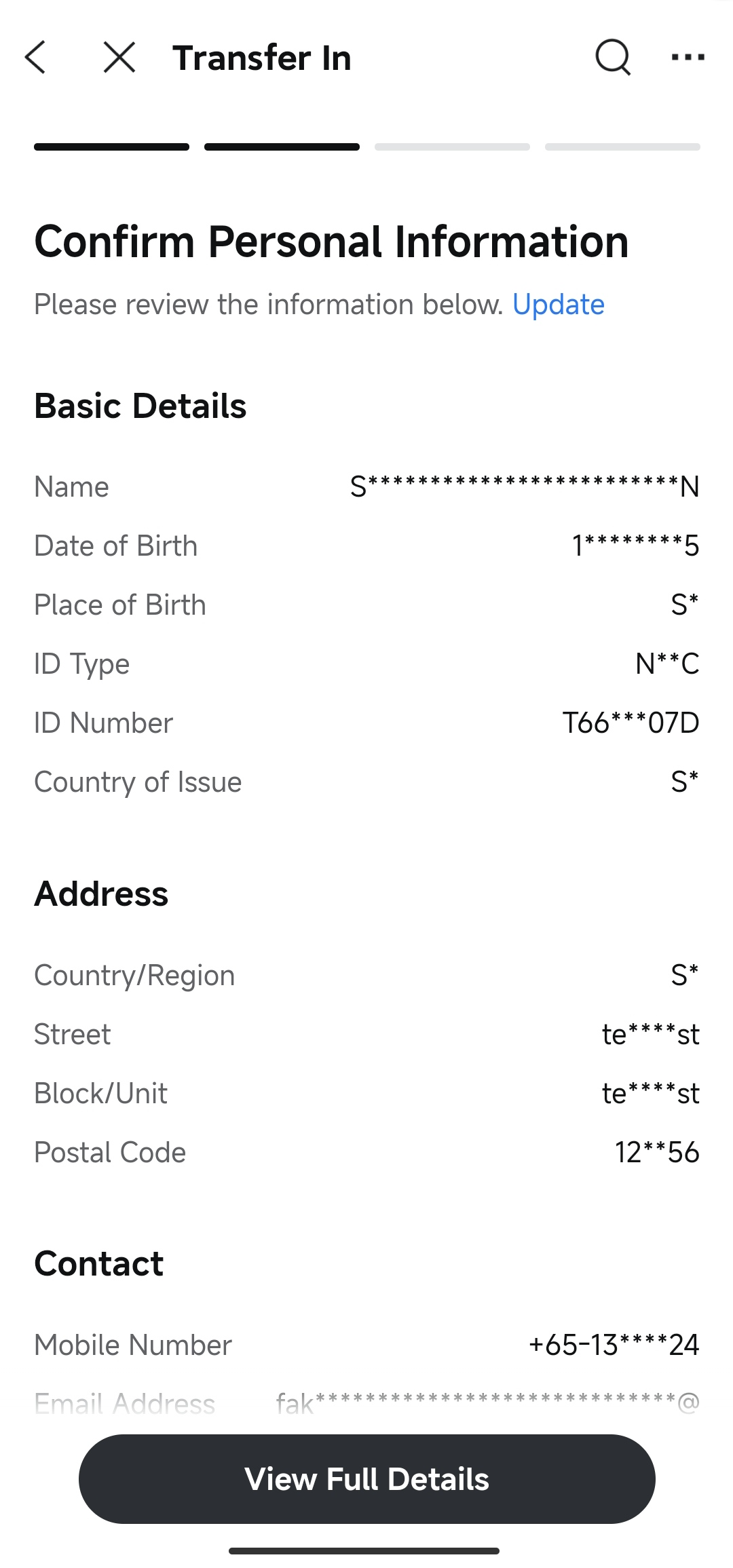
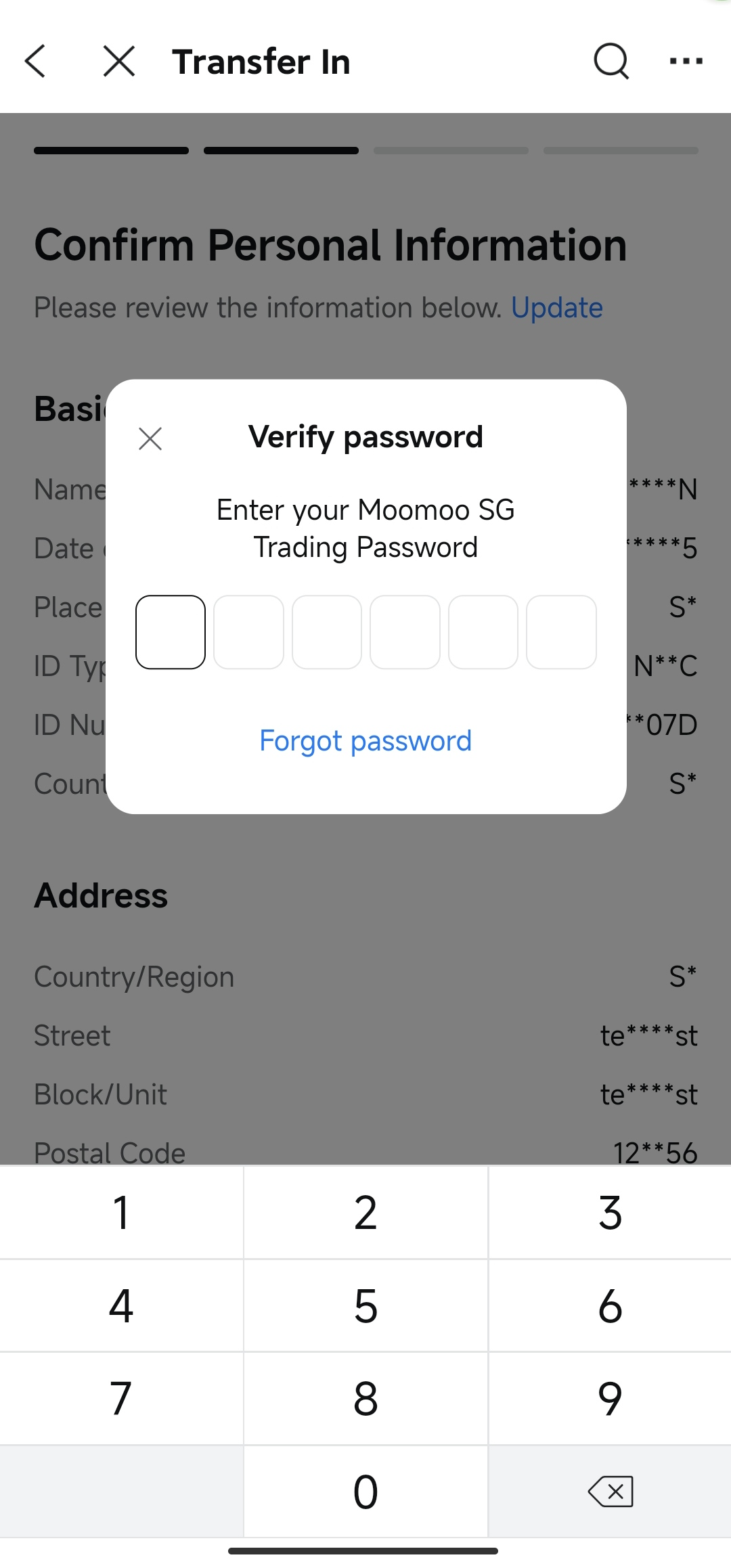
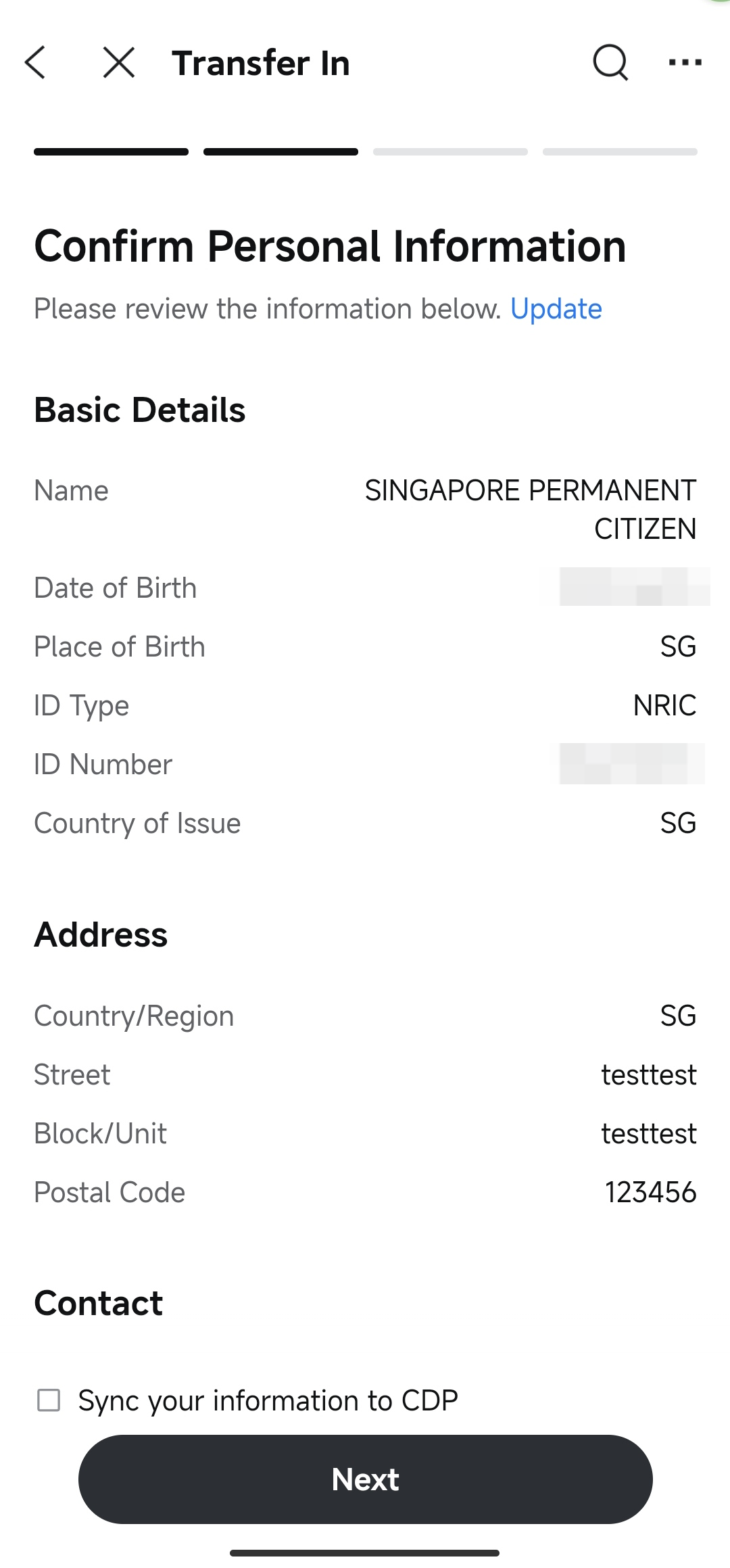
The system will display your account information registered with Moomoo SG, including your identity, address, and contact details.
Enter your trading password to view the complete information, then carefully verify that all details are correct.
If any information is incorrect, tap Update to make changes before continuing.
Optional: Check the box to sync your information to CDP if you wish to update your CDP account with your latest information.
Once verified, tap Next.
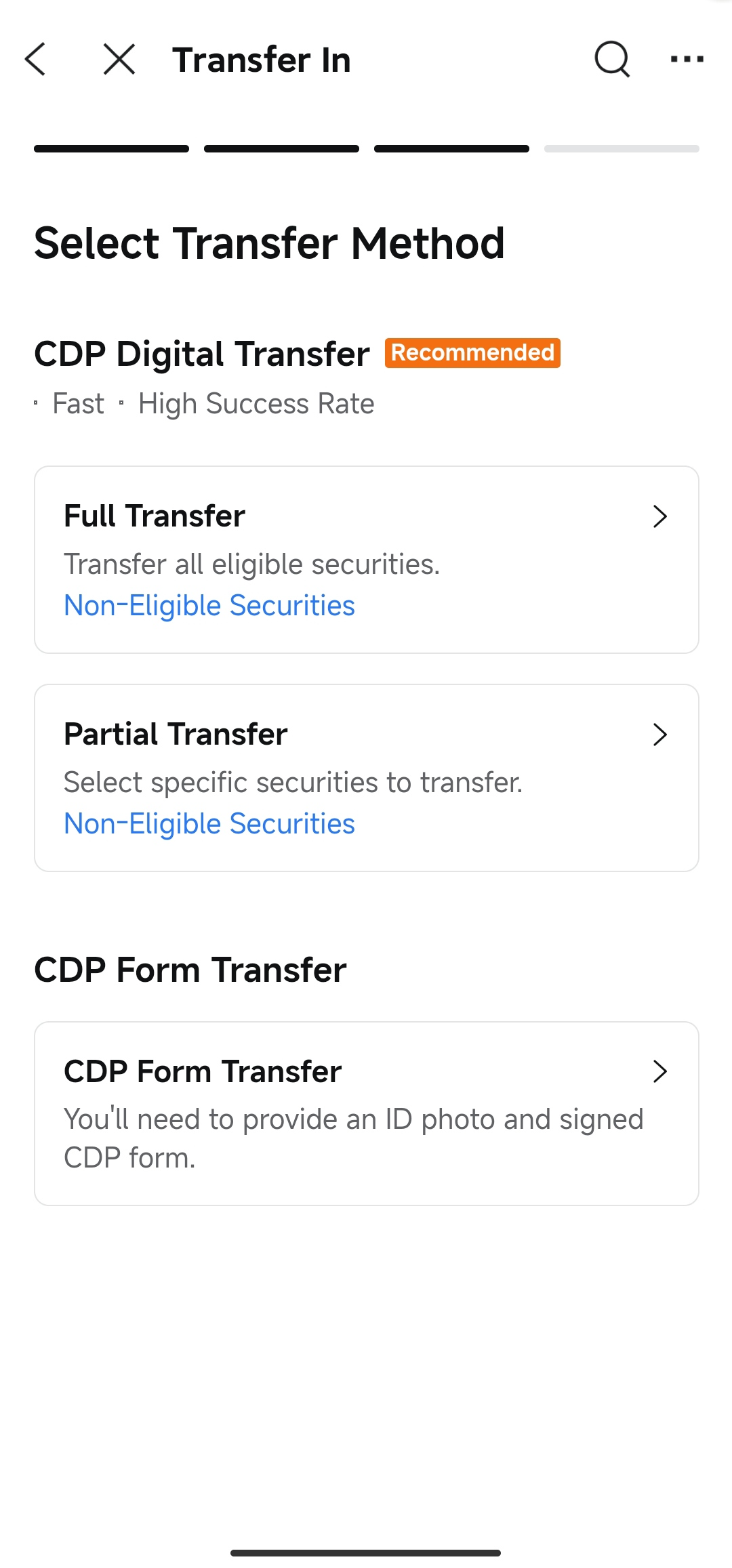
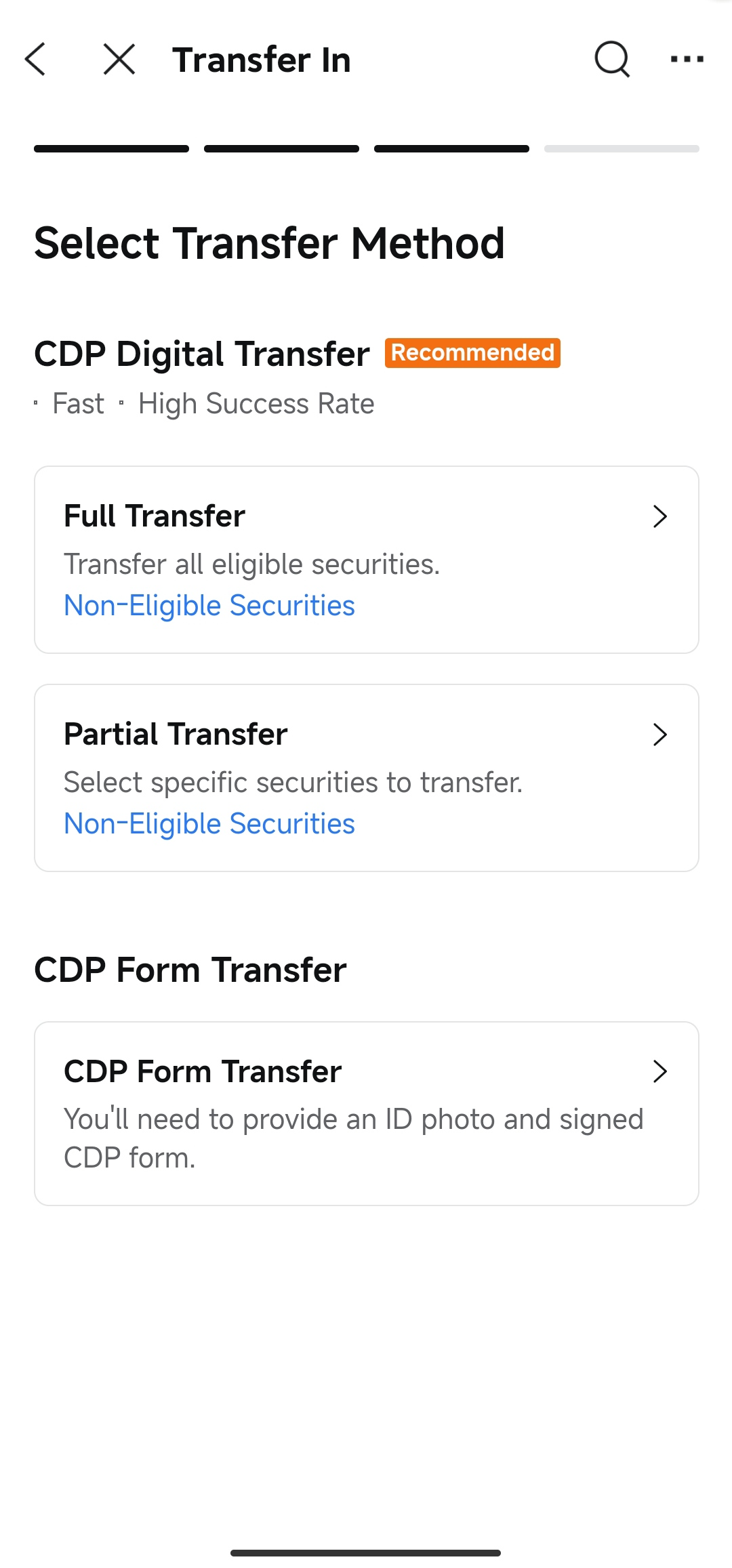
You can choose between two transfer methods:
Faster processing with a higher success rate.
No additional steps required after submission.
Choose from:
Full Transfer: Transfer all eligible securities from your CDP account to moomoo.
Partial Transfer: Select specific securities and quantities to transfer.
Requires you to provide an ID photo and a signed CDP form.
Involves manual processing by staff to verify instructions with CDP, which takes longer.
💡 Tip: We strongly recommend using CDP Digital Transfer for a simpler process and a higher success rate.
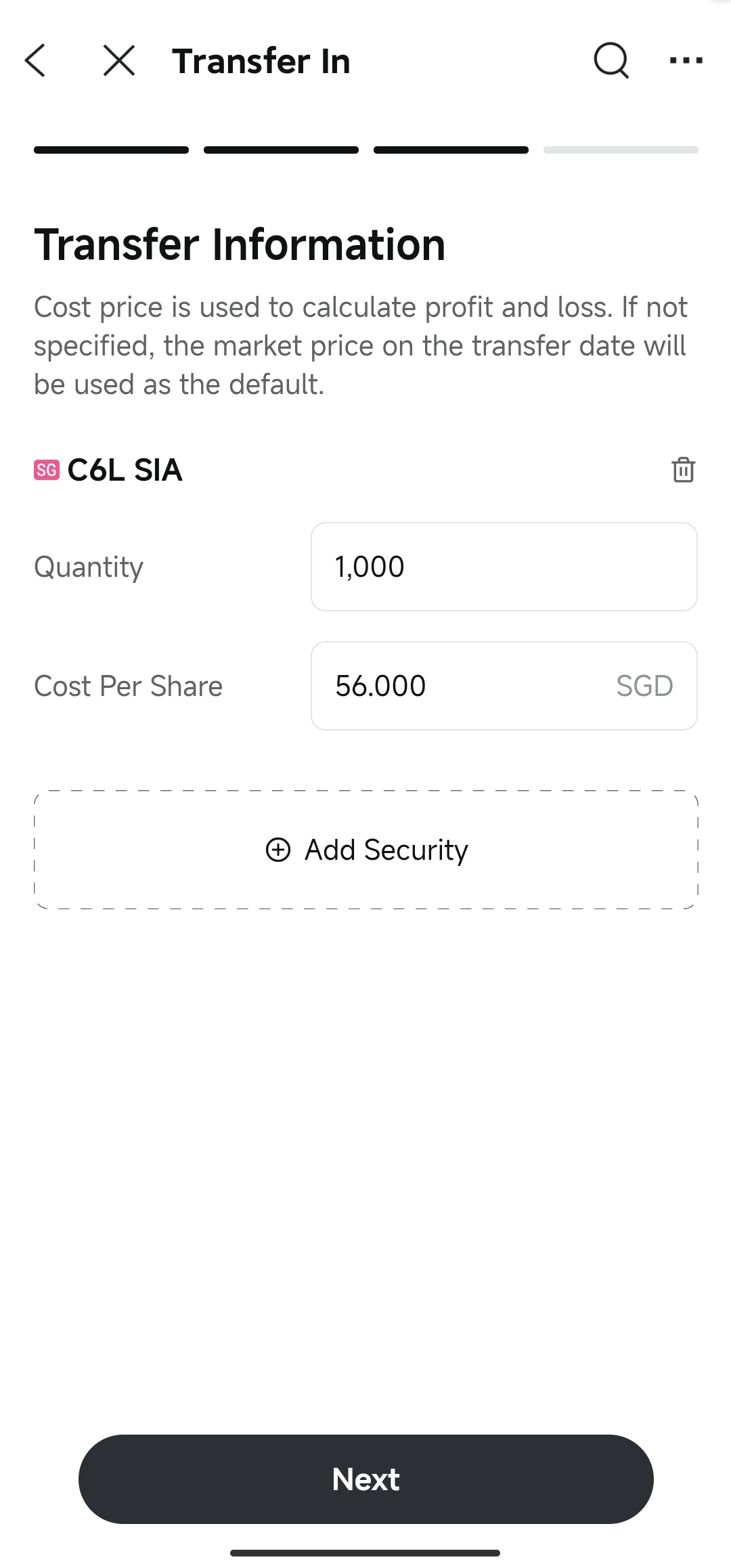
If you chose CDP Form Transfer, you need to manually add the securities you wish to transfer:
On the Transfer Information page, tap Add Security.
Search for the specific securities by name or symbol (Stocks, ETFs, and REITs are supported).
Select a security and enter the following details:
Quantity: The number of shares you want to transfer.
Cost Per Share (Optional): Used to calculate your holding cost and profit/loss. If left blank, the market price on the transfer date will be used as the default.
To add more securities, tap Add Security again.
Once you have added all desired securities, tap Next.
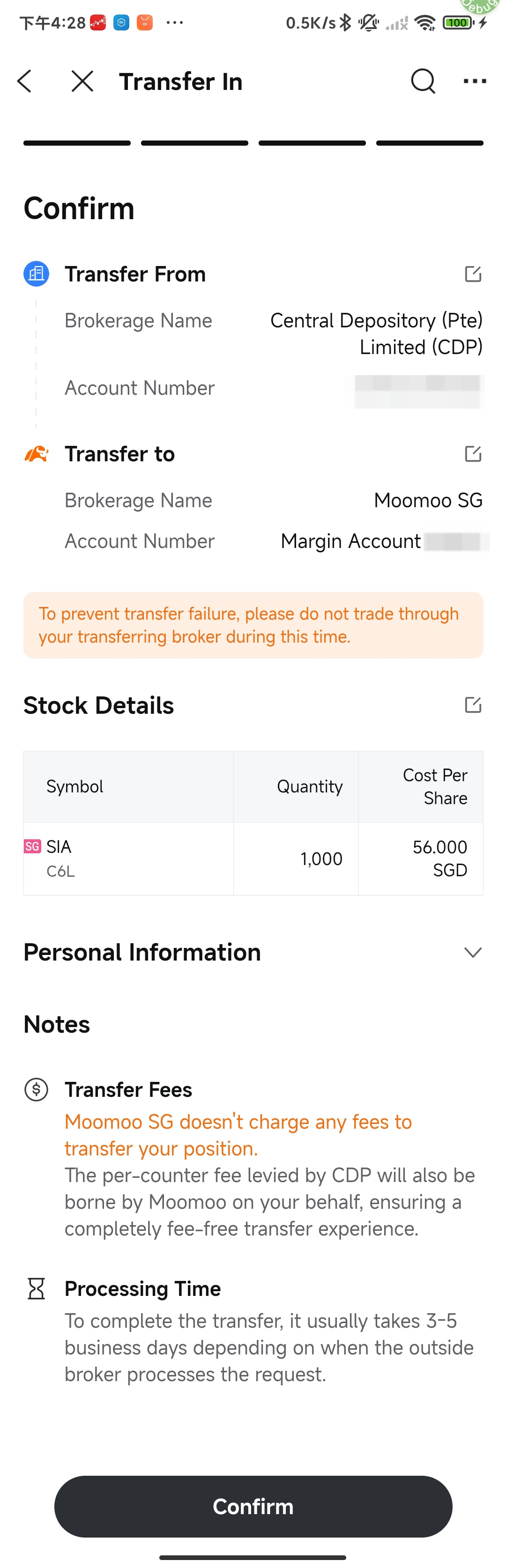
Review all information on the page:
Transfer From: Central Depository (Pte) Limited (CDP), and your CDP account number.
Transfer to: Moomoo Financial Singapore Pte. Ltd., and your account number.
Stock Details: Stock Name, Symbol, Quantity, and Cost Per Share.
Personal Information: Your identity, address, and contact details.
Read through the Notes section regarding transfer fees and processing time.
Once verified, tap Confirm at the bottom of the page.
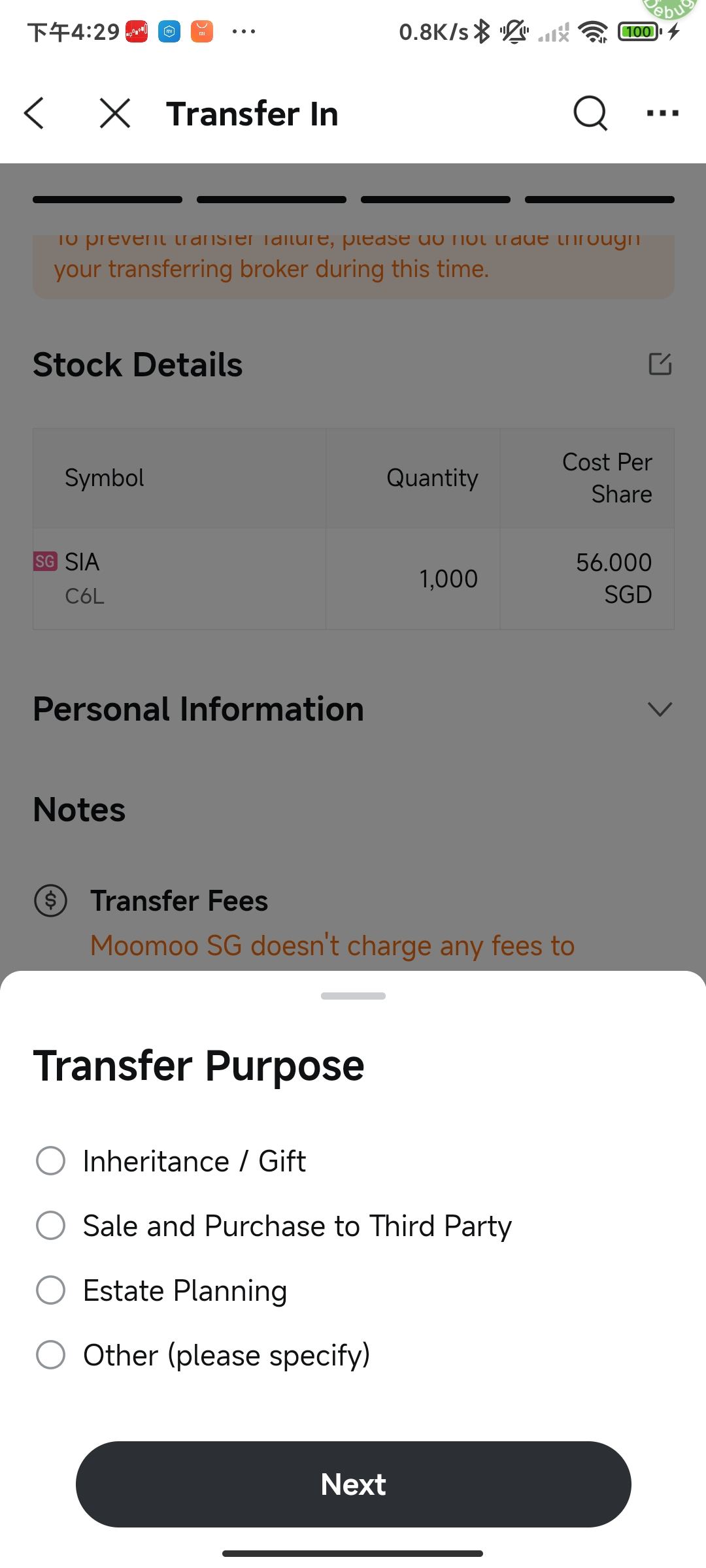
In the Transfer Purpose pop-up, select your reason for transferring:
Inheritance / Gift
Sale and Purchase to Third Party
Estate Planning
Other (please specify)
Tap Next to complete your submission.
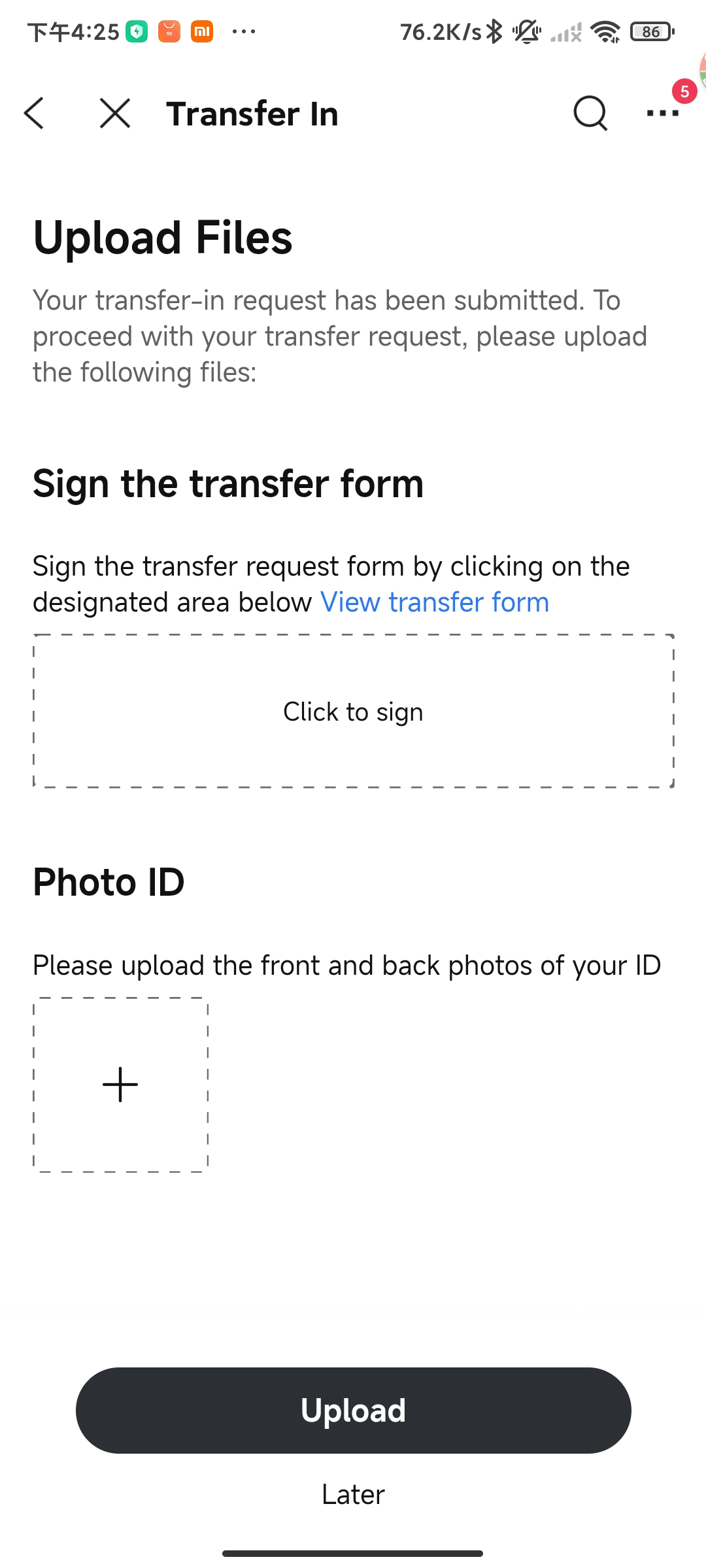
After submitting, you'll be directed to the Upload Files page. To process your CDP Form Transfer successfully, you need to provide the following:
Sign the transfer form: Tap the signature box to draw your signature (you can tap View transfer form to preview it first).
Photo ID: Upload the front and back photos of your ID.
Tap Upload to submit your files.
Alternatively, you can tap Later at the bottom. You can upload the files later via the Transfer In History page or through message notifications. (Note: To complete your transfer, please ensure these files are uploaded.)
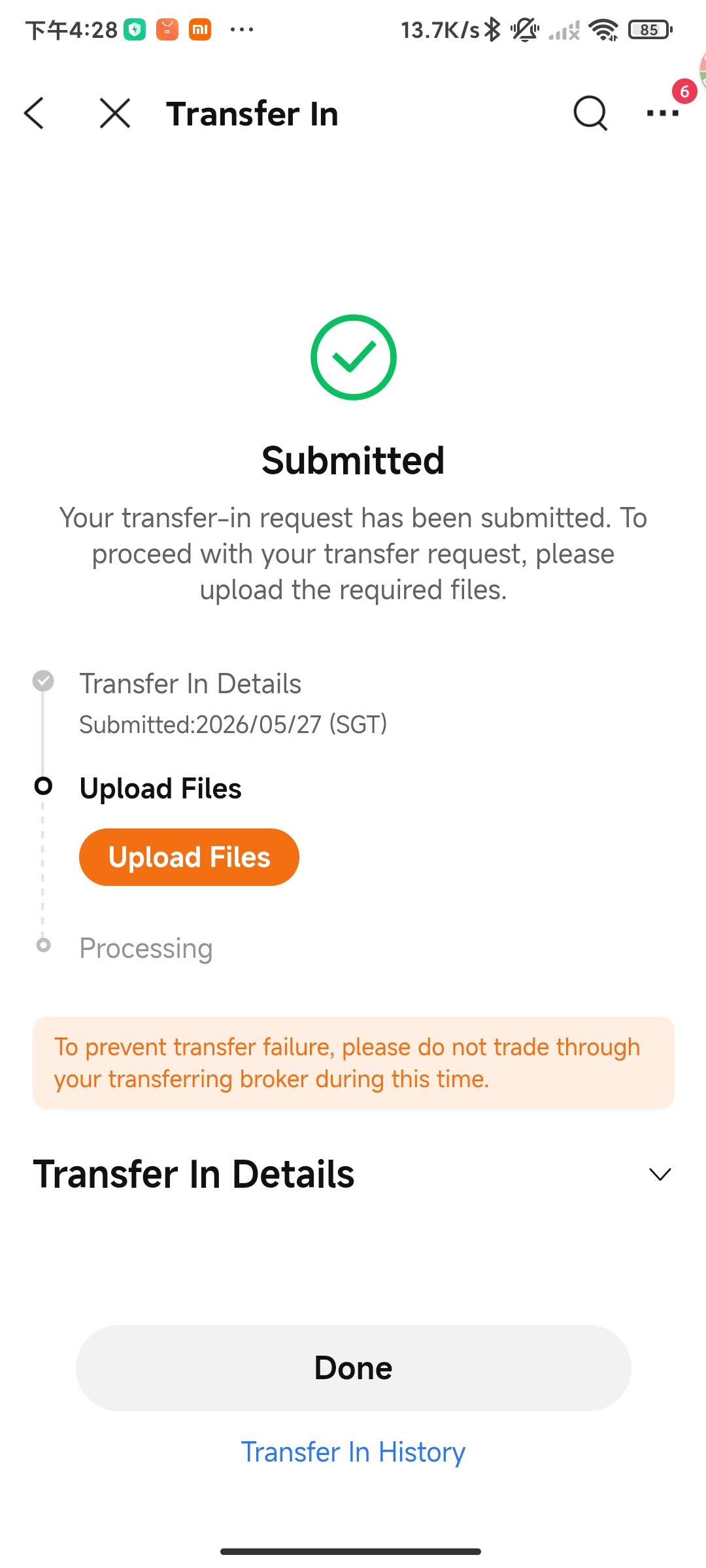
CDP Form Transfers take longer than CDP Digital Transfers. Please allow 5-7 business days for the process to complete.
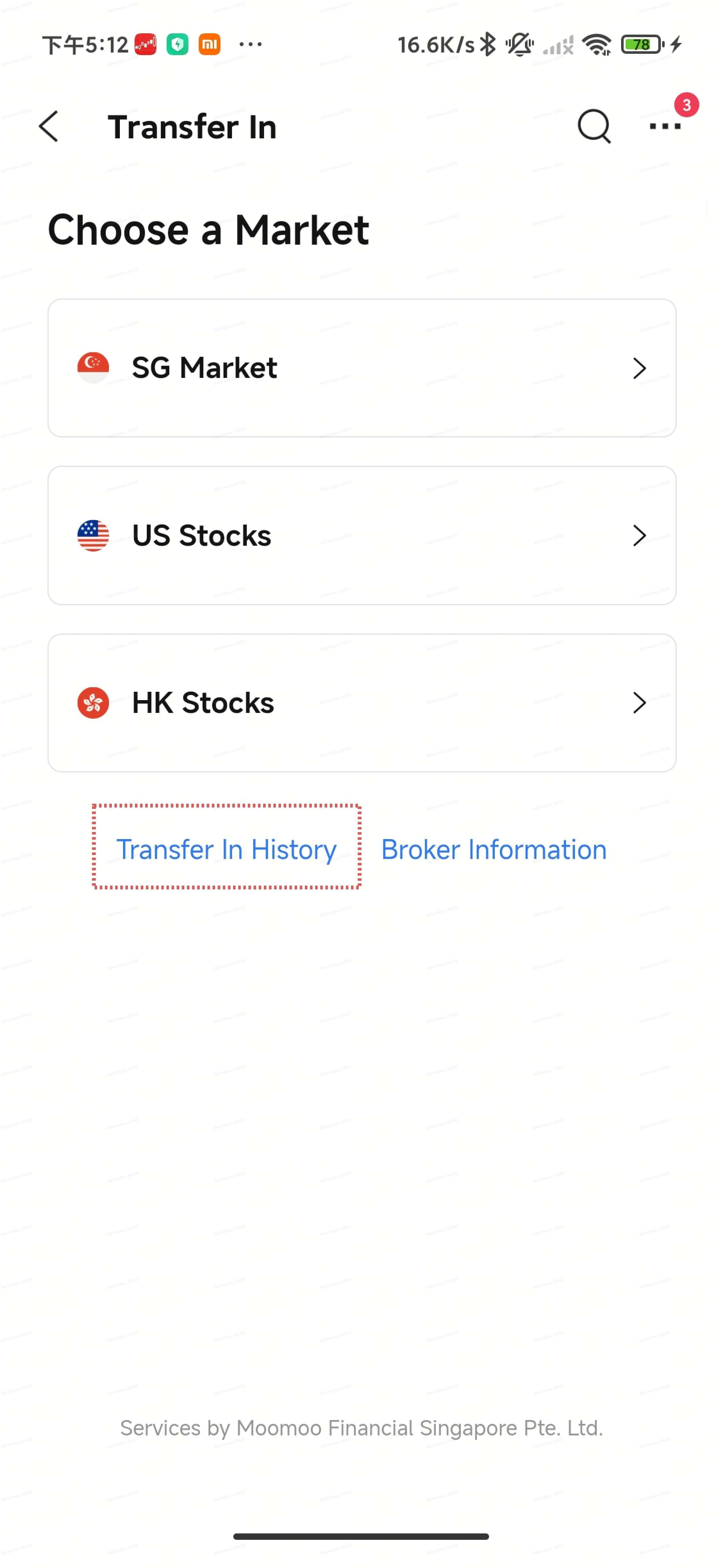
Open the moomoo app and go to Accounts > More > Transfer Stock In.
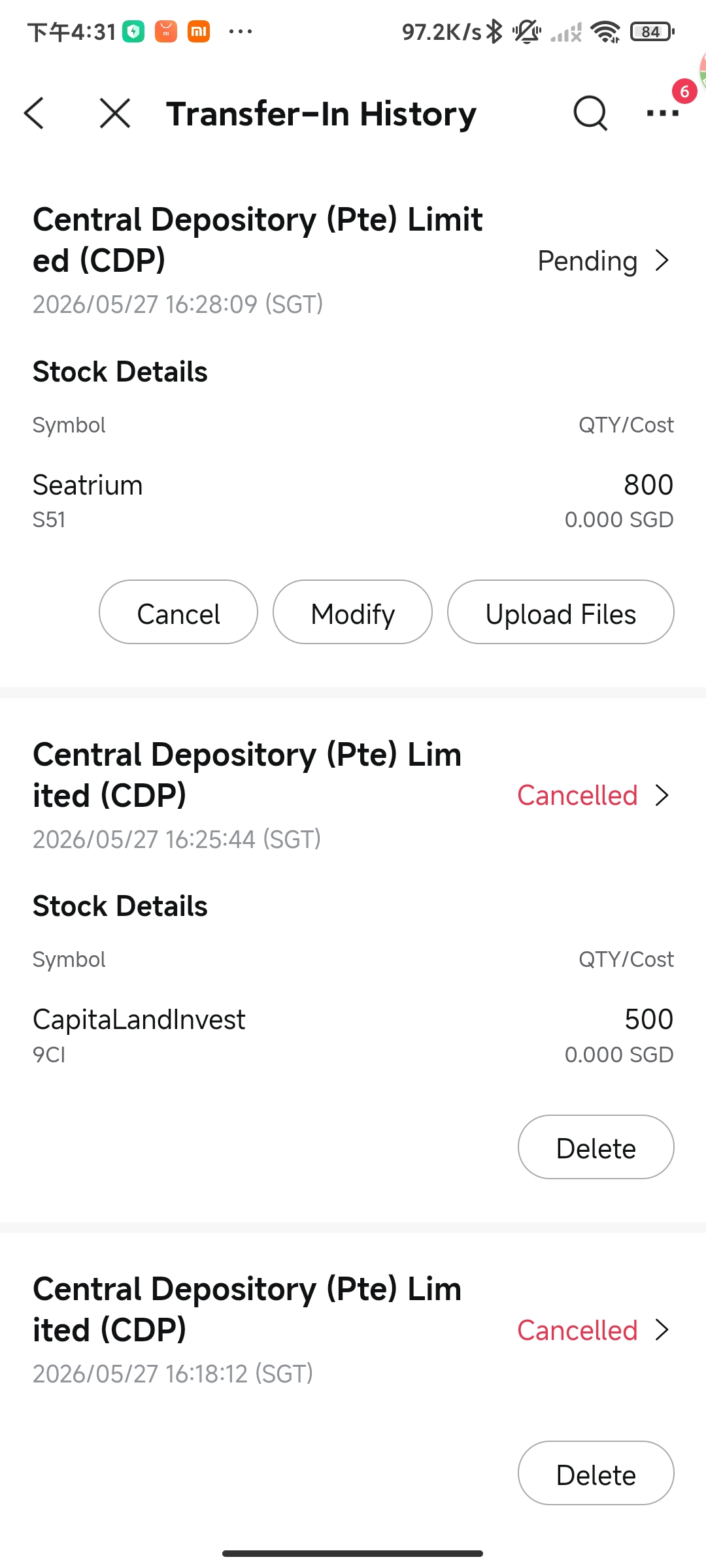
Tap Transfer In History at the bottom of the page.
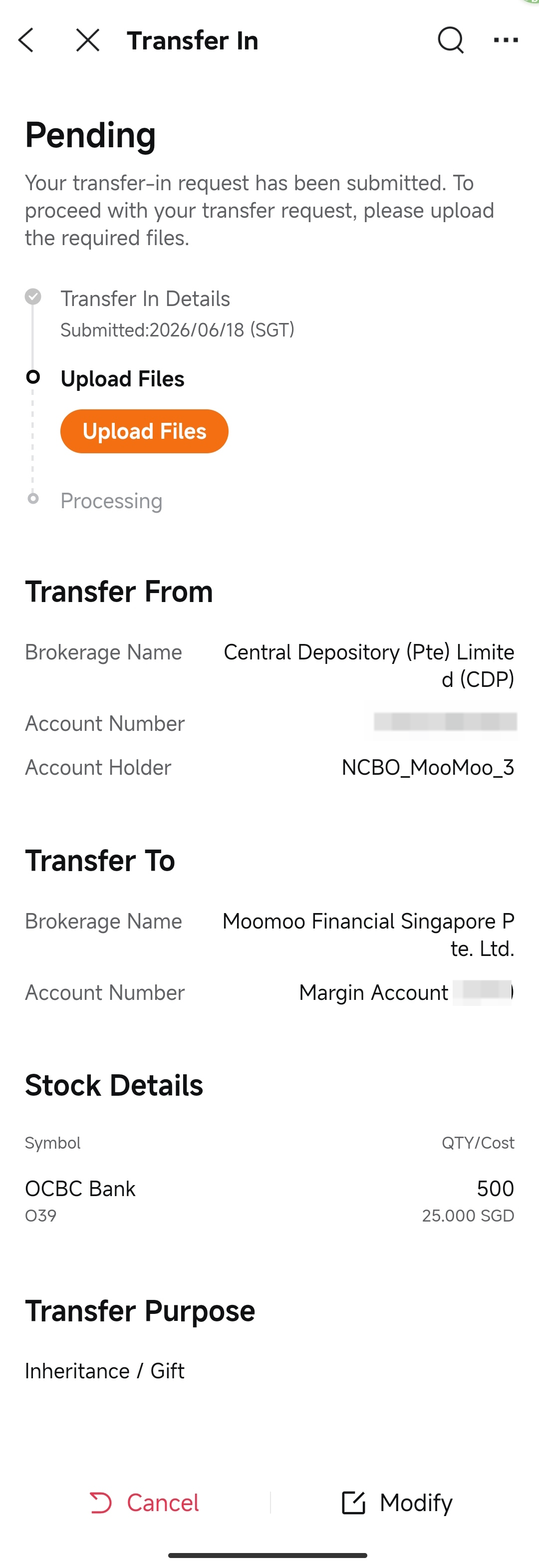
Tap a specific record to view its detailed status and progress.
Same-name accounts: You can only transfer stocks between accounts in your own name.
Processing time: Transfers typically take 5-7 business days to process. Once received, it may take an additional 1-2 business days for the securities to appear in your Moomoo SG Universal Account.
Q: What types of assets can I transfer in? A: You can transfer any listed stocks or ETFs from other brokers, provided they are tradable on Moomoo SG. Please note that short positions cannot be transferred.
Q: How long does the transfer process take?
A: Transfers typically take 5-7 business days, though timing may vary depending on processing volume.
Q: Can I submit multiple CDP transfer requests at the same time?
A: No. You can only have one pending CDP transfer at a time (either Digital Transfer or Form Transfer) to prevent conflicts. To modify your current request, please go to Transfer In History to view or cancel it.
Q: Are there any transfer fees?
A: Moomoo SG does not charge any transfer-in fees. We also cover any fees charged by CDP, so your transfer is completely free.
Q: What do I need to do to complete my transfer? A: For CDP Form Transfers, after submitting your request, you need to upload a photo of your ID document, then review and sign the CDP transfer form within the app.