Sample Name
Sample Code
Sample Name
Sample Code
Sample Name
Sample Code
4
CIMB
1023
5
AMBANK
1015
FPX (Financial Process Exchange) Express Deposit is a convenient way to transfer funds directly from your bank account to your Moomoo MY account via Malaysia's FPX online payment gateway.
|
Processing Time |
Note: If you deposit funds using a joint bank account, the funds will be credited within 1 business day, and additional documents are required. For details, please click here to refer to the Joint Bank Account Deposit Guide. |
|
Fees |
No fees charged by Moomoo MY (your bank may charge transfer fees) |
|
Supported Currency |
Malaysian Ringgit (MYR) |
|
Supported Banks |
Most Malaysian Banks |
|
Transfer Limit |
A transfer limit of RM30,000 per transaction applies. |
2.1.1 Acceptable Transfer Methods:
• Bank transfers originating from accounts solely owned by the account holder are acceptable. The name of the account holder must match the name on the bank account from which the funds are being transferred.
• If you wish to initiate a bank transfer using a joint bank account under your name, please click here to refer to the guide for depositing funds through a joint bank account.
2.1.2 The following transfer methods are not accepted:
• Transfers from bank accounts not owned by the account holder (third-party deposits) are not accepted.
Note: Should a client initiate a deposit using a method not supported by Moomoo MY, the funds will be returned, and the client will be liable for any fees incurred.
Supports most Malaysian banks (subject to the detailed list of banks in the moomoo app).
Currently, only the transfer of Malaysian Ringgit (MYR) is supported.
For FPX transfers, the transfer limit is RM30,000 per transaction.
To make an FPX Express Deposit in the moomoo app:
① Go to Accounts > Transfers > Deposit > FPX Express Deposit.
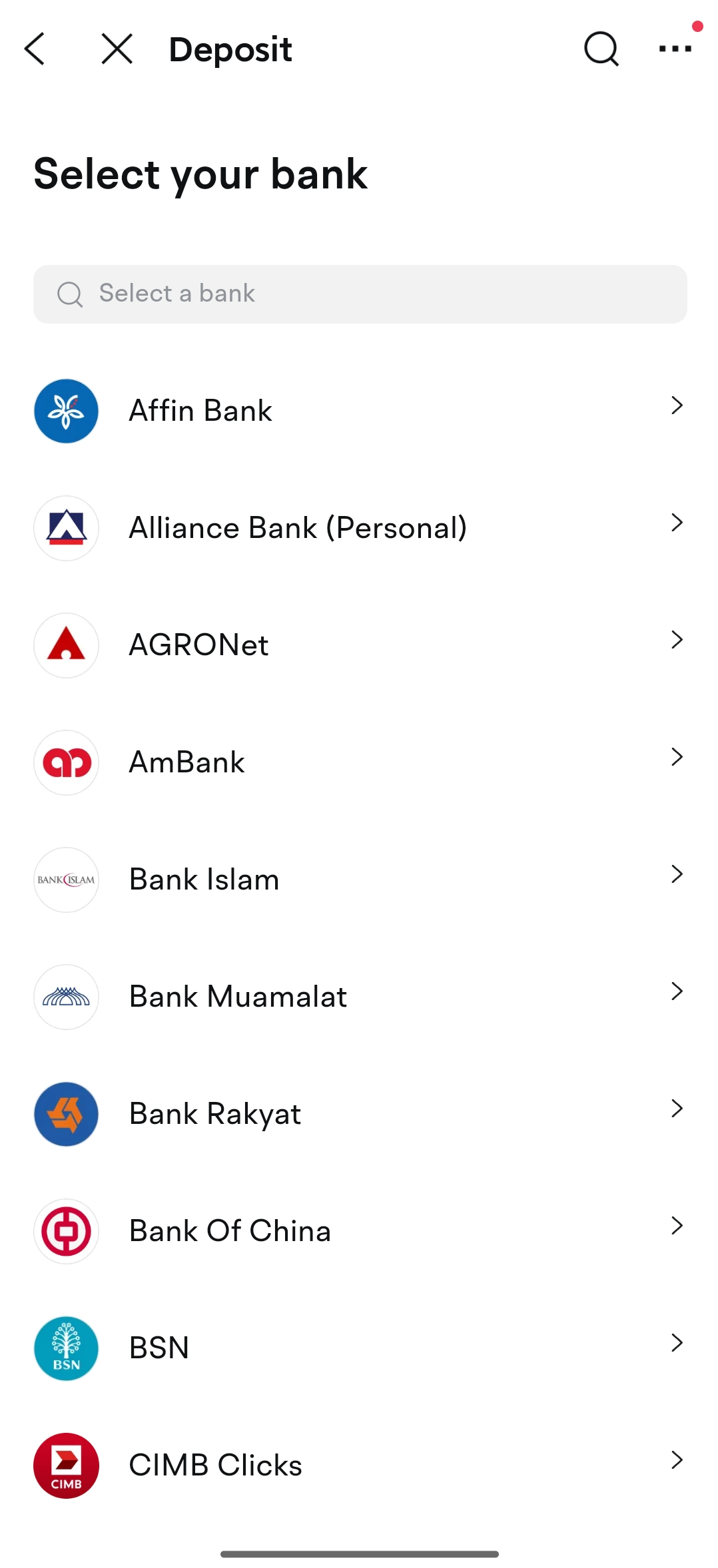
② Select the sending bank.
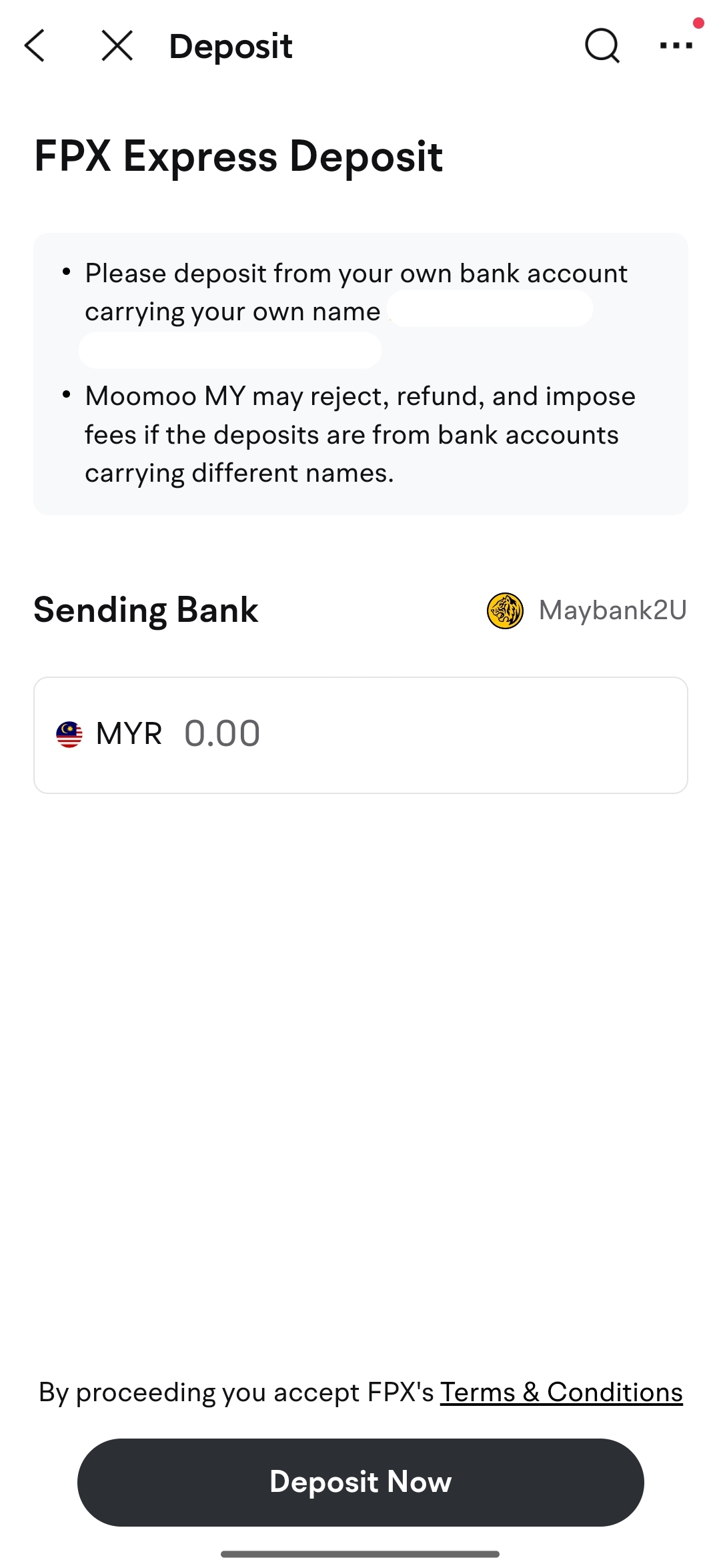
③ Enter the deposit amount and confirm the details.
④ You will be redirected to the sending bank for login and payment confirmation.
Go to Accounts > Transfers > Deposit > FPX Express Deposit in the moomoo app.
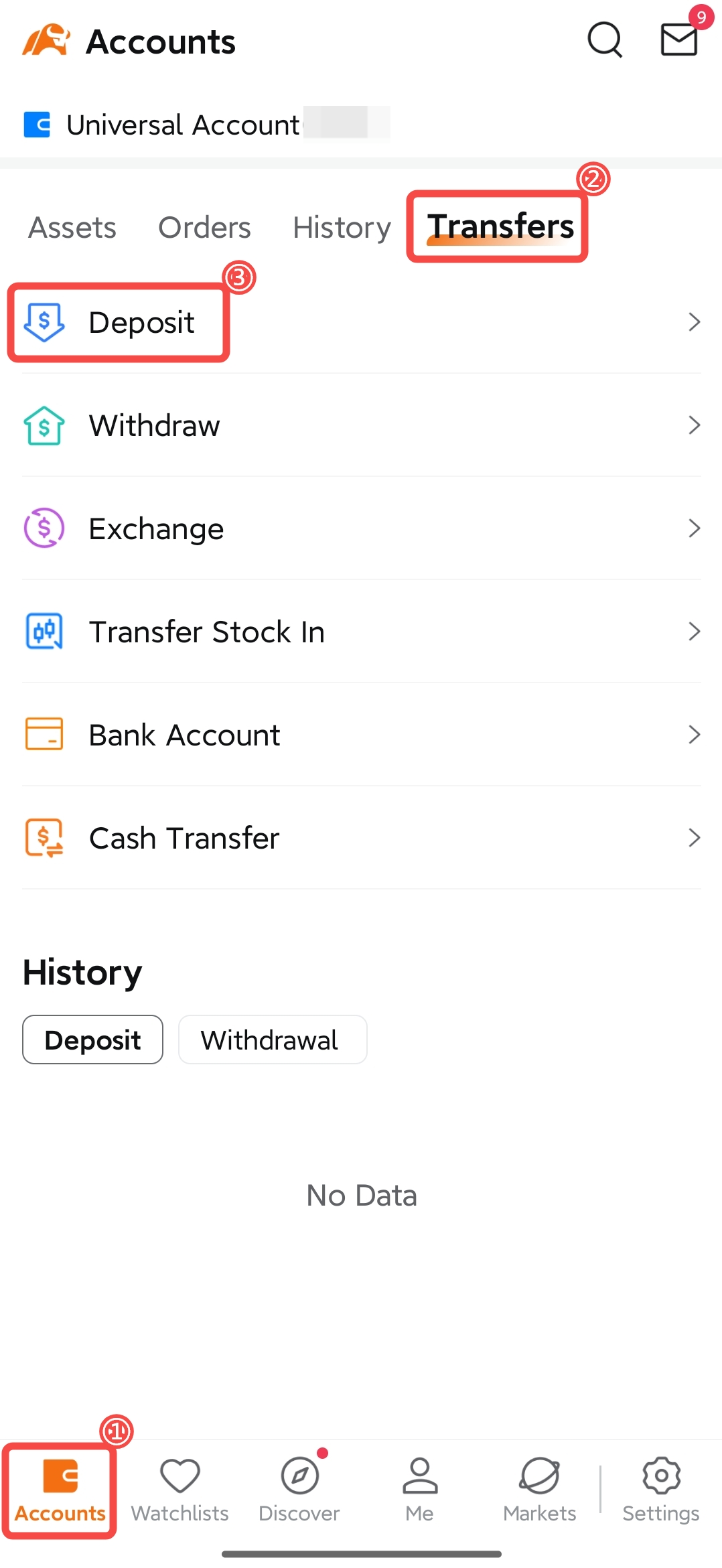 |
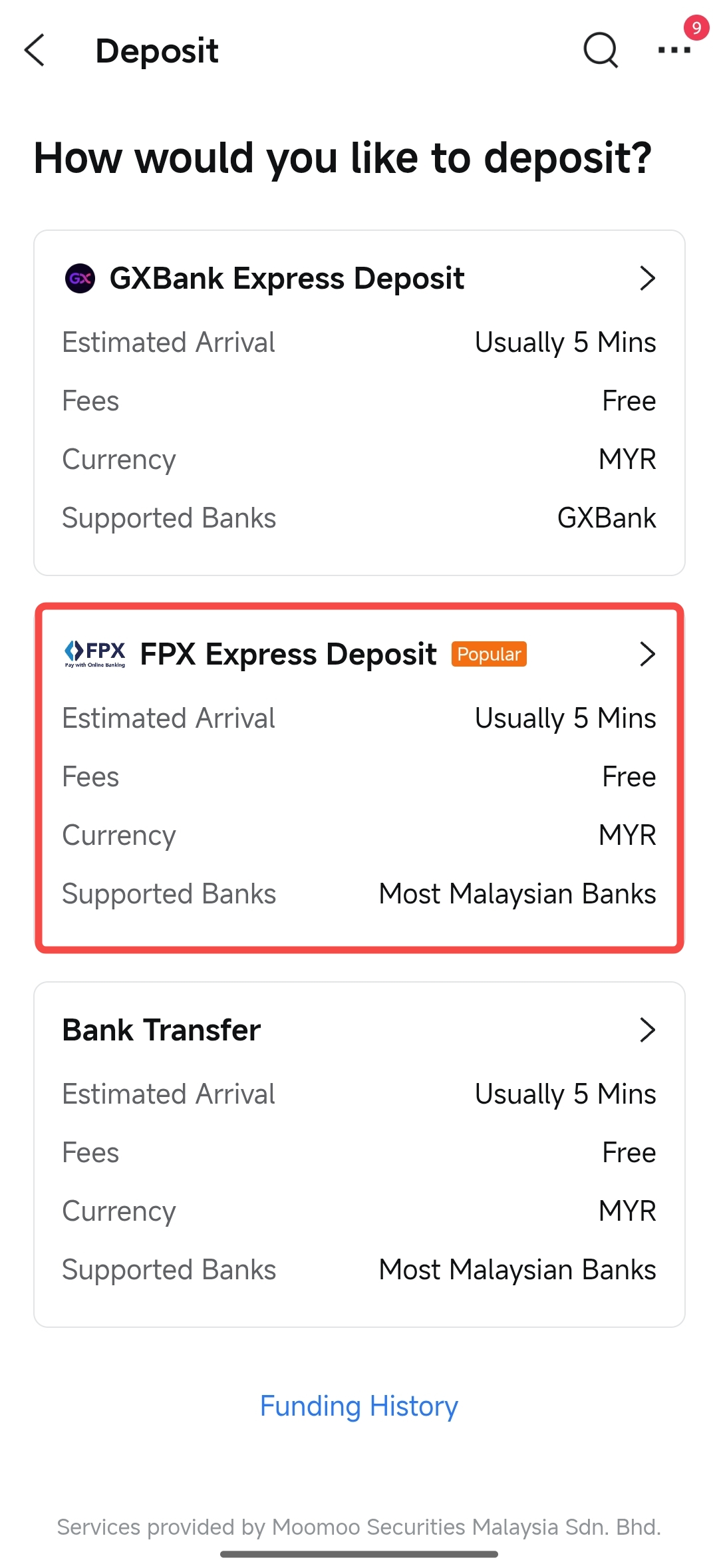 |
After clicking on 'FPX Express Deposit', you can scroll down the list to select your remittance bank.
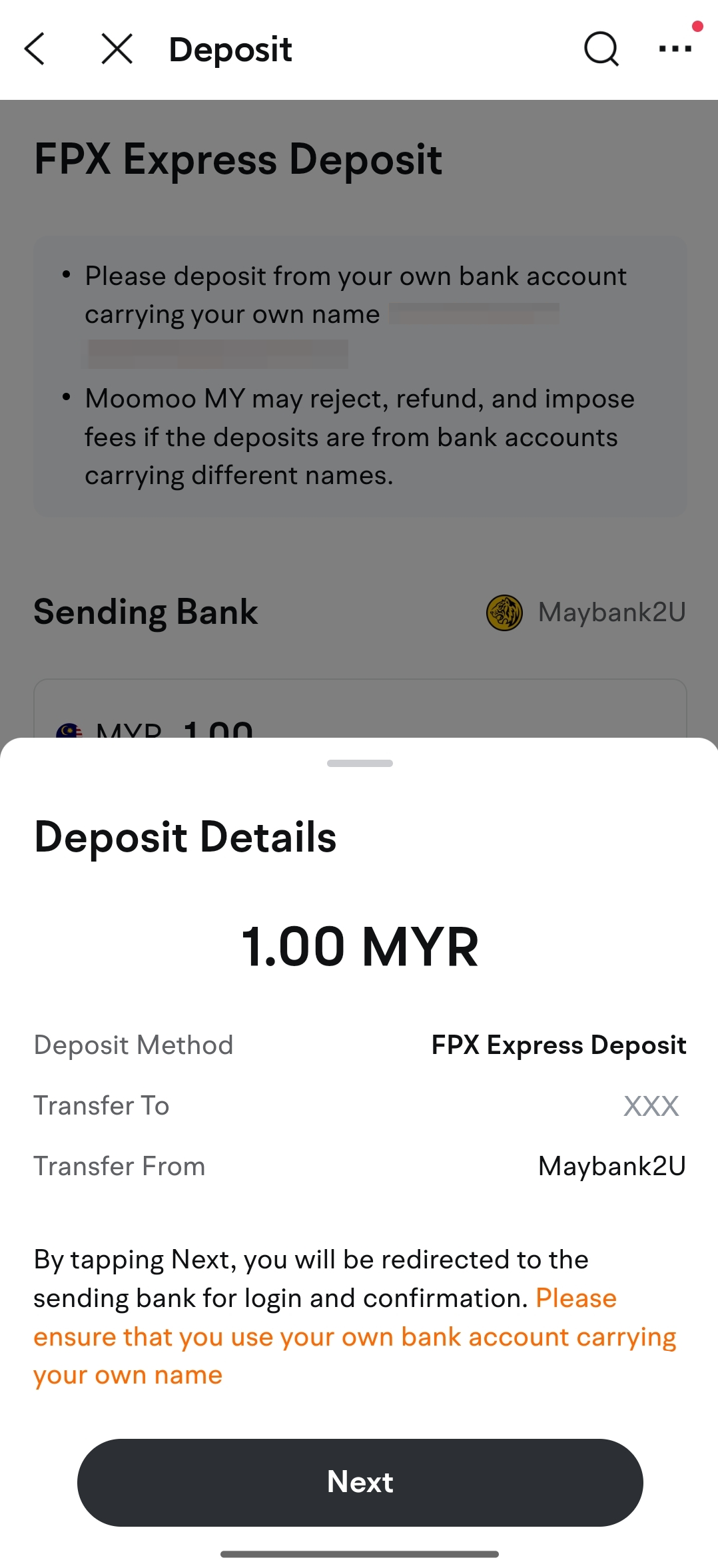
• After selecting and clicking on your remittance bank, enter the amount you wish to deposit, then click the "Deposit Now" button.
• After confirming that the deposit information is correct, click the "Confirm" button. The system will automatically redirect you to your sending bank for login and payment confirmation.
 |
 |
Enter your bank username and password to log into your bank account, then confirm the payment information and complete the payment.
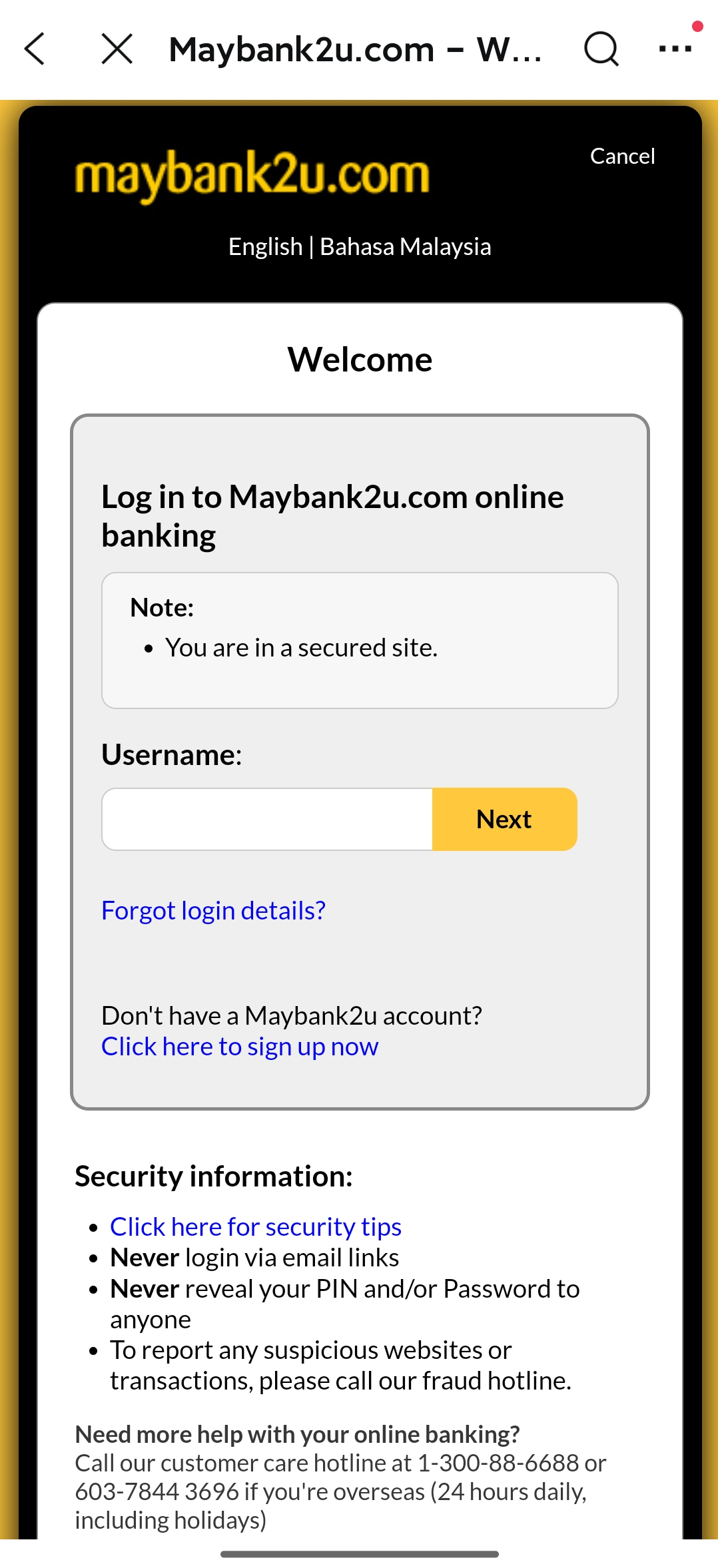
After successfully completing the remittance via FPX, your funds will usually be credited to your Moomoo MY universal account within 5 minutes. Once the deposited funds are credited, you will receive a system message and email notification.
Note: If you deposit funds using a joint bank account, the funds will be credited within 1 business day, and additional documents are required. For details, please click here to refer to the Joint Bank Account Deposit Guide.
To check the status of your deposit in the moomoo App:
Go to Accounts > Transfers > Deposit > Funding History, or click here.