Sample Name
Sample Code
Sample Name
Sample Code
Sample Name
Sample Code
4
CIMB
1023
5
AMBANK
1015
To ensure the security of your funds, Moomoo MY does not accept transfers from bank accounts that are not under your own name. If you have initiated a transfer to Moomoo MY using a bank account that is not under your own name, please select the appropriate solution based on your transfer method:
Transfer Method | Resolution | Processing Time | Fee |
Bank Transfer / FPX Transfer from Third Party Personal Account | Option 1: Refund to the originating bank account. | • Third Party Bank Transfer: Within 7 trading days after receiving the refund request and supporting documents.
| RM1 |
Option 2: Deposit the funds into the third-party bank account holder's Moomoo MY Universal Account. Note: This method is only applicable if the third-party bank account holder has successfully opened a Moomoo MY Universal Account. | 1-2 working day(s) | None | |
Corporate Bank Account Transfer to a Personal Universal Account | Scenario 1: The corporate bank account is NOT a Sole Proprietorship under your name (including corporate entities such as private limited companies, partnerships): Request Refund | • Third Party Bank Transfer: Within 7 trading days after receiving the refund request and supporting documents.
| RM1 |
Scenario 2: The corporate bank account is a sole proprietorship under your name. • Click here to view the detailed instructions. | 1-2 working day(s) | None |
If you have made a transfer using a bank account that is not under your own name, you may request a refund by following the steps below.
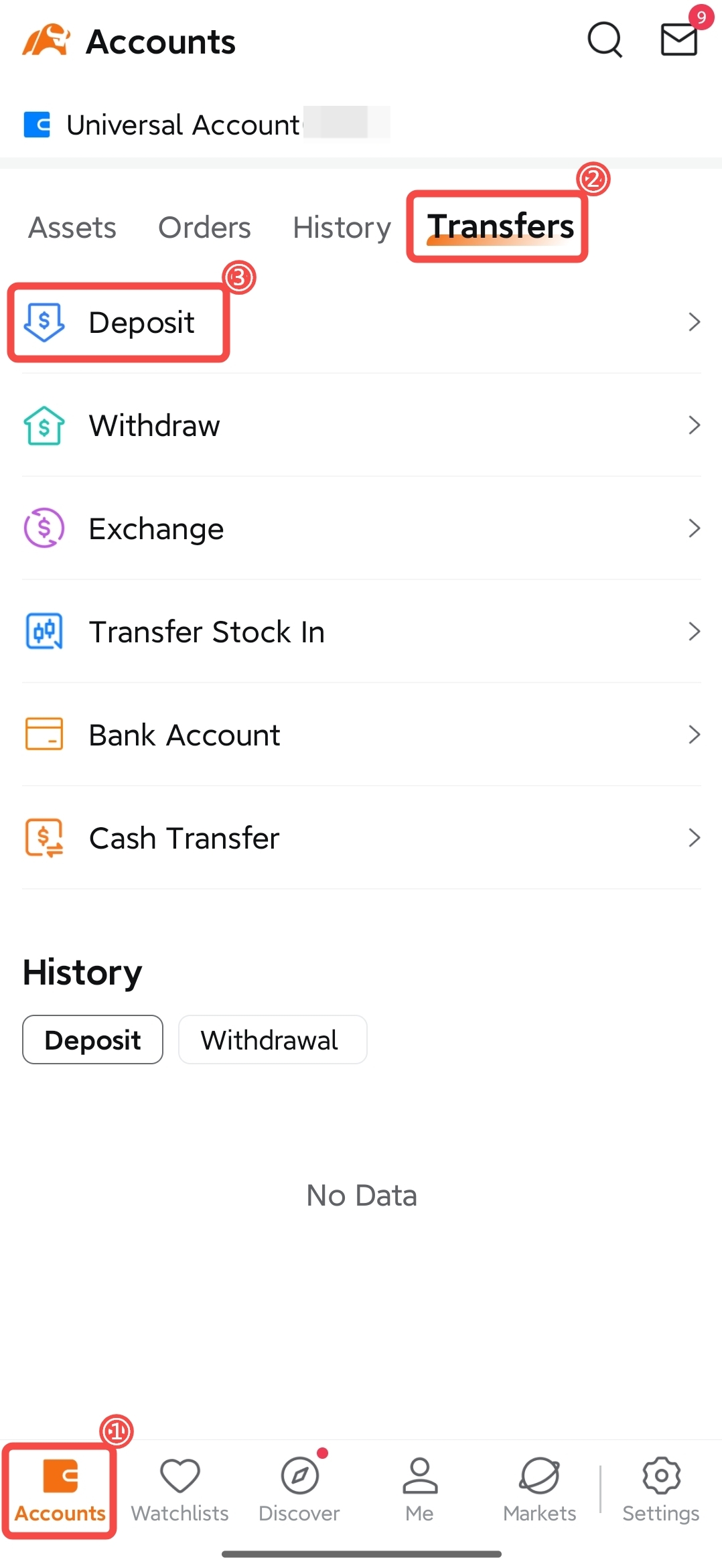
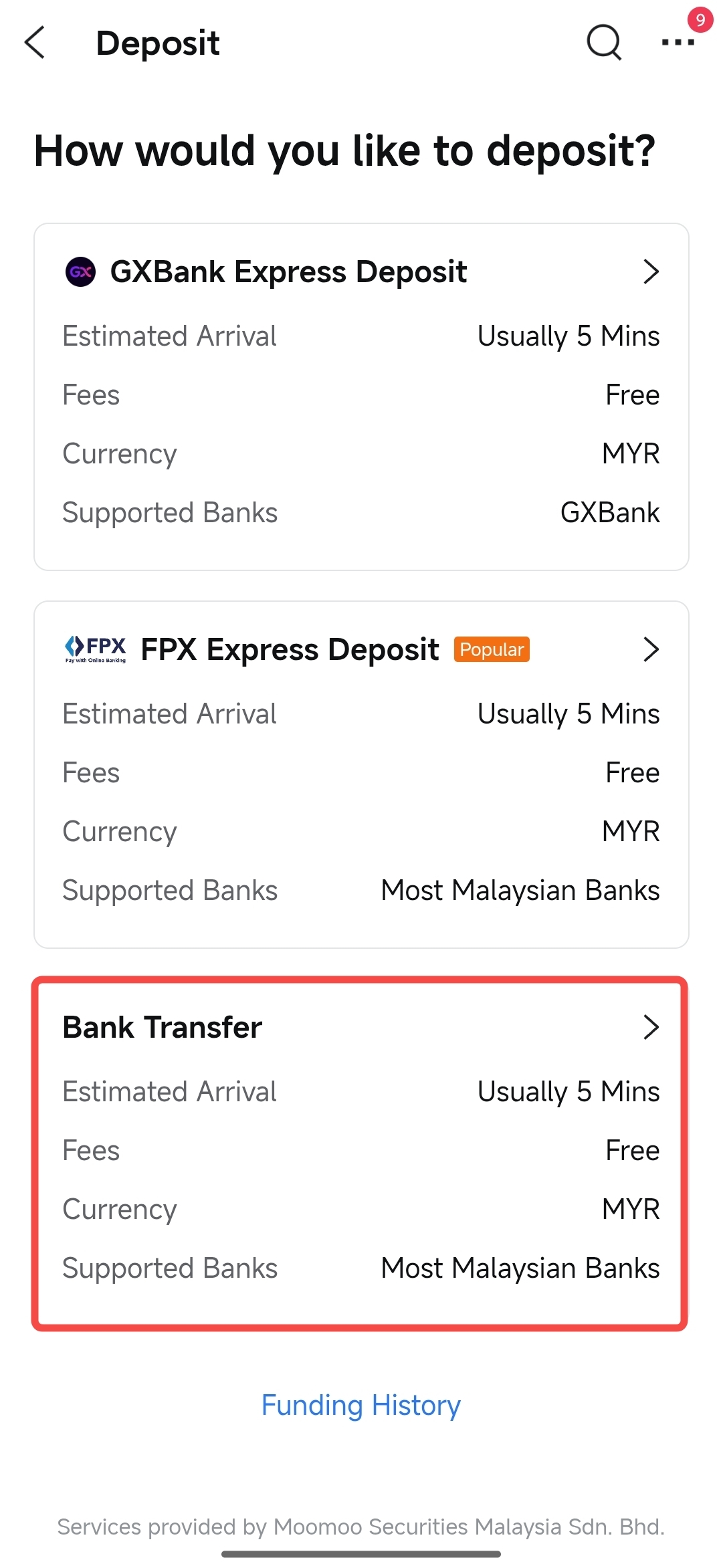
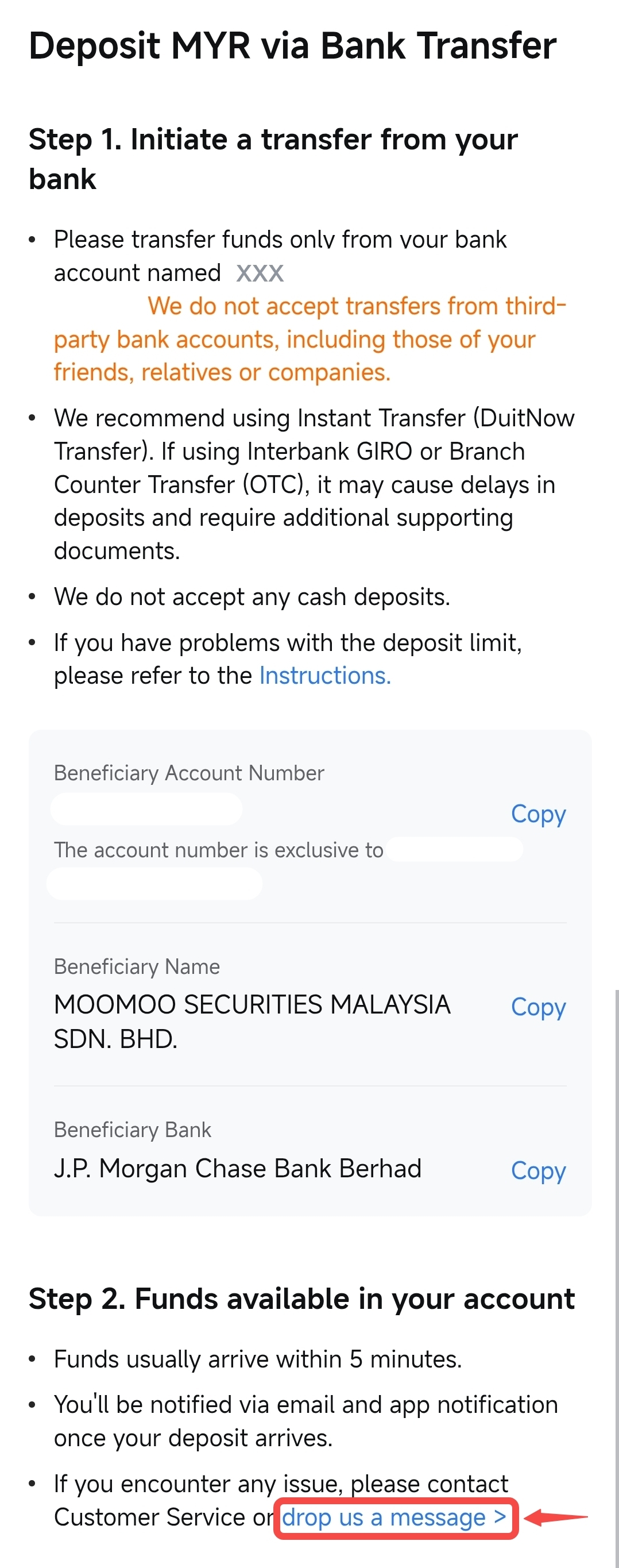
Navigate to: moomoo App > "Accounts" > "Transfer" > "Deposit" > "Bank Transfer" > tap "drop us a message" at the bottom of the payment details page.
 |  |  |
Steps for requesting a refund:
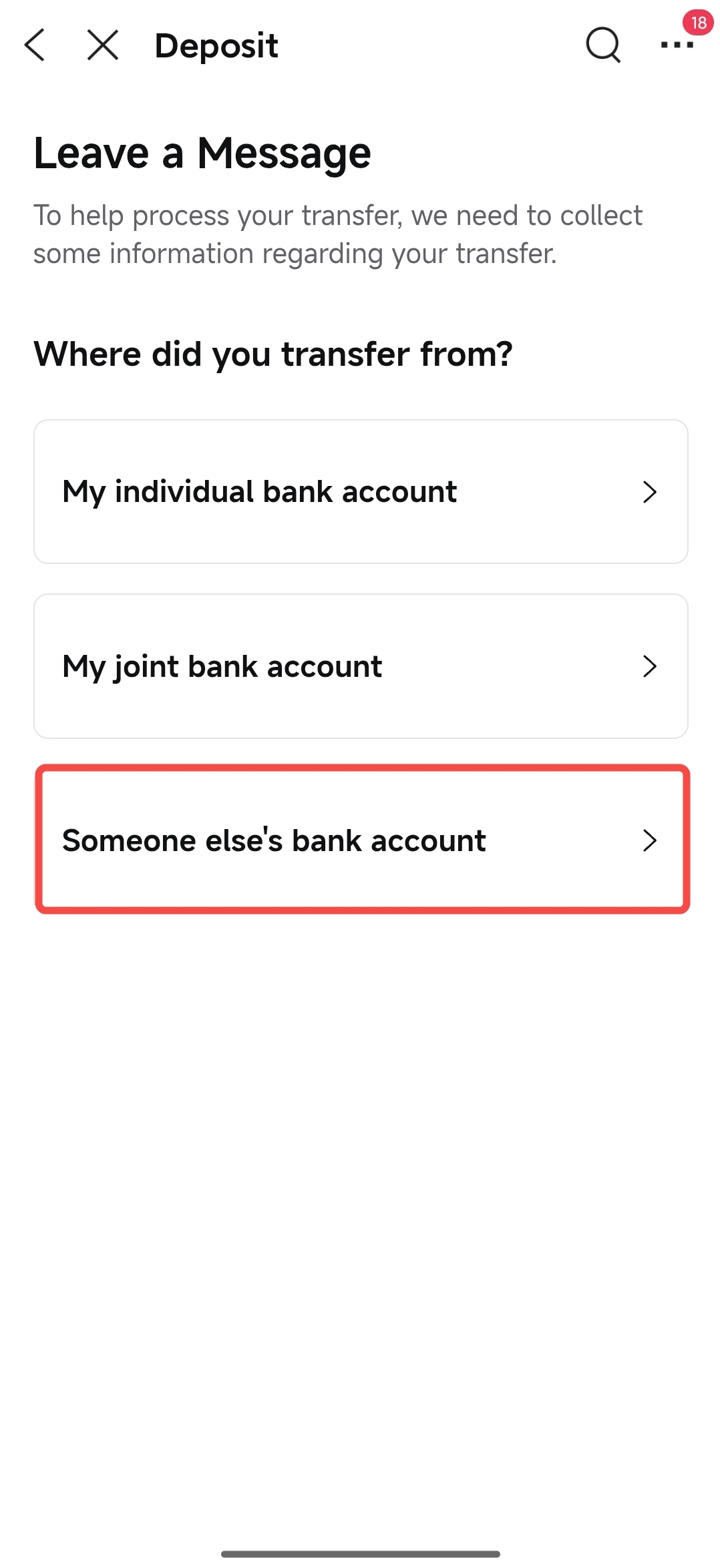
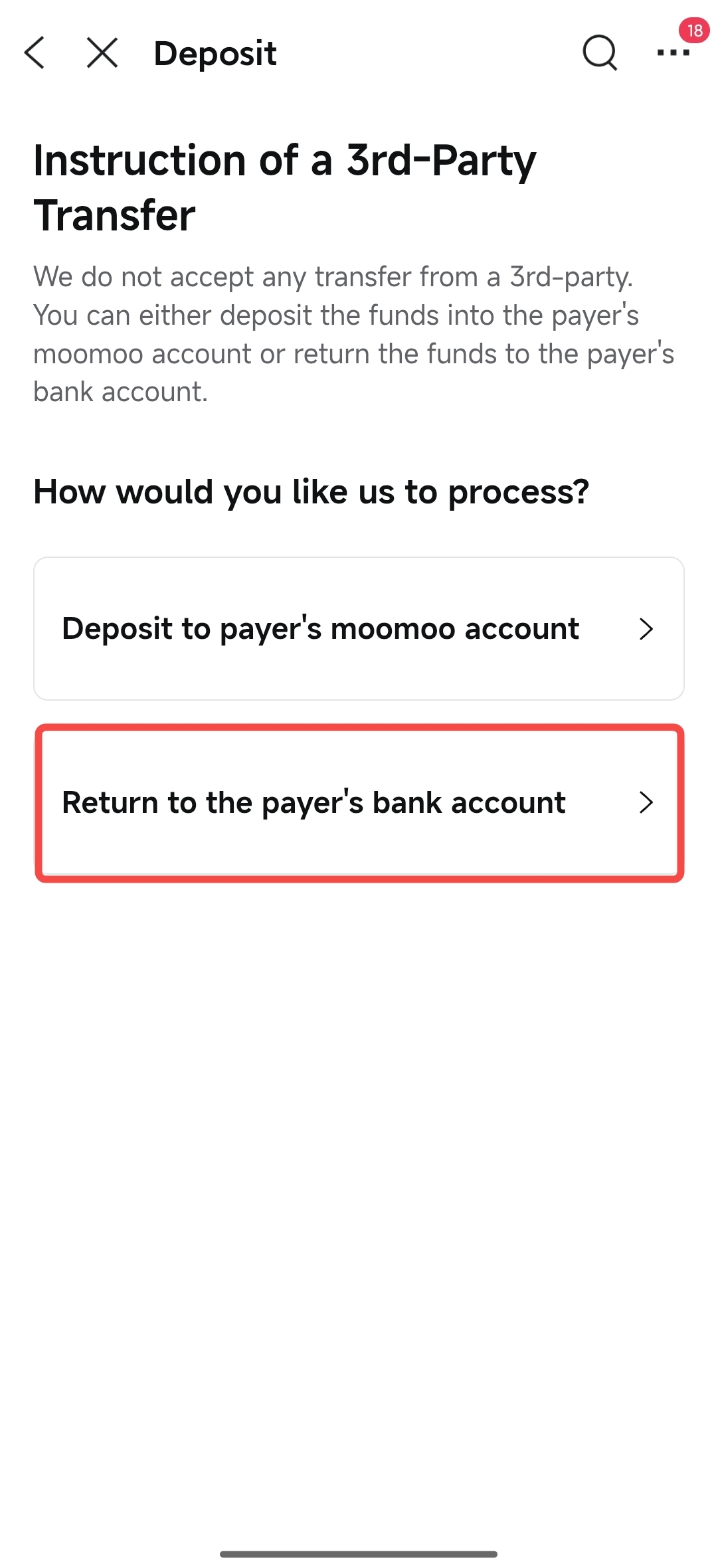
① Tap "Someone else's bank account" > "Refund to the payer's bank account".
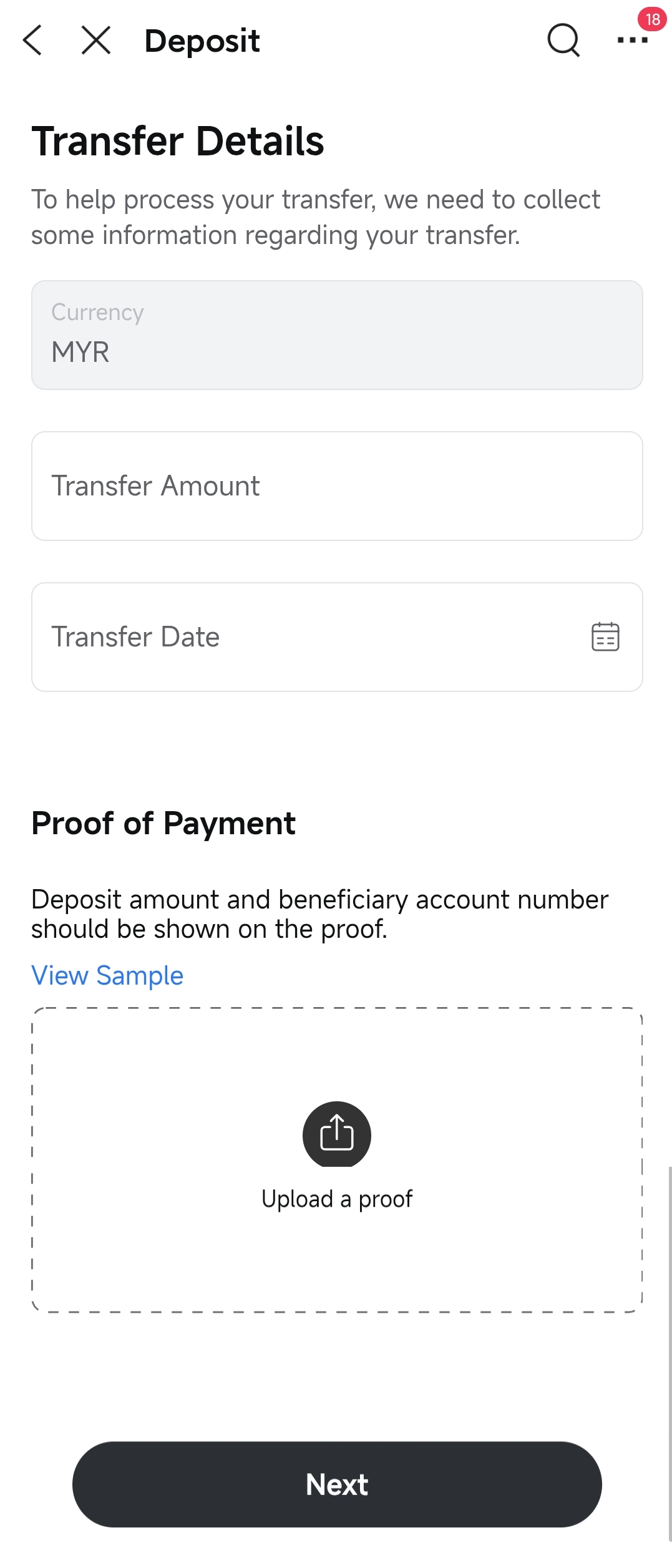
② Fill in the transfer details, upload your bank transfer proof (remittance slip) and tap "Next".
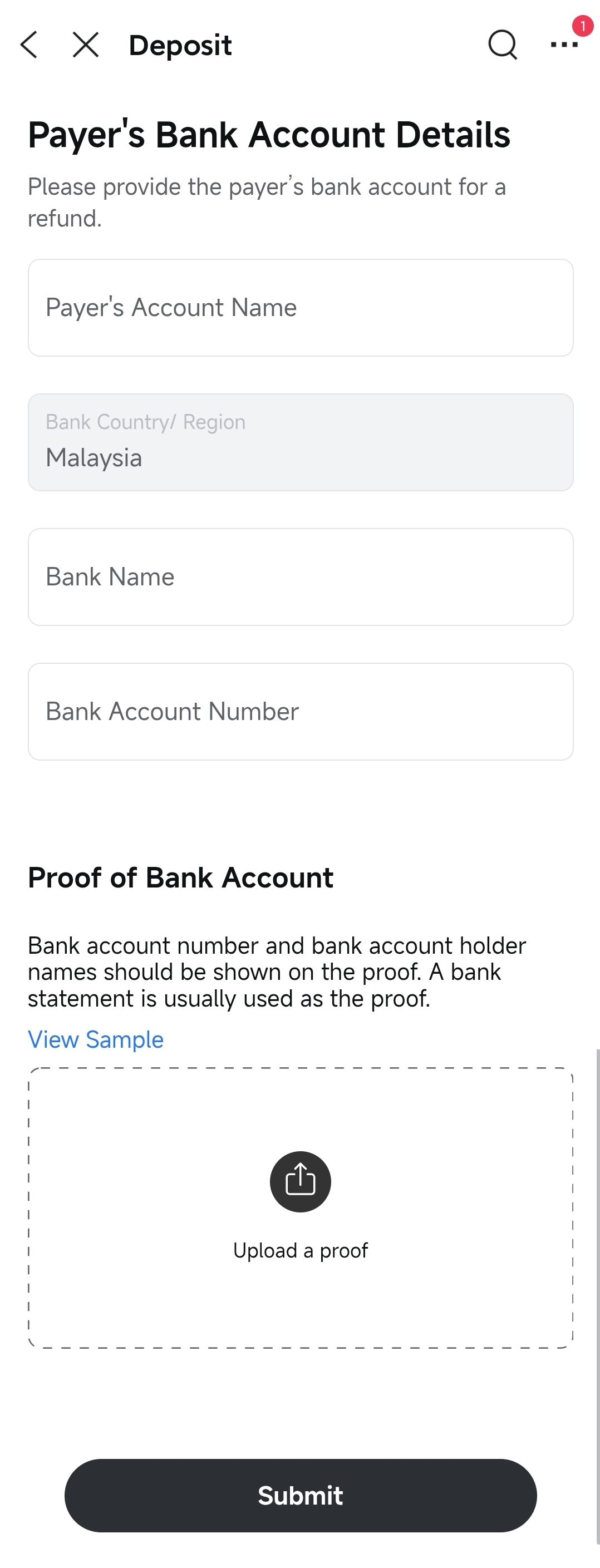
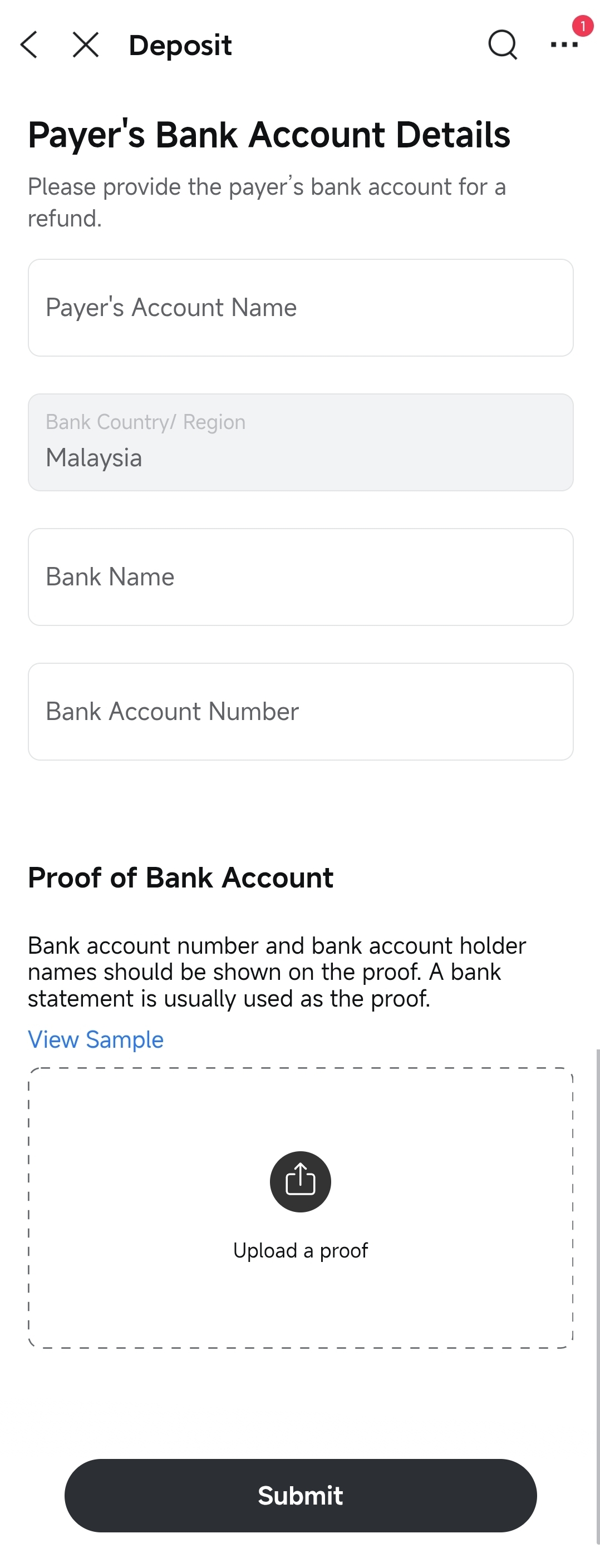
③ Provide the bank account details of the account that initiated the transfer (for refund purposes) and upload proof of the bank account (bank statement).
④ Tap Submit.
 |  |  |  |
Notes:
• After receiving your refund request and all required supporting documents, we will process the refund within 7 trading days.
• An RM1 refund fee will be charged.
If the third-party bank account holder you are using for the transfer also holds a Moomoo MY Universal Account, you may directly request to deposit the funds into that transferor's Moomoo MY Universal Account.
Prerequisite: The third-party bank account holder must have successfully opened a Moomoo MY Universal Account.
Navigate to: moomoo App > "Accounts" > "Transfer" > "Deposit" > "Bank Transfer" > tap "drop us a message" at the bottom of the payment details page.
| | |
Steps for requesting funds to deposit into the transferor's Moomoo MY universal account:
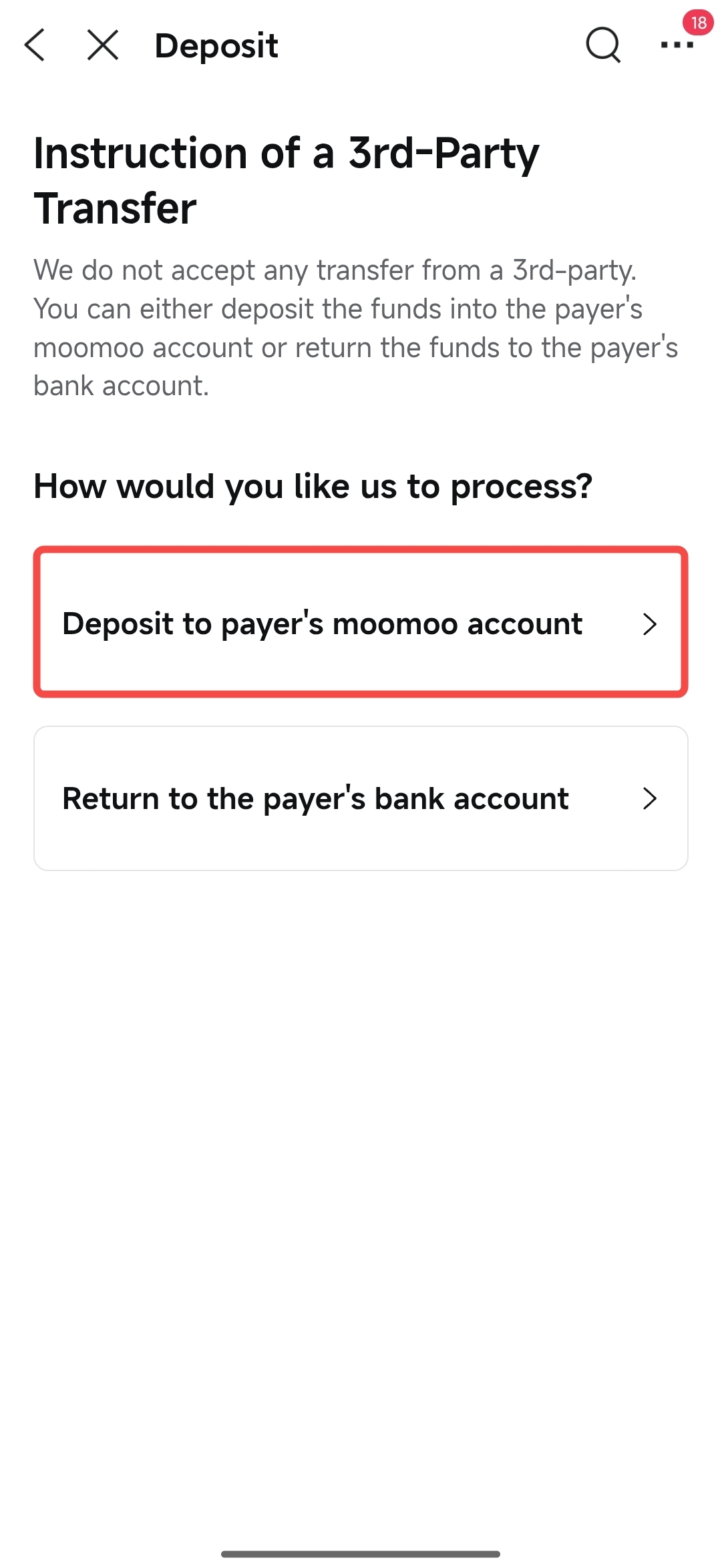
① Tap "Someone else's bank account" > "Deposit to payer's moomoo account".
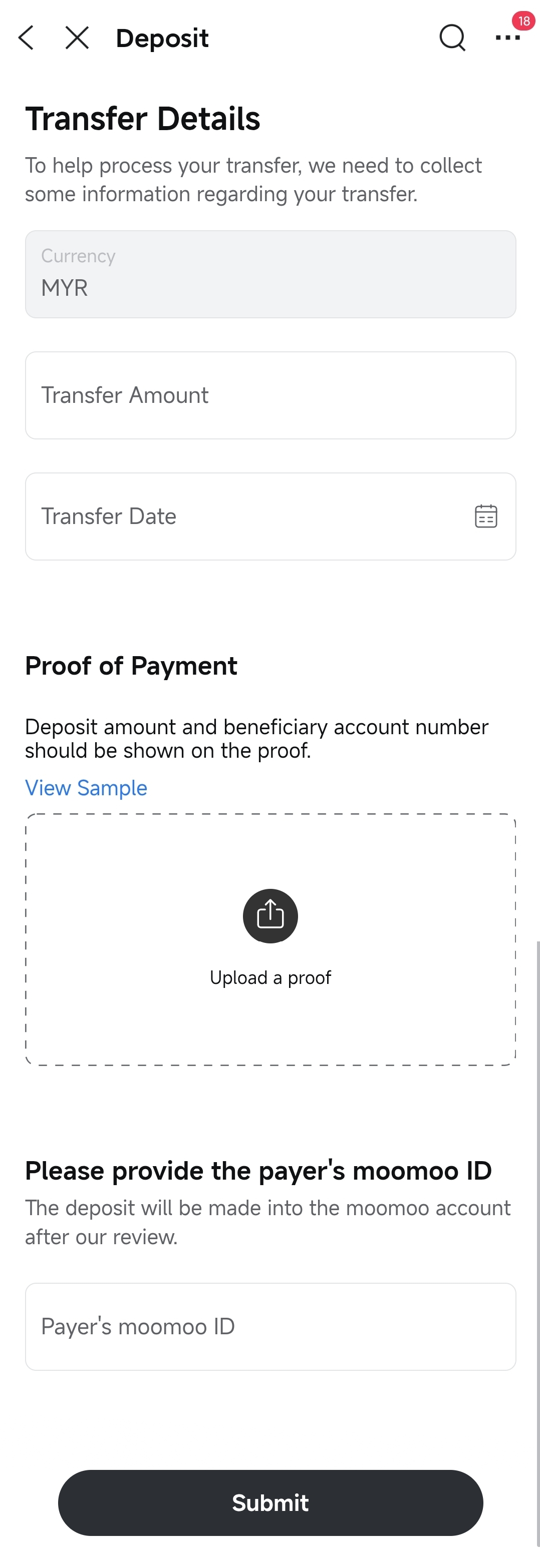
② Fill in the transfer details and upload your bank transfer proof (remittance slip).
③ Enter the transferor's moomoo ID.
④ Tap Submit.
 |  |  |
Notes:
• Once submitted, if all information is verified, the funds will be deposited into the designated moomoo account within 1-2 working days.
• No refund fee is required.
If you transferred funds via FPX using a bank account that is not under your name, we will arrange a refund for you.
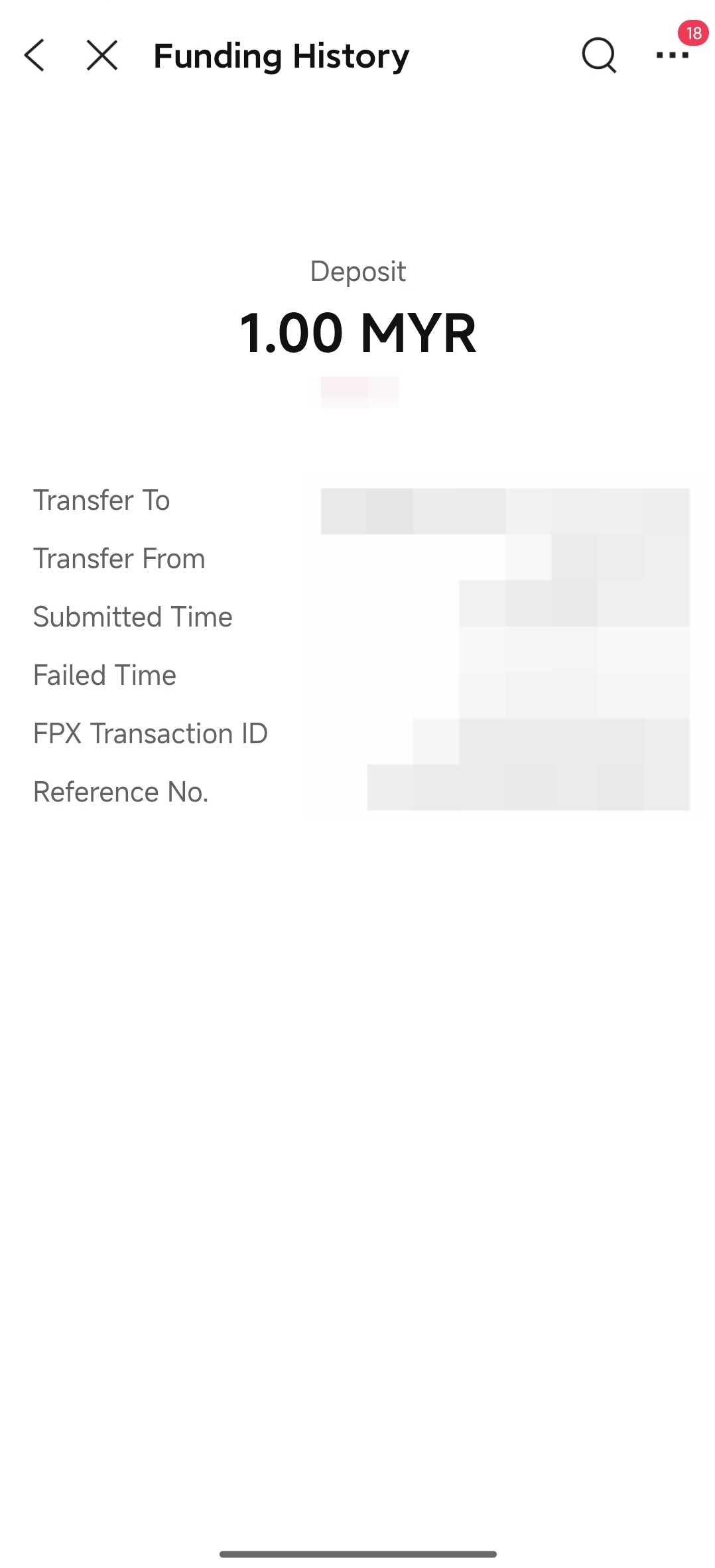
You will need to go to "Account > Transfer > Deposit > Funding History" in the moomoo App, take a screenshot of the transfer record page (refer to the screenshot example below), and submit the screenshot to our online customer service via "moomoo App > Me > Support > Online Inquiry" to request a refund.
Screenshot Example:
Notes:
• We will process the refund within 3 trading days after receiving your refund request.
• An RM1 refund fee will be charged.
If the third-party bank account holder you are using for the transfer also holds a Moomoo MY Universal Account, you may directly request to deposit the funds into that transferor's Moomoo MY Universal Account.
Prerequisite: The third-party bank account holder must have successfully opened a Moomoo MY Universal Account.
How to proceed: You may contact our customer service team via "moomoo App > Me > Support > Online Inquiry", provide the third-party account holder's Moomoo ID (User ID), and request to have the funds transferred to the Moomoo MY Universal Account associated with that User ID.
Notes:
• Once submitted, if all information is verified, the funds will be deposited into the designated moomoo account within 1-2 working days.
• No refund fee is required.
Moomoo MY generally does not accept deposits from corporate entities (such as private limited companies, partnerships, etc.) into personal Universal Accounts. If you have used a corporate bank account to transfer funds to your personal Universal Account, please follow the steps below.
If your company is NOT a sole proprietorship registered under your name (include corporate entities such as private limited companies, partnerships), please follow the steps below to request a refund:
4.1.1 If you are using bank transfer
Navigate to: moomoo App > "Accounts" > "Transfer" > "Deposit" > "Bank Transfer" > tap "drop us a message" at the bottom of the payment details page.
| | |
Steps for requesting a refund:
① Tap "Someone else's bank account" > "Refund to the payer's bank account".
② Fill in the transfer details, upload your bank transfer proof (remittance slip) and tap "Next".
③ Provide the bank account details of the account that initiated the transfer (for refund purposes) and upload proof of the bank account (bank statement).
④ Tap Submit.
| | | |
Notes:
• After receiving your refund request and all required supporting documents, we will process the refund within 7 trading days.
• An RM1 refund fee will be charged.
4.1.2 If you are using FPX transfer
You will need to go to "Account > Transfer > Deposit > Funding History" in the moomoo App, take a screenshot of the transfer record page (refer to the screenshot example below), and submit the screenshot to our online customer service via "moomoo App > Me > Support > Online Inquiry" to request a refund.
Screenshot Example:
Notes:
• We will process the refund within 3 trading days after receiving your refund request.
• An RM1 refund fee will be charged.
If your company is registered as a Sole Proprietorship (Pemilikkan Tunggal) and you are the sole owner of the business, you may use the company's bank account to deposit funds into your personal Universal Account under your name by following the steps below.
① Before depositing, please confirm that your company is a Sole Proprietorship (Pemilikkan Tunggal). You may verify this on your SSM Business Registration Certificate.
② After successfully initiating the deposit, please provide the following documents to our online customer service via "moomoo App > Me > Support > Online Inquiry":
• SSM Business Registration Certificate* (must meet the requirements — see Section 4.2.1 SSM Business Registration Certificate Requirements for details)
• Company Bank Statement
• Proof of Transfer
Notes:
• Upon receipt and verification of all the above required documents, your funds will be credited to your personal Universal Account within 1 to 2 business days.
• No refund fees will be charged.
4.2.1 SSM Business Registration Certificate Requirements
The print date of your SSM Business Registration Certificate must be within the most recent 6 to 12 months (this date is usually found at the bottom of the document).
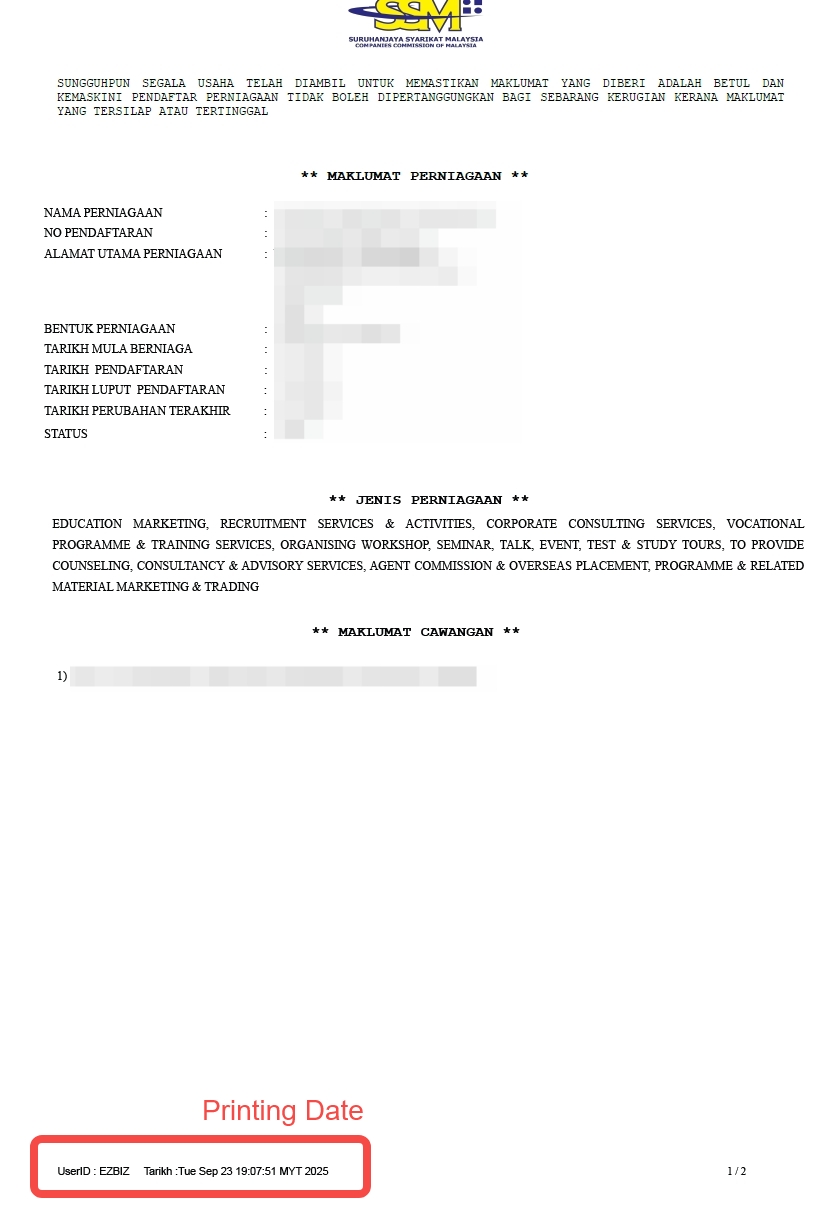
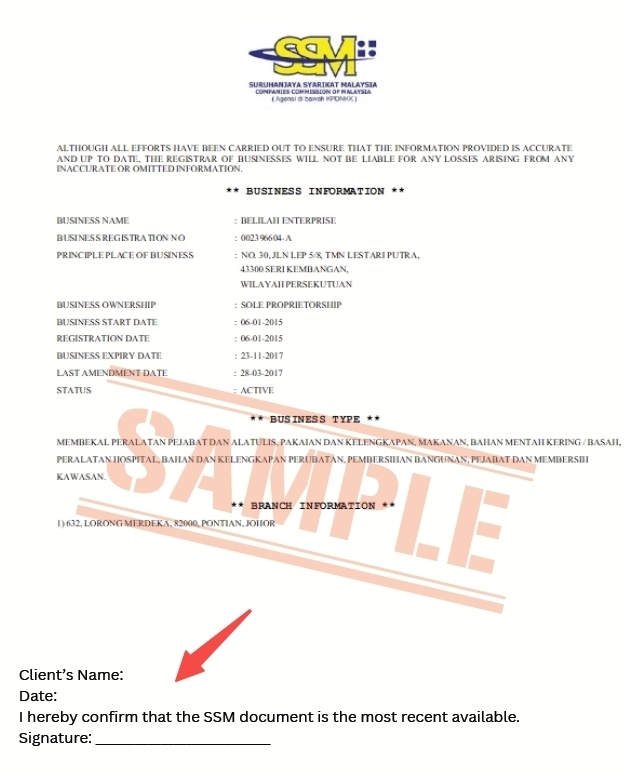
If the print date exceeds the above period, you must write the following declaration by hand at the bottom of the SSM document and include your signature:
Declaration: I hereby confirm that the SSM document is the most recent available. Signature: