Open a Brokerage Account
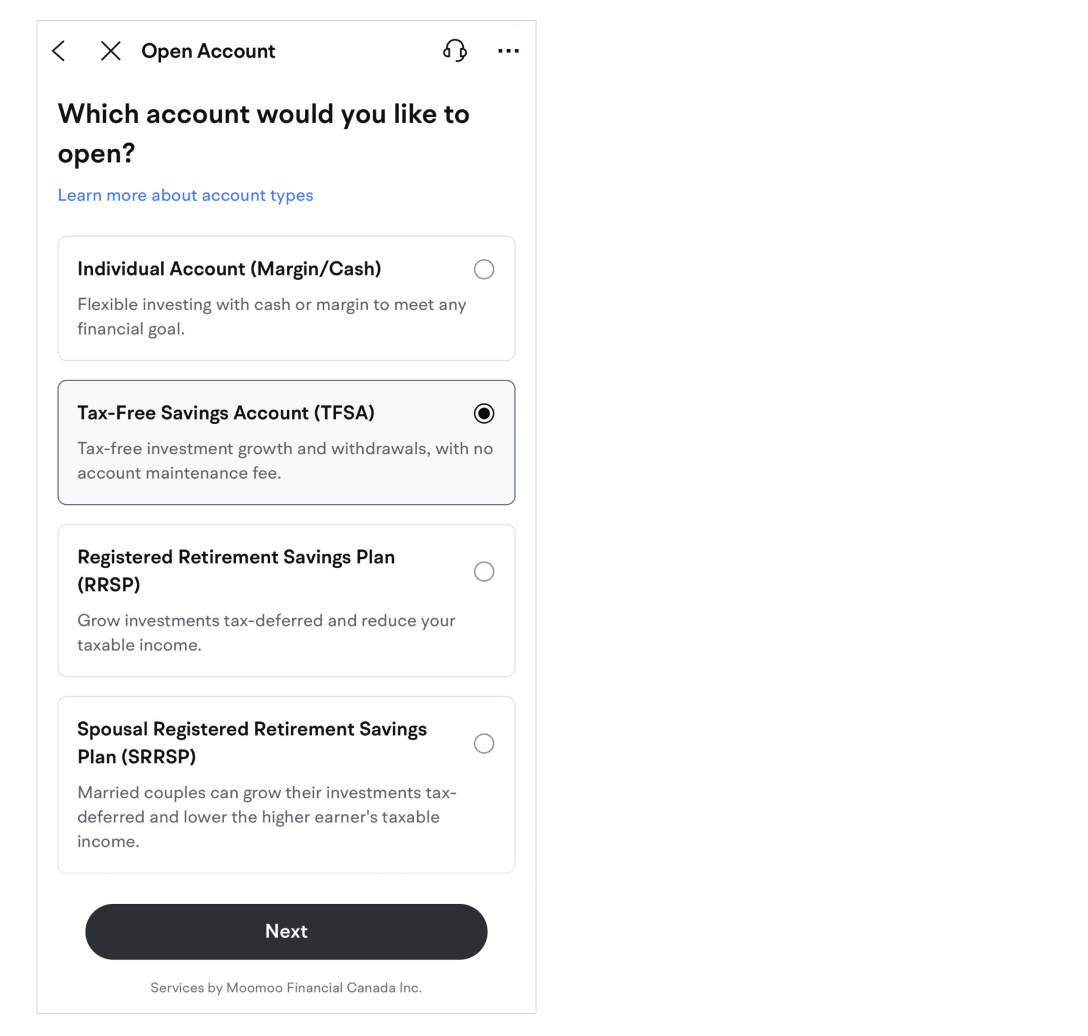
Margin/Cash Account
-
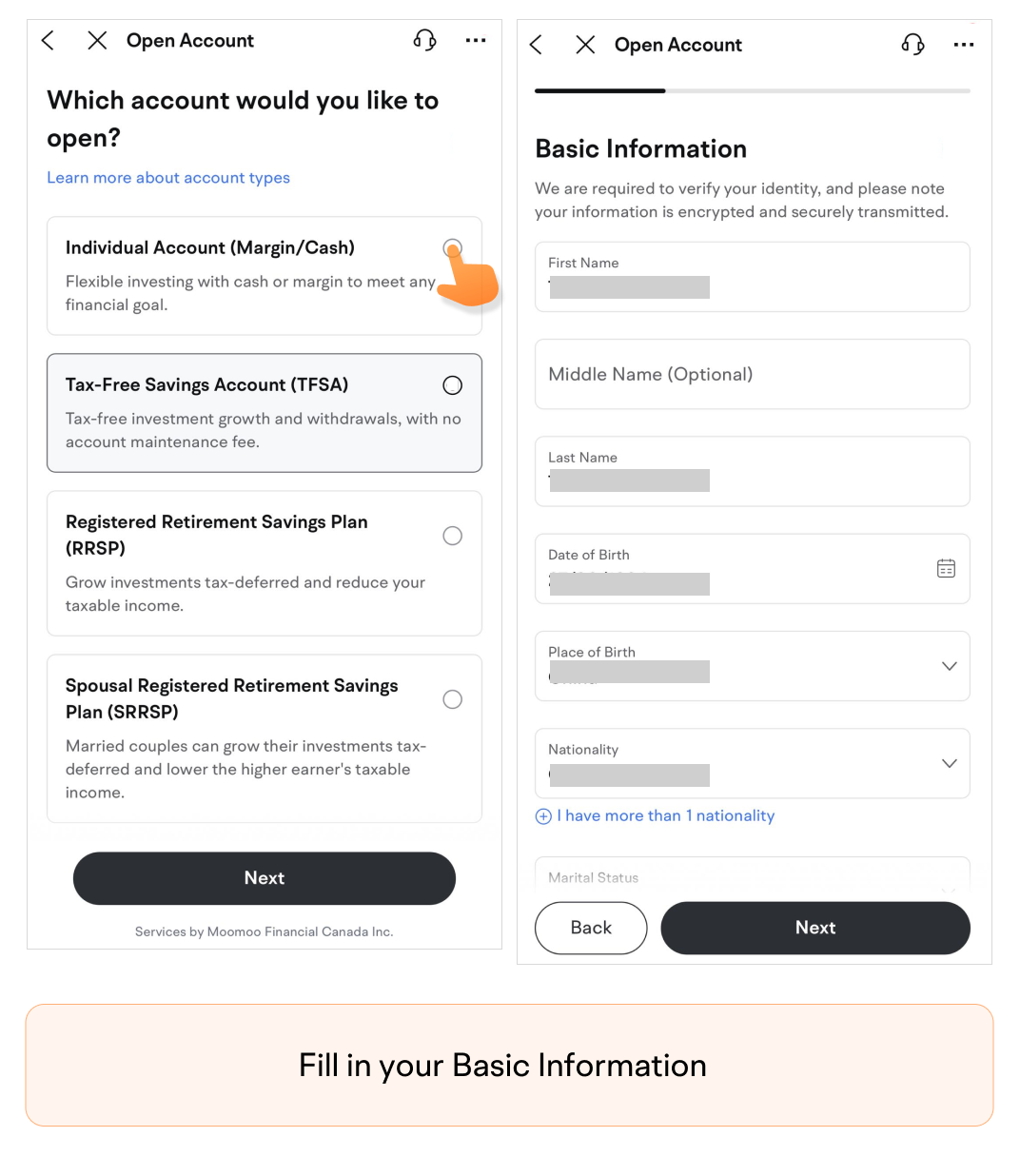
Fill in your Basic Information.
-
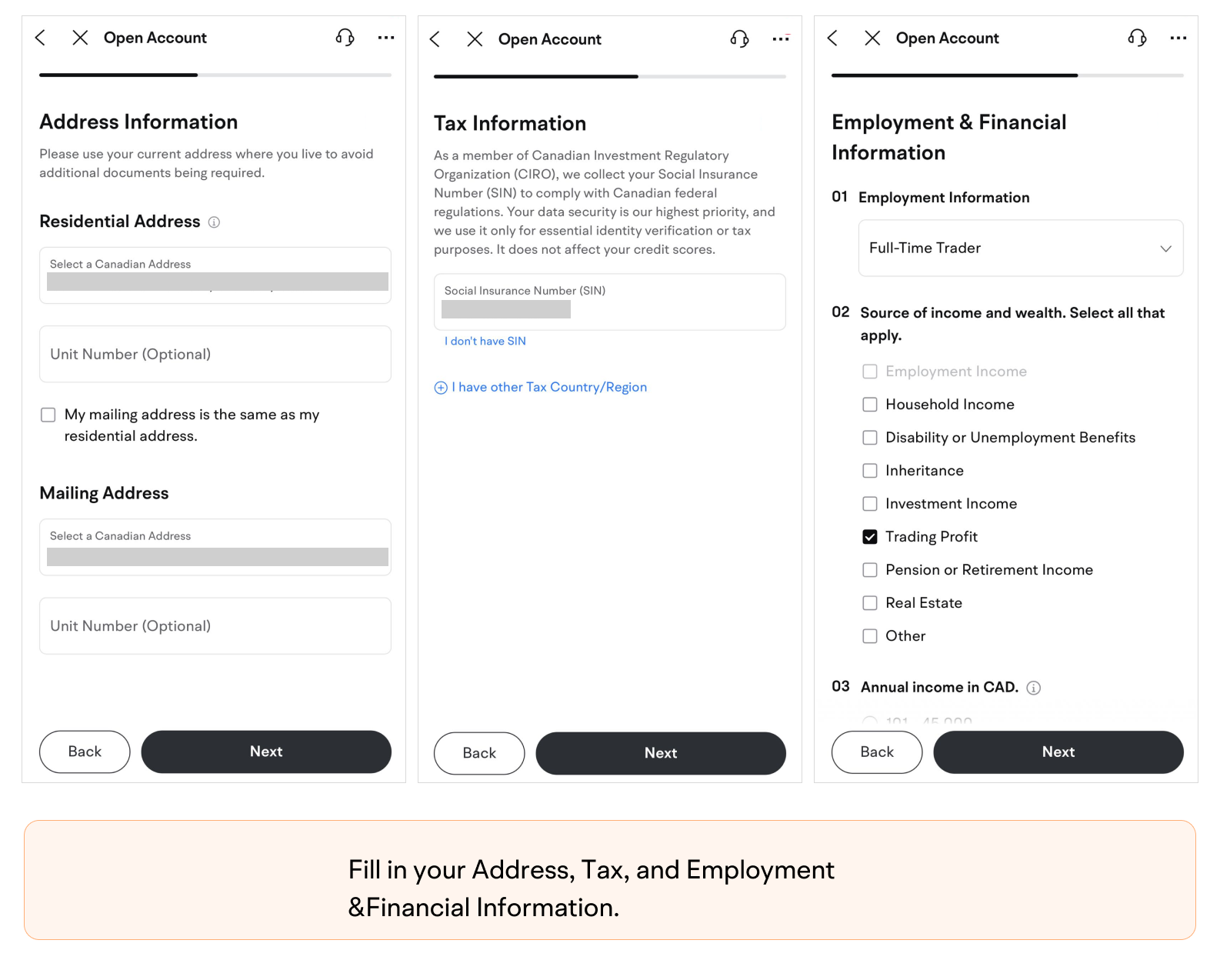
Fill in your Address, Tax, and Employment & Financial Information.
-
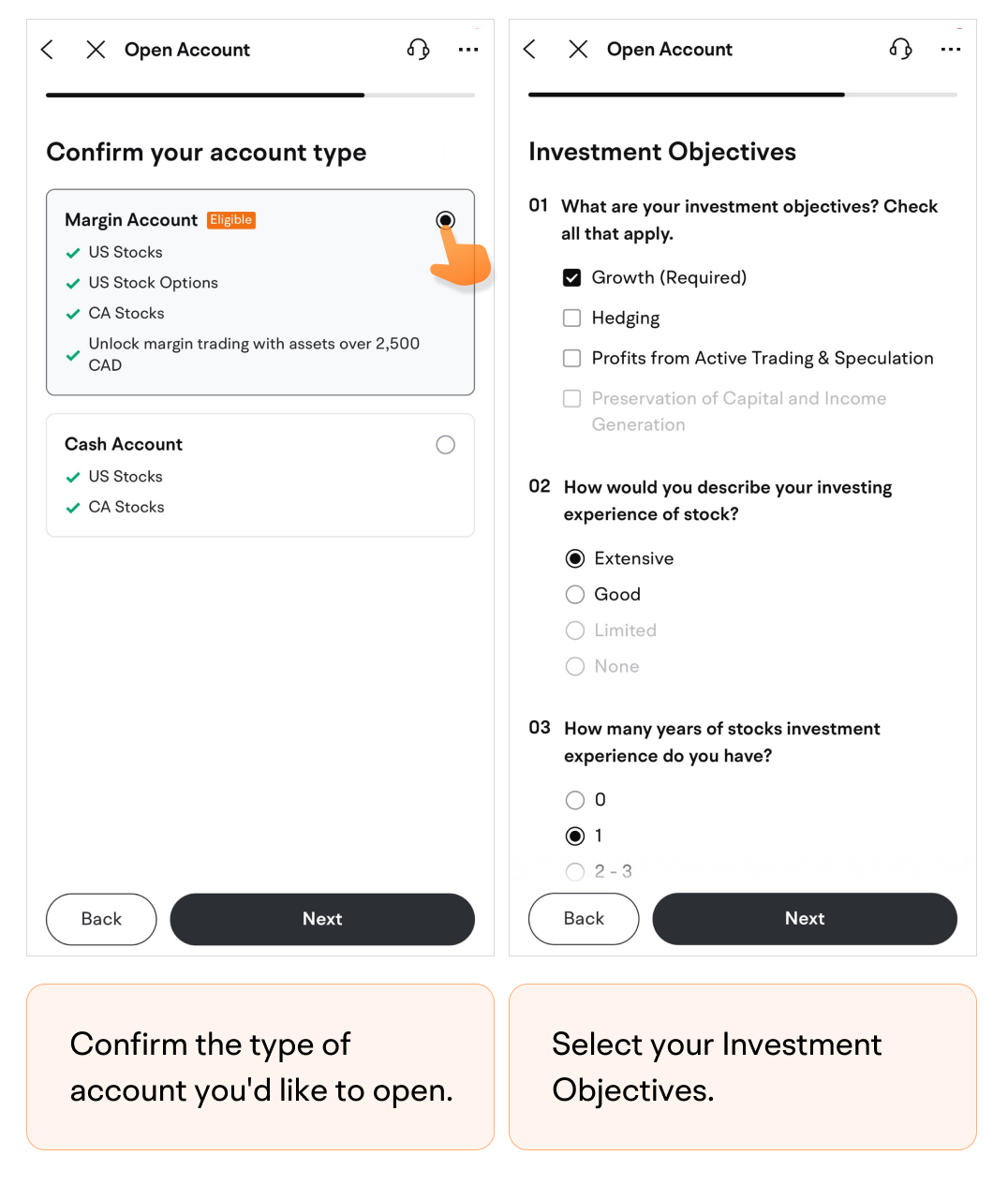
Confirm the type of account you'd like to open.
-
Select your Investment Objectives.
-
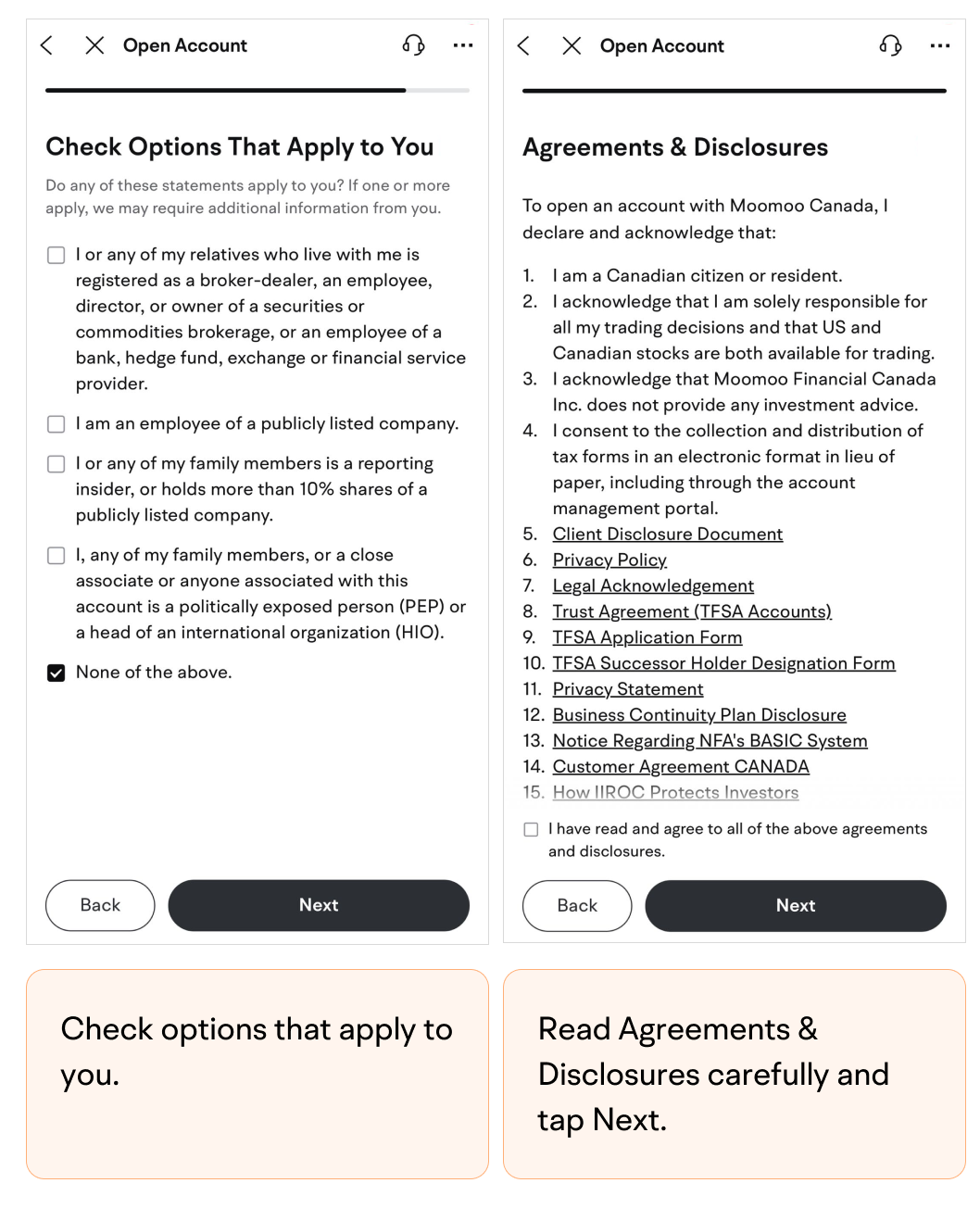
Check options that apply to you.
-
Read Agreements & Disclosures carefully and tap Next.
-
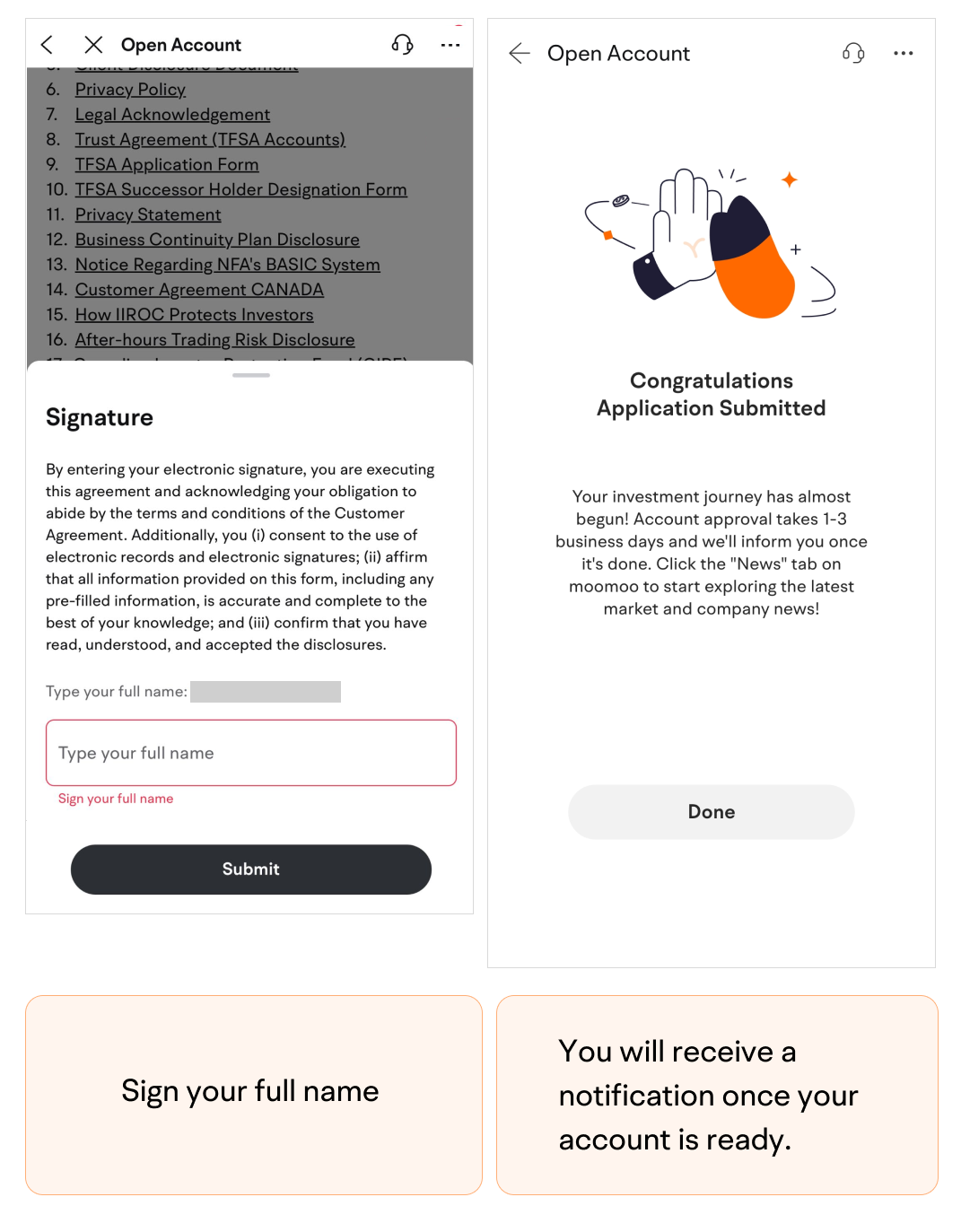
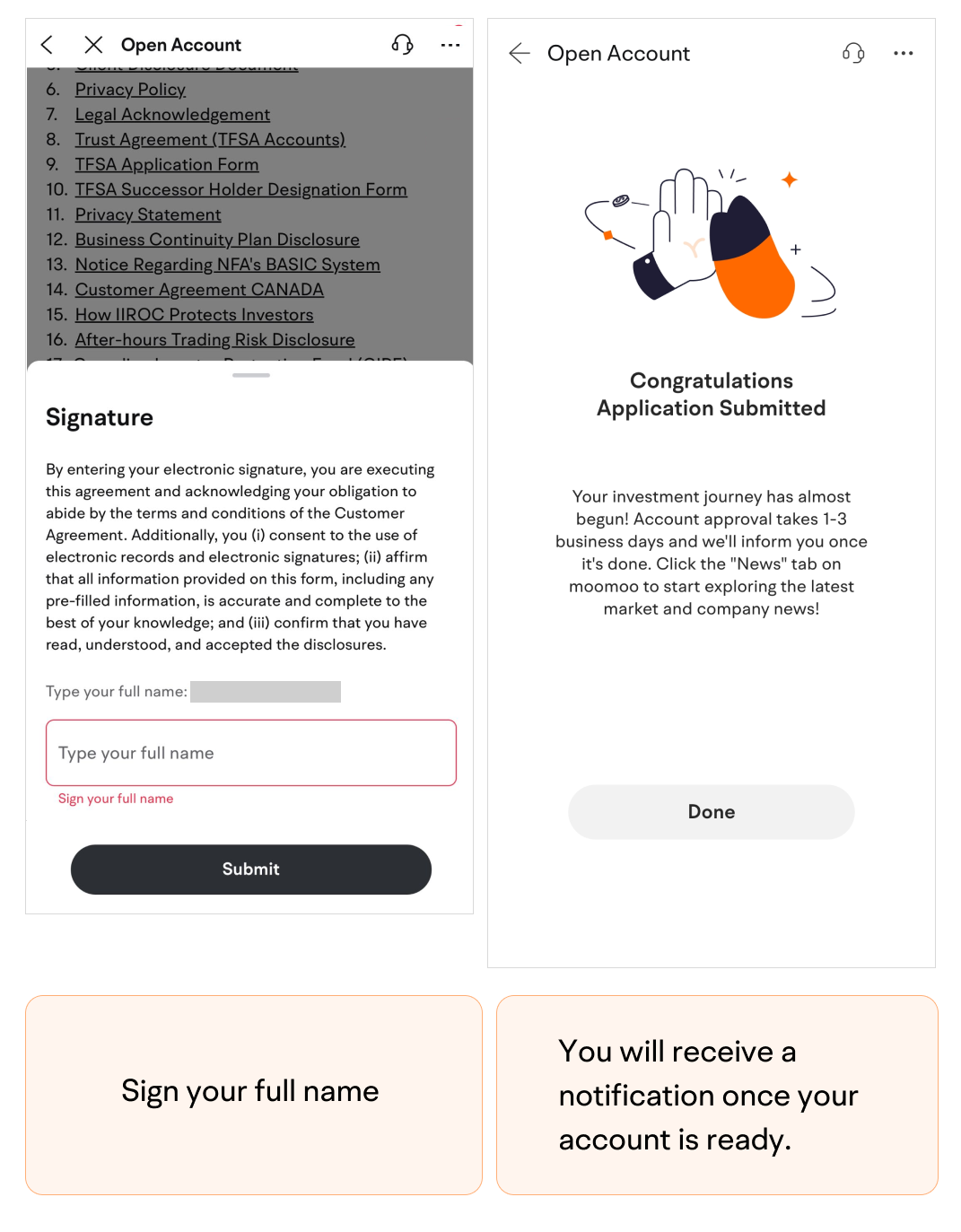
Sign your full name.
-
Submit the application.You will receive a notification once your account is ready.
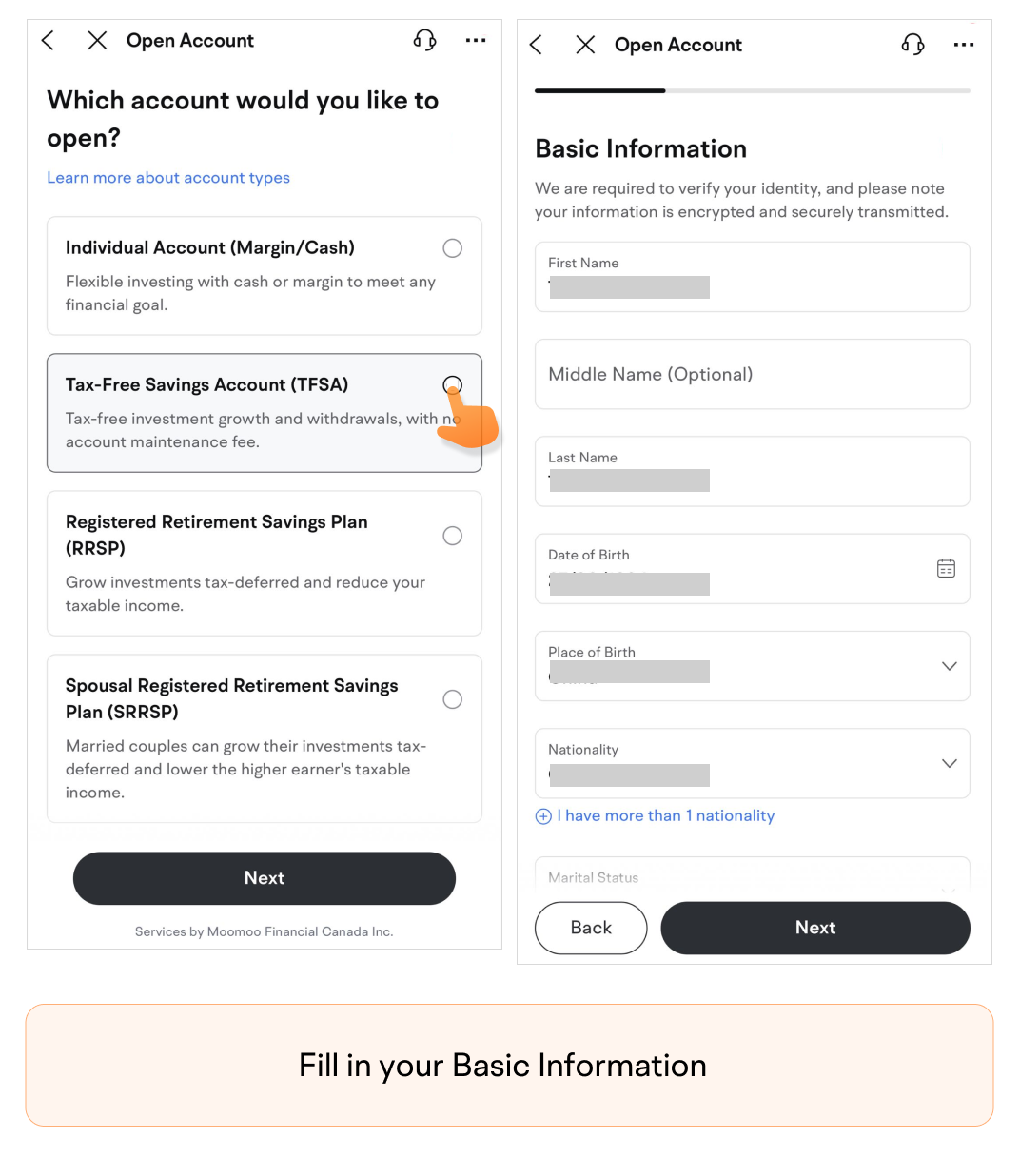
TFSA
-
Fill in your Basic Information.
-
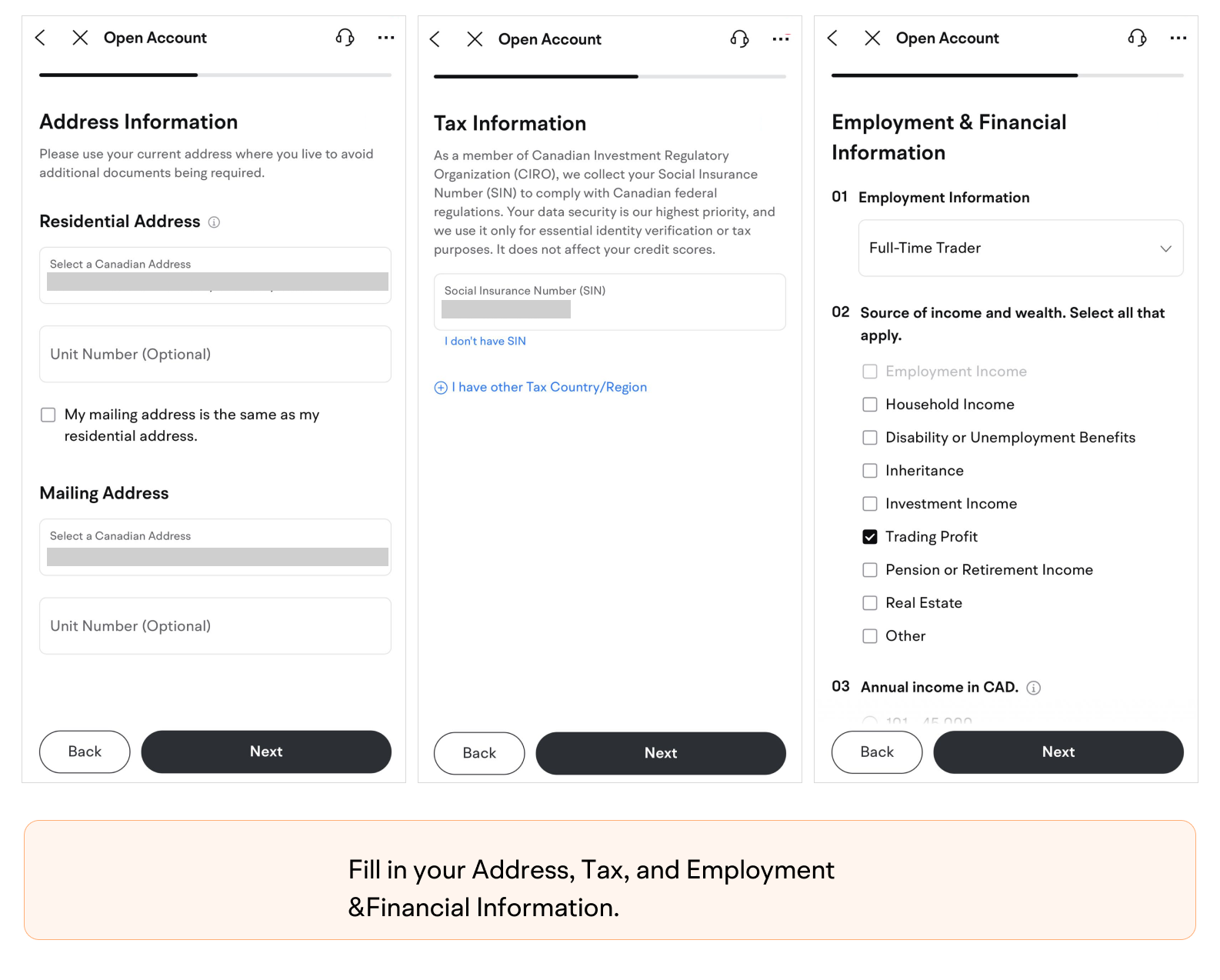
Fill in your Address, Tax, and Employment & Financial Information.
-
Select your Investment Objectives.
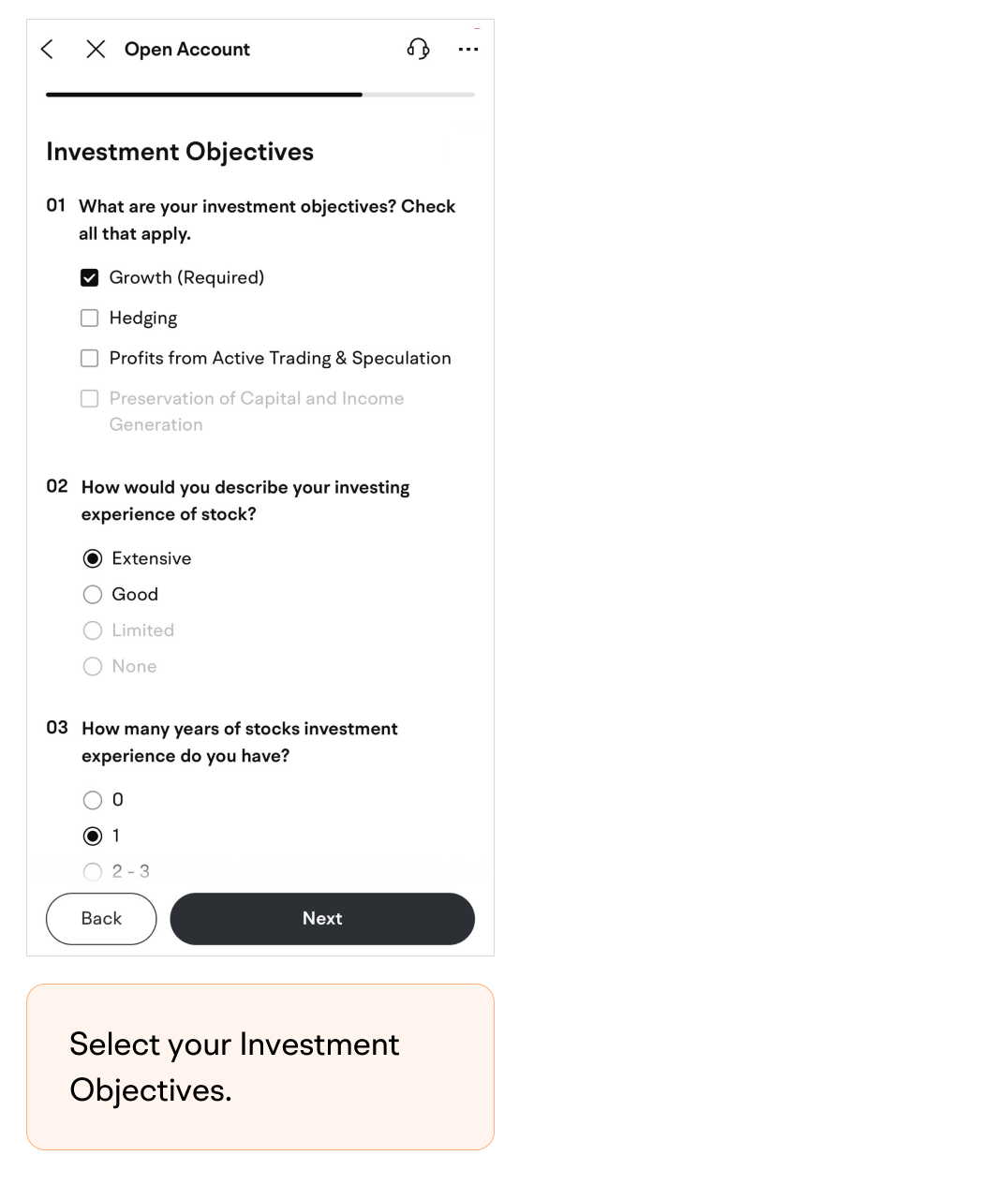
-
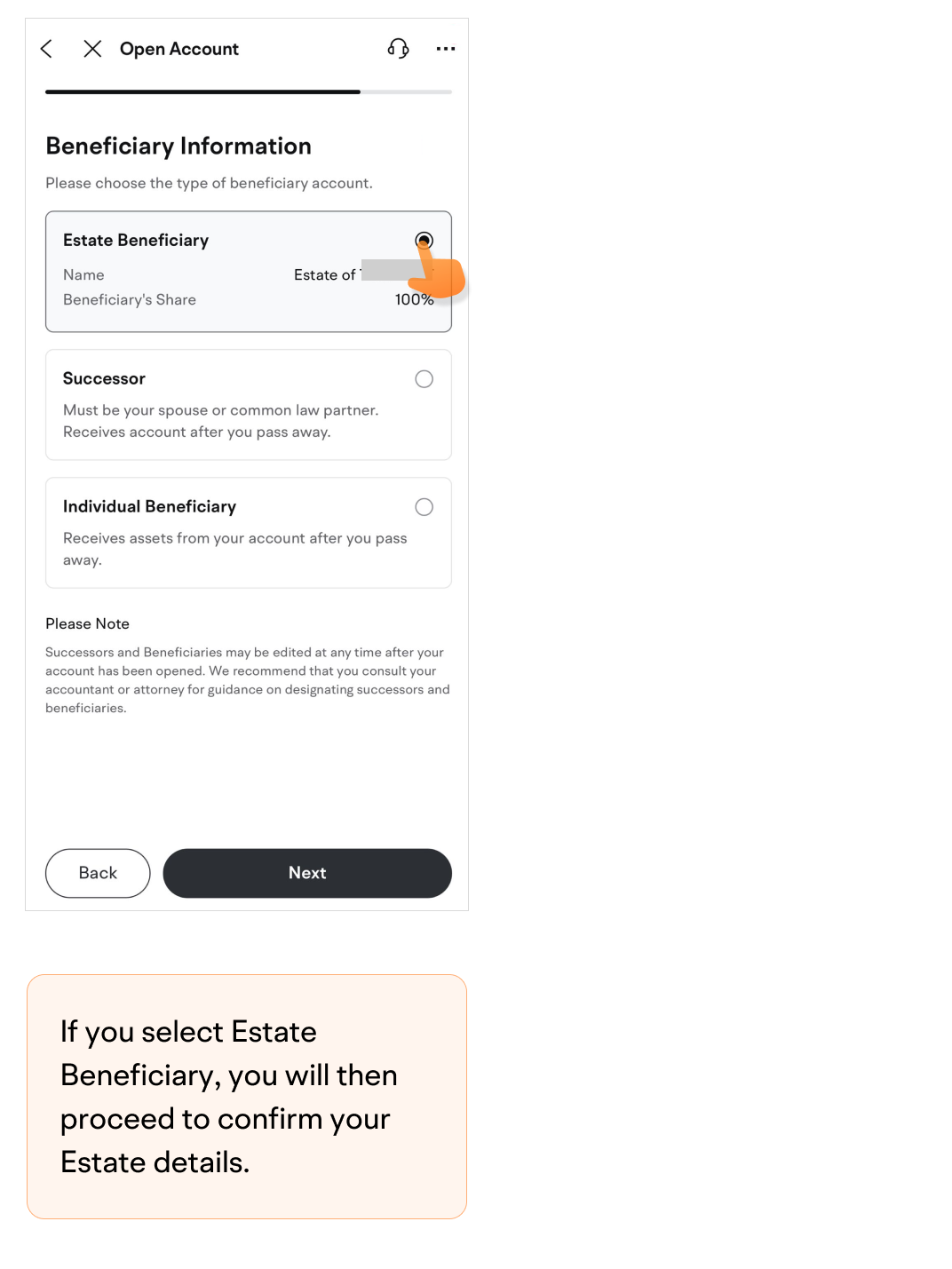
Choose the type of beneficiary account.If you select Estate Beneficiary, you will then proceed to confirm your Estate details.
 If you select Successor/Individual Beneficiary, you will then proceed to enter the Beneficiary's details. (Please note that if the beneficiary's residential address is in QC, you do not need to enter the beneficiary's details)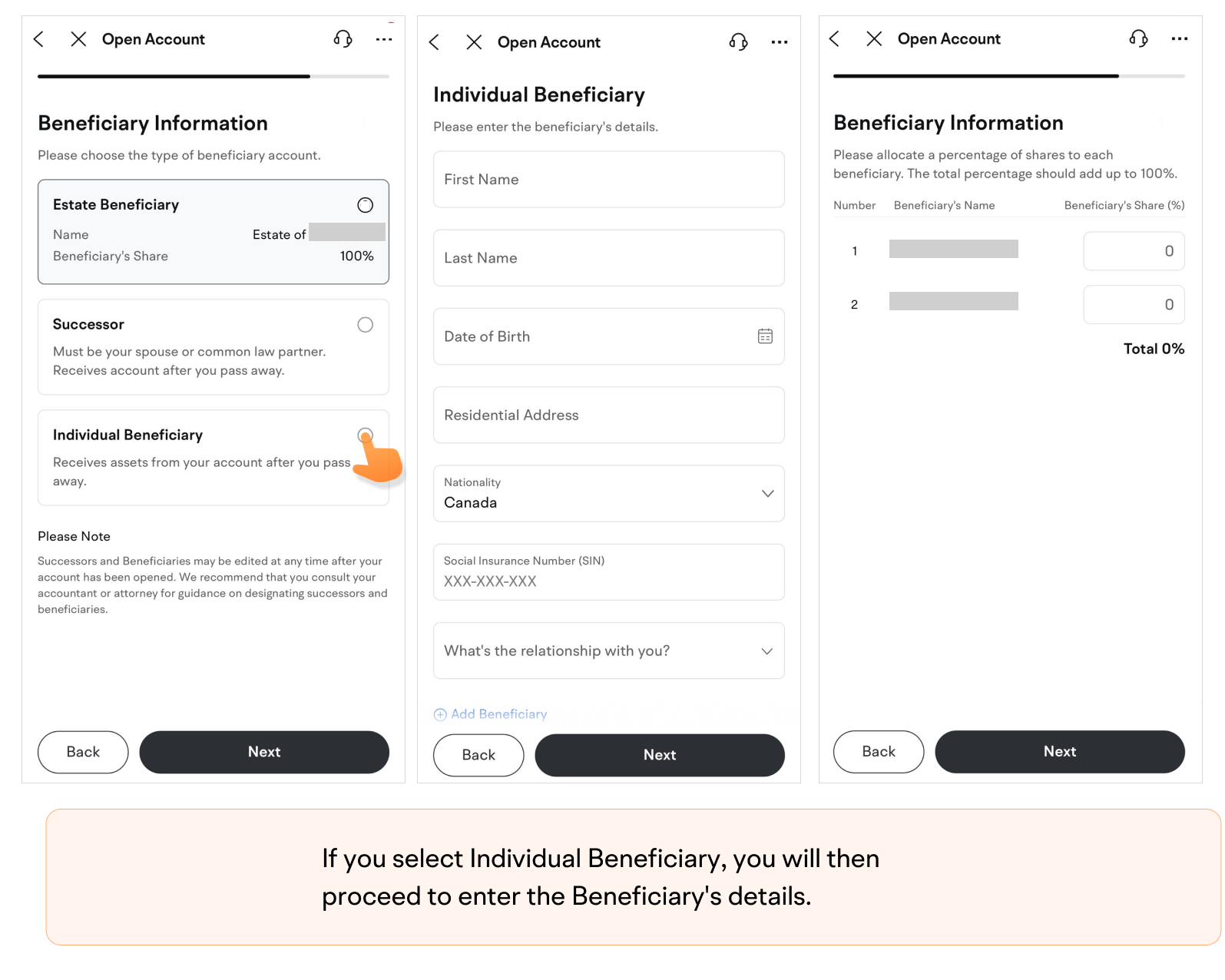
-
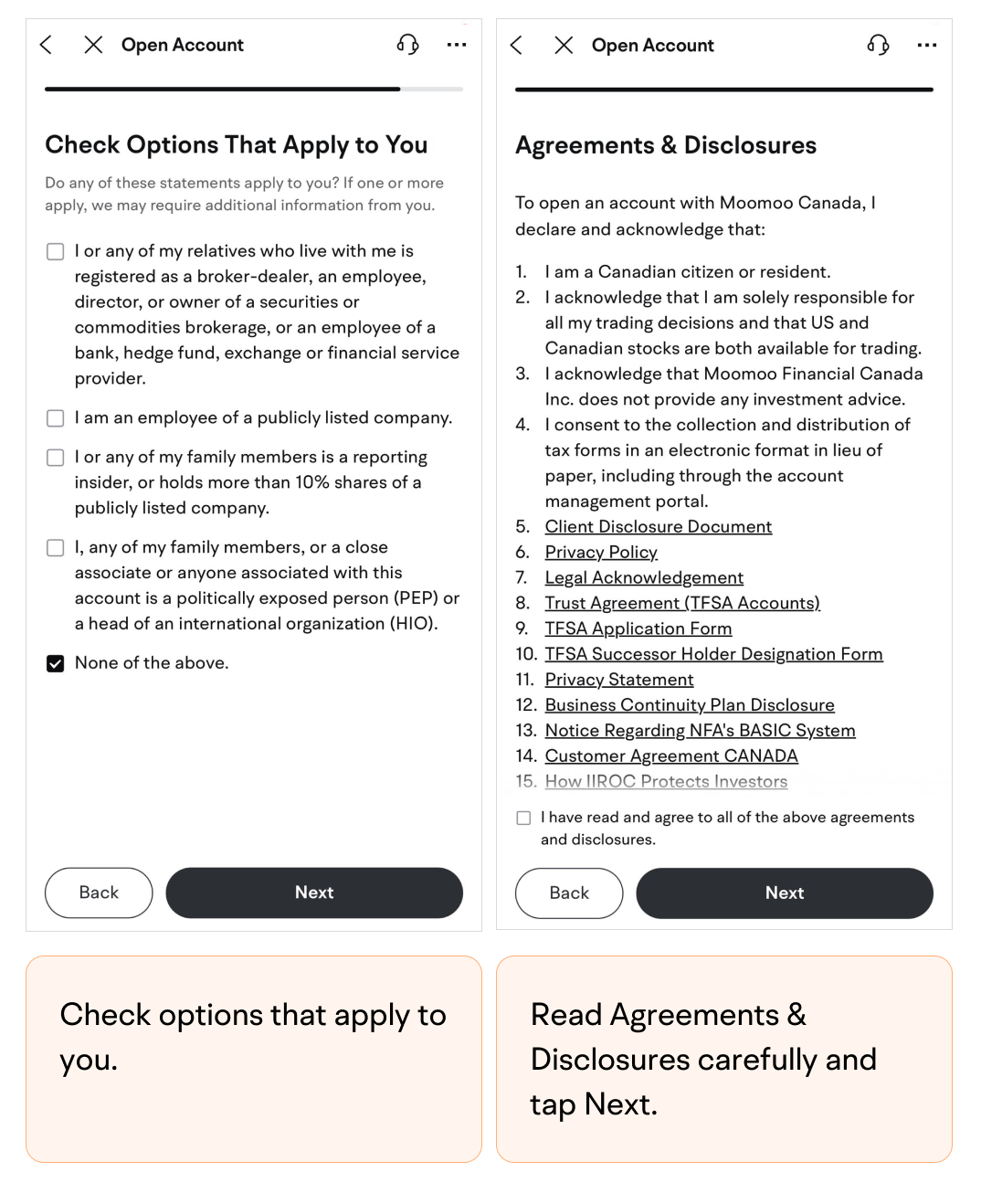
Check options that apply to you.
-
Read Agreements & Disclosures carefully and tap Next.
-
Sign your full name.
-
Submit the application.You will receive a notification once your account is ready.
RRSP
-
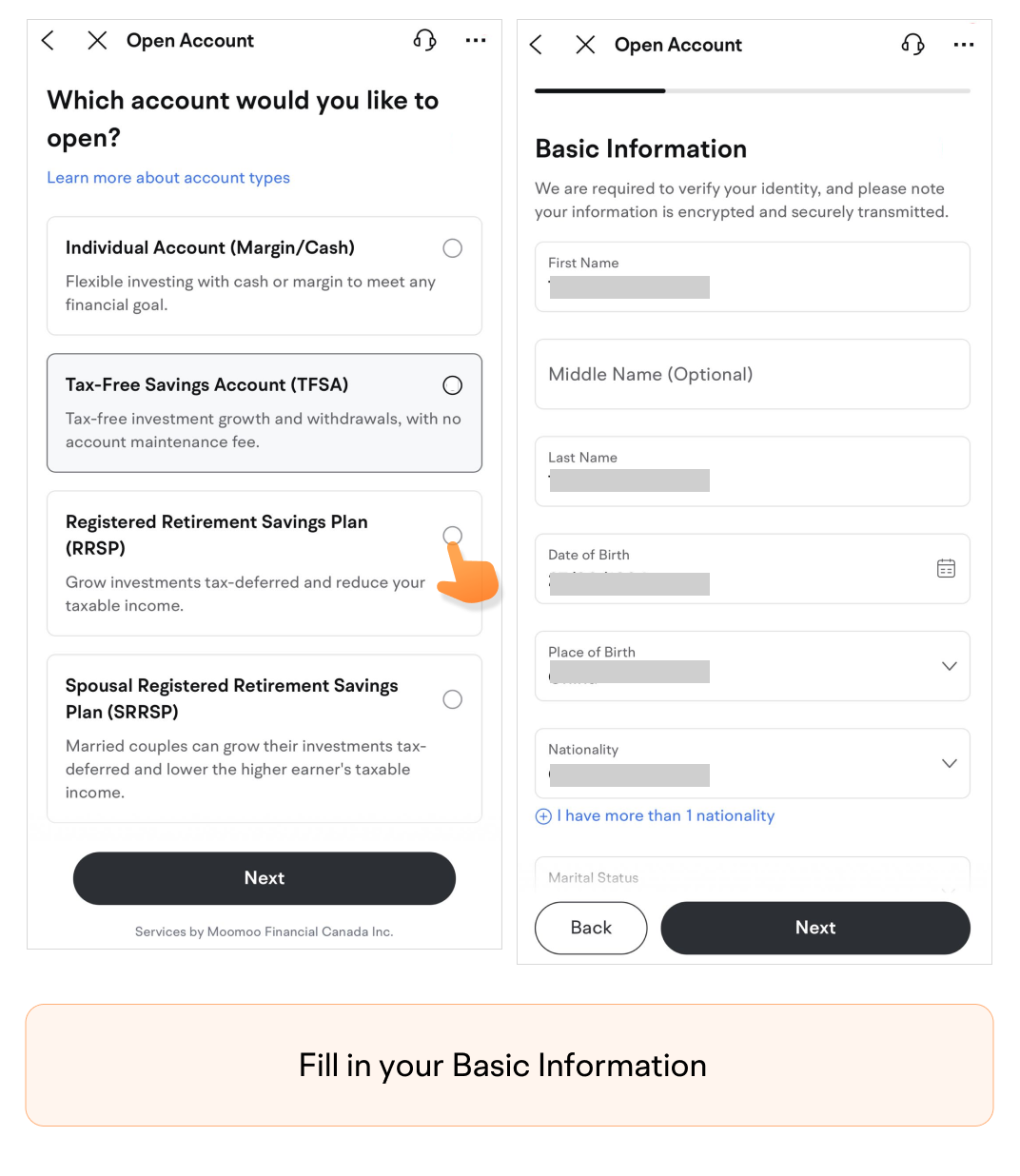
Fill in your Basic Information.
-
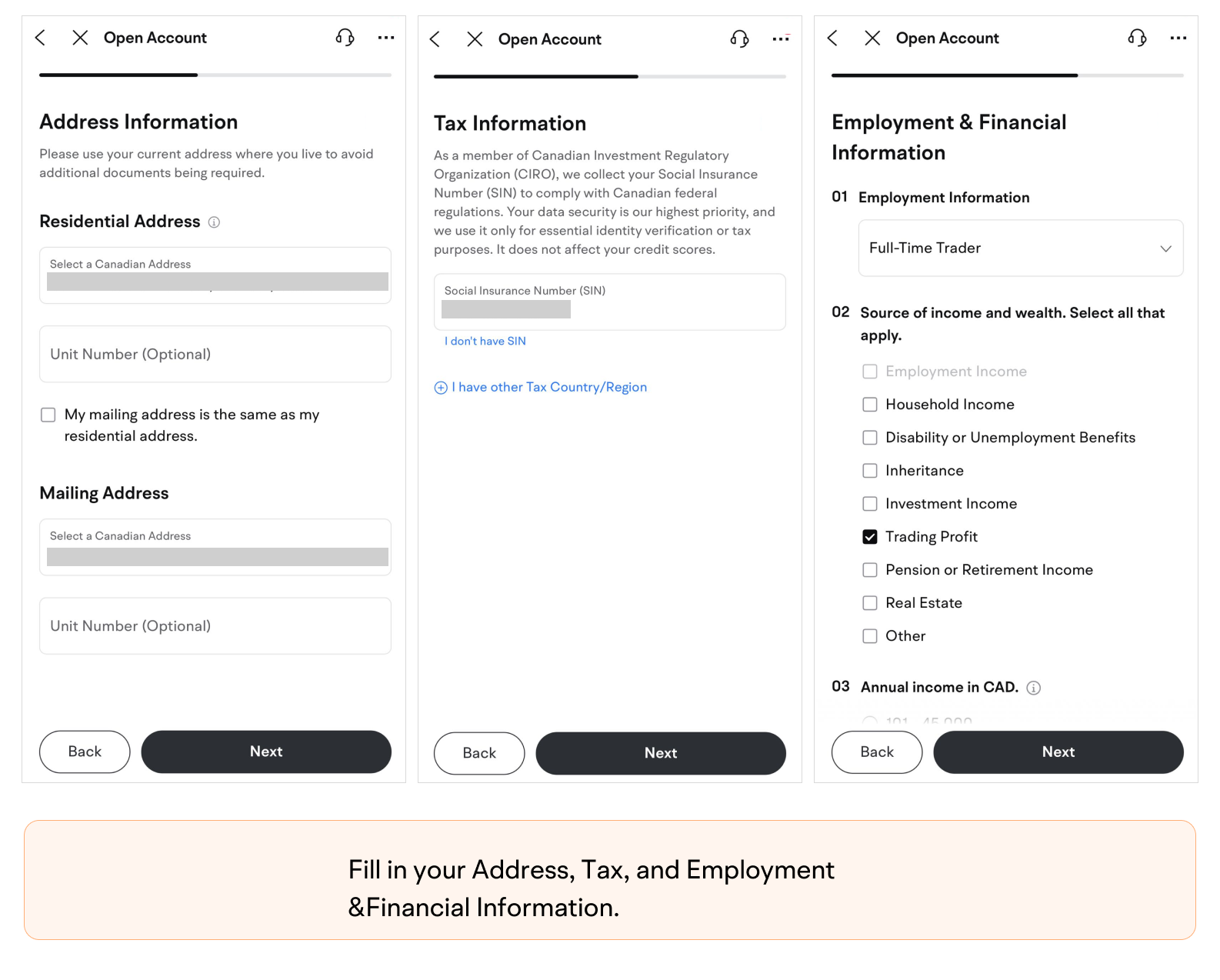
Fill in your Address, Tax, and Employment & Financial Information.
-
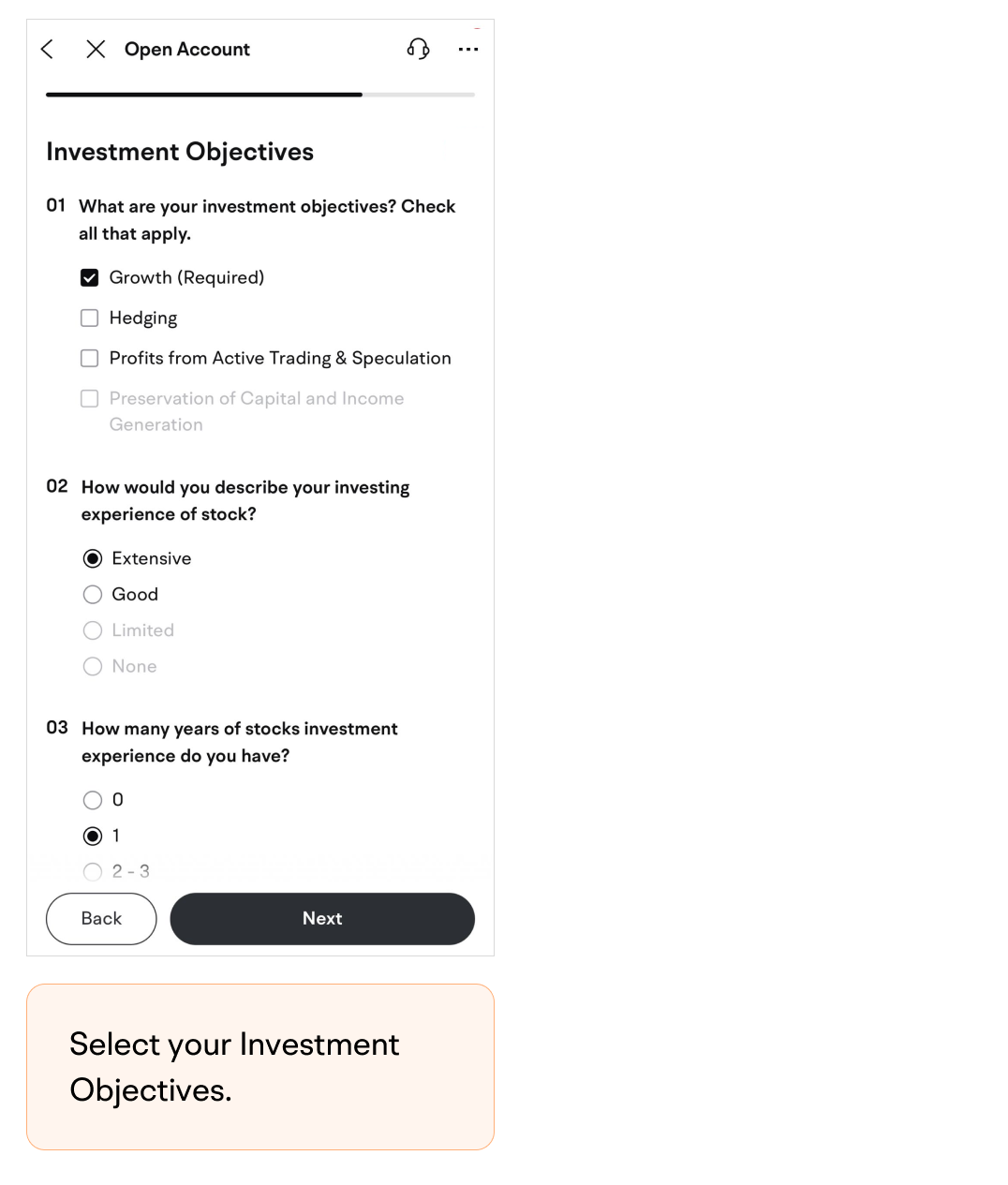
Select your Investment Objectives.
-
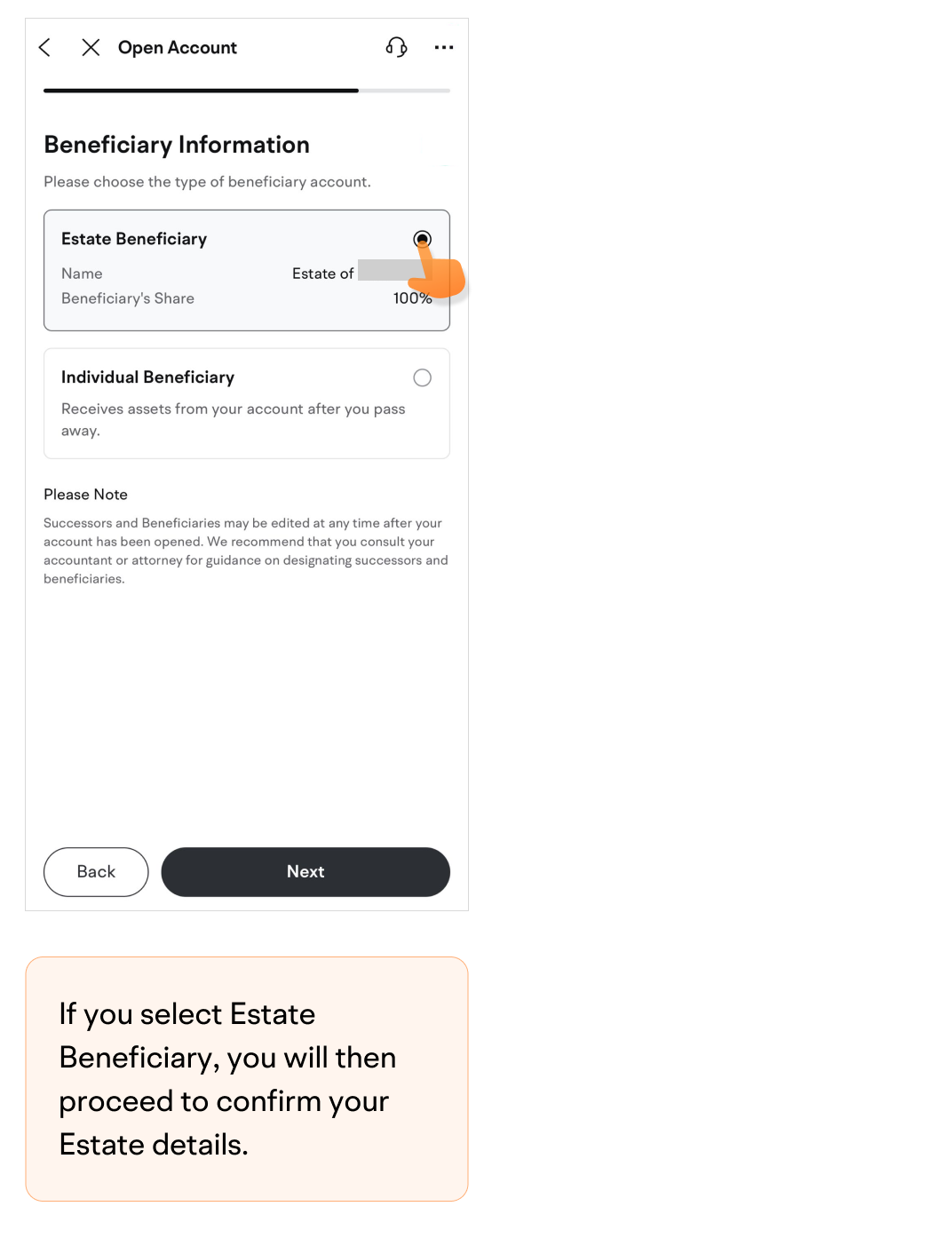
Choose the type of beneficiary account.If you select Estate Beneficiary, you will then proceed to confirm your Estate details.
 If you select Individual Beneficiary, you will then proceed to enter the Beneficiary's details. (Please note that if the beneficiary's residential address is in QC, you do not need to enter the beneficiary's details)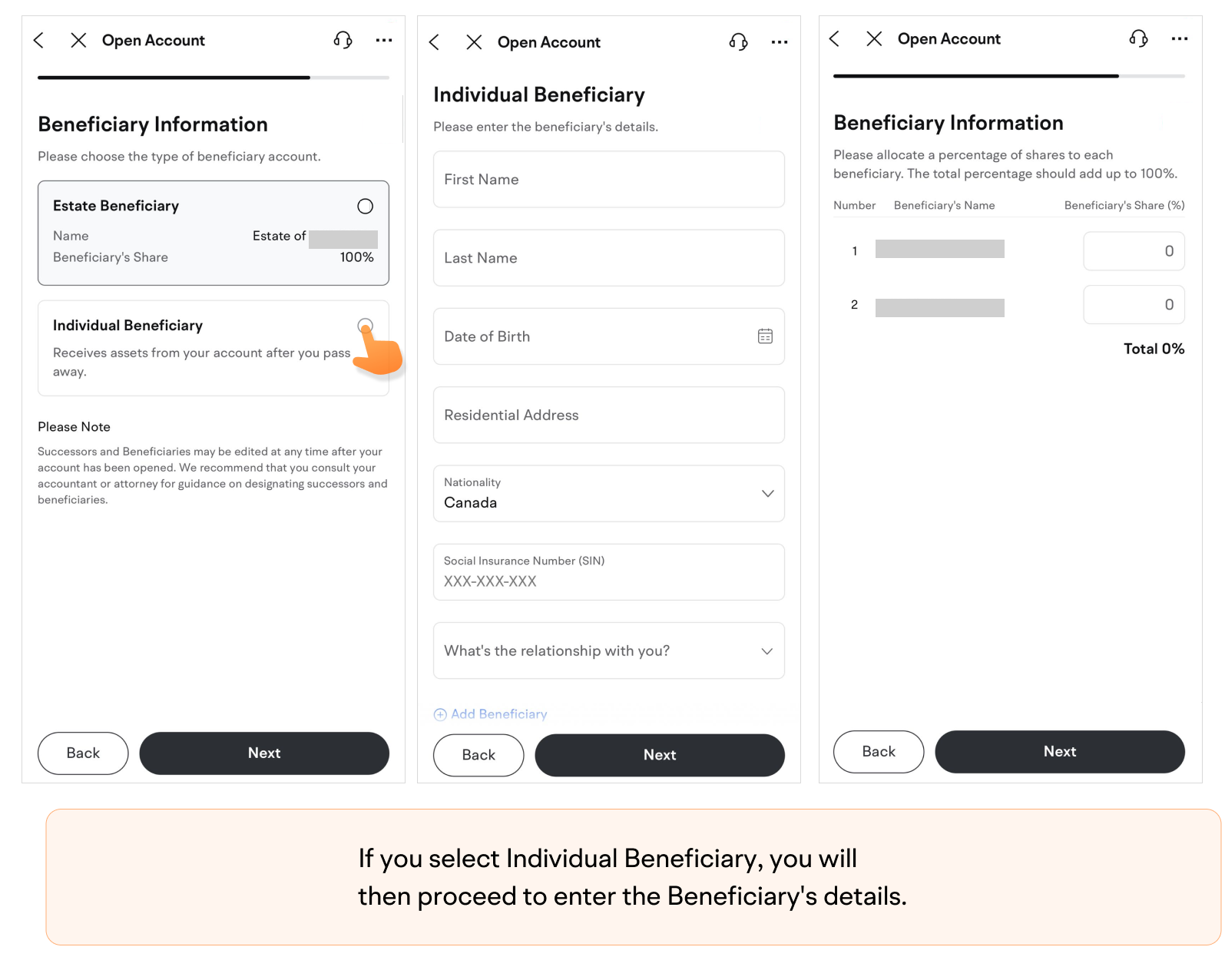
-
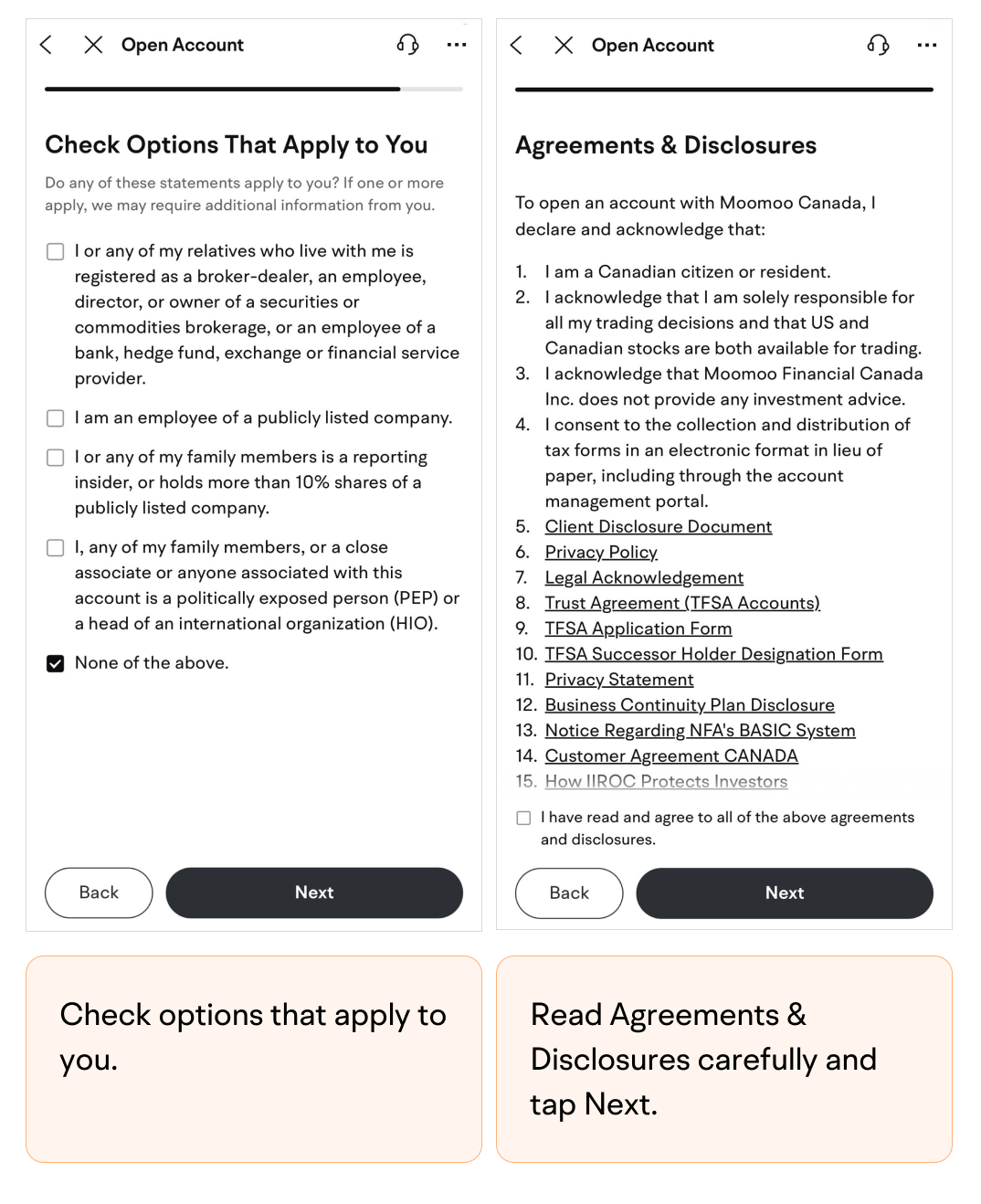
Check options that apply to you.
-
Read Agreements & Disclosures carefully and tap Next.
-
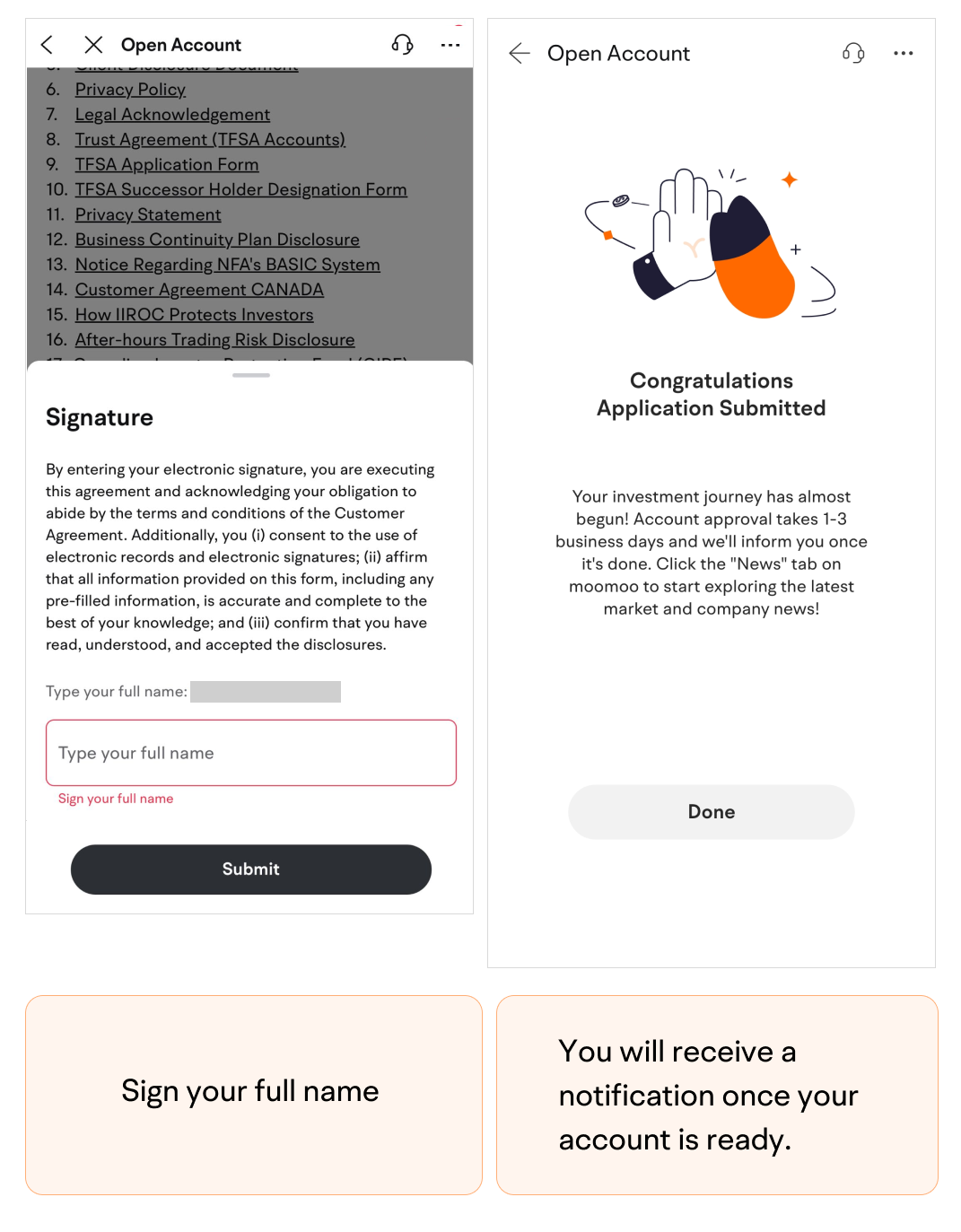
Sign your full name.
-
Submit the application.You will receive a notification once your account is ready.
SRRSP
-
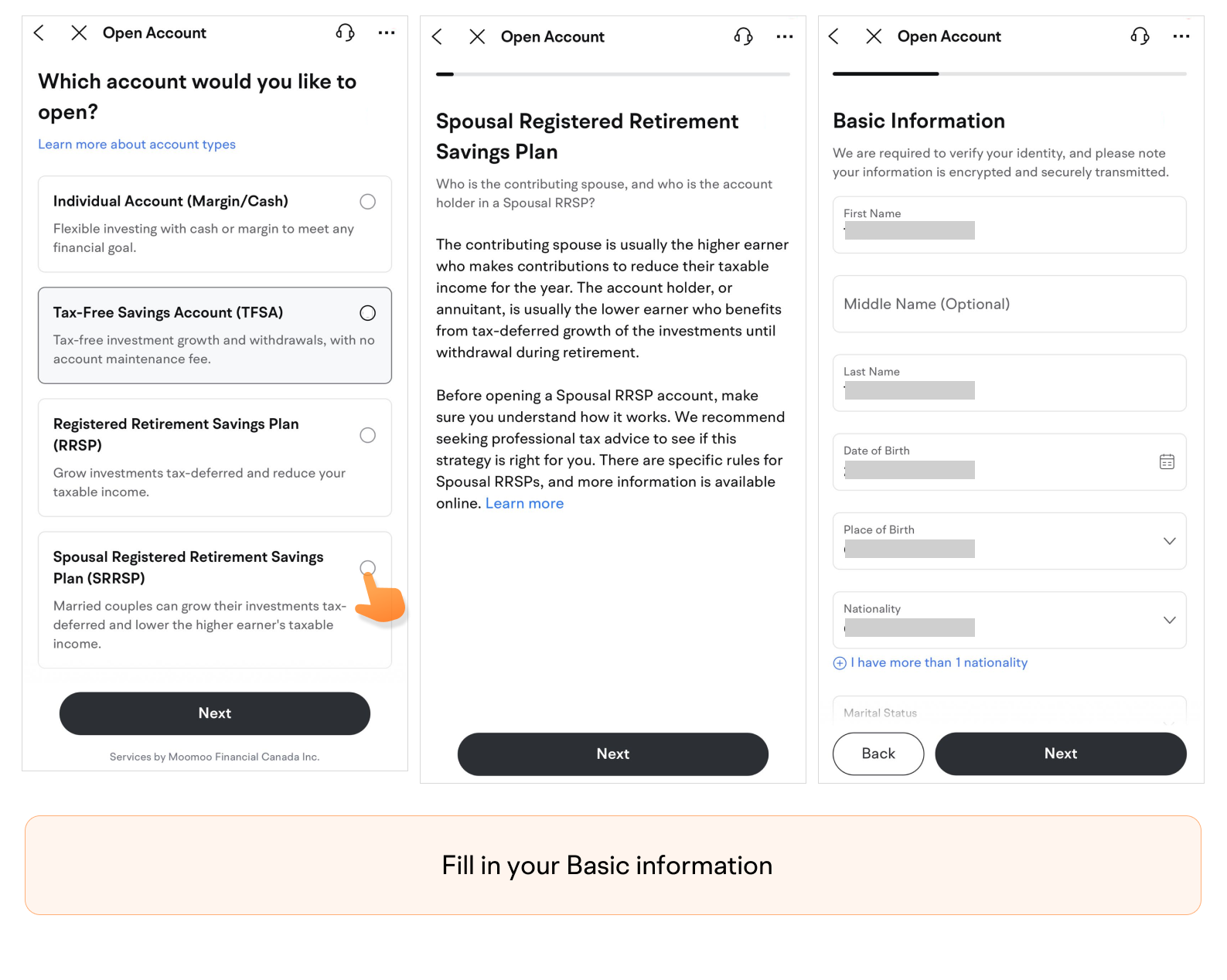
Read the introduction of SRRSP and fill in your Basic Information.
-
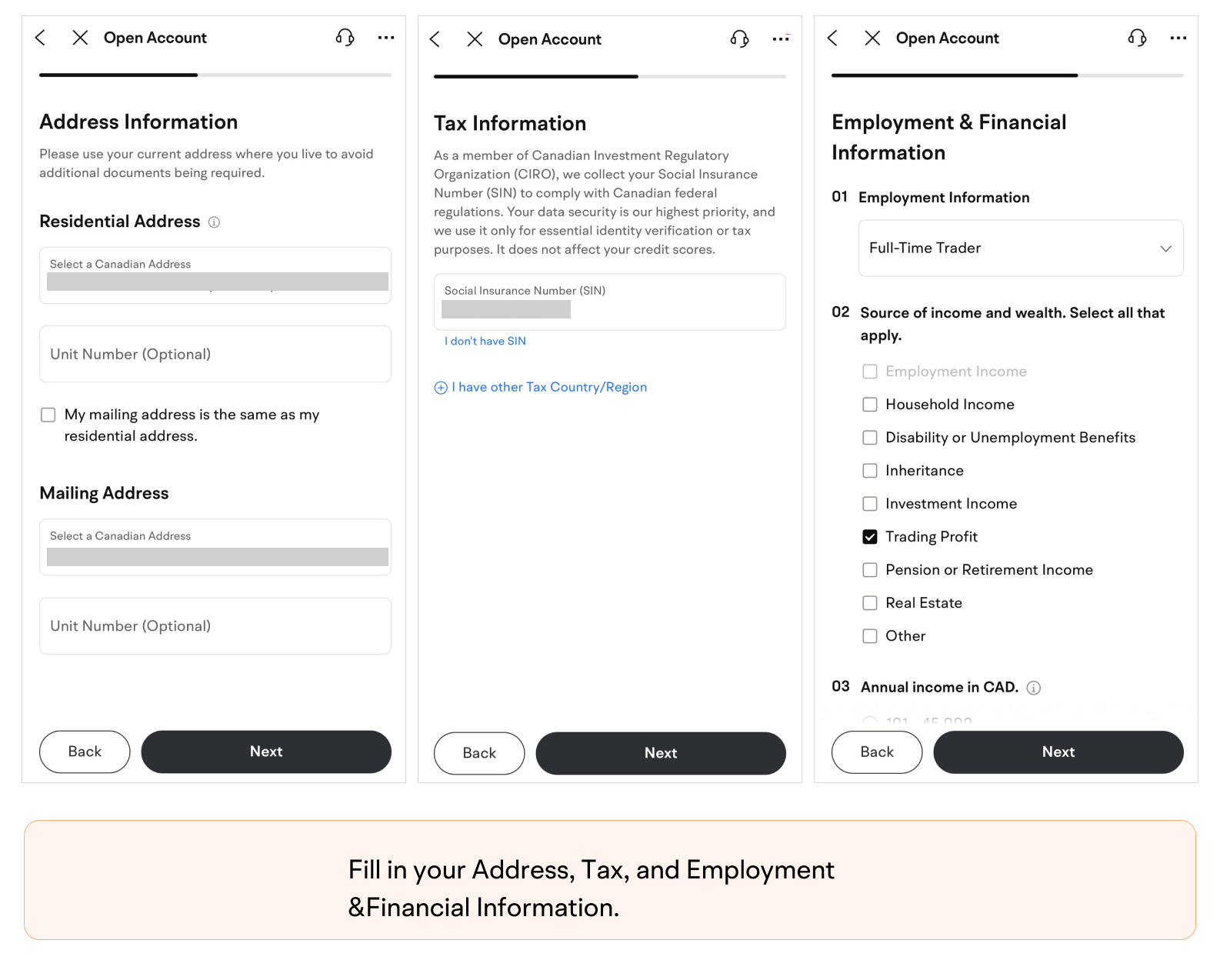
Fill in your Address, Tax, and Employment & Financial Information.
-
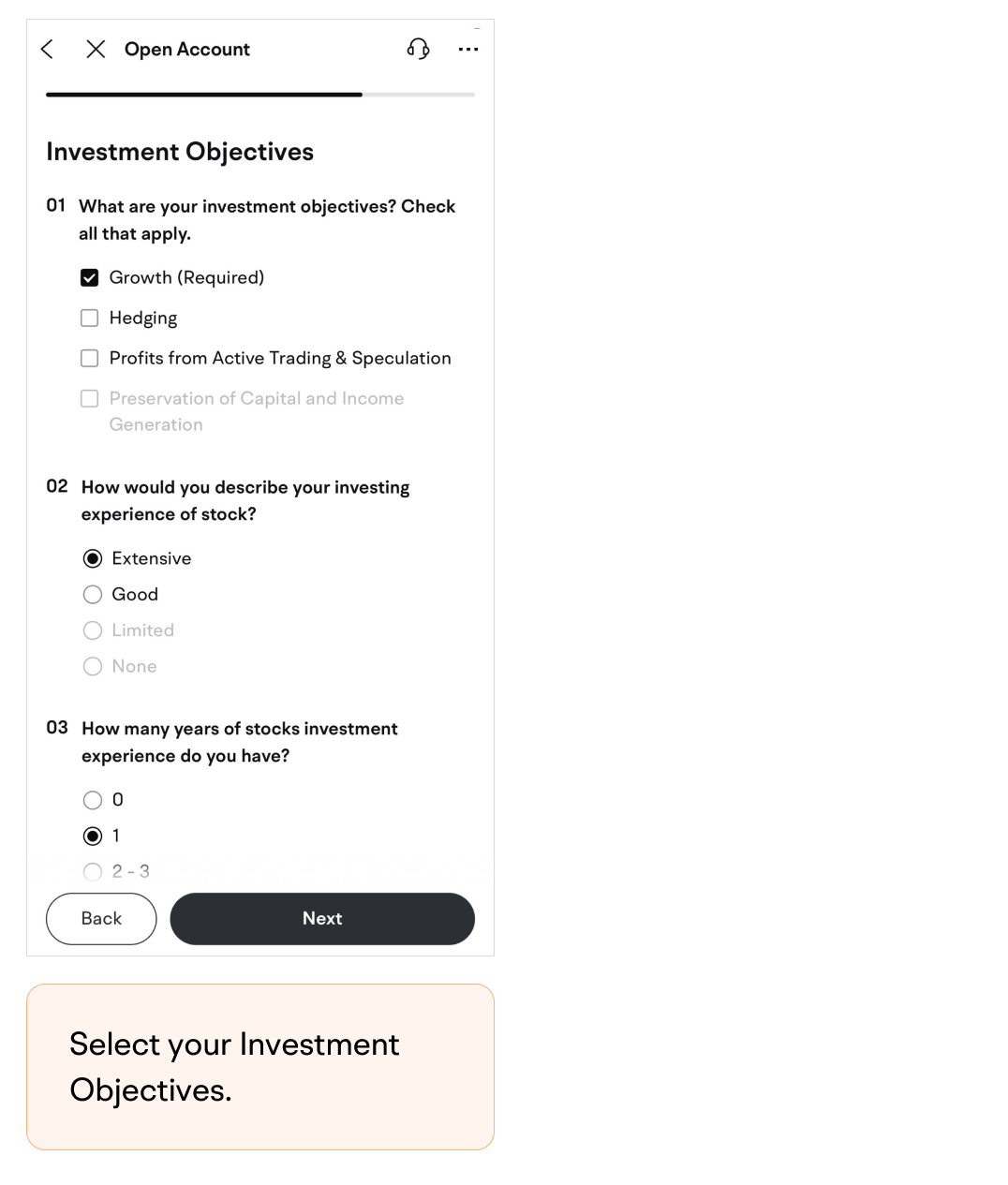
Select your Investment Objectives.
-
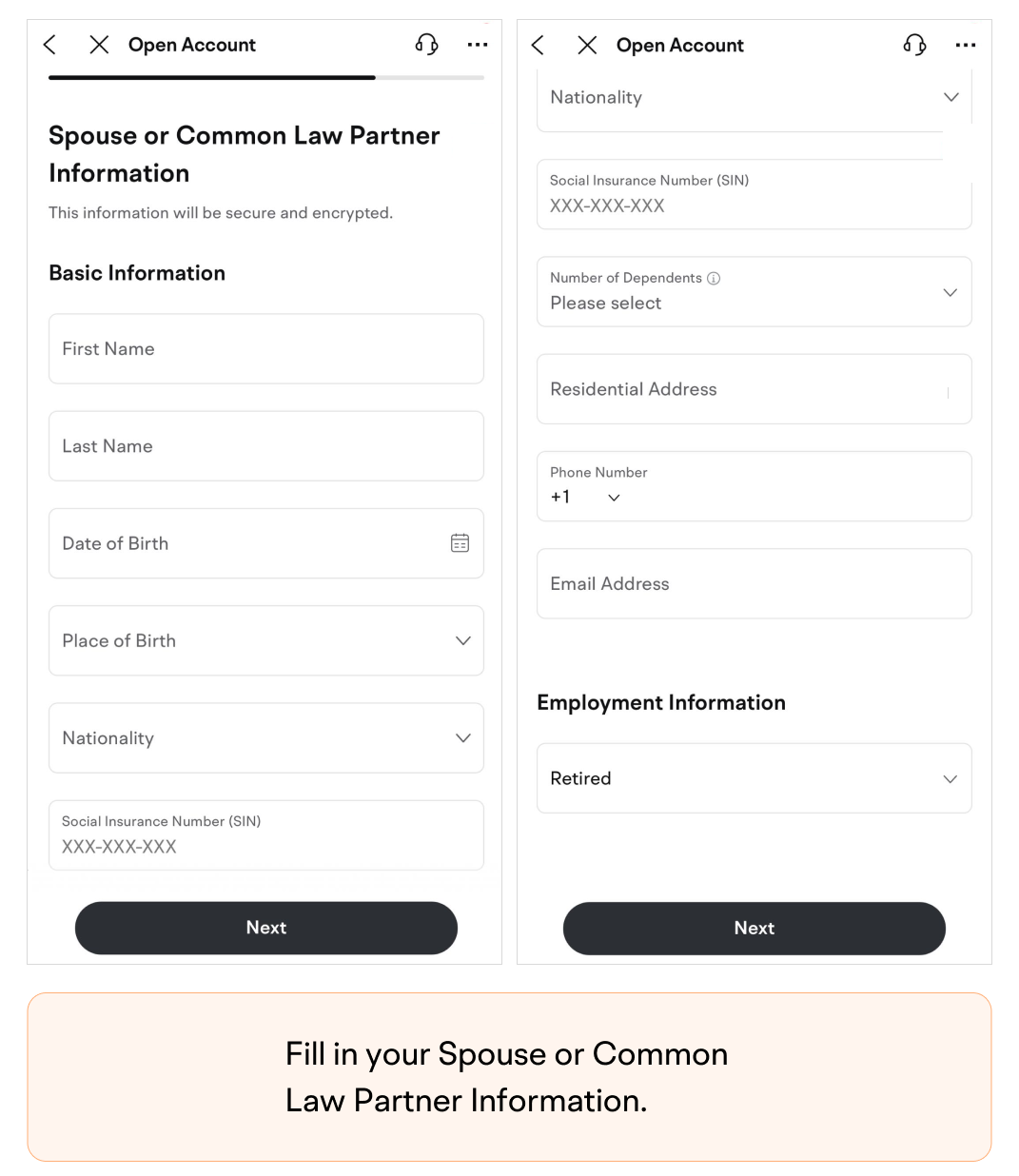
Fill in your Spouse or Common Law Partner Information.
-
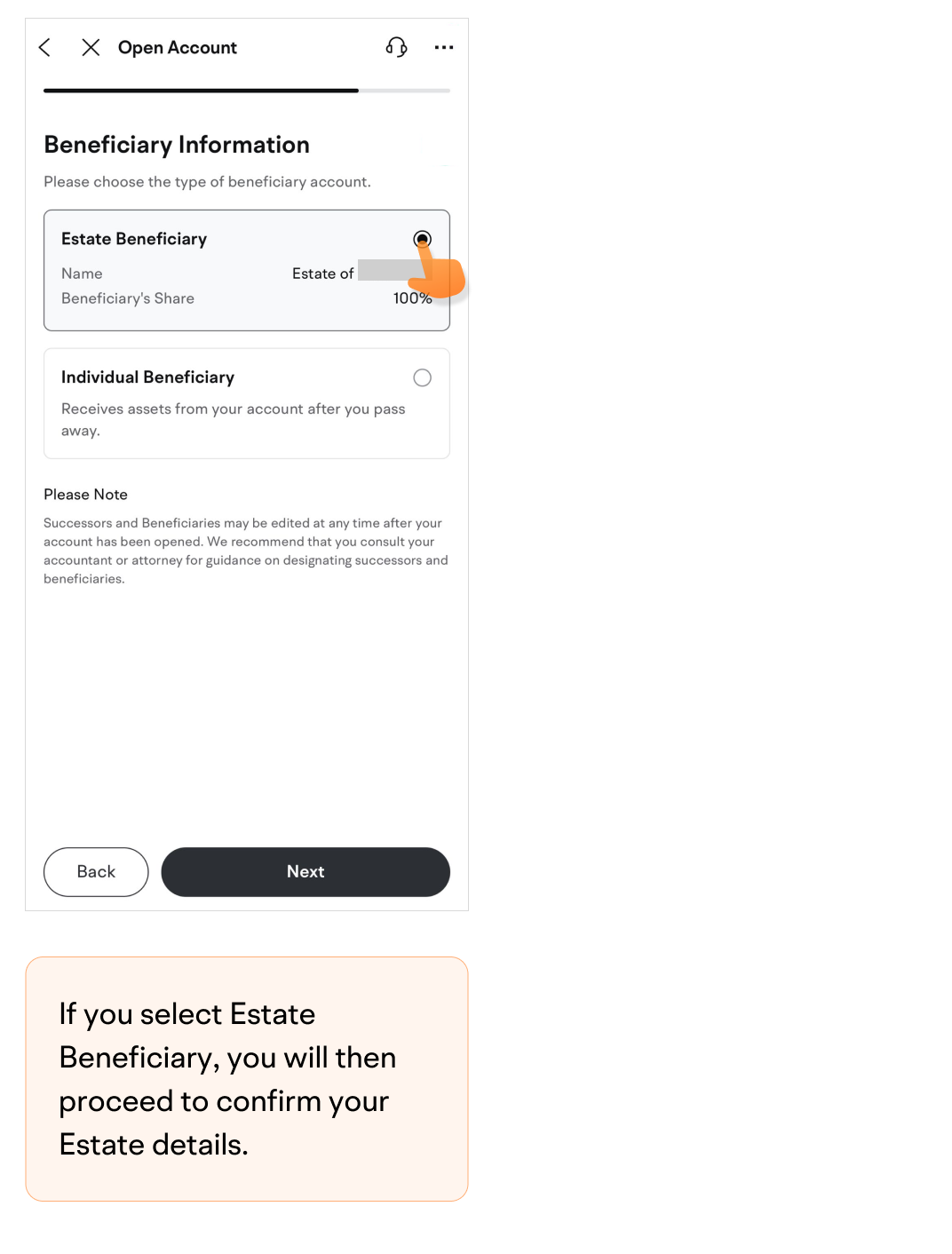
Choose the type of beneficiary account.If you select Estate Beneficiary, you will then proceed to confirm your Estate details.
 If you select Individual Beneficiary, you will then proceed to enter the Beneficiary's details. (Please note that if the beneficiary's residential address is in QC, you do not need to enter the beneficiary's details)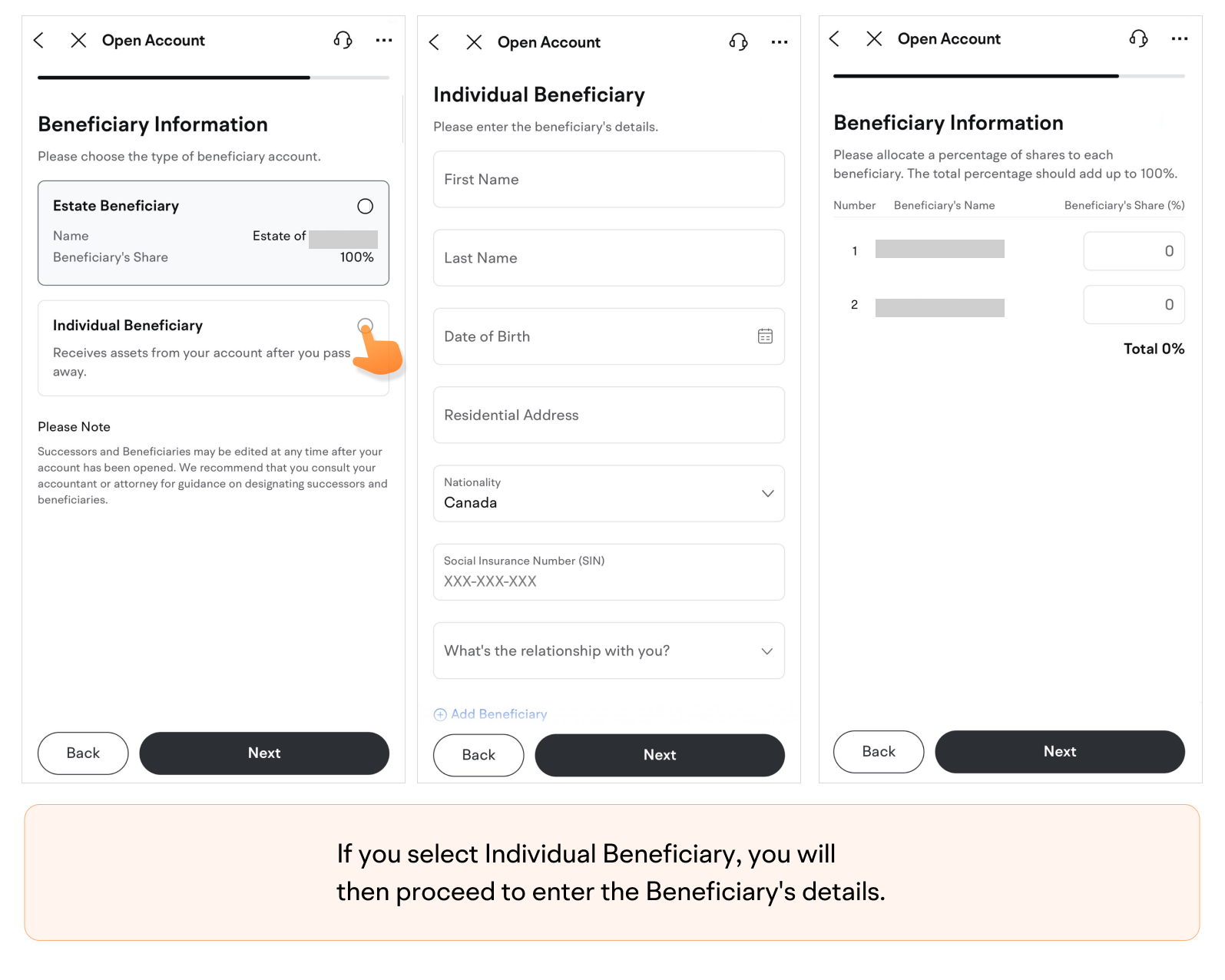
-
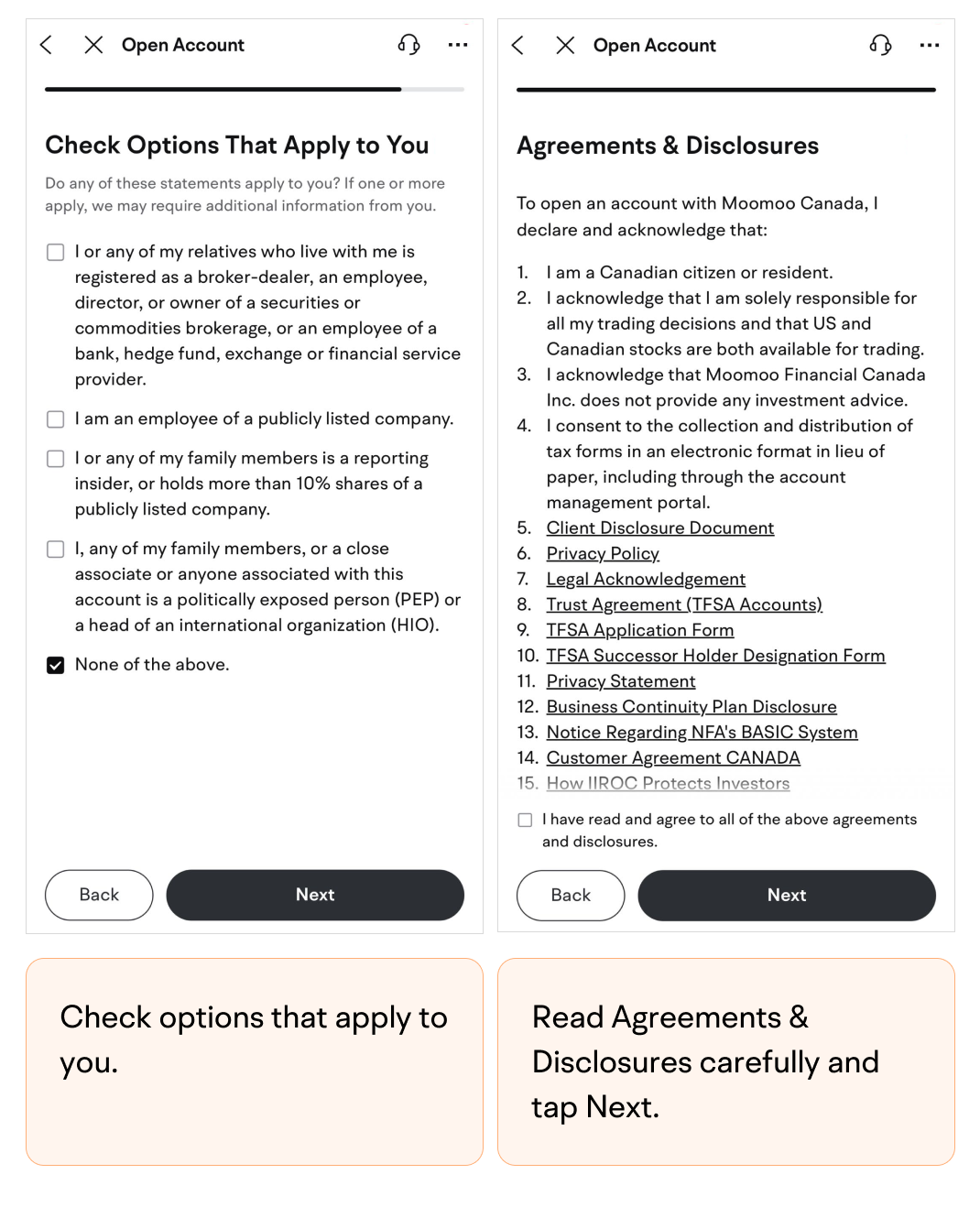
Check options that apply to you.
-
Read Agreements & Disclosures carefully and tap Next.
-
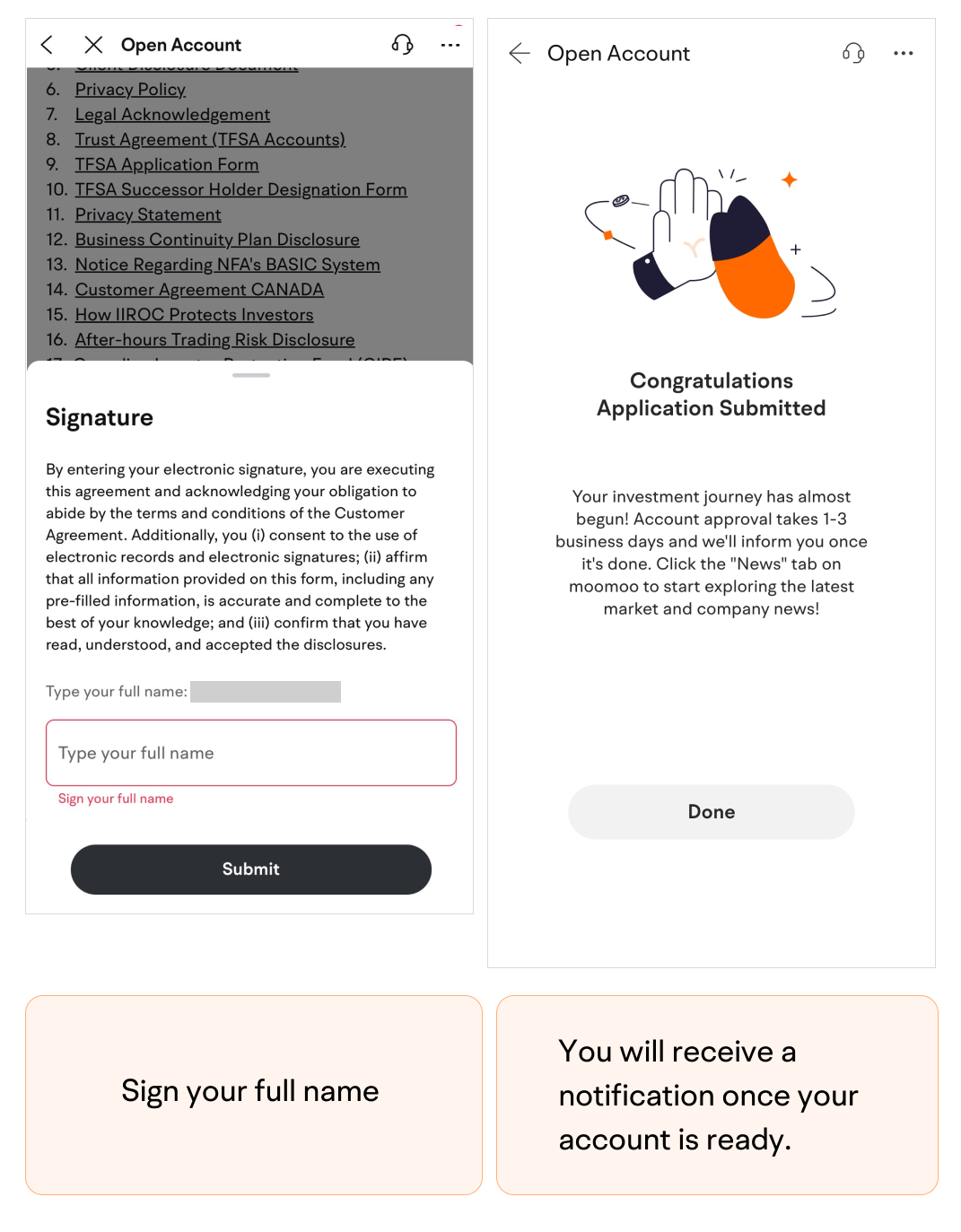
Sign your full name.
-
Submit the application.You will receive a notification once your account is ready.
This presentation is for informational and educational use only and is not a recommendation or endorsement of any particular investment or investment strategy. Investment information provided in this content is general in nature, strictly for illustrative purposes, and may not be appropriate for all investors. It is provided without respect to individual investors’ financial sophistication, financial situation, investment objectives, investing time horizon, or risk tolerance. You should consider the appropriateness of this information having regard to your relevant personal circumstances before making any investment decisions. Past investment performance does not indicate or guarantee future success. Returns will vary, and all investments carry risks, including loss of principal.
Moomoo is a financial information and trading app offered by Moomoo Technologies Inc. In the U.S., investment products and services on Moomoo are offered by Moomoo Financial Inc., Member FINRA/SIPC.