



Amazon
AMZN
Advanced Micro Devices
AMD
Qualcomm
QCOM
4
Apple
AAPL
5
Disney
DIS
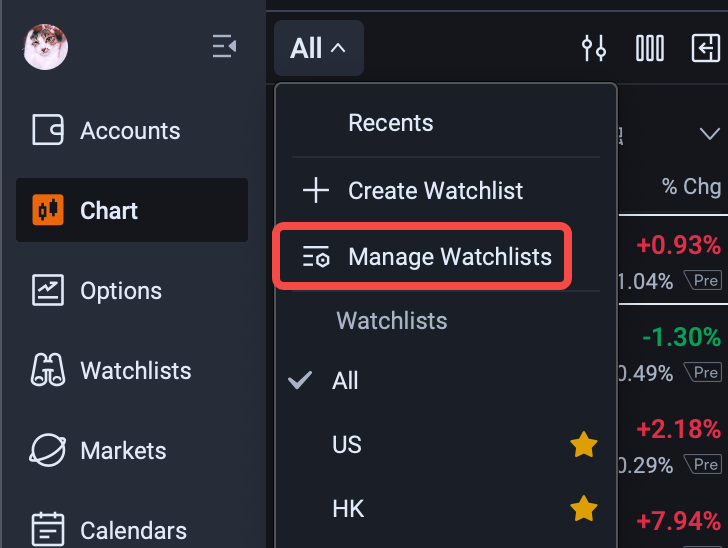
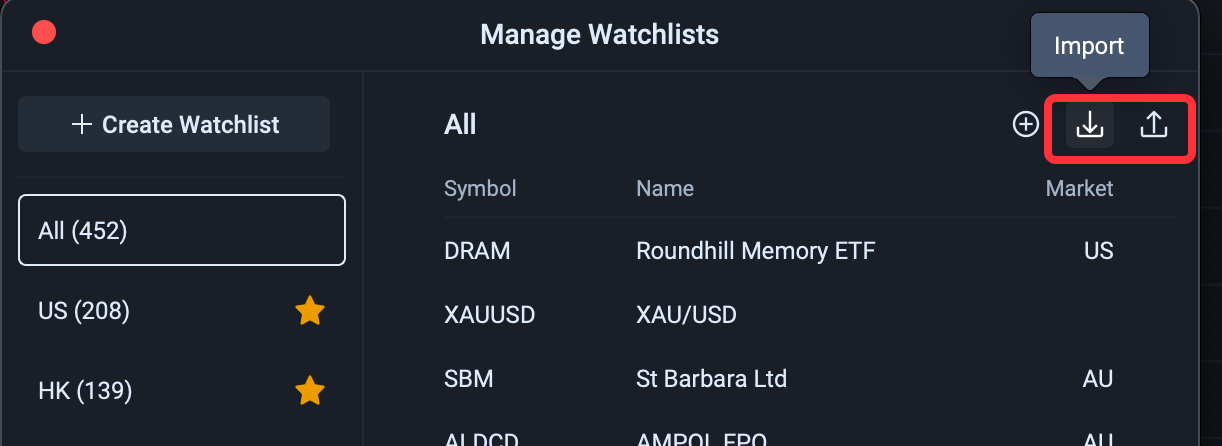
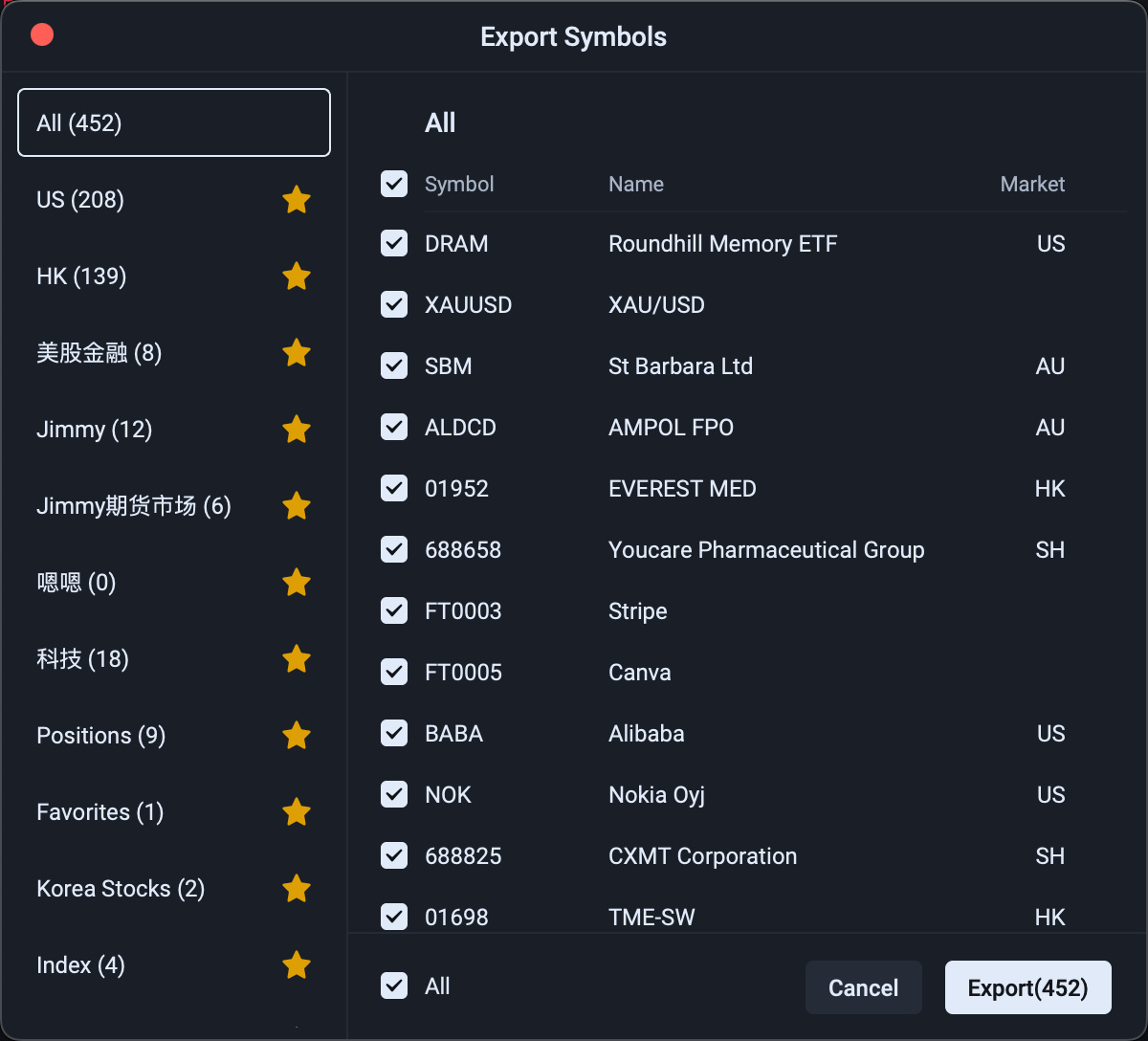
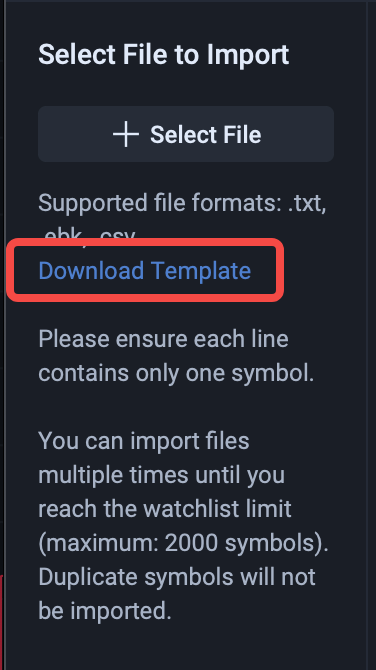
Charts tab (Watchlist) > Group drop-down menu > Manage Watchlists > Import/Export button on the right > Import Stocks / Export Management
|
|
|
|
|
|
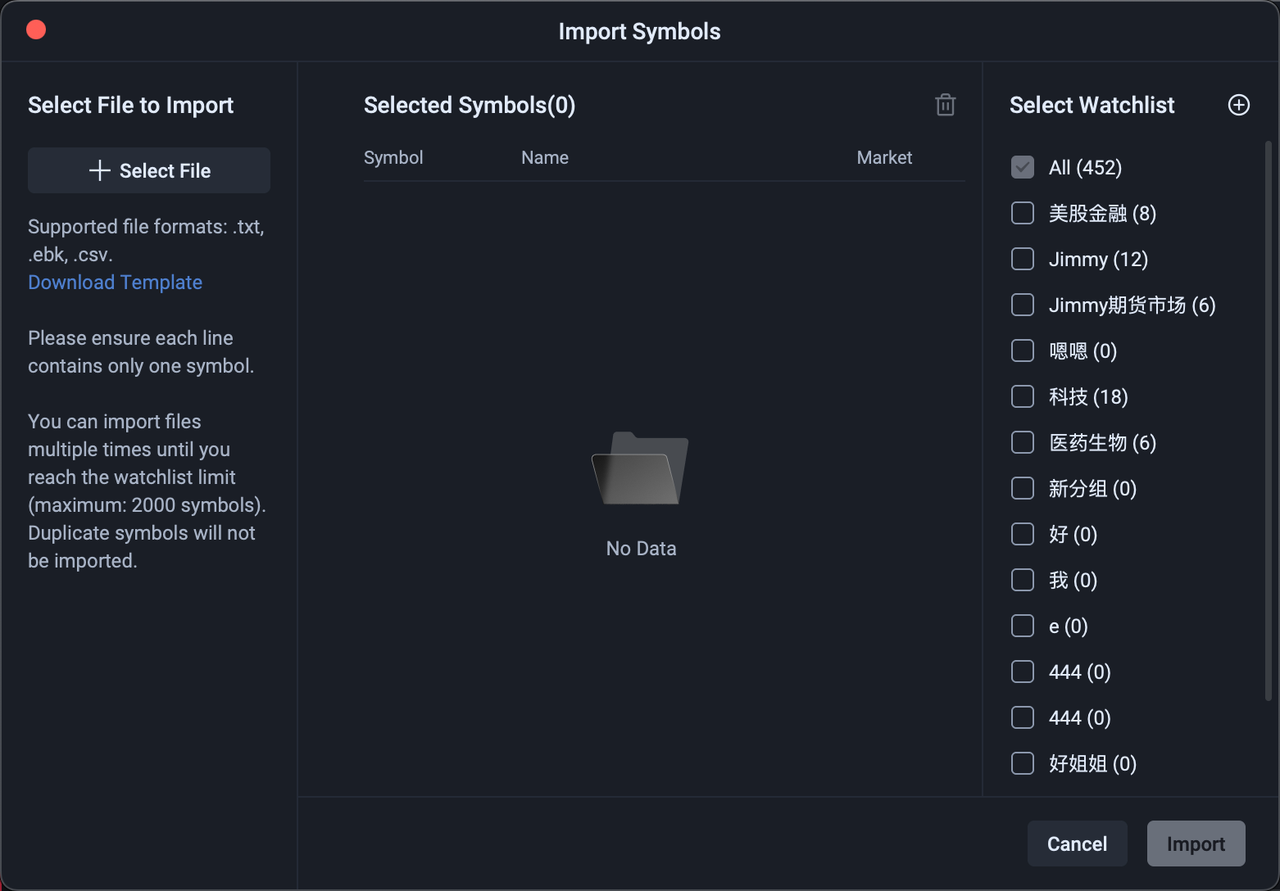
File Format and Requirements
Supported file formats: txt, csv, ebk
Import limit: Subject to your individual watchlist limit (2,000 for standard users)
Duplicate handling: If the same stock—with the same symbol, name, and market—appears multiple times in the file, it will be imported only once
Supported instruments: Bonds, stocks, funds, options, warrants, indices, futures, forex, and cryptocurrencies
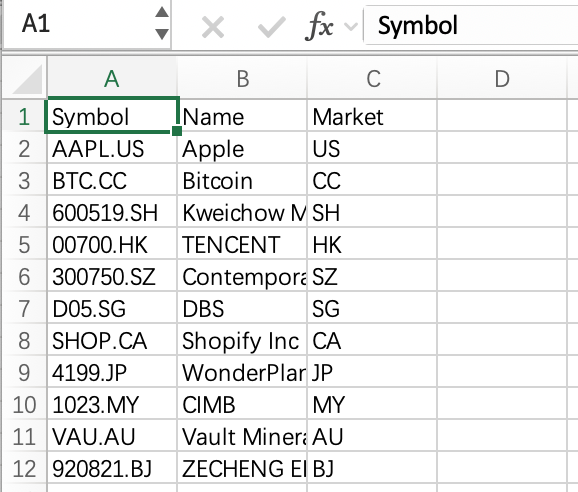
Template
Download the import template and enter your data in the specified format
|
|
|
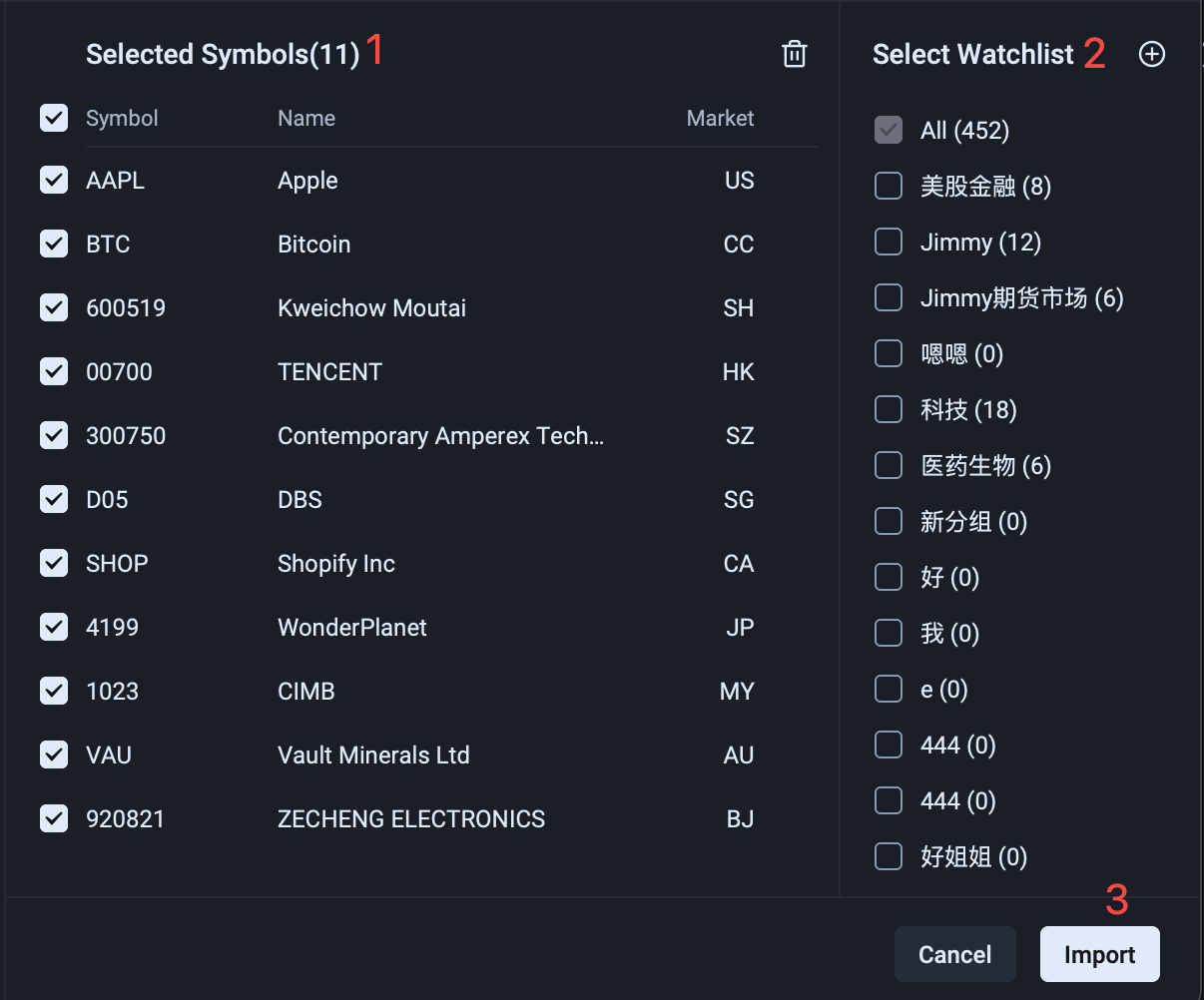
Confirmation Steps
Review the instruments to be imported
Select the watchlist group to add them to
Click Import
Steps
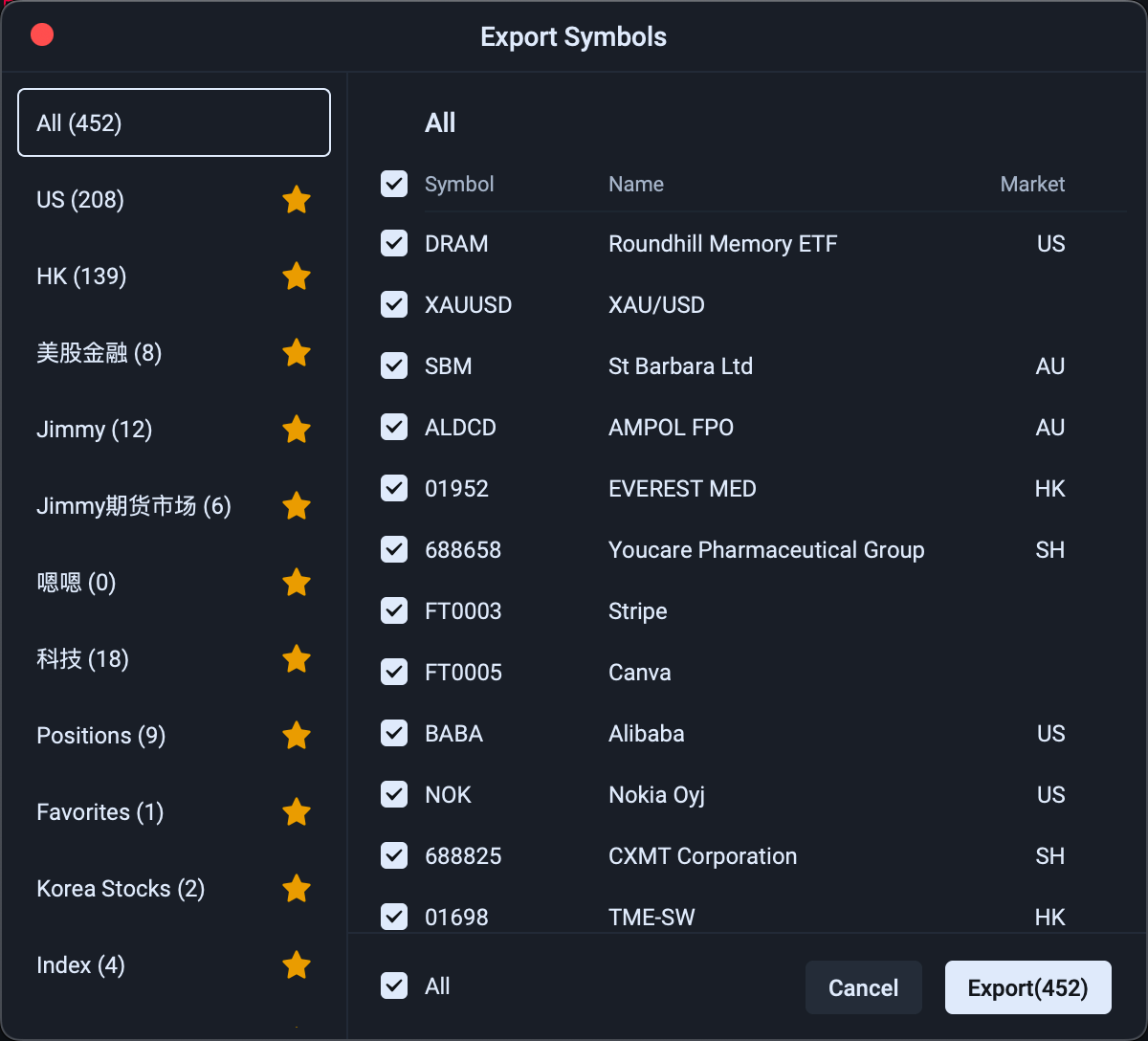
Select the watchlist group containing the instruments you want to export
Select the instruments to export
Click Export
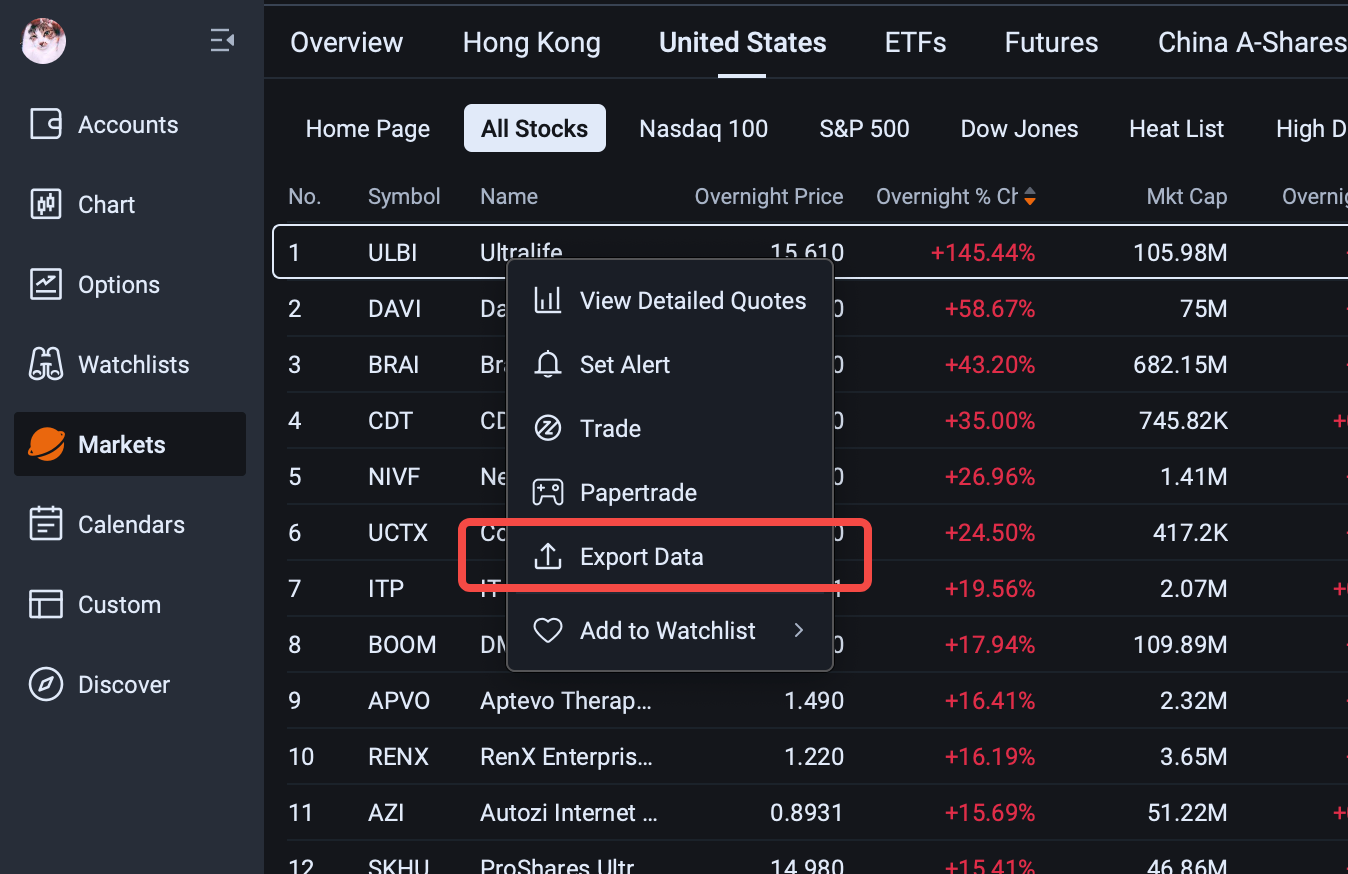
Stock list > Right-click > Export List Data
Scope: All stock lists on the desktop platform support exporting through the right-click menu, including the Stock Screener, market lists, option lists, and more.