
Moomoo Insights
Jul 16 15:38
TSMC Earnings: AI Demand Is Stronger Than the Chip Selloff Suggests
Moomoo Insights
Sep 30 05:04
Live Take | Anthropic’s $518B Compute Bet: Who Wins From the AI Buildout?
Are you new to investing and looking for an easy way to identify entry and exit signals on candlestick charts? Look no further than moomoo!
Our platform provides a variety of drawing tools, including more than 30-line types, so even beginners can get started quickly.
In this tutorial, we'll show you how to master drawing skills in just a few minutes. Let's dive in!
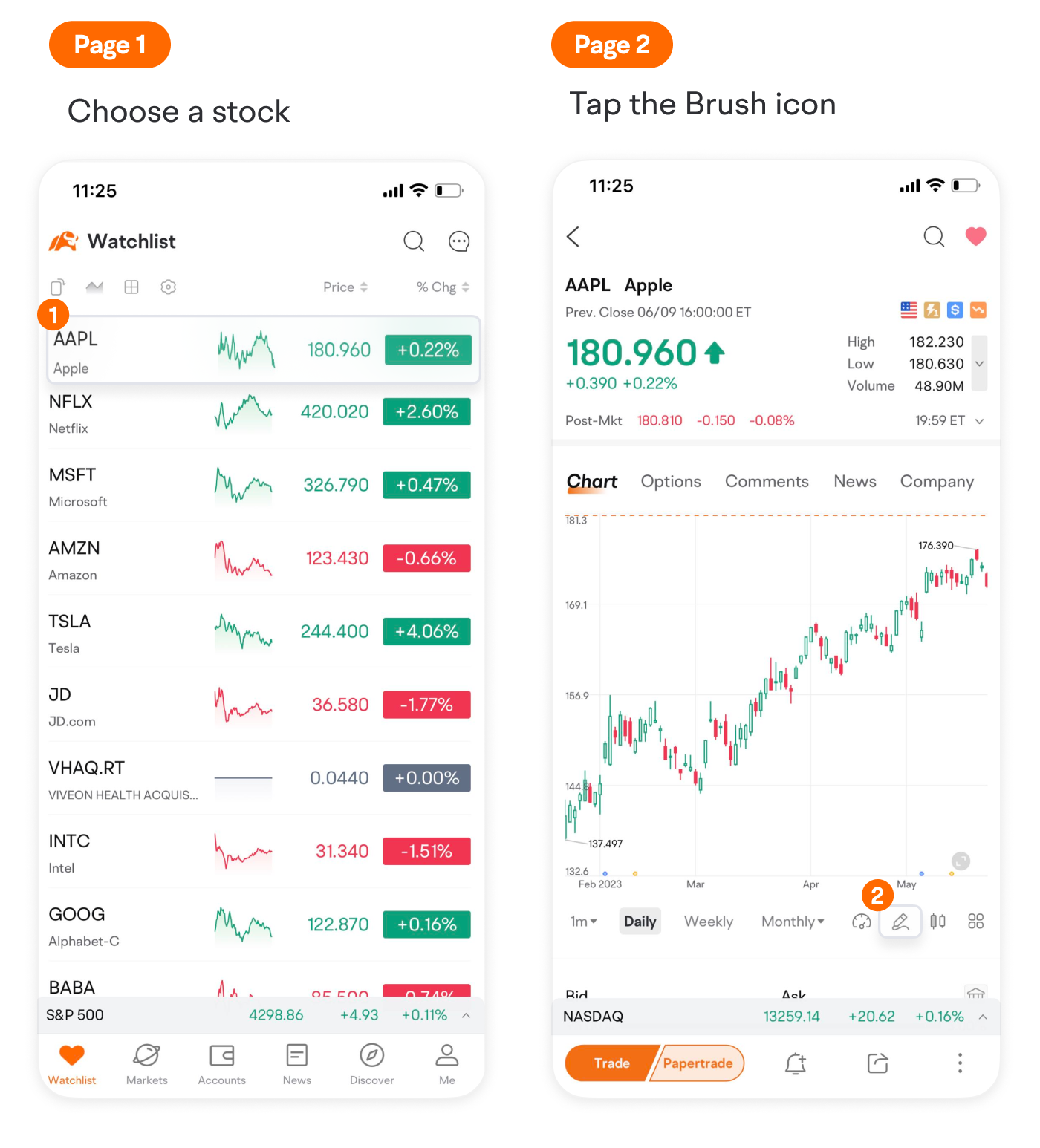
First, tap a stock and enter its detailed quotes page.
Then tap the brush icon below the chart to show the toolbar.
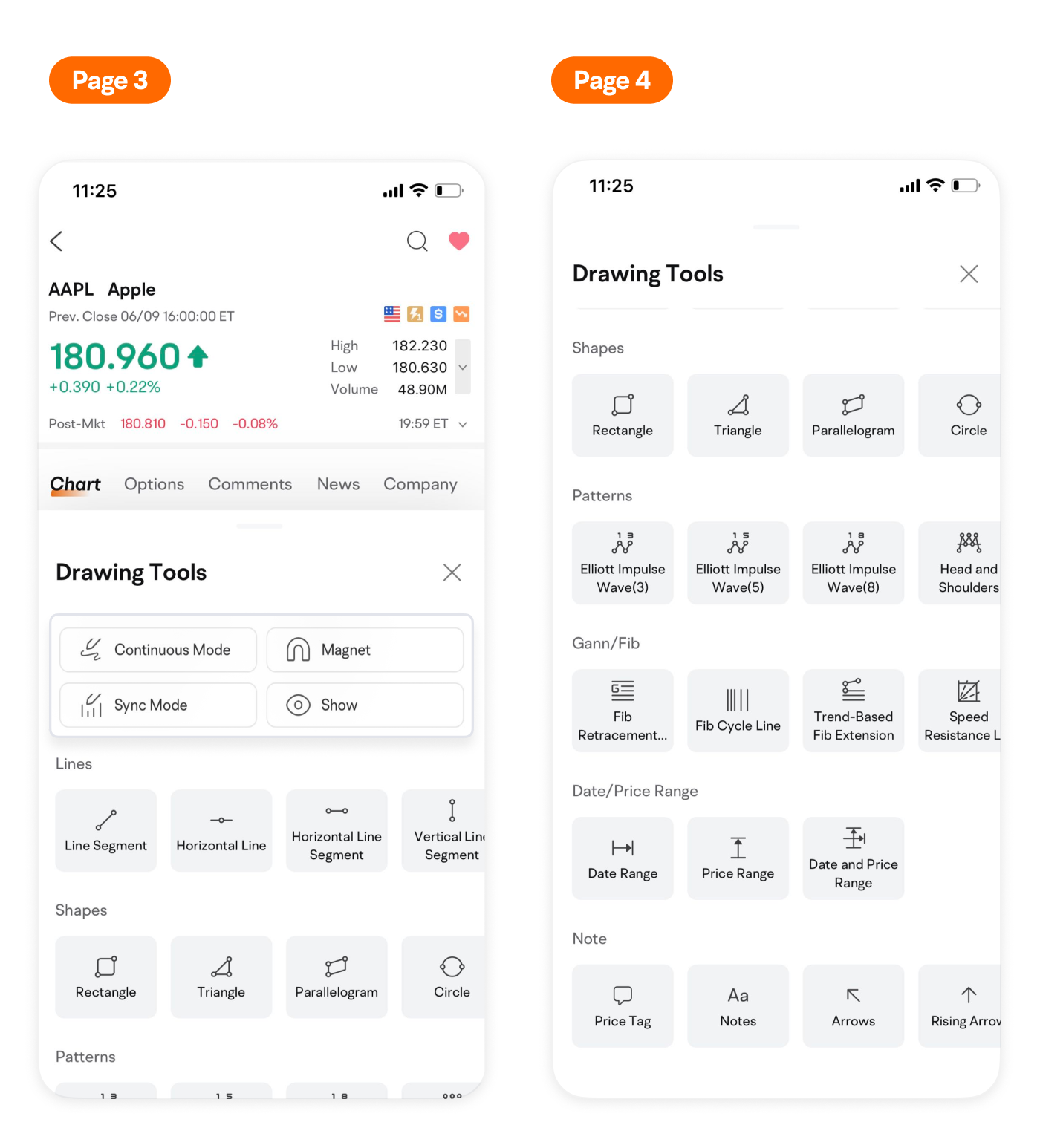
Here you can see some useful shortcuts and 30+ types of lines available on moomoo.
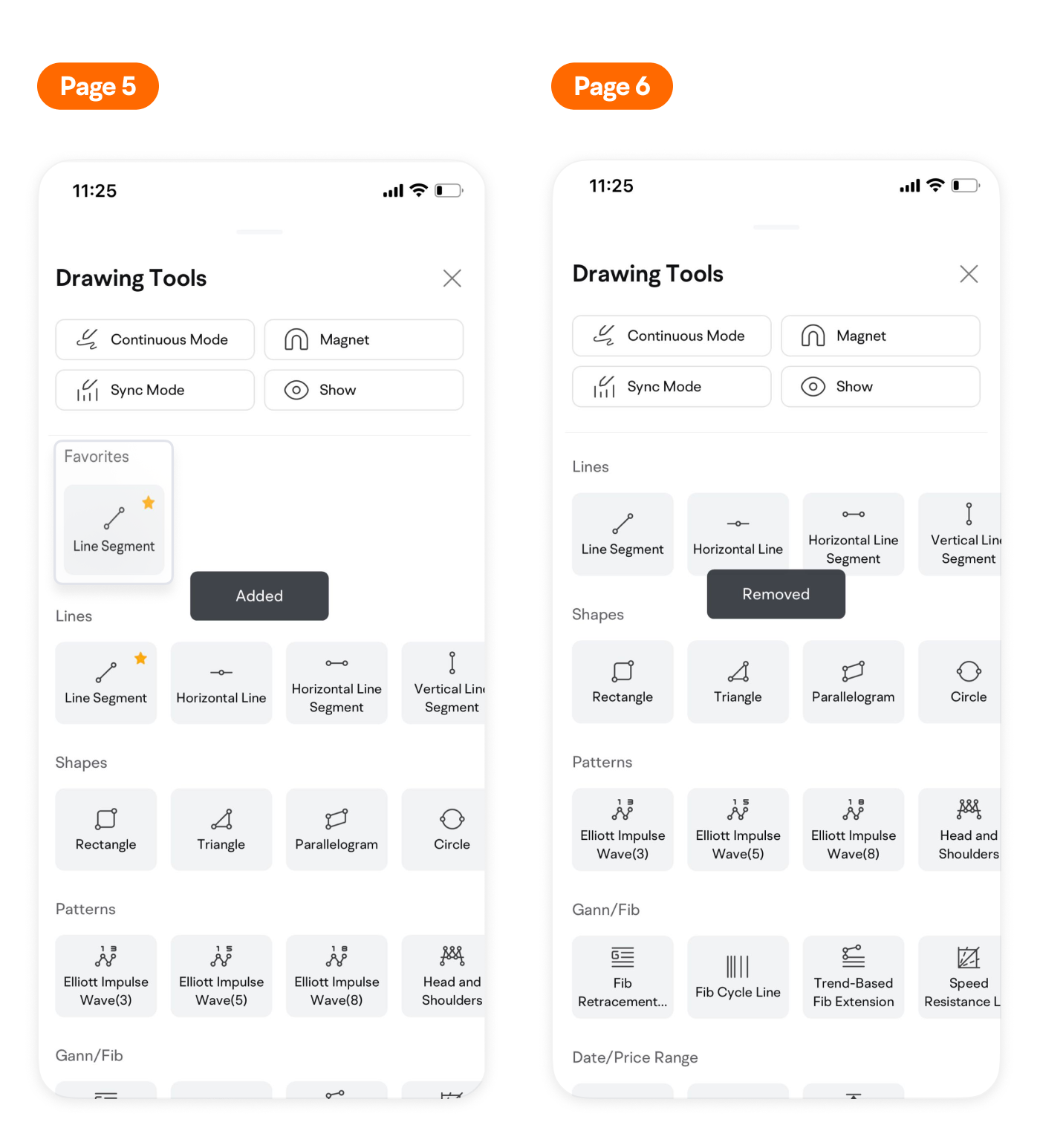
Press and hold to save tools you find most useful and they will be displayed at the top of the panel.
Press and hold a tool again to remove it from the Favorites.
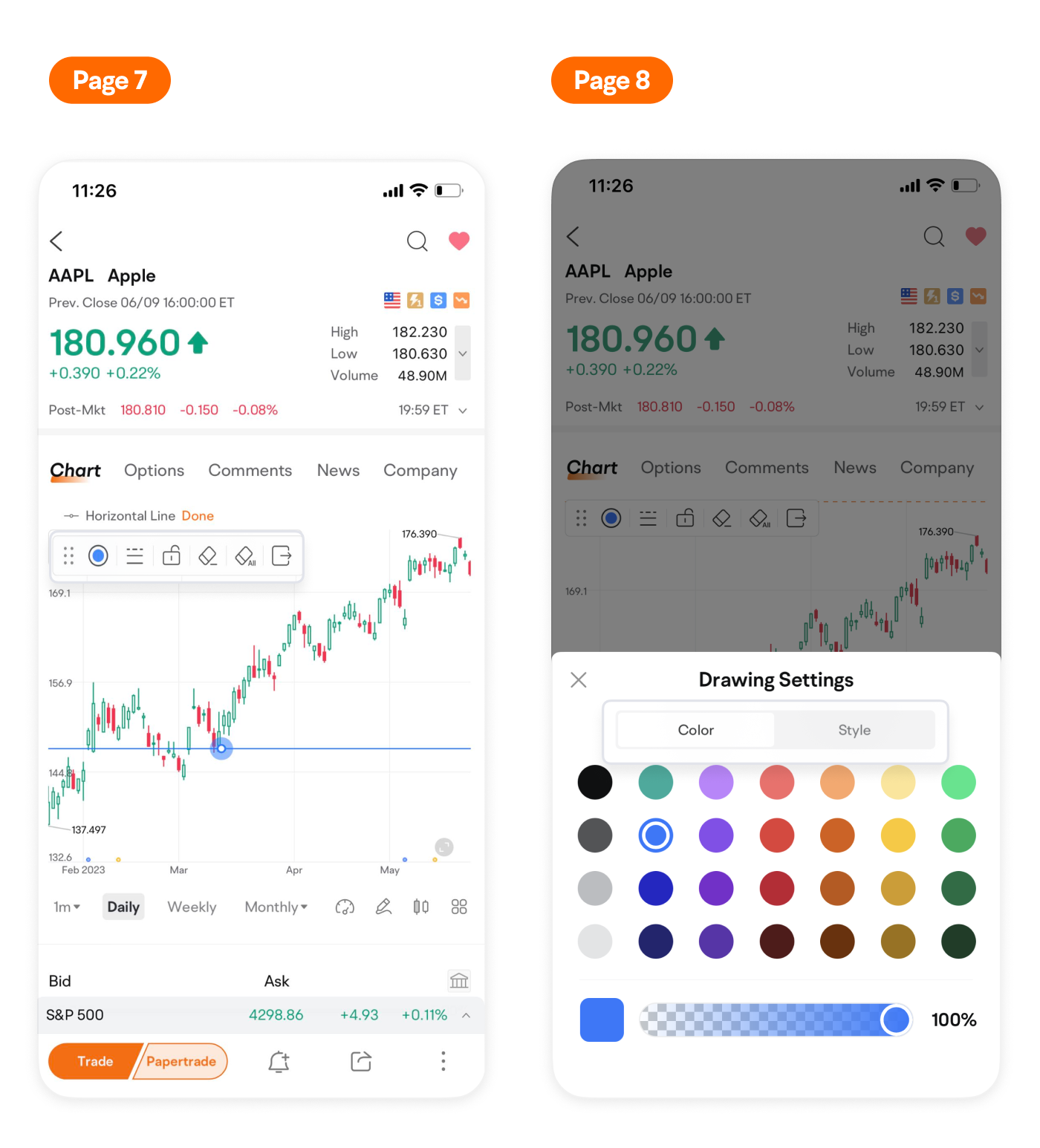
After drawing lines, you can adjust the color, line width and style in the pop-up hovering bar.
Additionally, moomoo syncs your drawings on various logged-in devices.
Lines drawn on your mobile will be automatically saved and synced to your desktop.
Join moomoo Learn to gain more investing know-how.
This presentation is for informational and educational use only and is not a recommendation or endorsement of any particular investment or investment strategy. Investment information provided in this content is general in nature, strictly for illustrative purposes, and may not be appropriate for all investors. Read more
Recommend

Evaluating Stocks with Candlestick Patterns

Trade Overview and Capital Trend: Identify institutional investor Moves with moomoo

How to Trade 0DTE Options on moomoo

How to Papertrade Options
Moomoo AI:Invest Forward and Easier
How to Track Earnings Reports
How to Trade Crypto on moomoo
What is Technical Indicator Sentiment feature
How to subscribe to IPO using moomoo
How to Use Fibonacci Retracement Levels
How to Use Date/Price Range
How to Draw Trend Lines
How to Identify Candlestick Patterns
How to Use Drawing Tools on moomoo
How to Use MA in Real Trading
How to Use Technical Indicators on moomoo
How to Use MACD in Real Trading
Evaluating Stocks with Candlestick Patterns
Trade Overview and Capital Trend: Identify institutional investor Moves with moomoo
How to Trade 0DTE Options on moomoo
How to Papertrade Options
Moomoo AI:Invest Forward and Easier
How to Track Earnings Reports
How to Trade Crypto on moomoo
What is Technical Indicator Sentiment feature
How to subscribe to IPO using moomoo
How to Use Fibonacci Retracement Levels
How to Use Date/Price Range
How to Draw Trend Lines
How to Identify Candlestick Patterns
How to Use Drawing Tools on moomoo
How to Use MA in Real Trading
How to Use Technical Indicators on moomoo
How to Use MACD in Real Trading