Notes:
• Name: You can only transfer stocks between brokerage accounts under your name.
• Transfer Fees: Moomoo NZ does not charge any fees on stock transfers. However, your broker may charge a fee for this service.
• Processing Time: It usually takes 3-15 business days, but the actual time may vary at different brokerages.
1.Notify Moomoo NZ of the transfer
1.1 Submit a transfer-in request
To submit a transfer-in request in the moomoo app, go to:
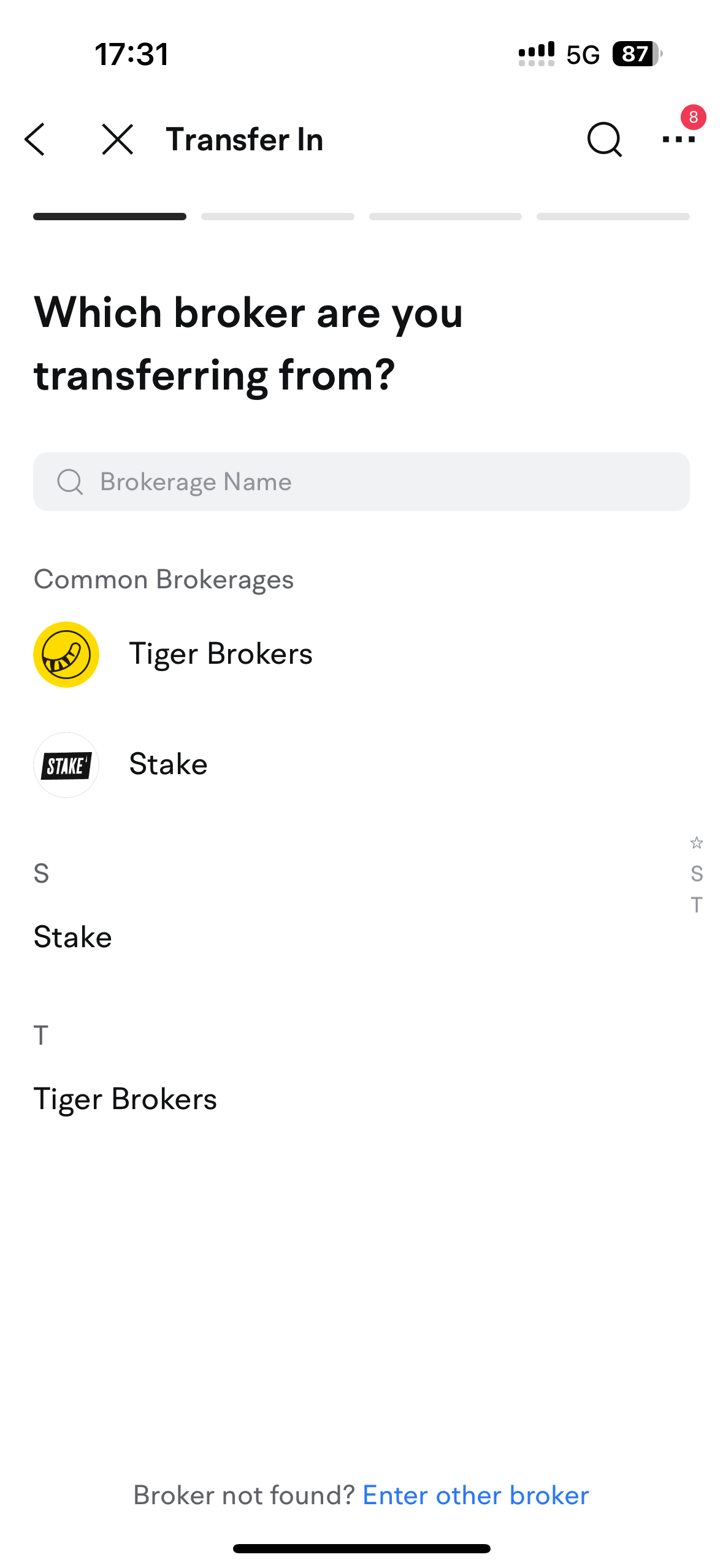
• Accounts > Transfers > Transfer Stocks In > US Stocks
1.2 Enter the broker’s information and your account details
1.2.1 Select the broker from which you want to transfer your US stocks
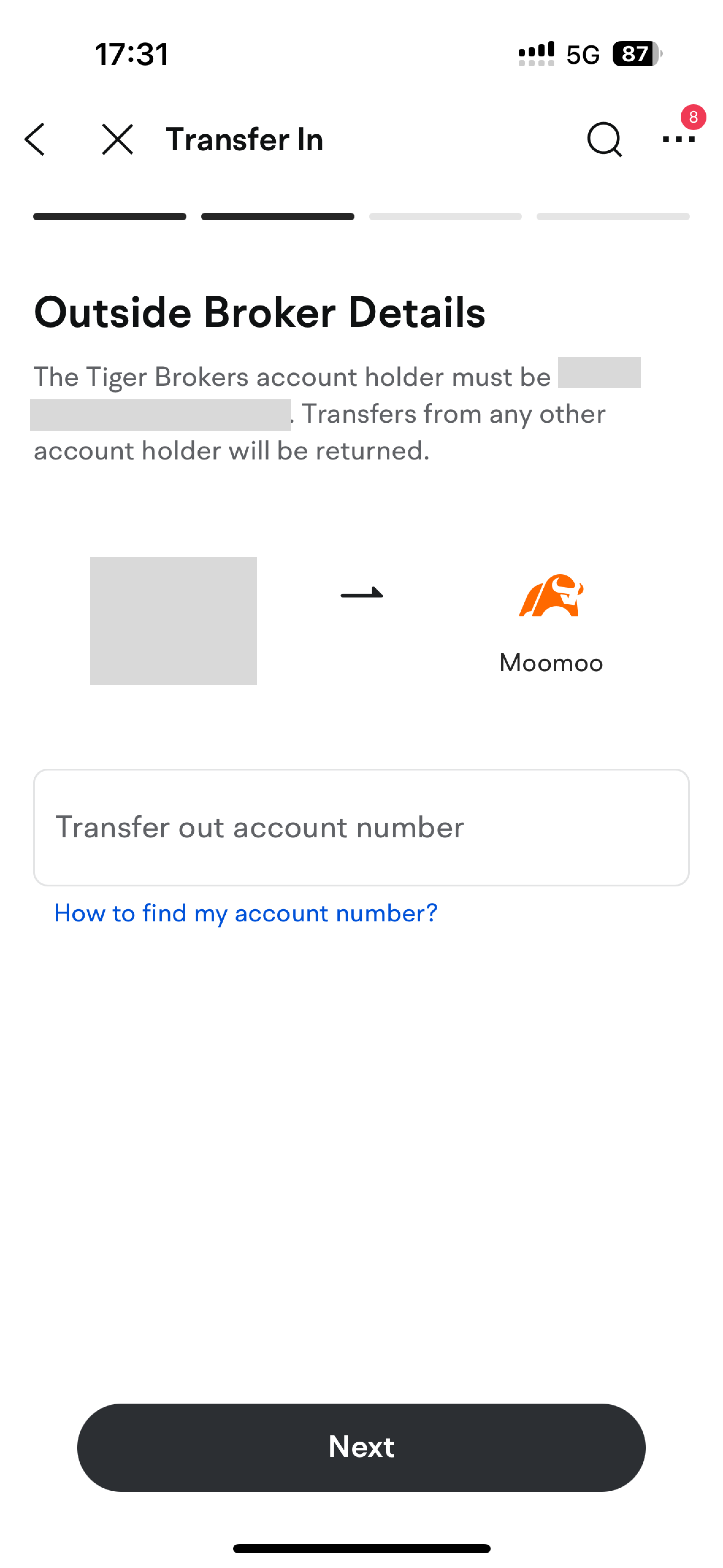
1.2.2 Enter your account number with the broker
· Your brokerage account number can be found on your monthly statements.
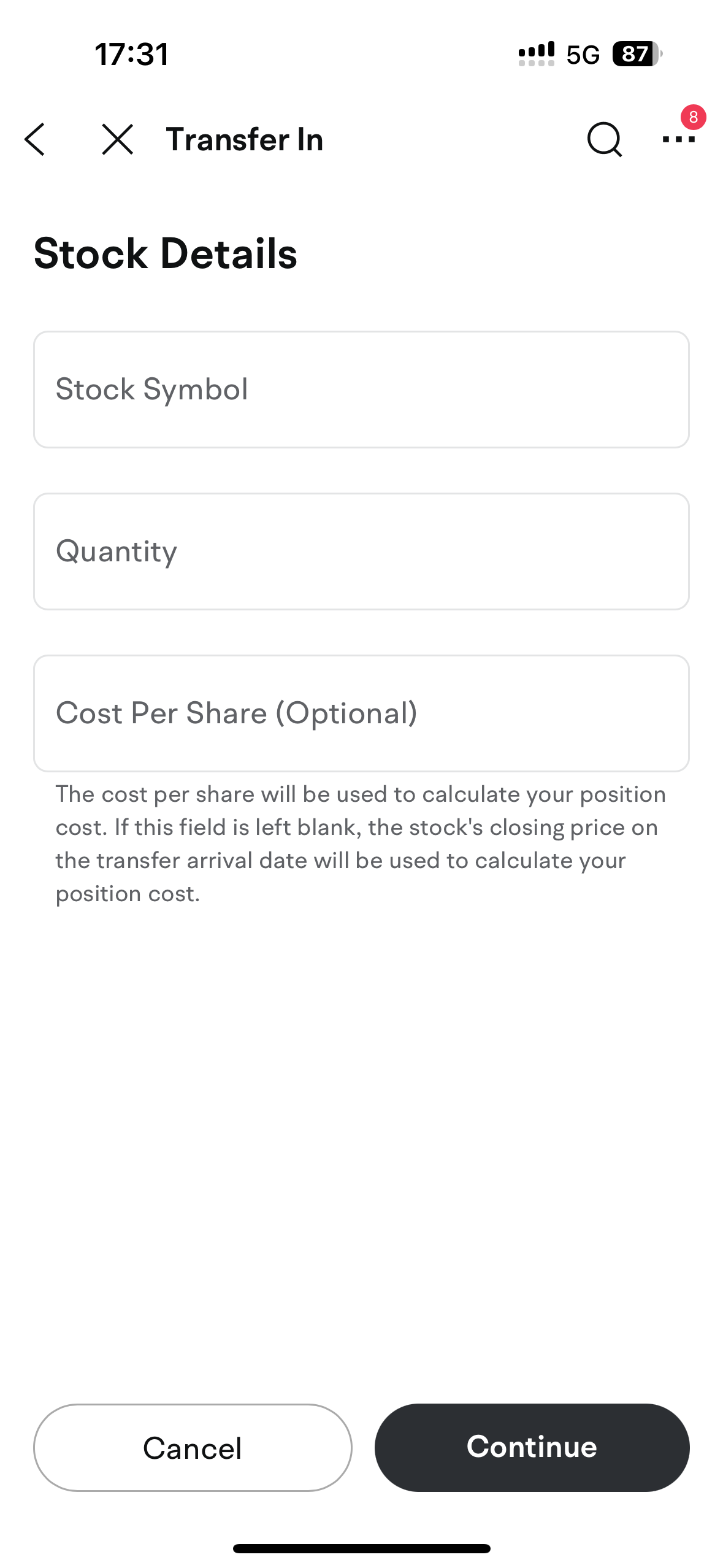
1.3 Enter the transfer details
· Enter the required details into the app.
1.4 Confirm the transfer details and submit the transfer request
· Check the Broker, Share Quantity and Symbol fields
· Tap ‘Comfirm’ to continue
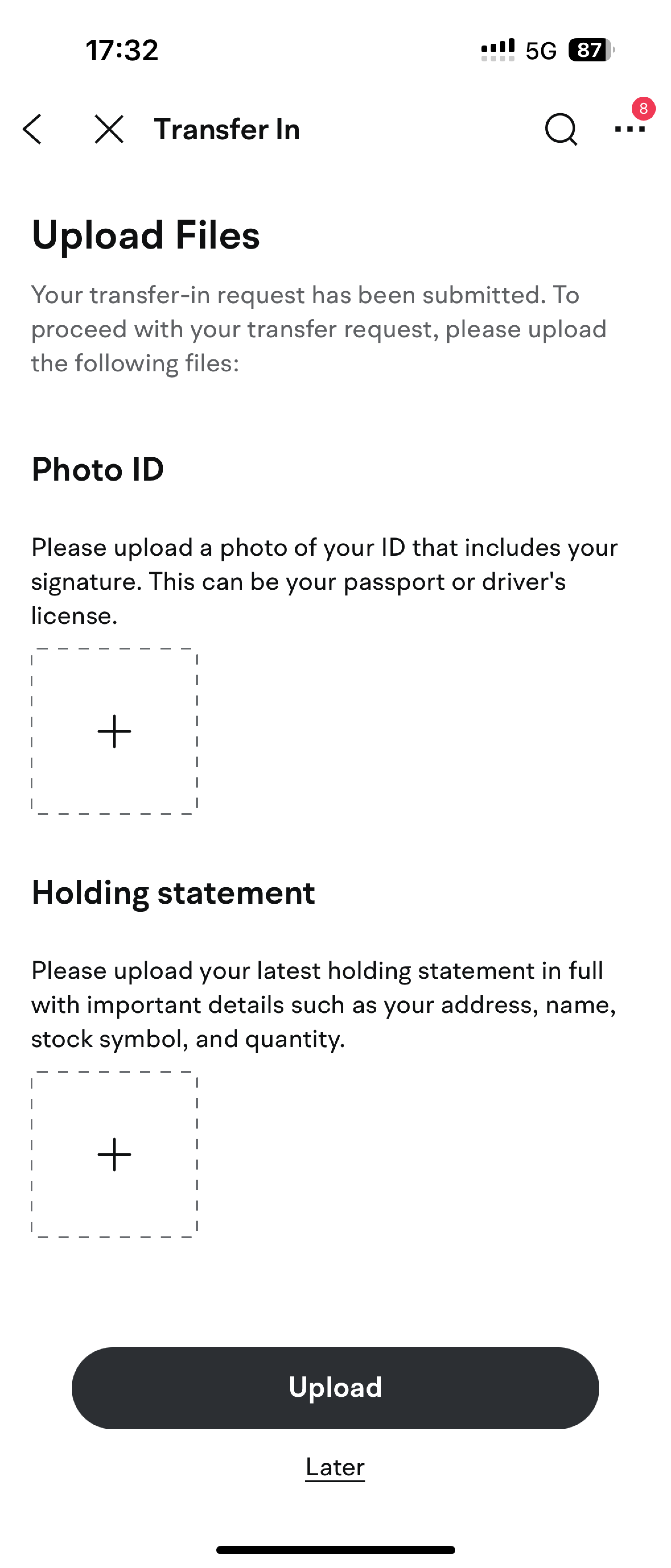
1.5 Upload files
To ensure your request is processed smoothly, please provide the following documents:
• ID photo: A passport or driver's license photo with your signature.
• Holding statement: It must include your registered address, your full name, and the number of shares held.
2.Notify the other broker to transfer stocks out
Submit a transfer-out request to the other broker and follow their transfer-out instructions.
· Share Moomoo NZ’s transfer details with the other broker.
Click here for the transfer details.
Once you complete all the procedures above, staff at both brokerages will proceed with your transfer request.