How to invest in HK stocks on moomoo
If you're interested in investing in Hong Kong stocks, moomoo offers various features to optimize your trading experience. In this guide, we will cover:
Handy tools to discover hot HK stocks
Handy tools for in-depth analysis of HK stocks
How to trade HK stocks
Advantages of investing in Hong Kong stocks
Convenient location and time zone: The Hong Kong stock market is in Asia, with trading hours that align well with other Asian markets, making it easier for Asian investors to participate.
Lower valuations: Generally, Hong Kong stocks have lower valuations compared to U.S. stocks, which may attract investors looking for value.
Part 1 Handy tools to discover hot Hong Kong stocks
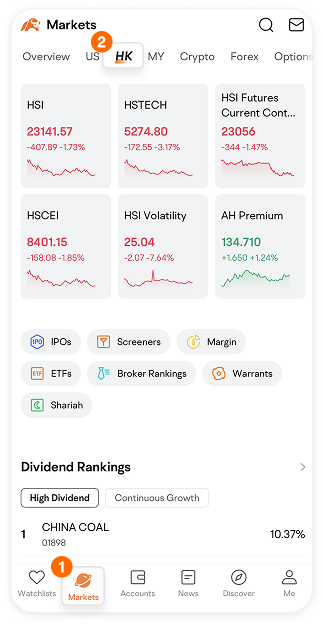
Navigate to the Markets page and swipe across the top tab bar to locate the Hong Kong market.
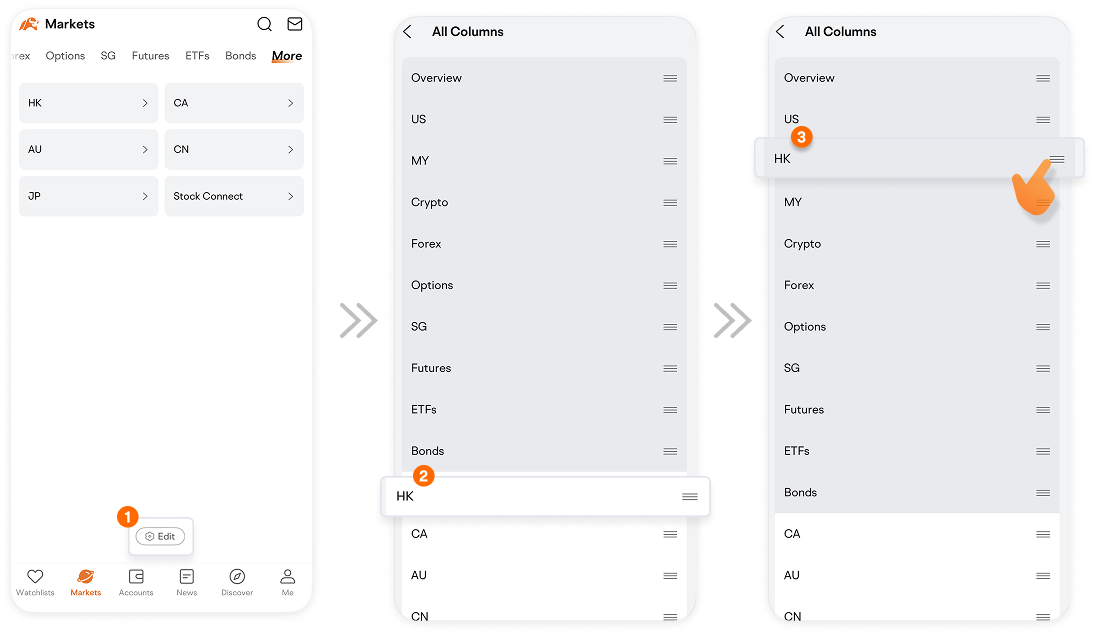
If you cannot find the HK tab, you can try locating it on the "More" page.
Swipe left to find “More” page. Then, click "Edit" to customize the menu bar and move the HK tab to a more convenient position.
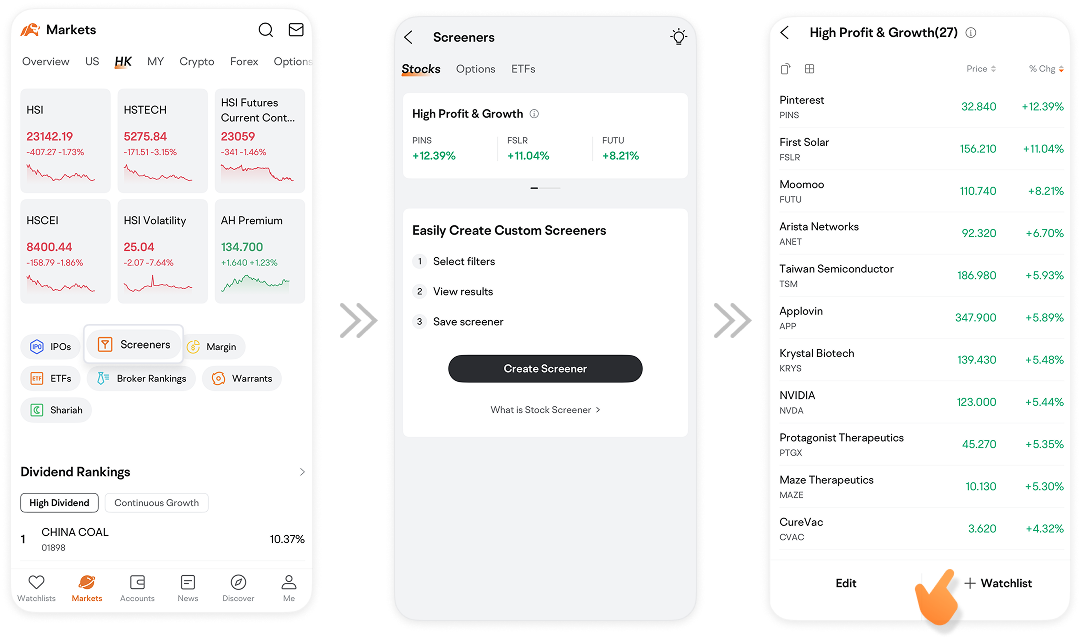
On the HK Market page, you can use the Stock Screener feature to set your desired filters and instantly find matching Hong Kong stocks, then add them to your Watchlist with one click.
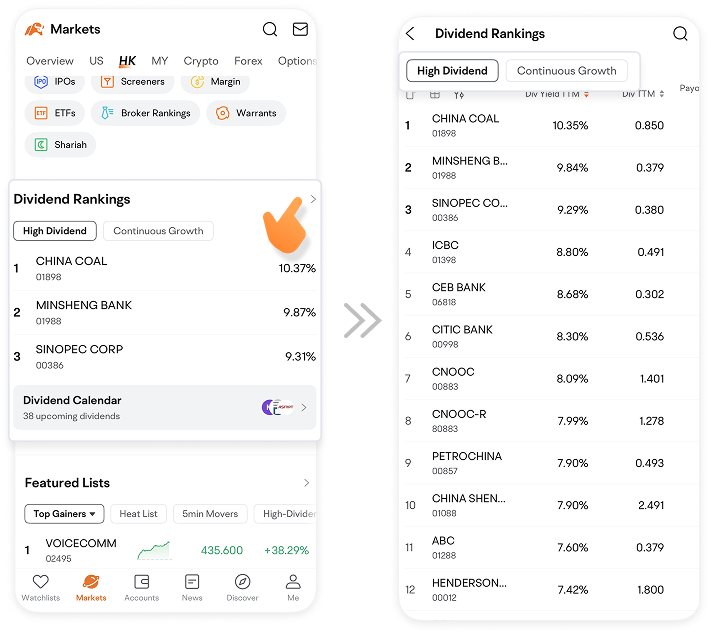
Additionally, you can use High Dividend Yield Ranking to find a list of high-dividend HK stocks.
Explore the Featured Lists to identify trending HK stocks by categories like Popularity, Search Heat, or News Heat.
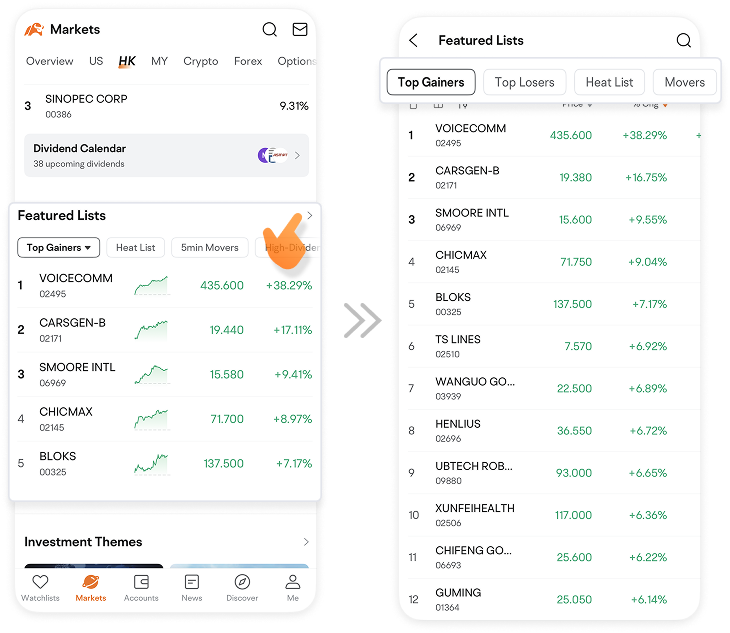
Check out Investment Themes to discover HK stocks that align with your areas of interest.

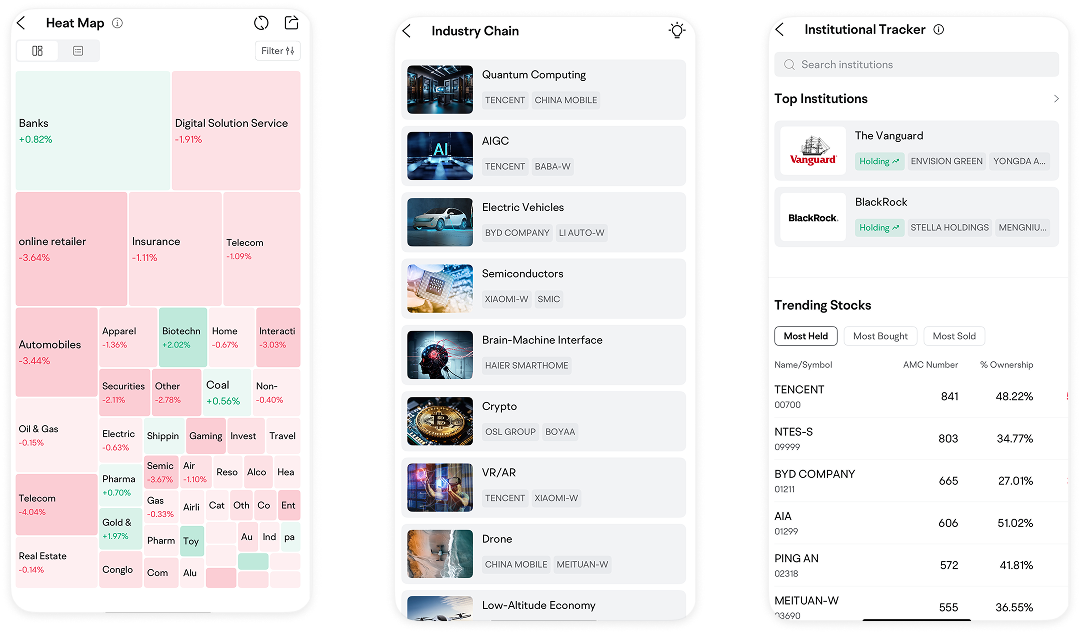
Tools like Heatmaps, Industry Chains, and Institutional Tracking are available to assist you in making better stock selection decisions.
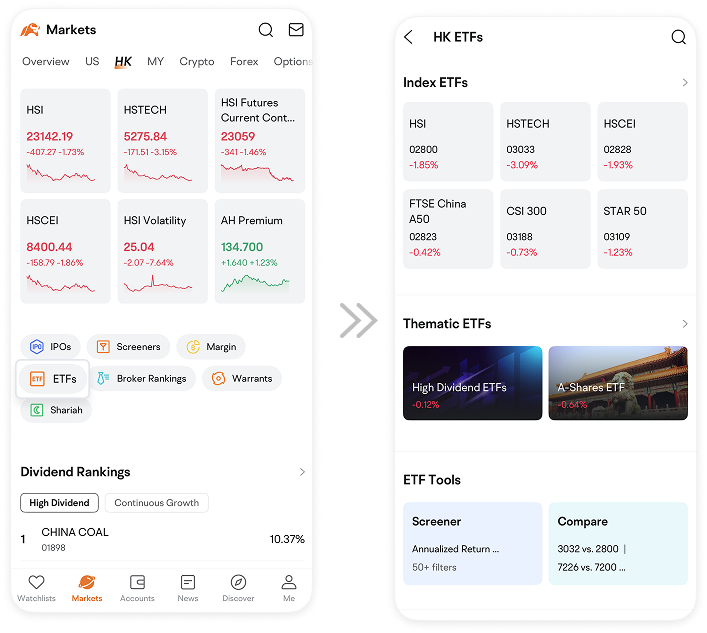
Moomoo also allows you to invest in Hong Kong ETFs.
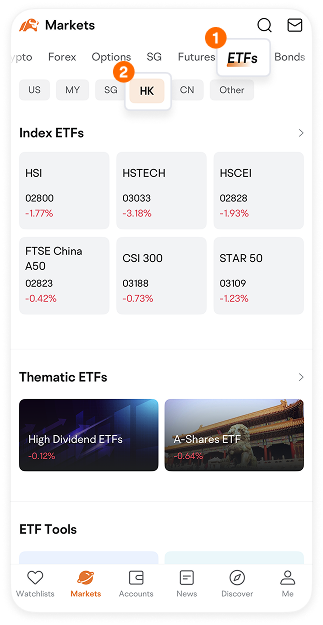
To access Hong Kong ETFs on moomoo, you have two options:
1. Go to the Markets page, select the HK market, then tap ETF. Here, you'll find various types of HK ETFs, including Index ETFs, Thematic ETFs, and Leveraged ETFs.
2. Alternatively, on the Markets page, tap ETF> HK. This will also lead you to the selection of Hong Kong ETFs available.
After learning to spot trending stocks on moomoo, it's also essential to learn how to analyze individual stocks on moomoo.
Part 2 Handy tools for in-depth analysis of HK stocks
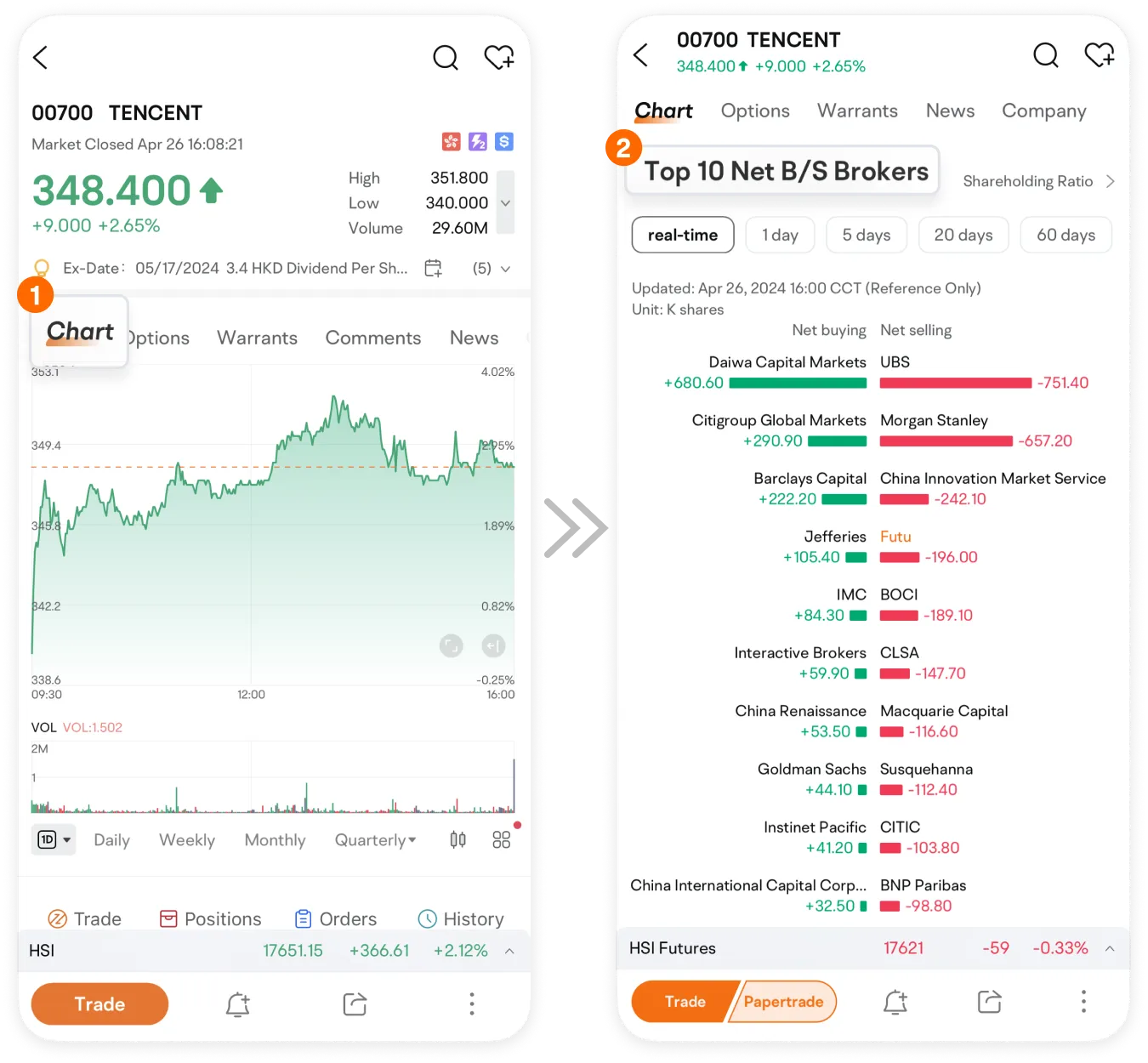
To analyze a specific stock on moomoo, tap on the stock to enter its Chart page. Scroll down to find comprehensive data analysis.
Top 10 Net B/S Brokers reveals the main shareholders.
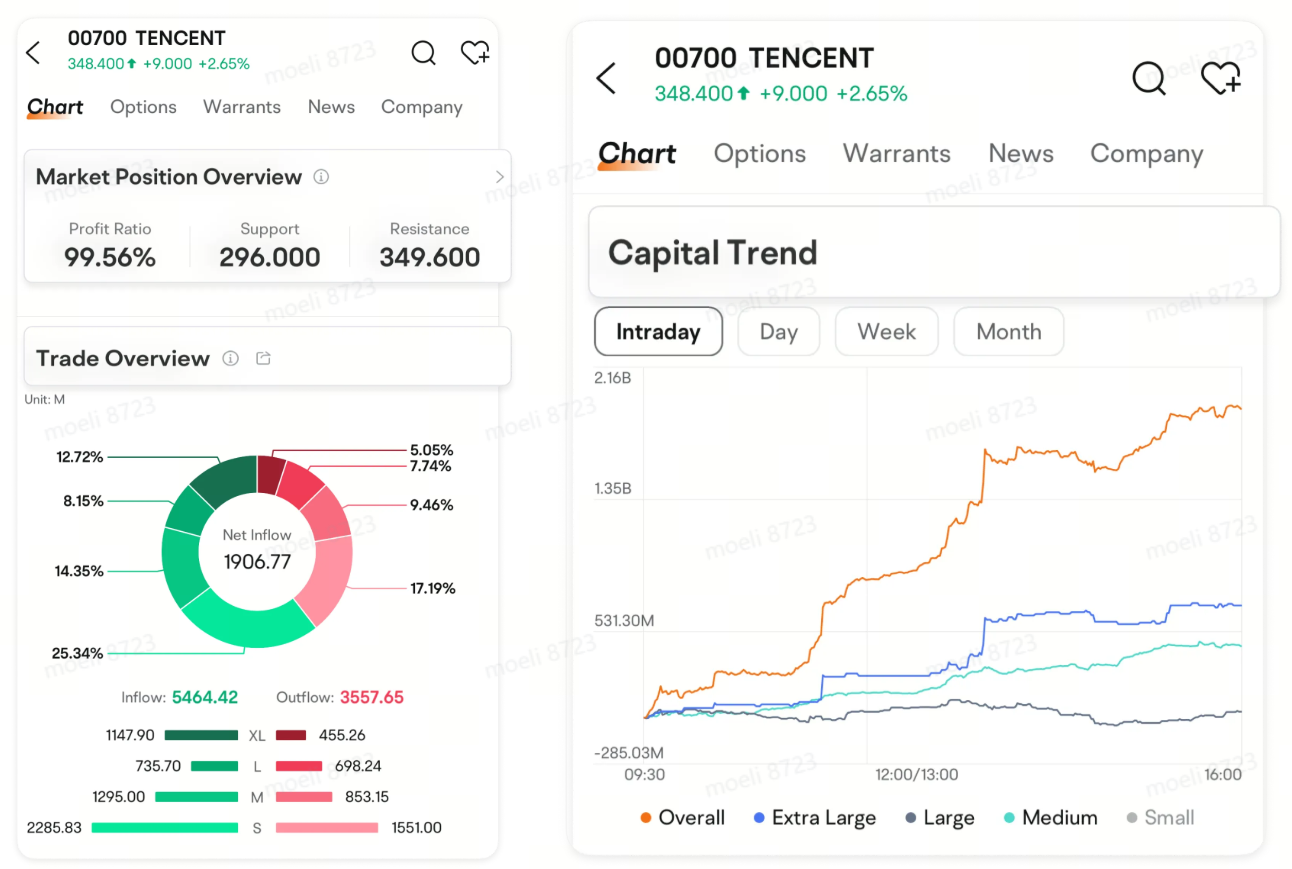
Market Position Overview displays the distribution of shares held by investors at varying price levels.
Trade Overview shows the proportions of the total trading volume and provides details on the inflow and outflow amounts categorized by order size, which includes extra-large, large, medium, and small orders.
Capital Trend is a visualization of the fund flow for a stock. It features 5 curves showing overall fund flow and specific flows for extra-large, large, medium, and small order sizes.
For a deeper analysis of a stock, moomoo compiles relevant data for you.
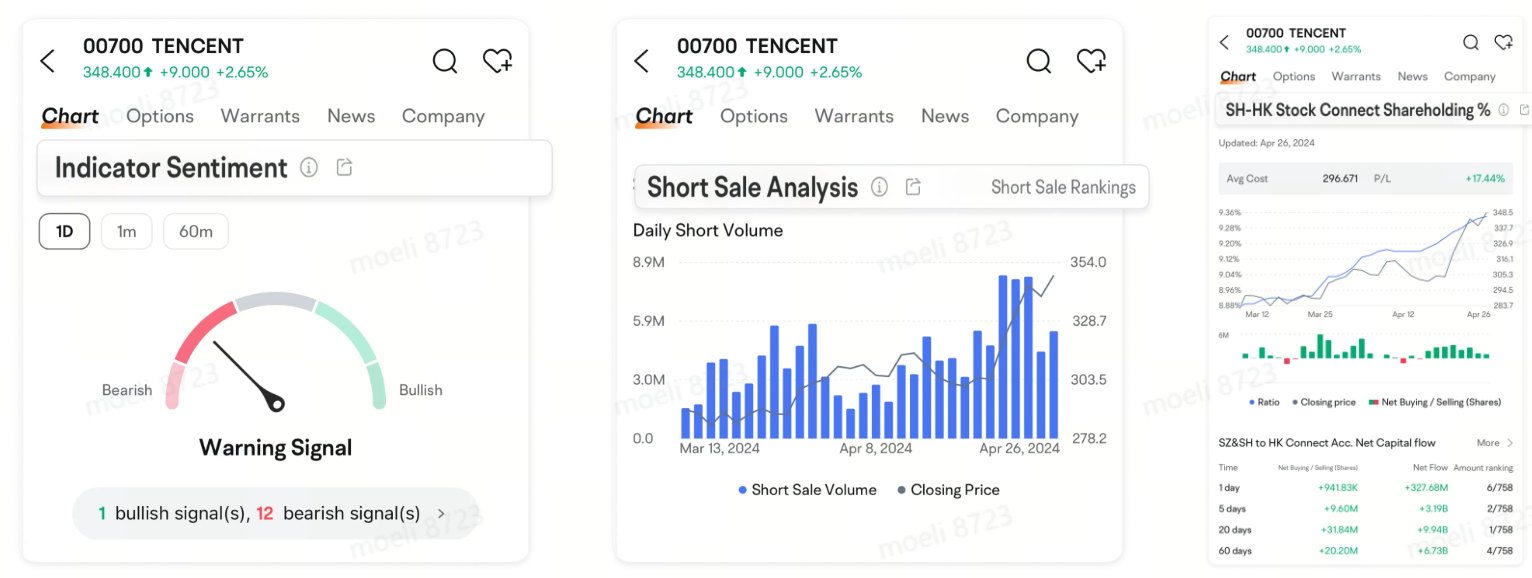
Indicator Sentiment interprets 15 technical indicators based on current market conditions.
Short Sale Analysis offers the stock's short sale ratio, short position data, and ranking, aiding in gauging market sentiment towards bullish or bearish trends.
SH-HK Stock Connect Shareholding shows trends in the shareholding ratio of Hong Kong stocks by Northbound Capital and their recent cumulative net trading activity.
So, how to trade Hong Kong stocks on moomoo then?
Part 3 How to trade HK stocks
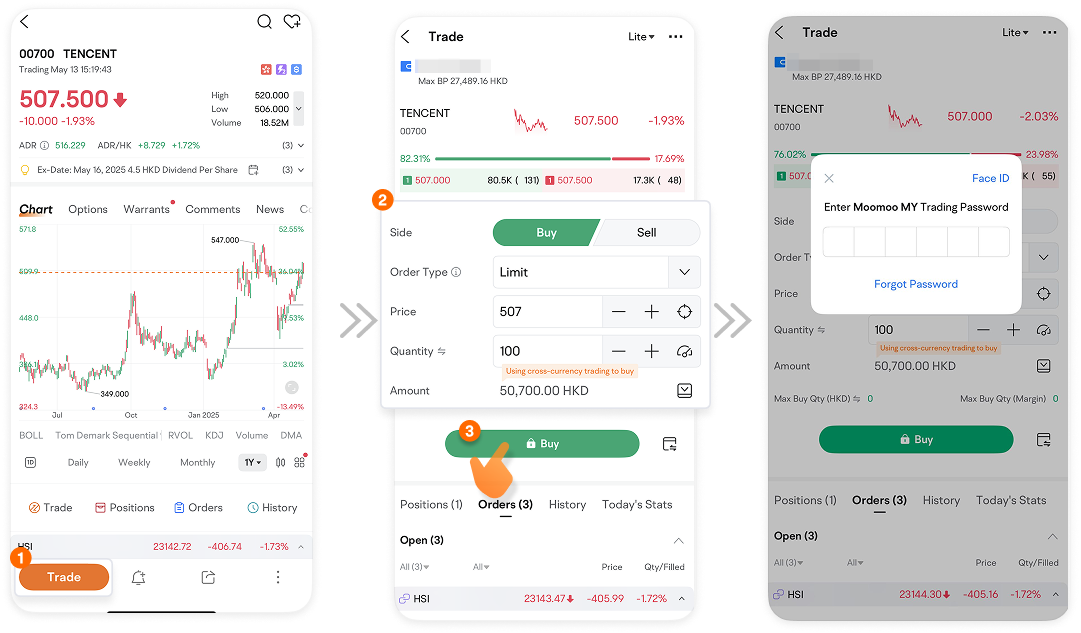
To invest, pick a Hong Kong stock, tap Trade, and choose Buy or Sell.
Then, select the Order Type, input Price and Quantity, hit Buy, and enter your trading password.
Start trading HK stocks with moomoo today!
This presentation is for informational and educational use only and is not a recommendation or endorsement of any particular investment or investment strategy. Investment information provided in this content is general in nature, strictly for illustrative purposes, and may not be appropriate for all investors. Read more