Sample Name
Sample Code
Sample Name
Sample Code
Sample Name
Sample Code
4
NXP Semiconductors
NXPI
1. No Sounds, Vibration, or Toasts for New Messages
2. Can't Receive New Messages or Messages Delay
Open moomoo > "Message" > Settings > "Notifications". Turn on "Banner", "Sound", and "Haptics" under "When Using moomoo".
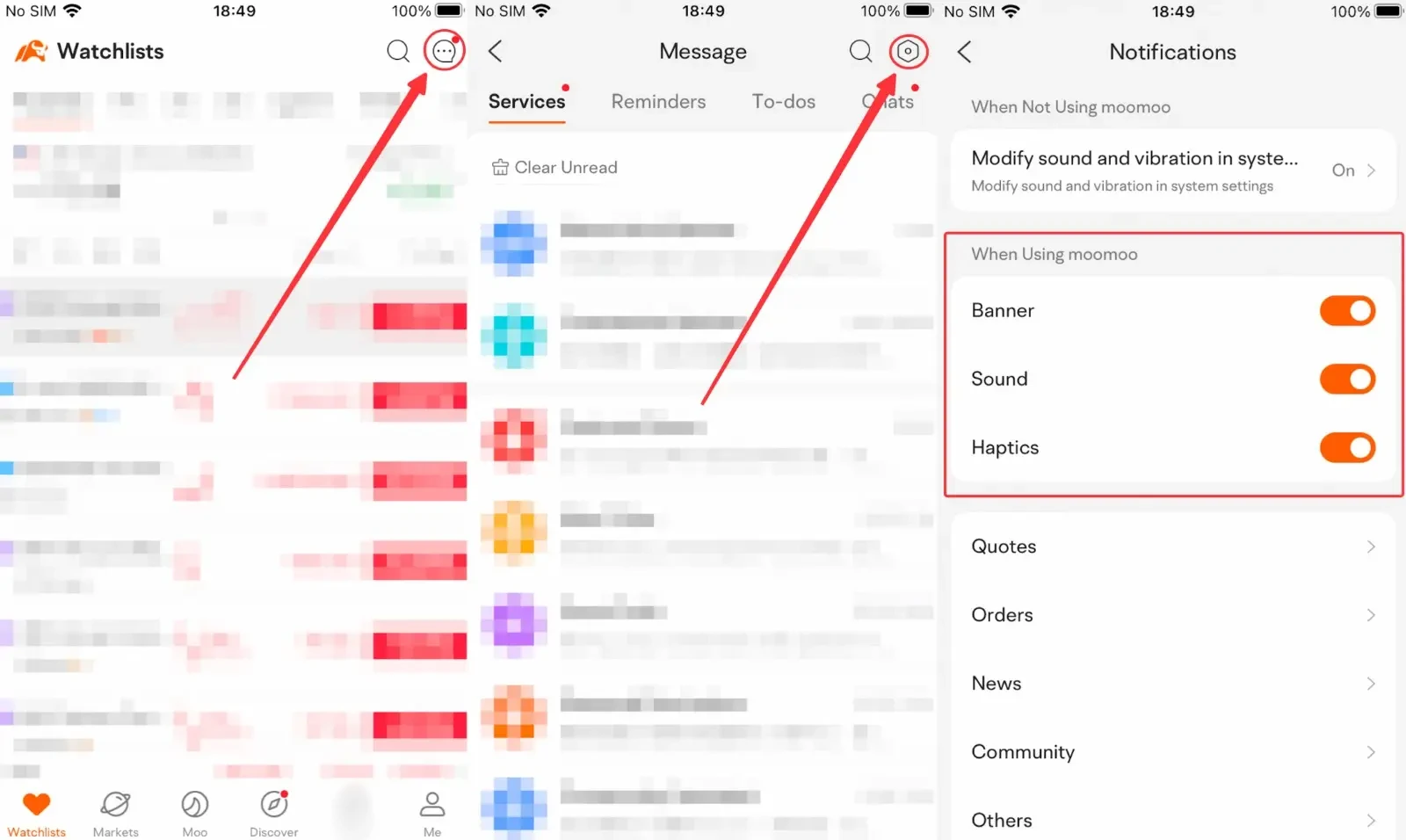
2.1 Open moomoo > "Message" > Settings > "Notifications". Make sure "Modify sound and vibration in system settings" under "When not Using moomoo is on".
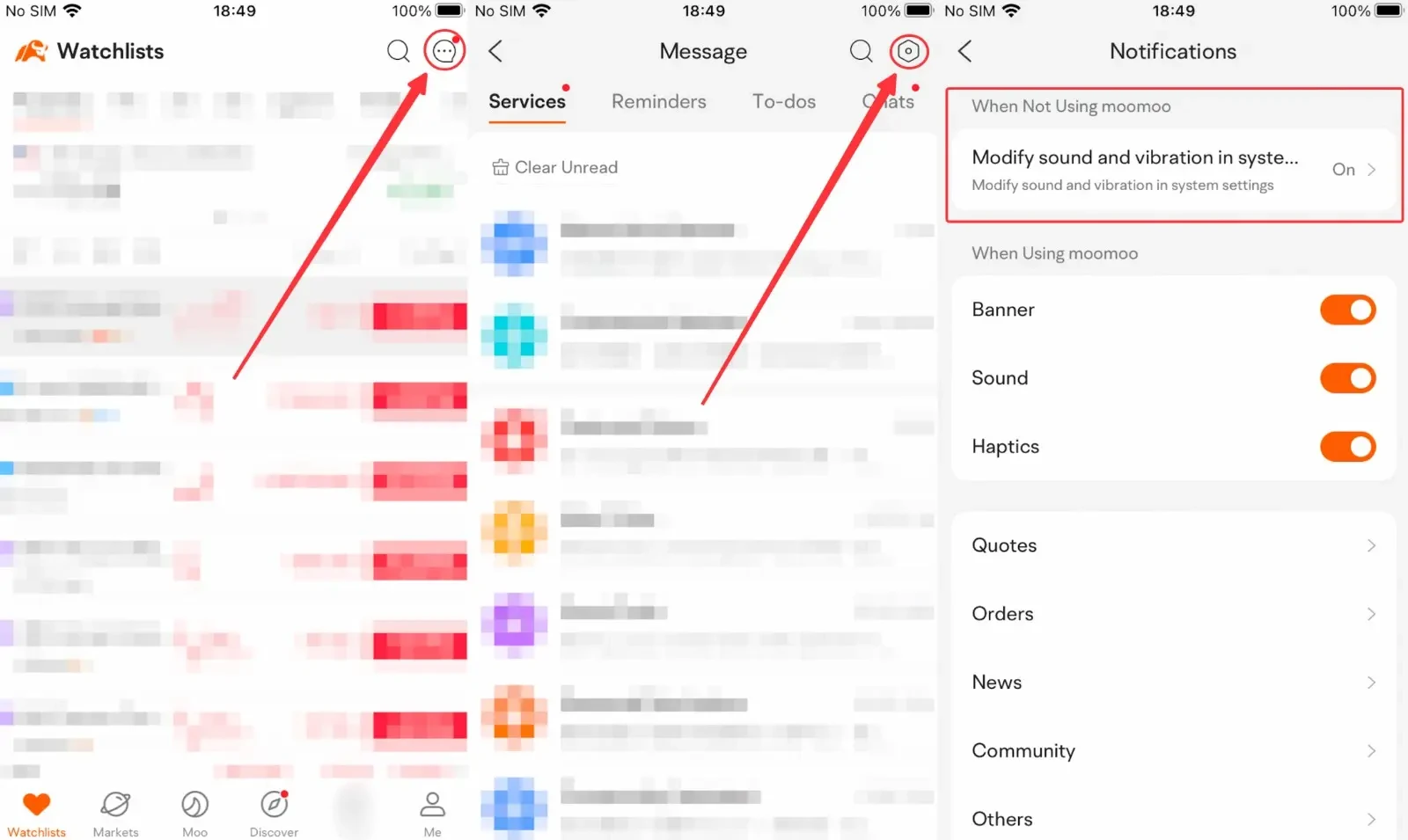
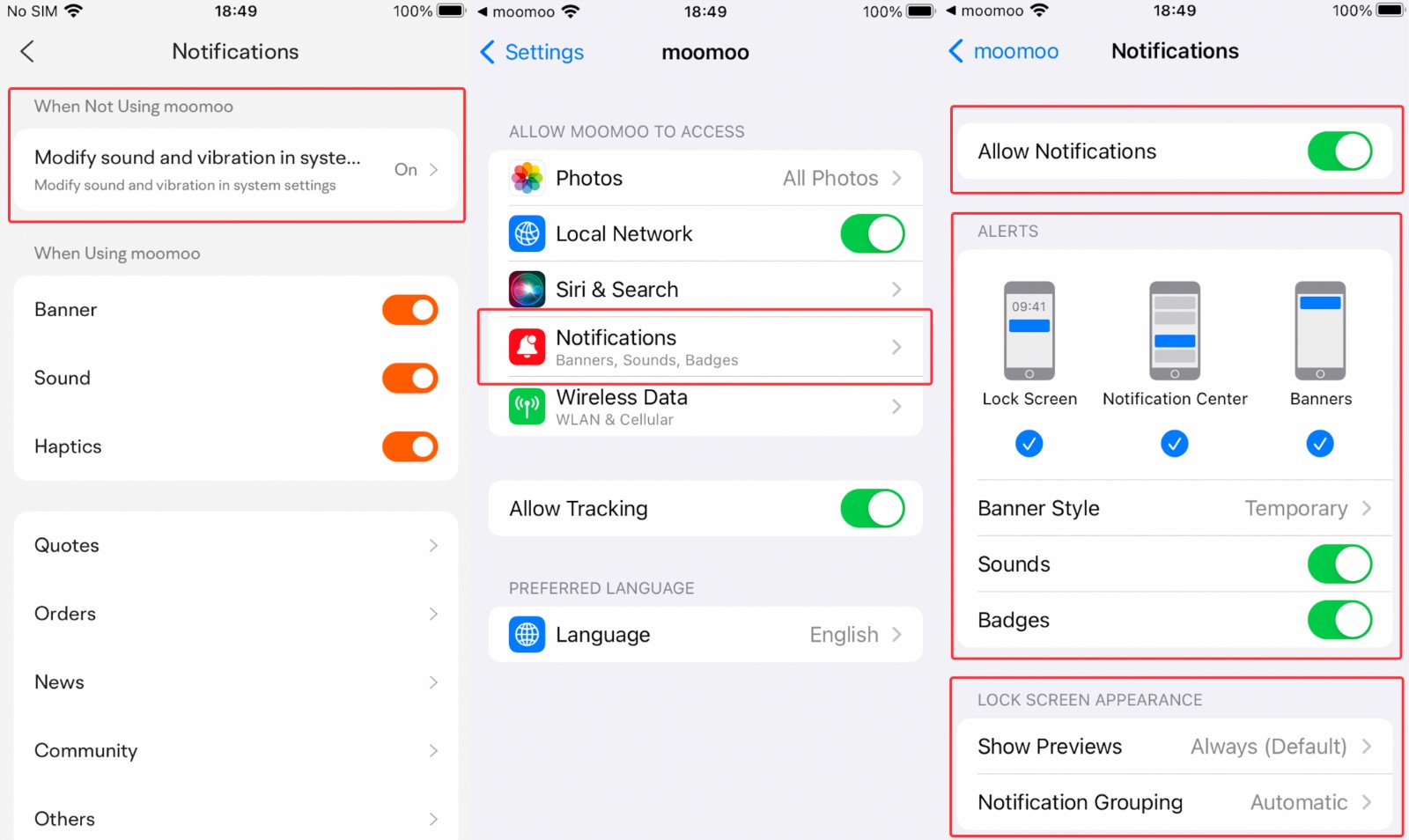
2.2 Tap "Modify sound and vibration in system settings" > "Notifications". Make sure all the notification settings are on.
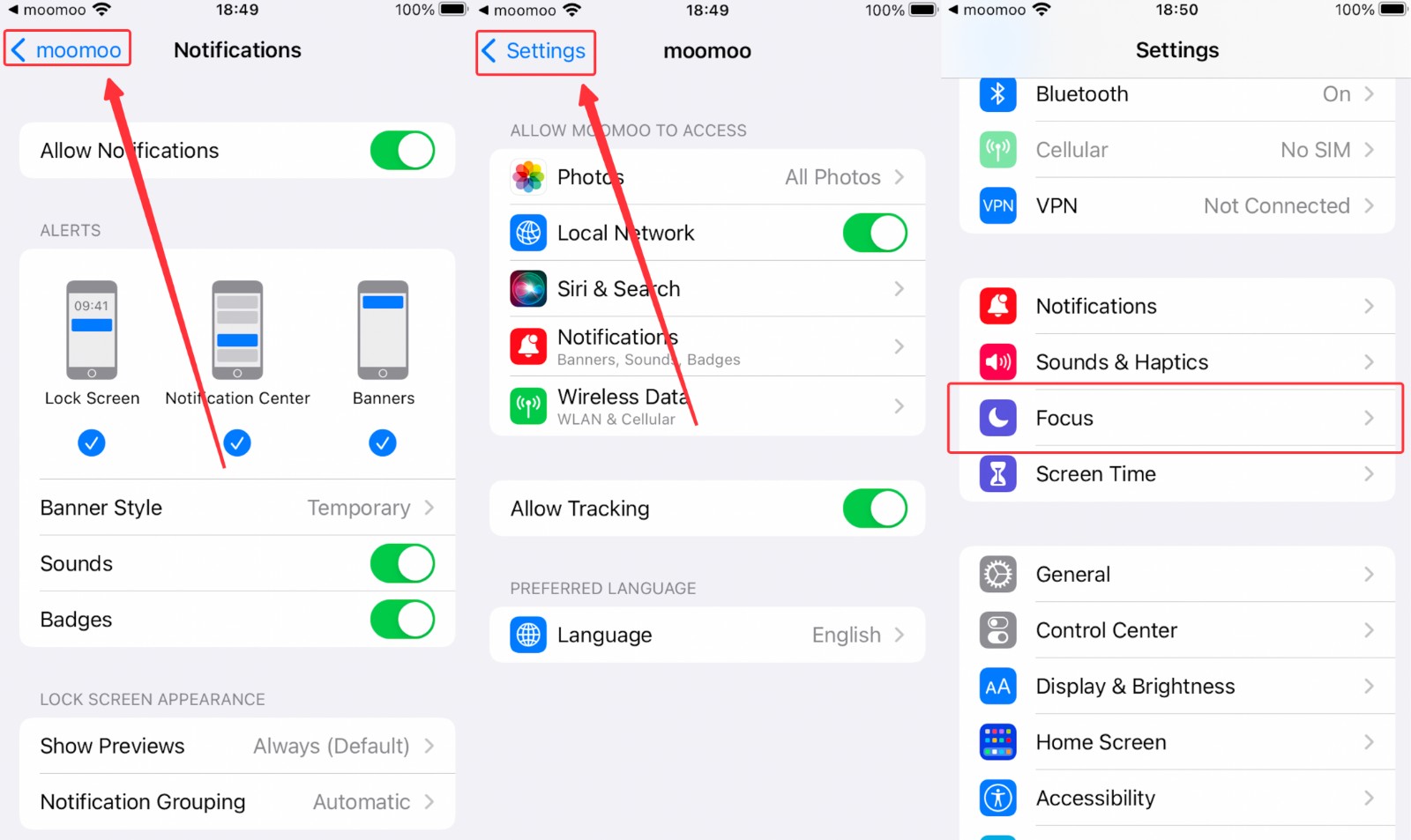
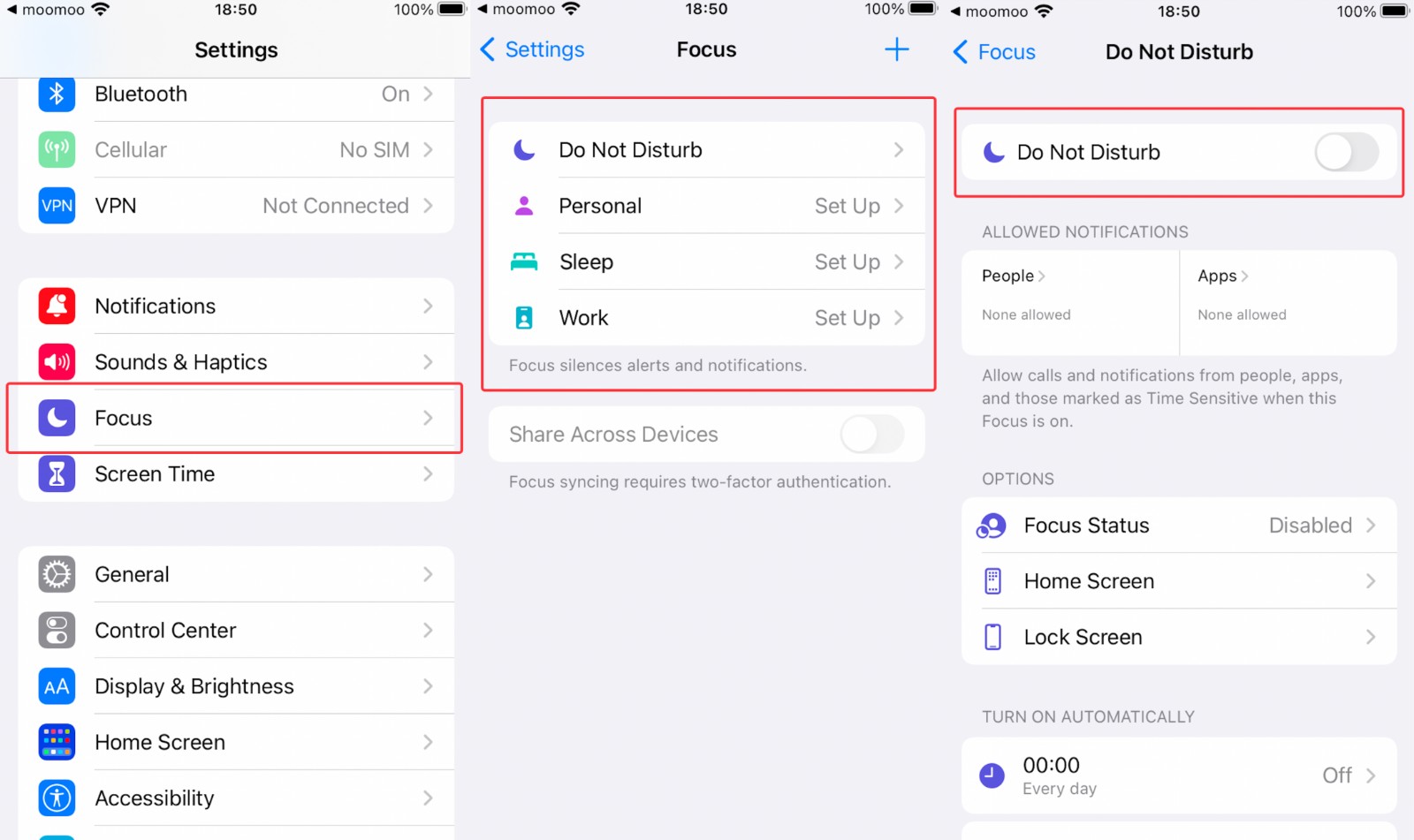
 2.3 Tap moomoo > "Settings" > "Focus" > "Do Not Disturb". Make sure "Do Not Disturb" is off.
Risk Disclosure This presentation is for informational and educational use only and is not a recommendation or endorsement of any particular investment or investment strategy. Investment information provided in this content is general in nature, strictly for illustrative purposes, and may not be appropriate for all investors. It is provided without respect to individual investors’ financial sophistication, financial situation, investment objectives, investing time horizon, or risk tolerance. You should consider the appropriateness of this information having regard to your relevant personal circumstances before making any investment decisions. Past investment performance does not indicate or guarantee future success. Returns will vary, and all investments carry risks, including loss of principal. Moomoo makes no representation or warranty as to its adequacy, completeness, accuracy or timeliness for any particular purpose of the above content.

