
Moomoo Insights
Jul 16 15:38
TSMC Earnings: AI Demand Is Stronger Than the Chip Selloff Suggests
Moomoo Insights
Sep 30 05:04
Live Take | Anthropic’s $518B Compute Bet: Who Wins From the AI Buildout?
Moomoo account profit and loss analysis feature makes it easy for you to understand how your account is doing.
With friendly visual charts, you can quickly get a grasp on your profits, evaluate how well your strategies are working, and manage your risks effectively.

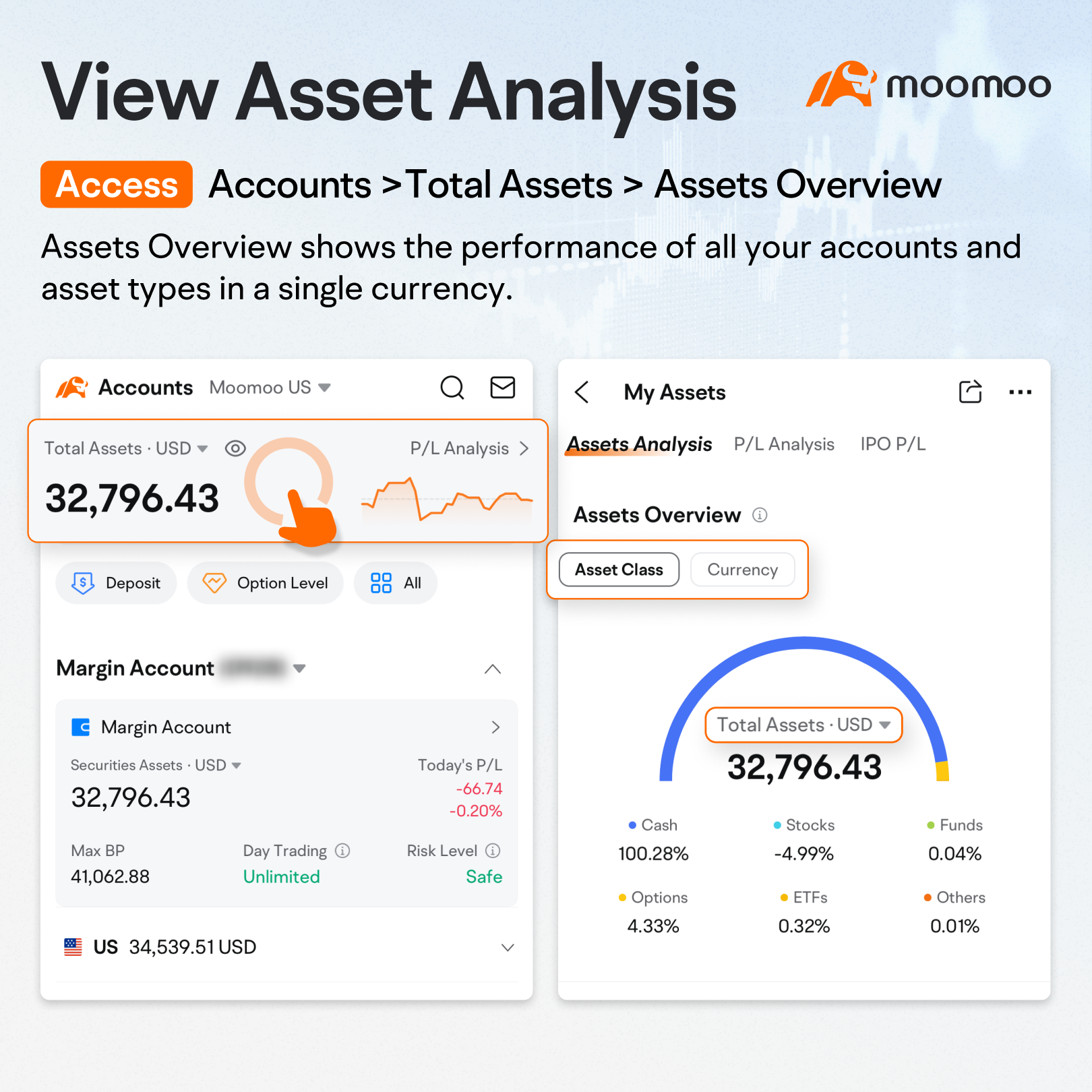
Access: >Accounts >Total Assets > Assets Overview.
Assets Overview shows the performance of all your accounts and asset types in a single currency. You can easily switch between product types and currencies to see your gains and losses, as well as customize the displayed currency.
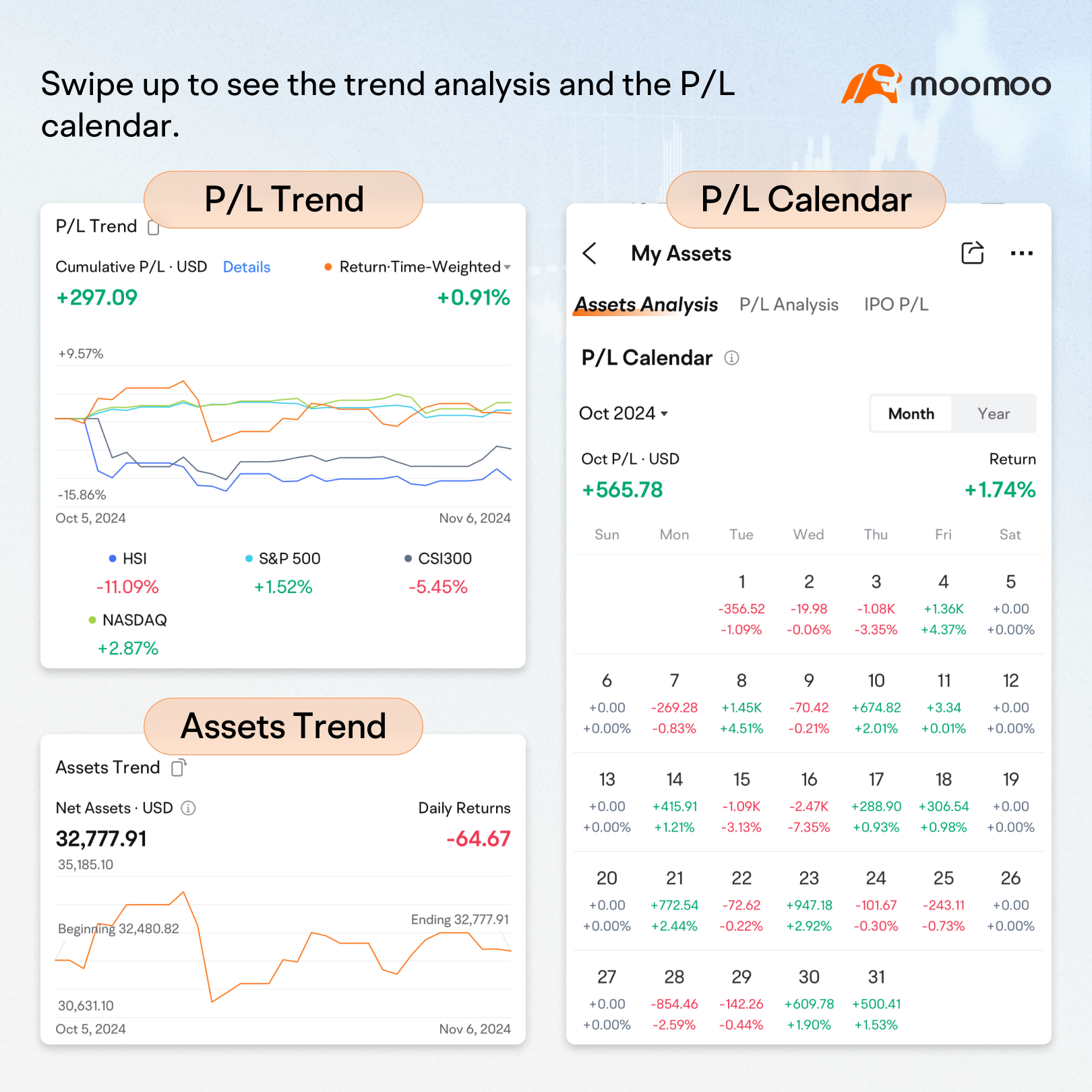
Swipe up on this page to see your return in a line chart, which you can compare with market benchmarks.
At the bottom, a calendar shows your daily gains and losses.
You can filter both the chart and calendar by date.
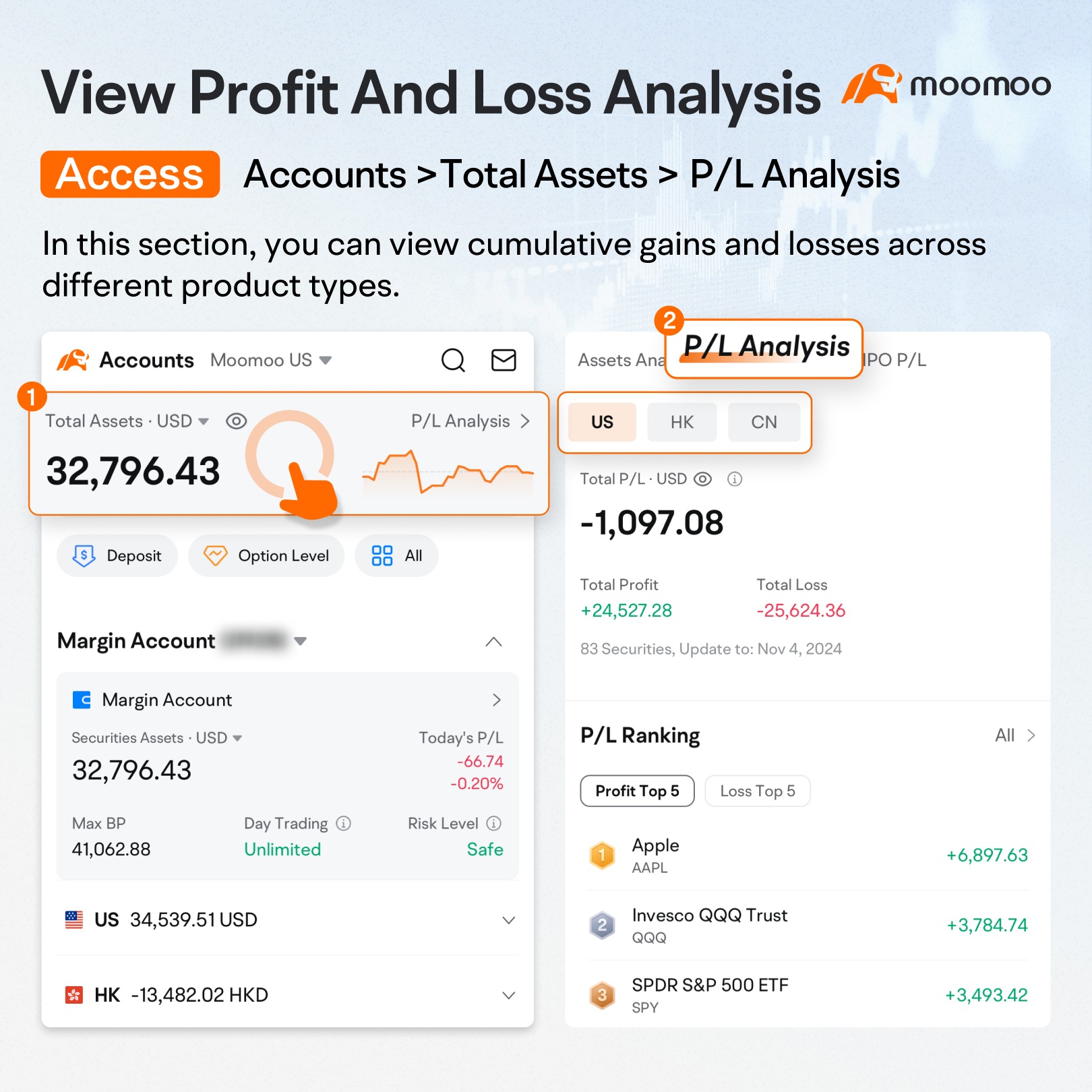
Access: Accounts >Total Assets > P/L Analysis.
In this section, you can view cumulative gains and losses across different product types, including Hong Kong stocks, US stocks, and options.
You can also see your top gainers and losers.
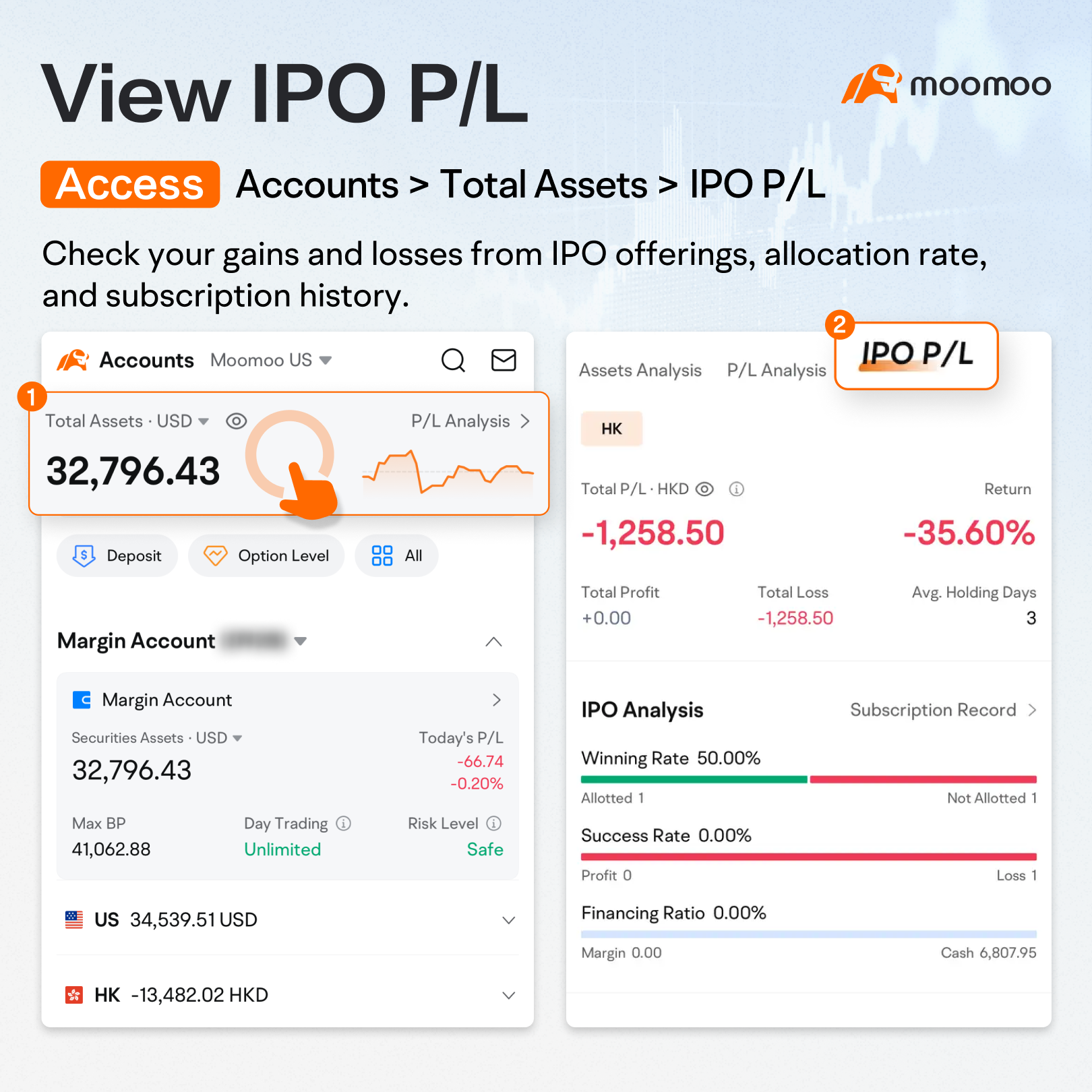
Access: Accounts > Total Assets > IPO P/L.
Here, you can check your gains and losses from new stock offerings, allocation rate, and subscription history.
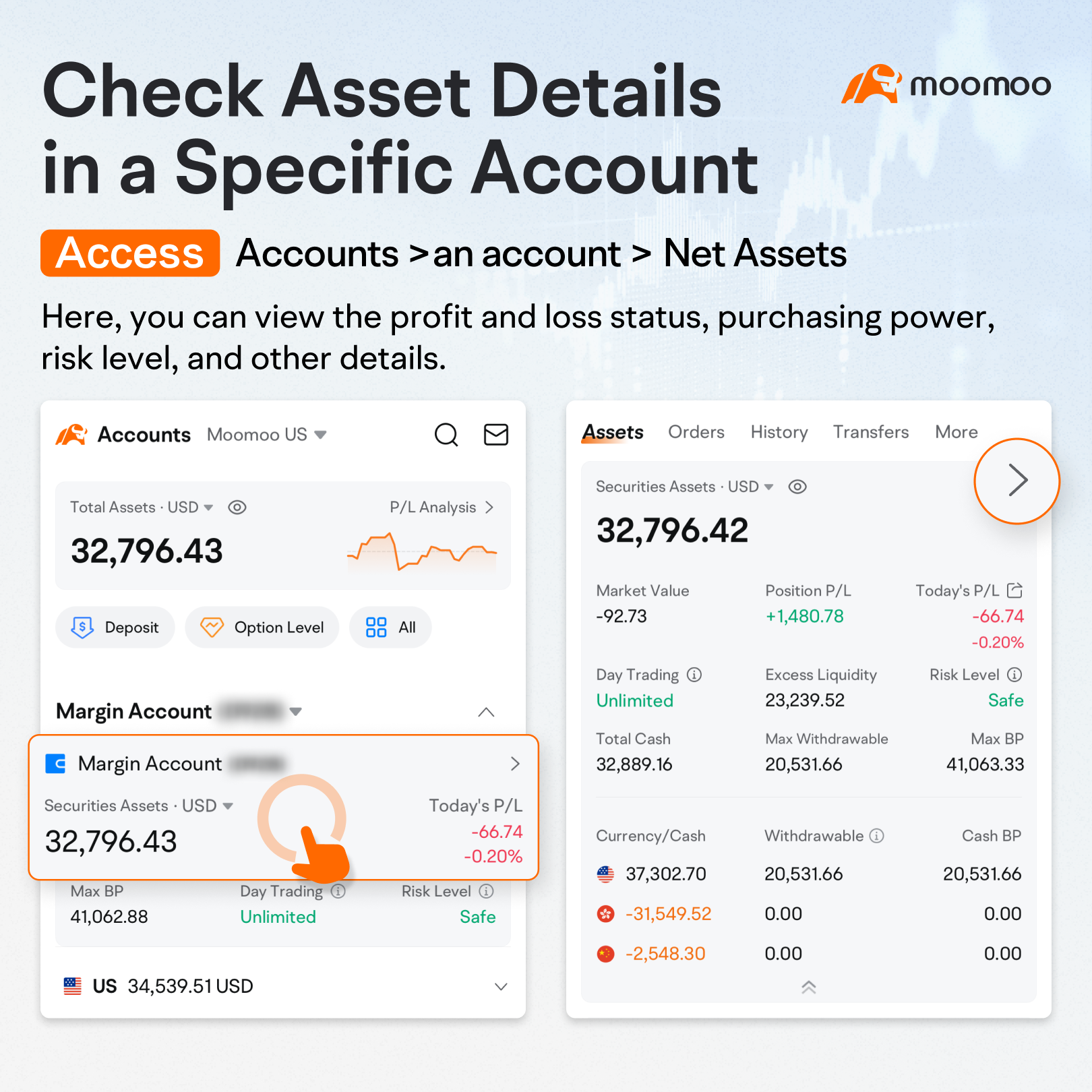
Access:Accounts >an account > Net Assets.
Here, you can view the profit and loss status, purchasing power, risk level, and other details for that account.
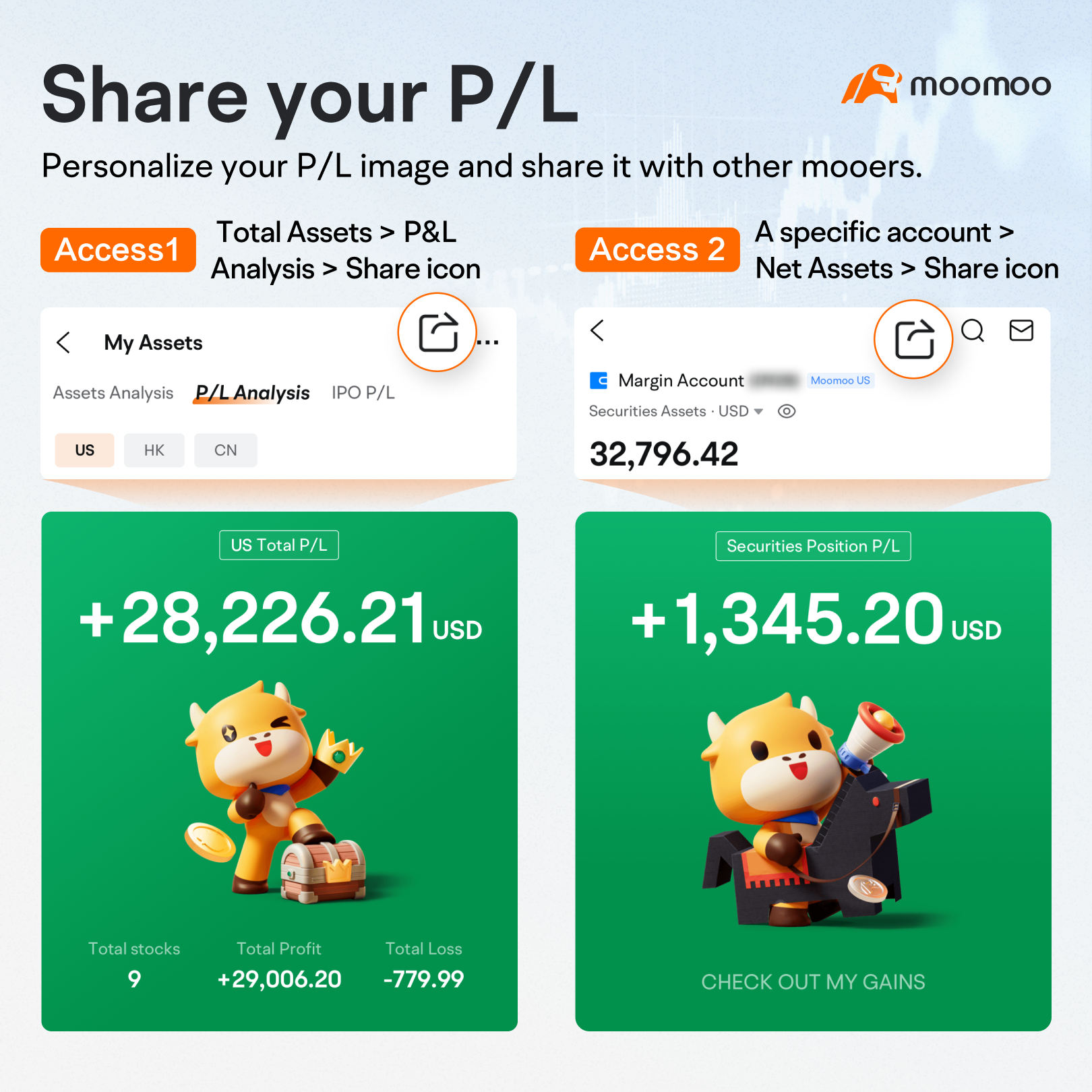
Access 1: Total Assets > P&L Analysis > Share icon (top right corner).
Access 2: A specific account > Net Assets > Share icon (top right corner).
Personalize your P/L image and share it with other users.
This presentation is for informational and educational use only and is not a recommendation or endorsement of any particular investment or investment strategy. Investment information provided in this content is general in nature, strictly for illustrative purposes, and may not be appropriate for all investors. Read more
Recommend

24/5, uninterrupted US stock trading
How to Open Your Account on moomoo
How to Step Up Your Trading with Order Types

How to View Today's P&L Transaction Statement?
Connect Your Al to Agentic Trading
Mastering Advanced Level 2 Quotes for US Stocks
Quick Overview
What is the Me tab?
What is the Discover tab?
How to trade fractional shares on moomoo?
What is the Accounts tab?
Moomoo Features Overview
What is the Markets tab?
What is the Watchlist tab?
How to set up DRIP for US stocks & ETFs
How to access index options on moomoo
How to Place a Basic Order?
24/5, uninterrupted US stock trading
How to Open Your Account on moomoo
How to Step Up Your Trading with Order Types
How to View Today's P&L Transaction Statement?
Connect Your Al to Agentic Trading
Mastering Advanced Level 2 Quotes for US Stocks
Quick Overview
What is the Me tab?
What is the Discover tab?
How to trade fractional shares on moomoo?
What is the Accounts tab?
Moomoo Features Overview
What is the Markets tab?
What is the Watchlist tab?
How to set up DRIP for US stocks & ETFs
How to access index options on moomoo
How to Place a Basic Order?