Insights Page
-
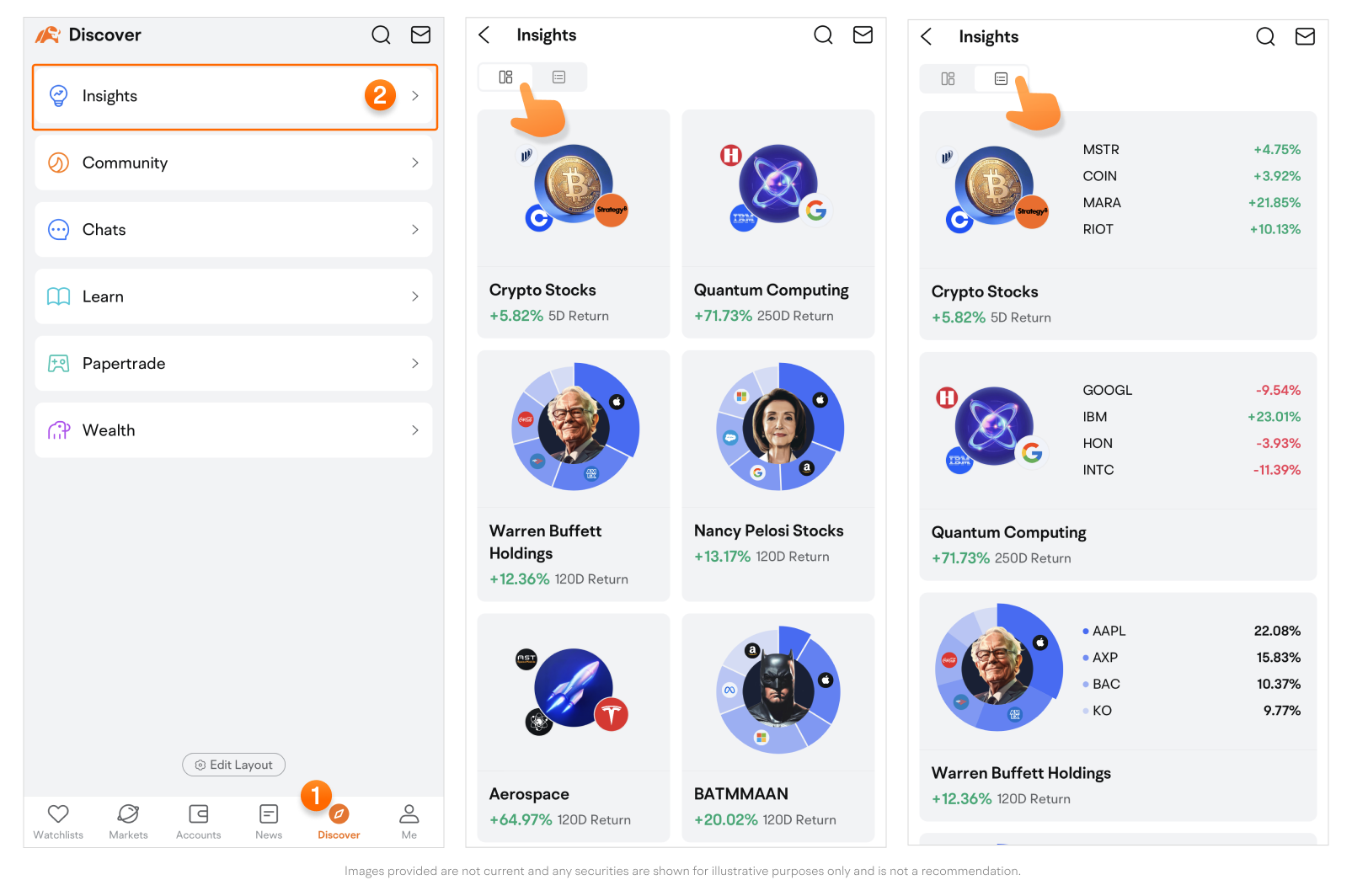
The Insights page displays portfolios in either single or double columns.
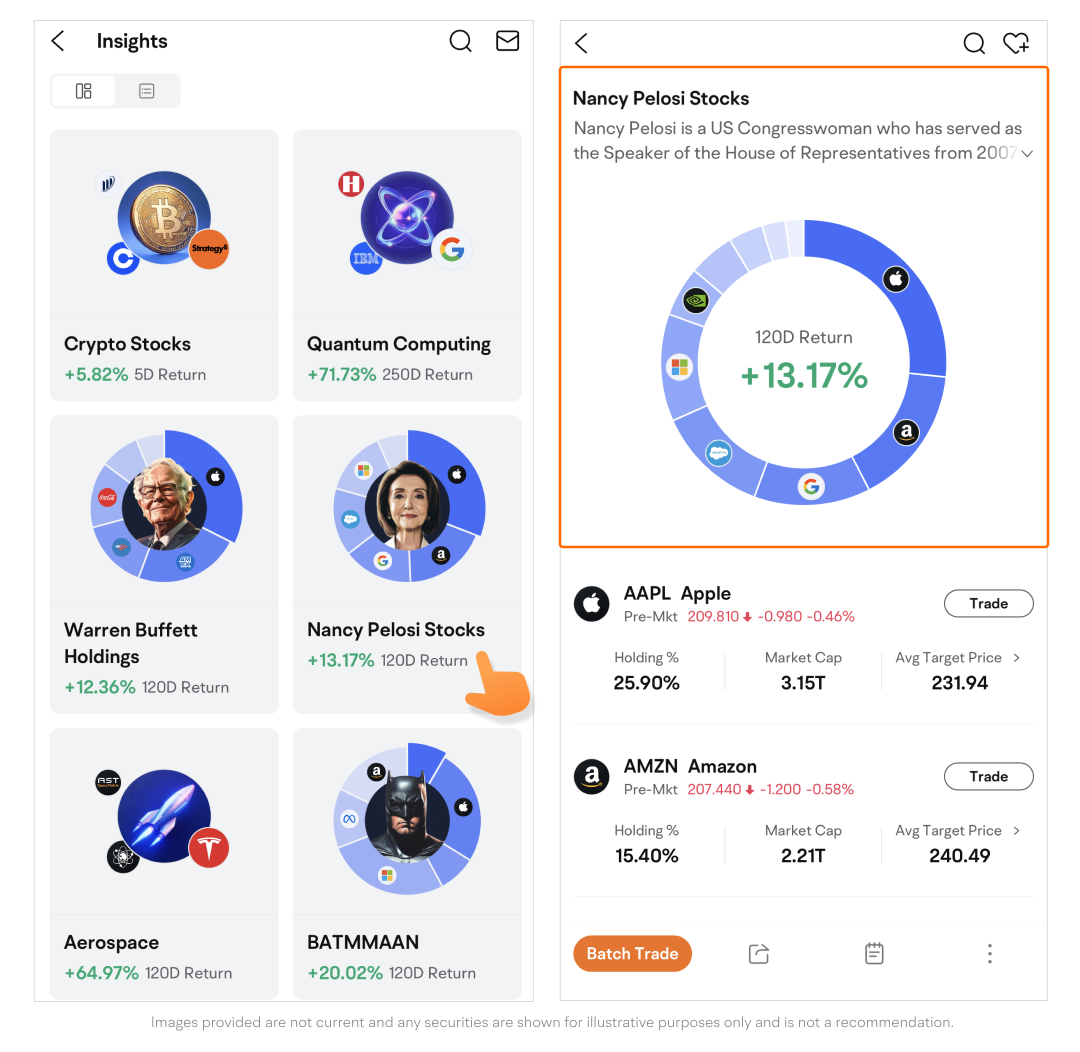
The Portfolio Detailed Page
-
Tap a portfolio card to access its detailed page and the Pie Chart introduces the composition breakdown and total porfolio returns.
-
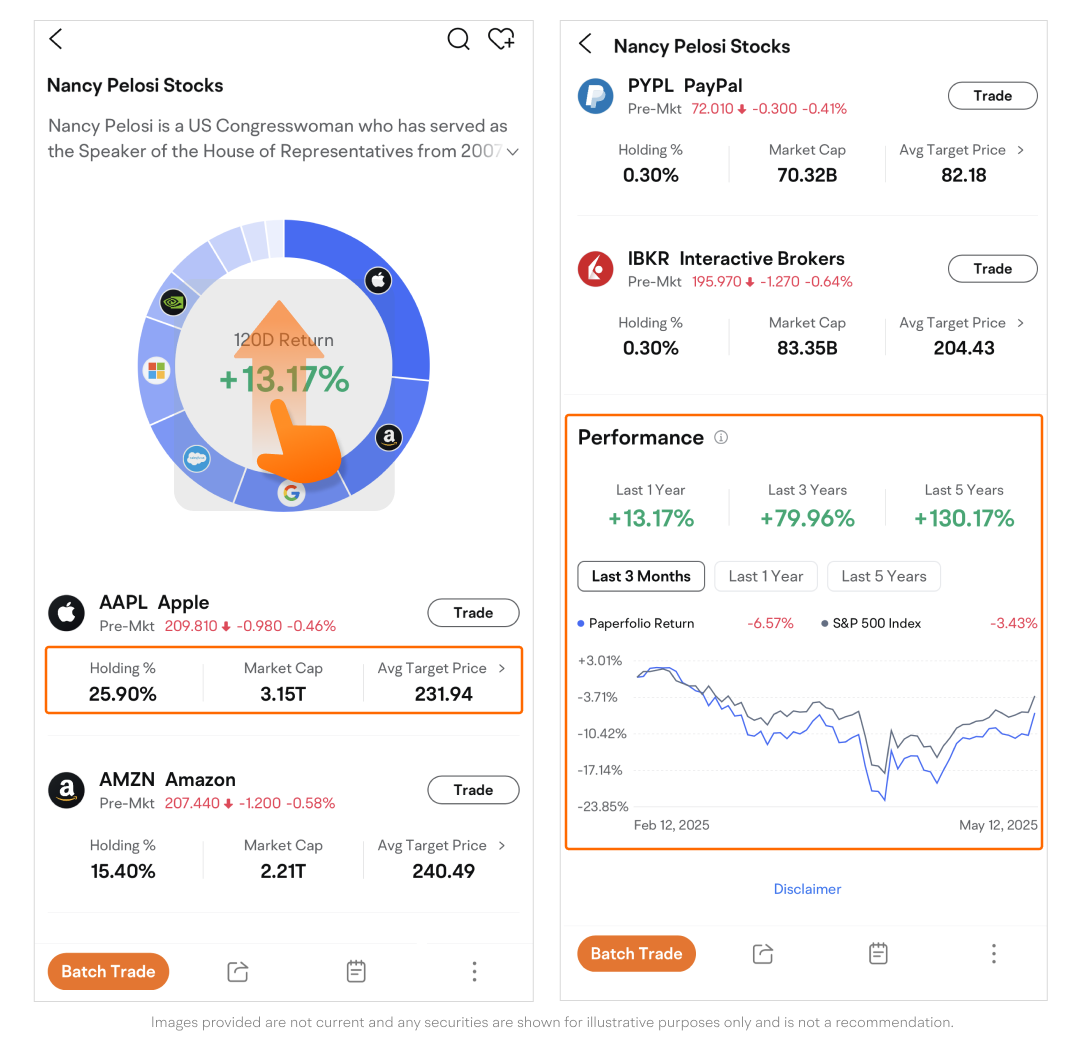
View the Market Cap, Holding, and Avg Target Price of each stock.
-
Swipe up to view the Return section displays the data on the portfolio returns over the past five years.
-
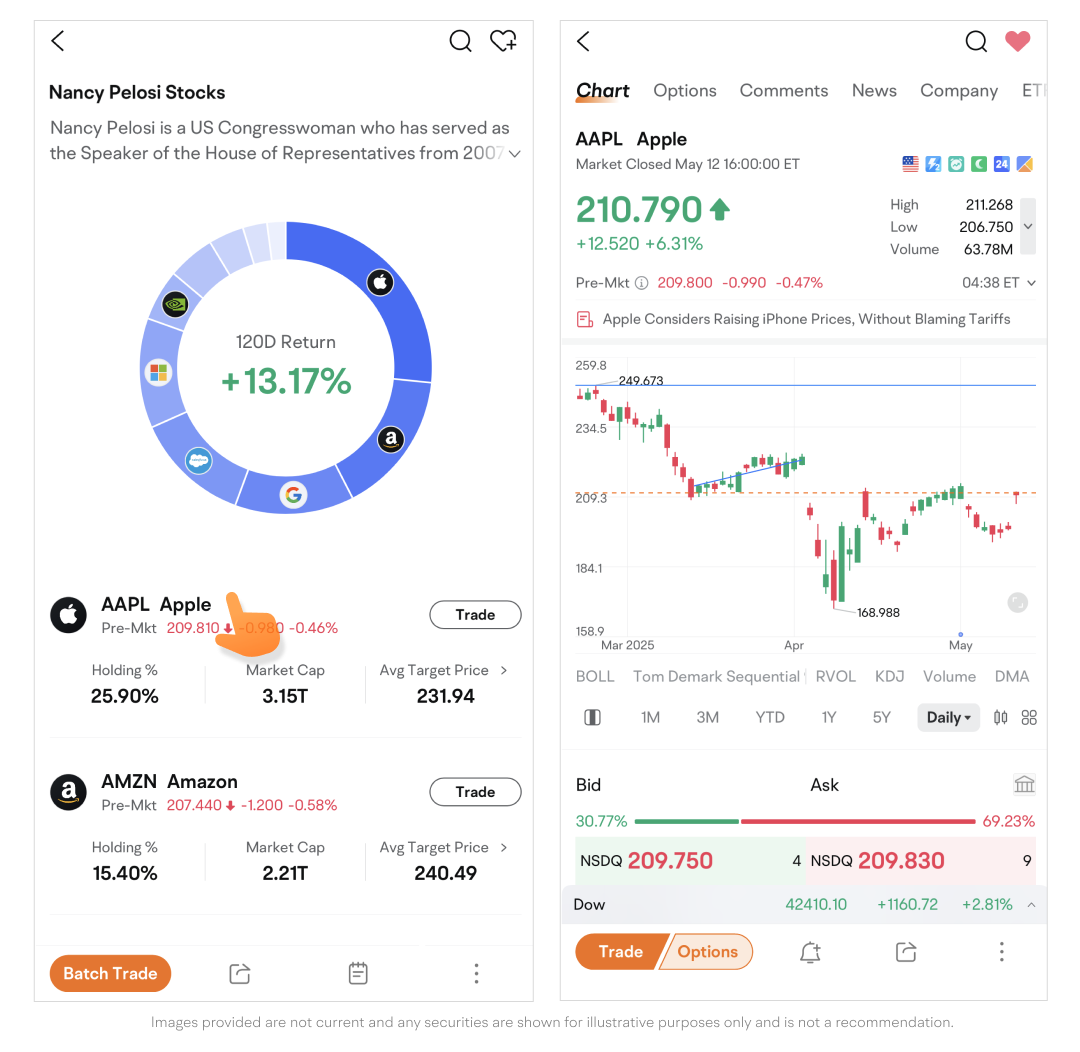
Tap a symbol to enter the quotes page.
-
Tap the > icon to view Analyst Rating.
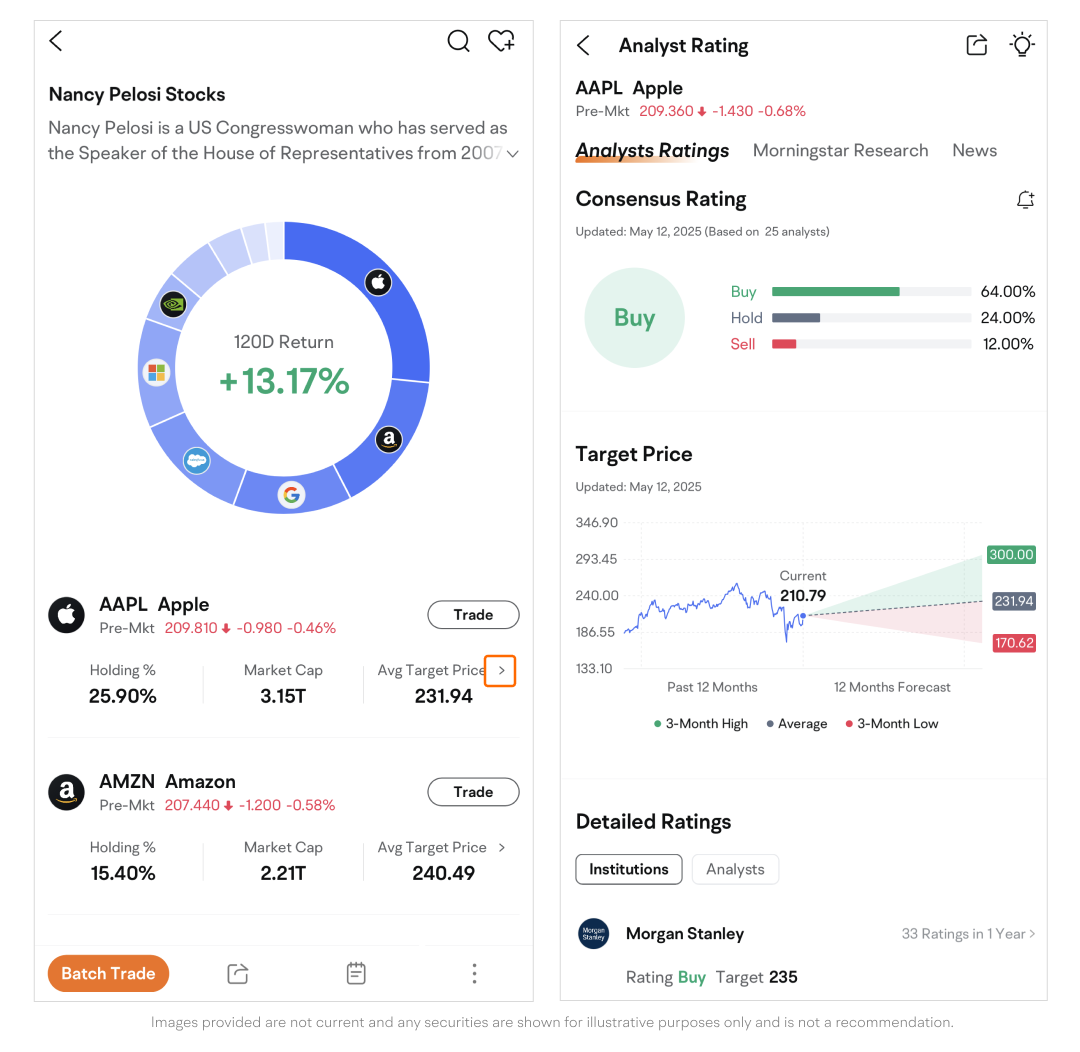
-
Tap Trade to enter the trade page.
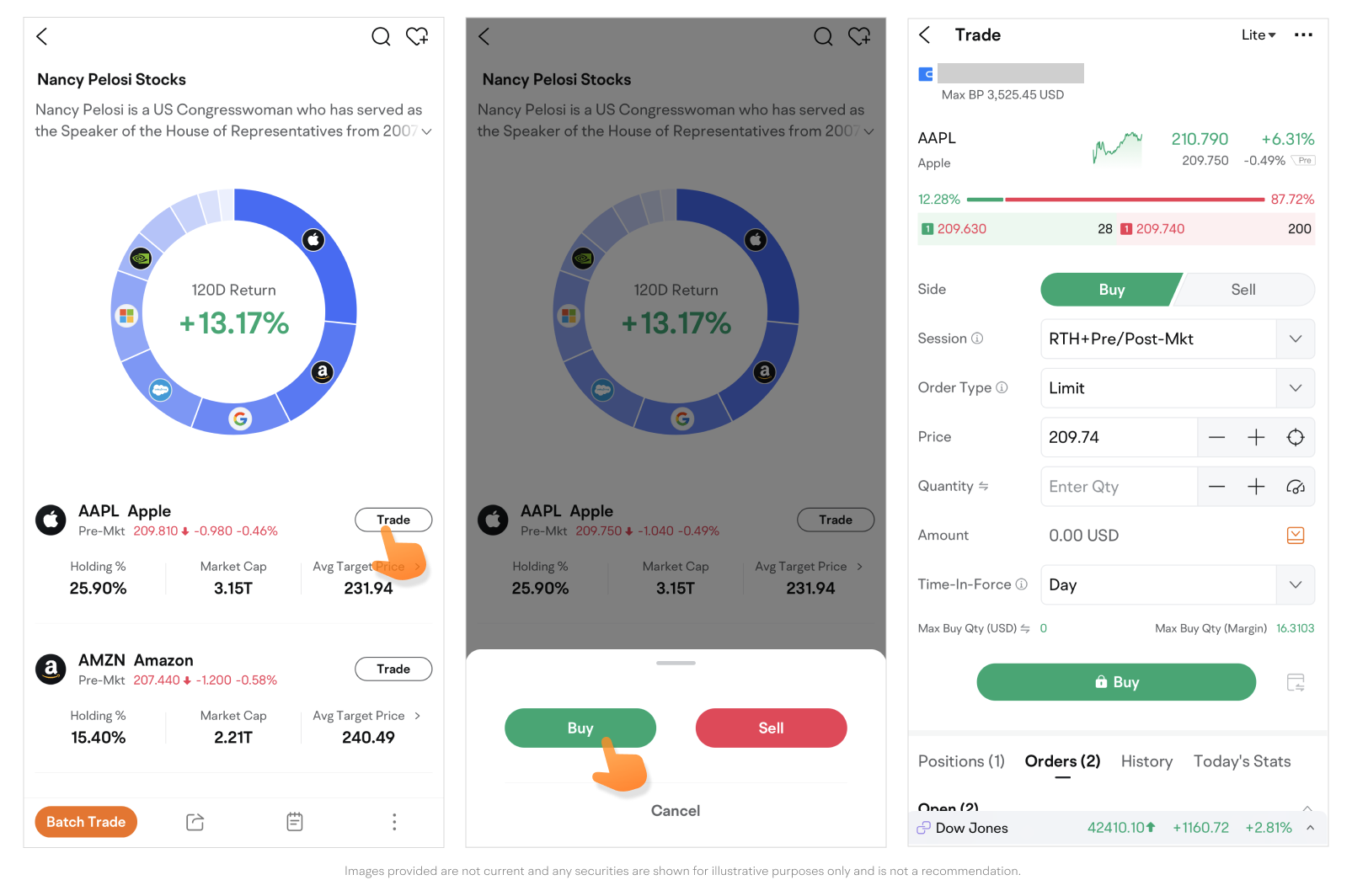
-
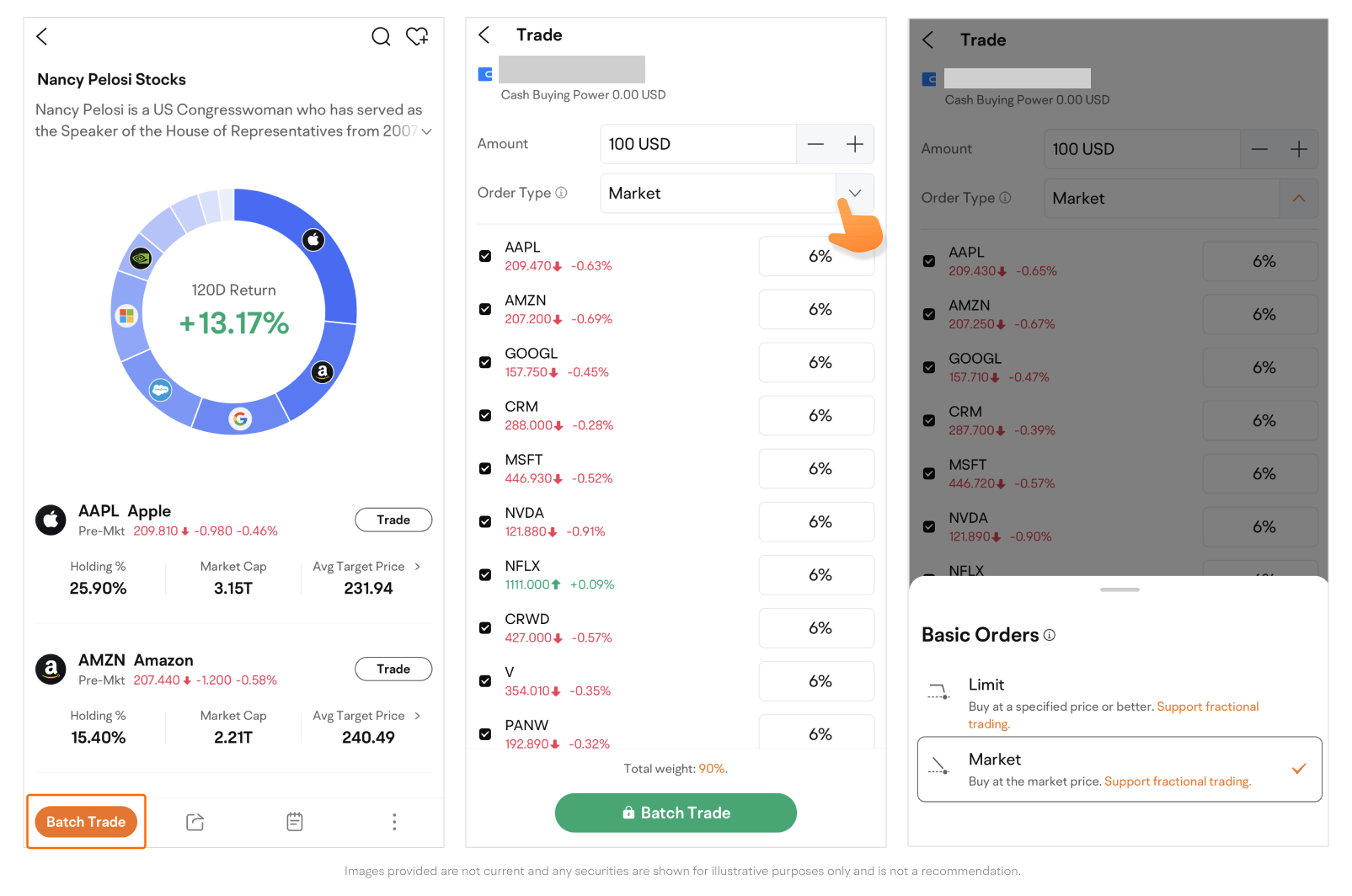
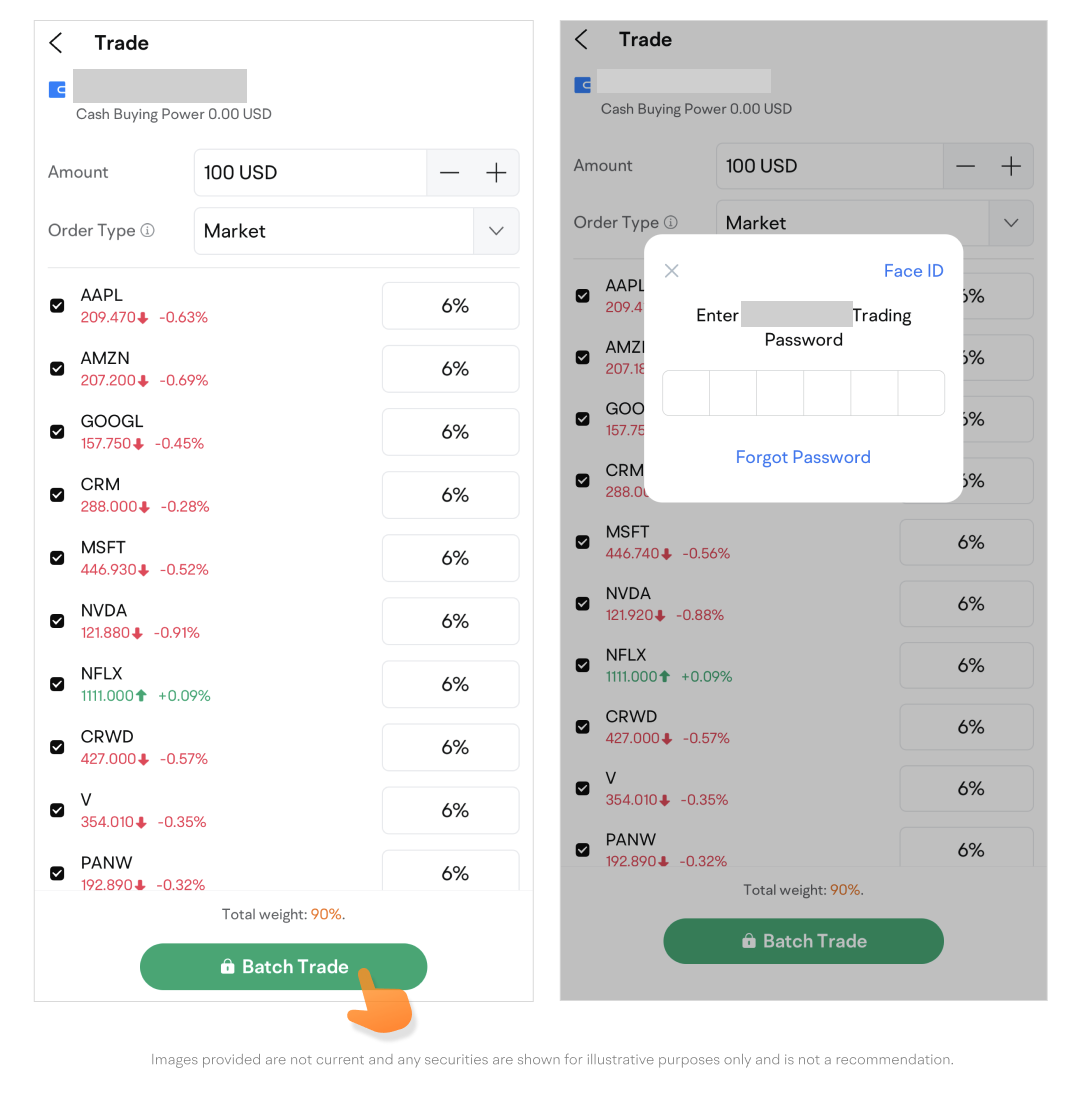
Tap Batch Trading to place limit or market orders for multiple US stocks or ETFs at once.
This presentation is for informational and educational use only and is not a recommendation or endorsement of any particular investment or investment strategy. Investment information provided in this content is general in nature, strictly for illustrative purposes, and may not be appropriate for all investors. It is provided without respect to individual investors’ financial sophistication, financial situation, investment objectives, investing time horizon, or risk tolerance. You should consider the appropriateness of this information having regard to your relevant personal circumstances before making any investment decisions. Past investment performance does not indicate or guarantee future success. Returns will vary, and all investments carry risks, including loss of principal.
Moomoo is a financial information and trading app offered by Moomoo Technologies Inc. In the U.S., investment products and services on Moomoo are offered by Moomoo Financial Inc., Member FINRA/SIPC.