Papertrade
-
You can move Paptertrade to the bottom Dock for easy access. See 7.5 Customize Dock & the Discover page.
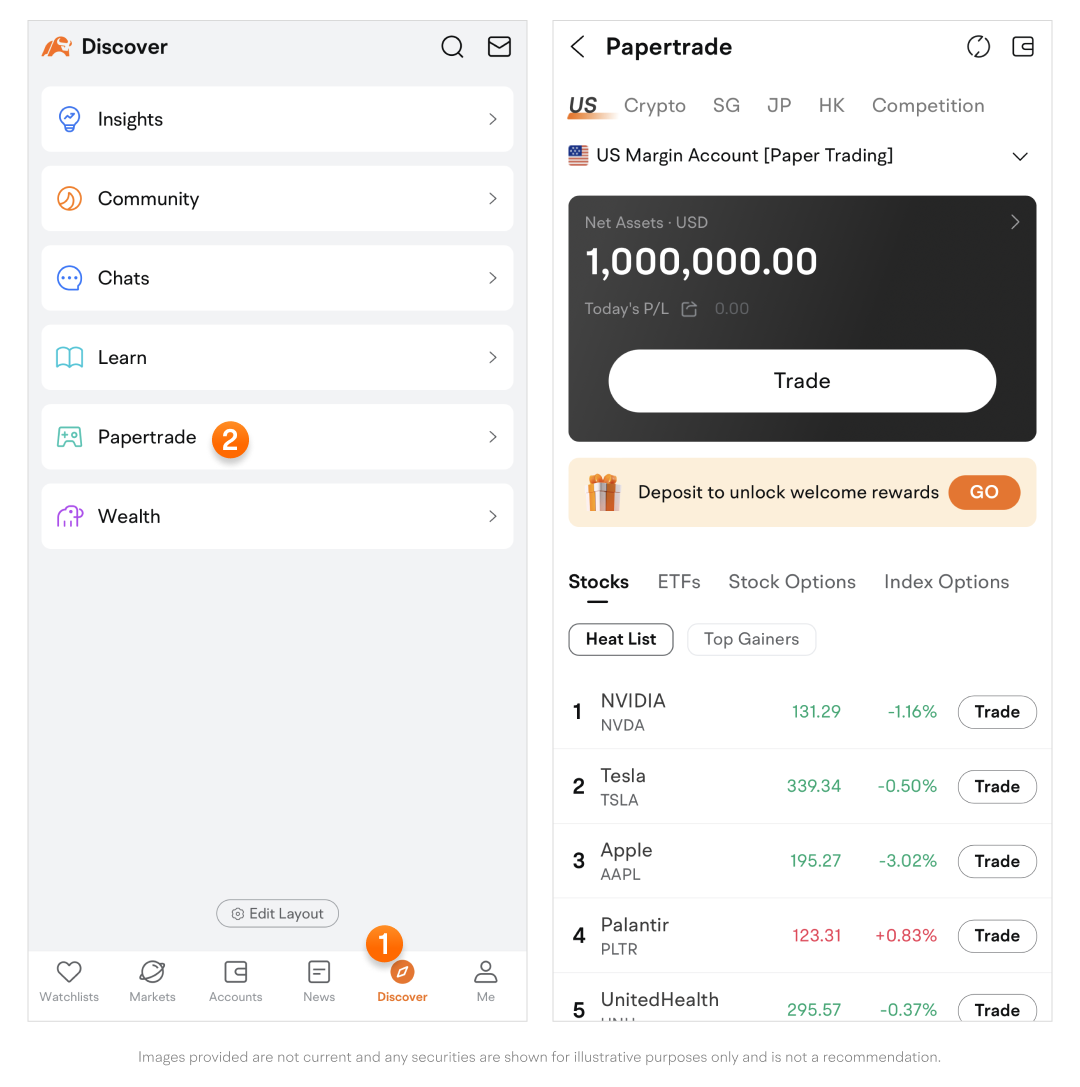
Steps to complete a papertrade
-
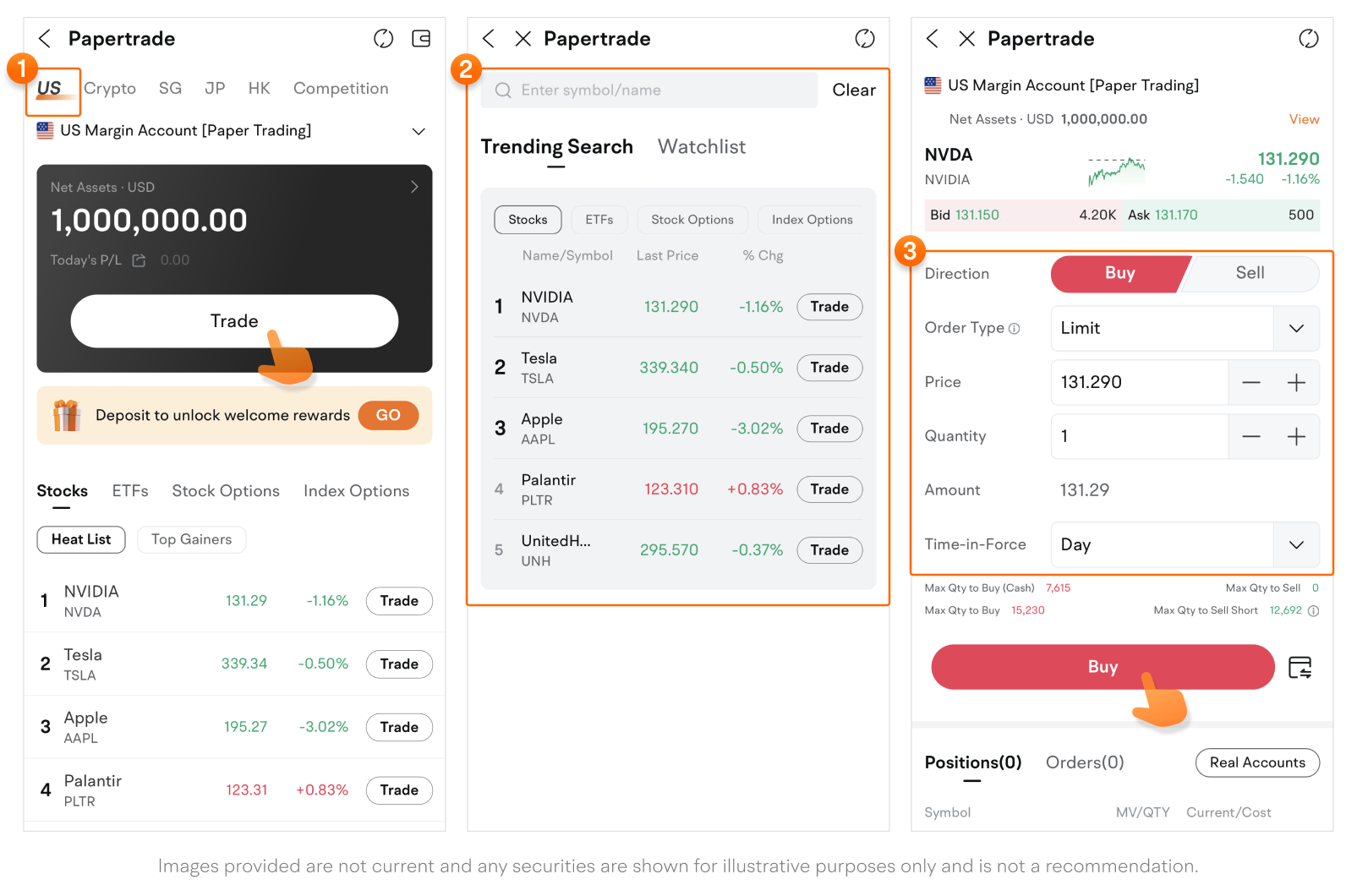
Select a market from the top navigation bar, then tap Trade.
-
Enter a symbol or name in the search field, or select a popular symbol from the list.
-
Select your desired direction, order type, price, quantity, amount, and time-in-force, then tap the Buy or Sell button to submit the order.
-
Note that the papertrade page is similar to the Lite mode of a real trade page, so you'll be ready when you transition to real trades.
-
Papertrade accounts
-
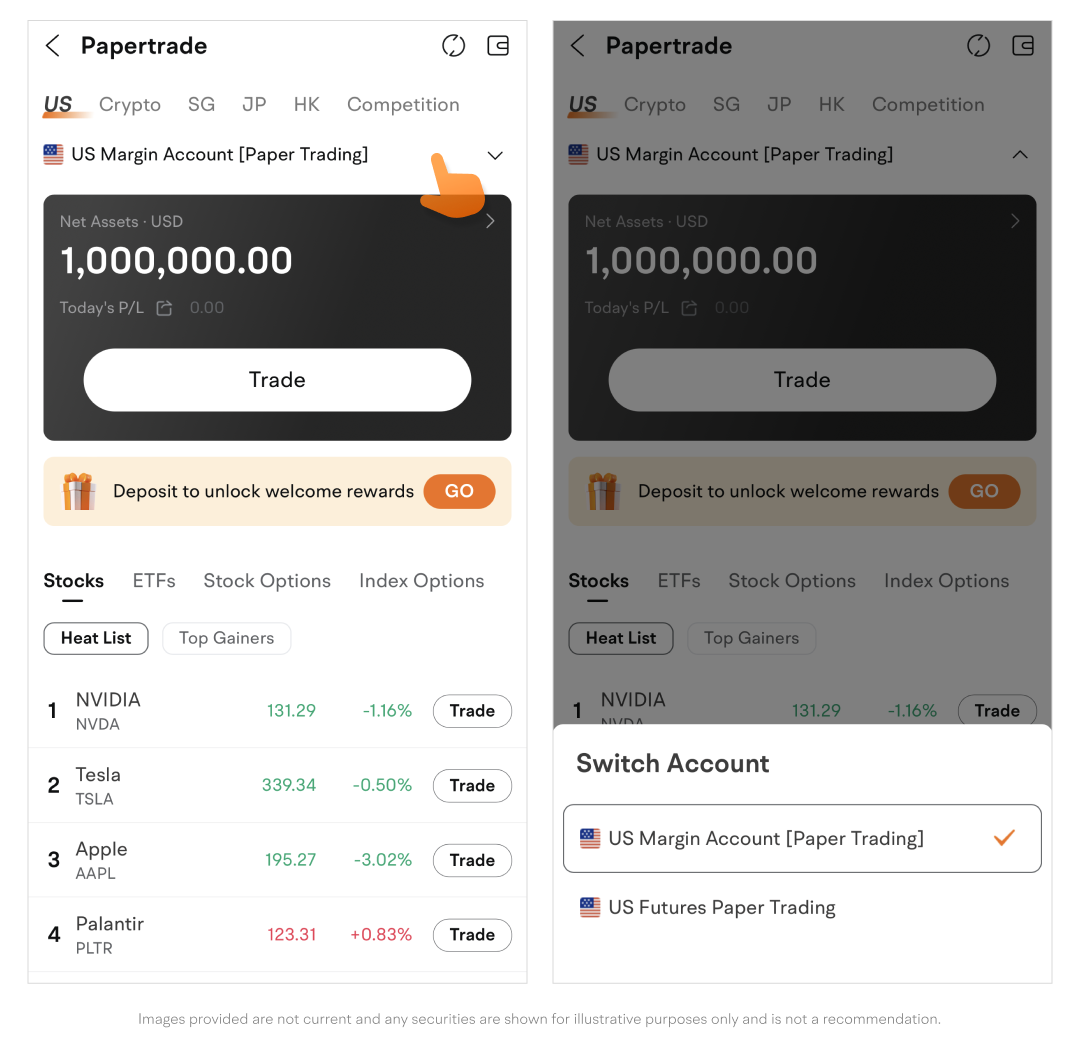
You can use the US Margin Account [Paper Trading] for both stocks and options.
-
Tap the account name to switch accounts.
-
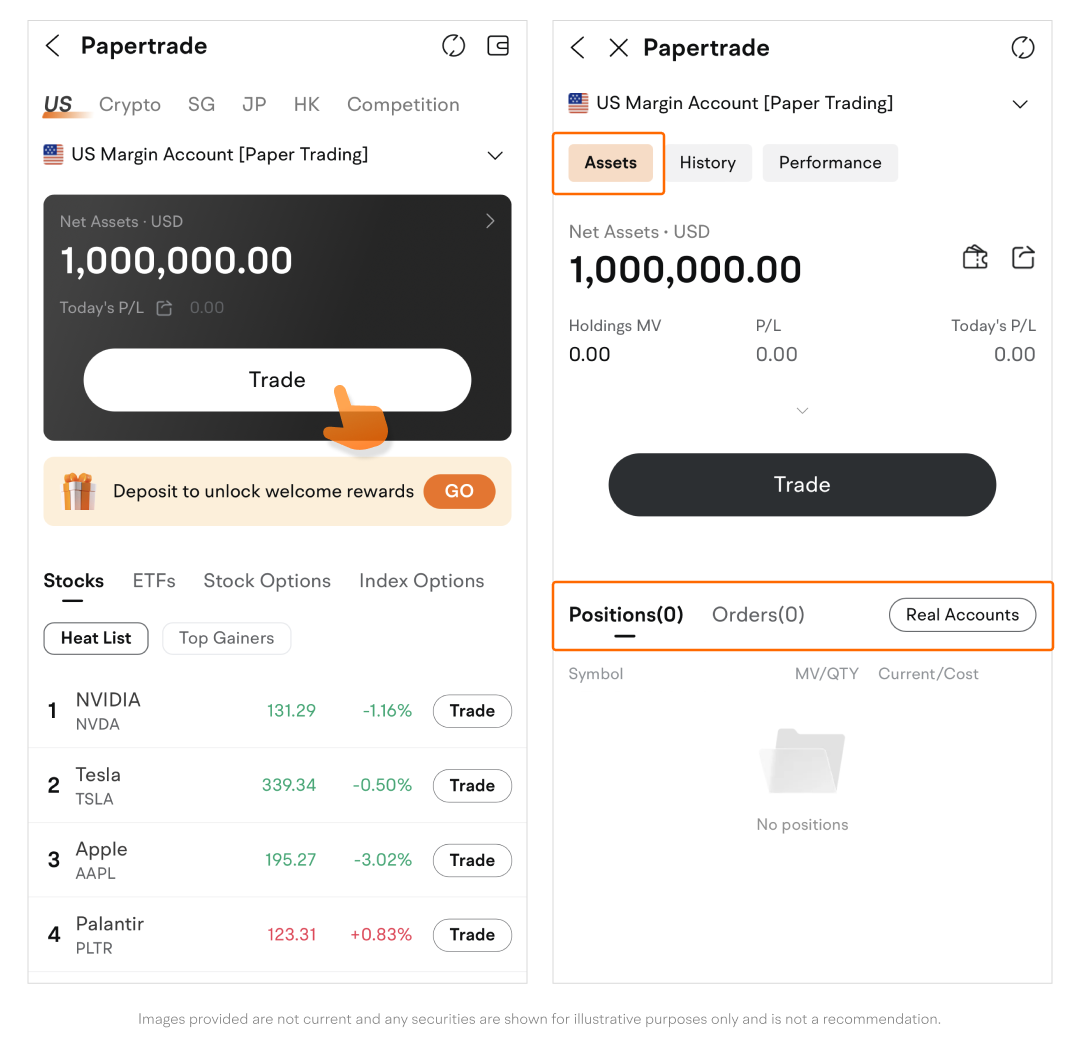
Tap an account card to enter the details page.
-
Tap Assets to view positions or orders.
-
-
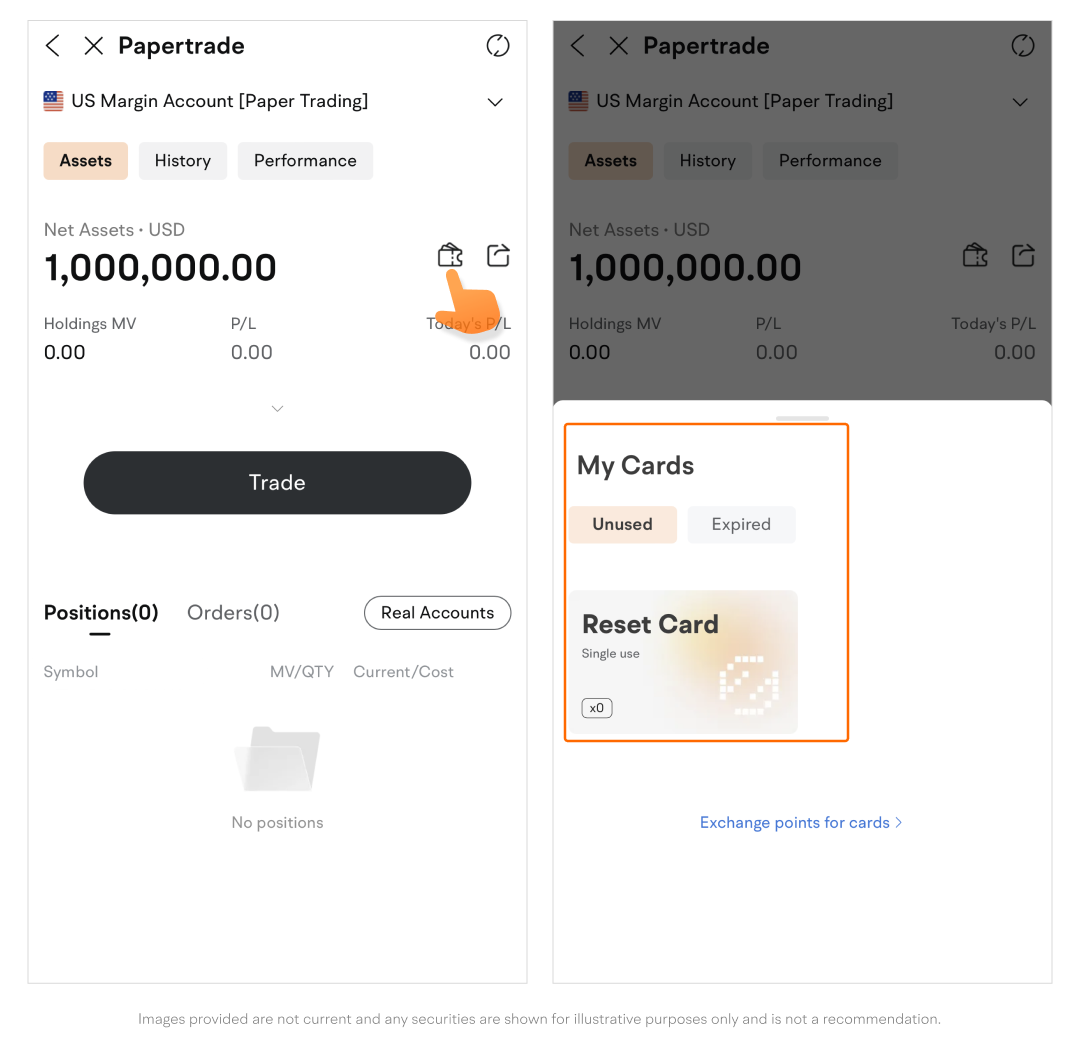
On the Assets tab, tap the "cards" icon to view and use papertrade card tools.
-
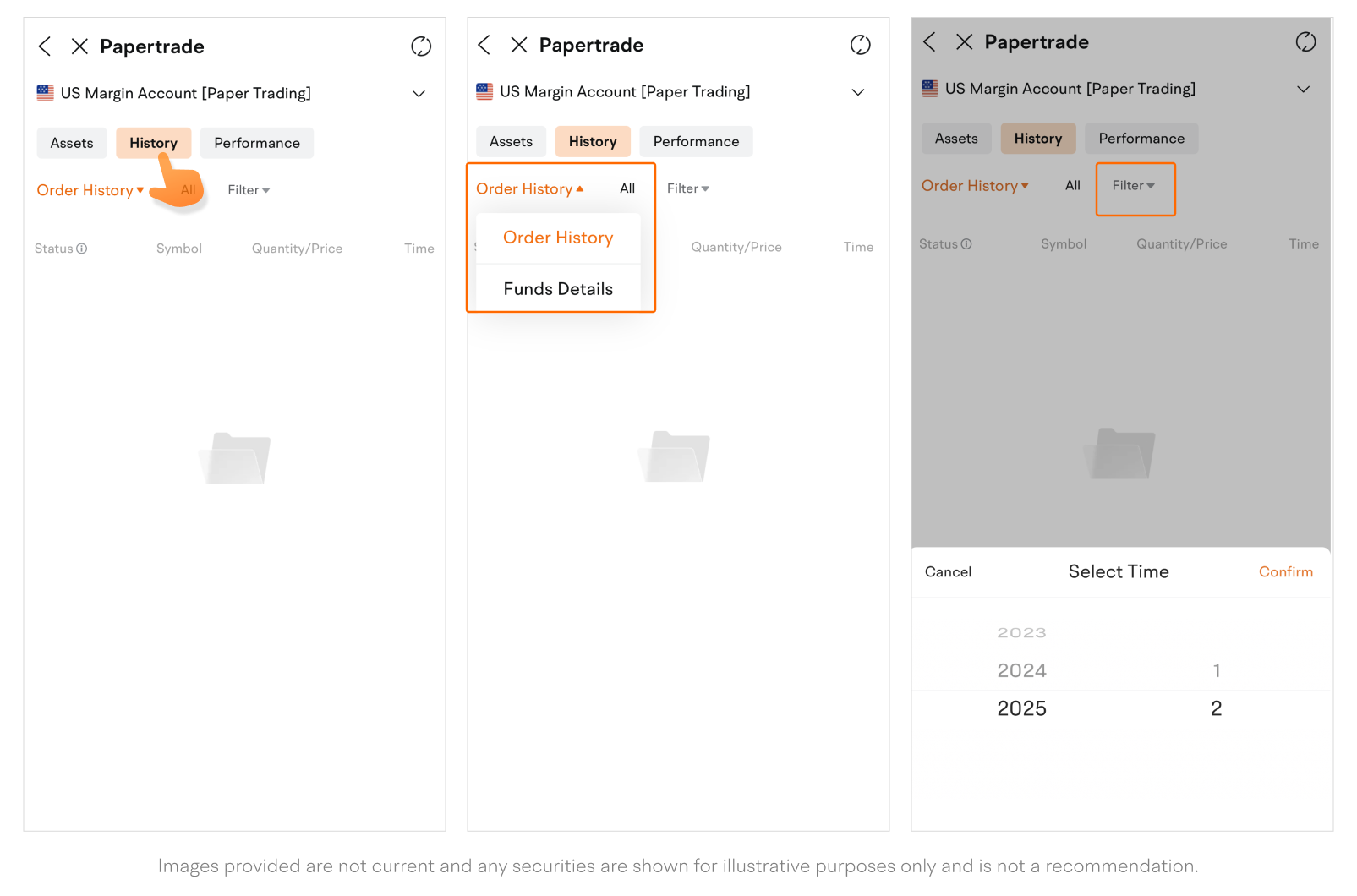
Tap History to view the orders or funds history of a papertrade account.
-
To switch between Order History and Funds Details, tap on one option, then select the other.
-
You can filter results by time range if needed.
-
-
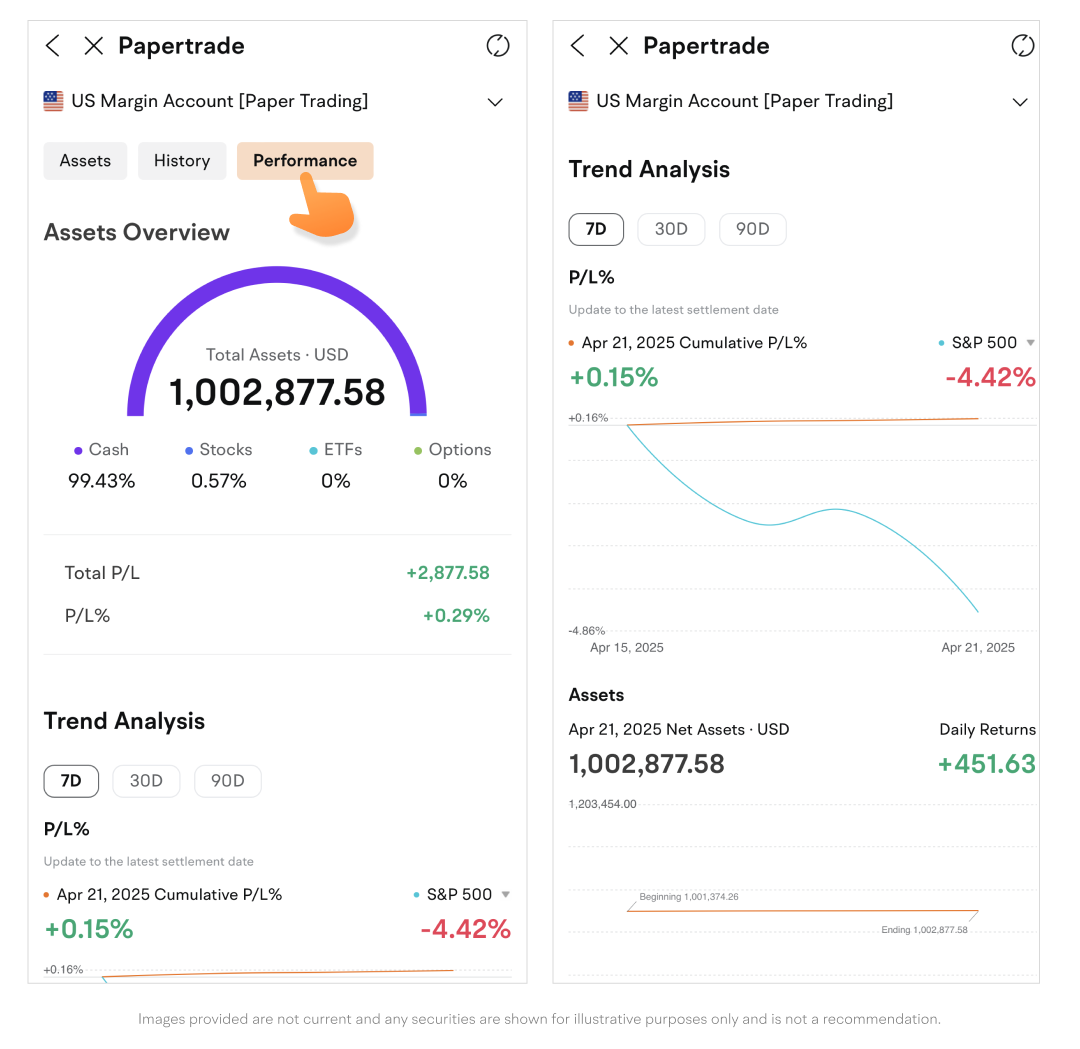
Tap Performance for assets overview and P/L analysis.
Trending Symbols, Leaderboard, and Forum
-
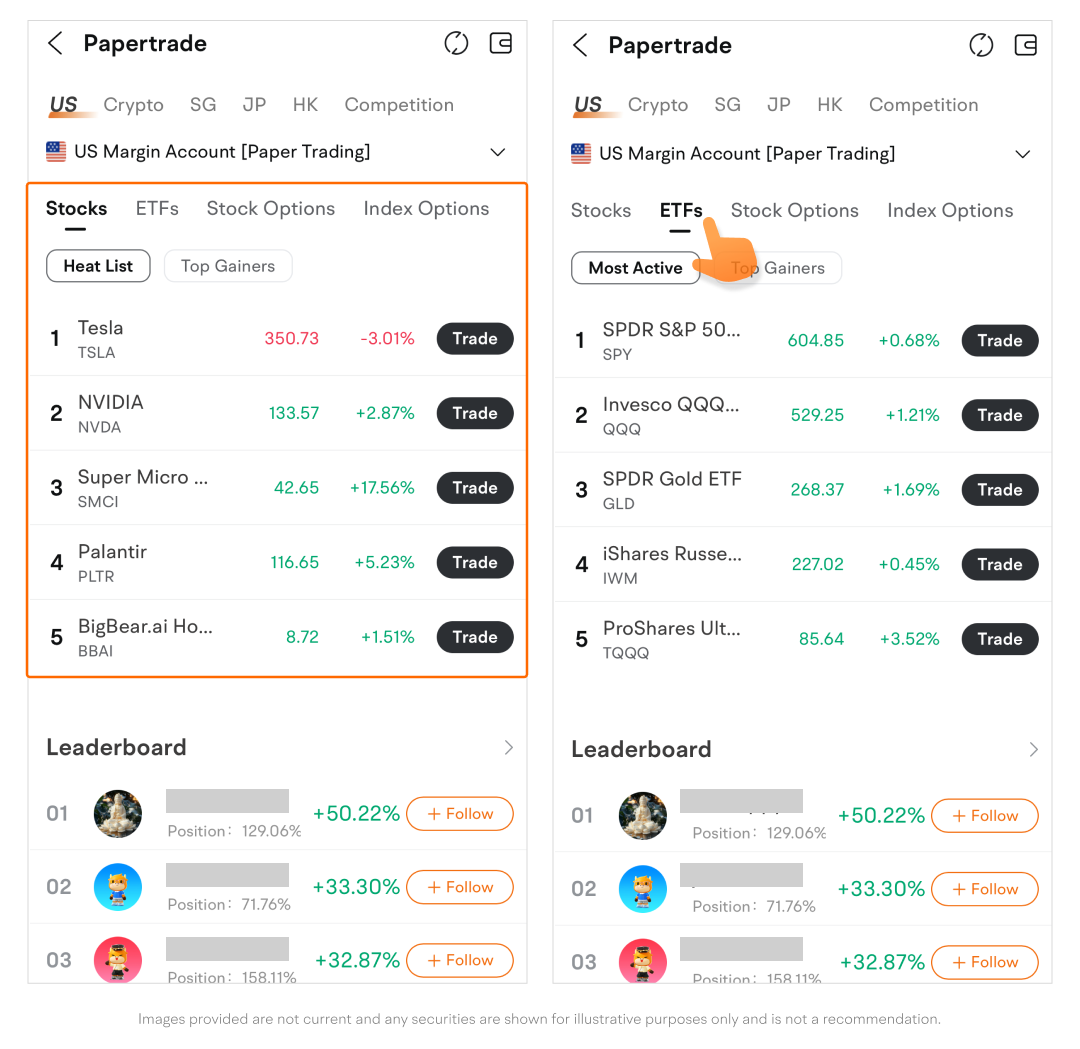
Trending Symbols: View trending stocks and options.
-
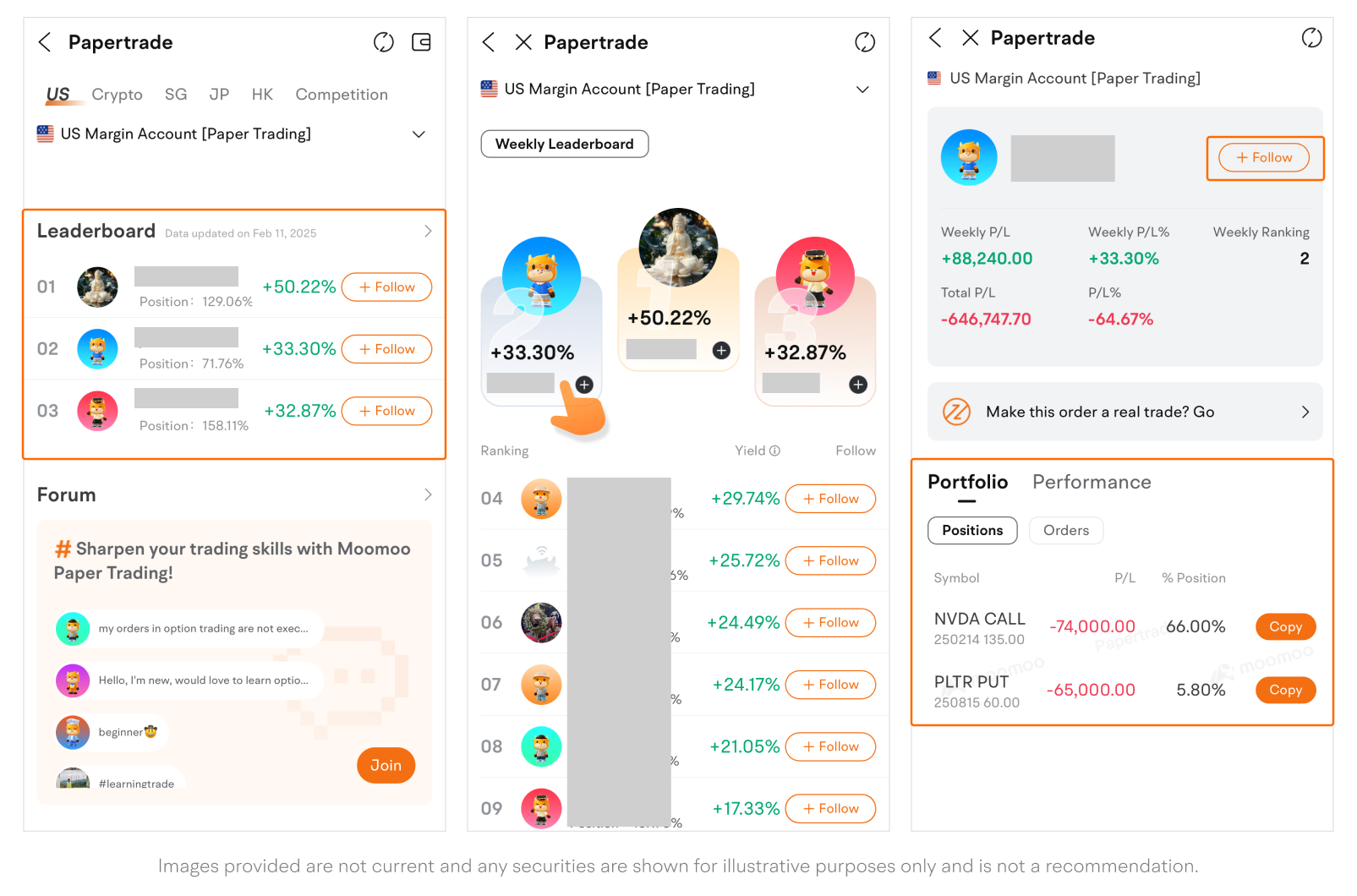
Leaderboard: A ranking of top traders based on their weekly papertrade yields.
-
You can follow a trader and learn from their strategies.
-
Tap a user to view their performance, portfolio, and orders. Tap Copy to quickly duplicate a sample position or order.
-
-
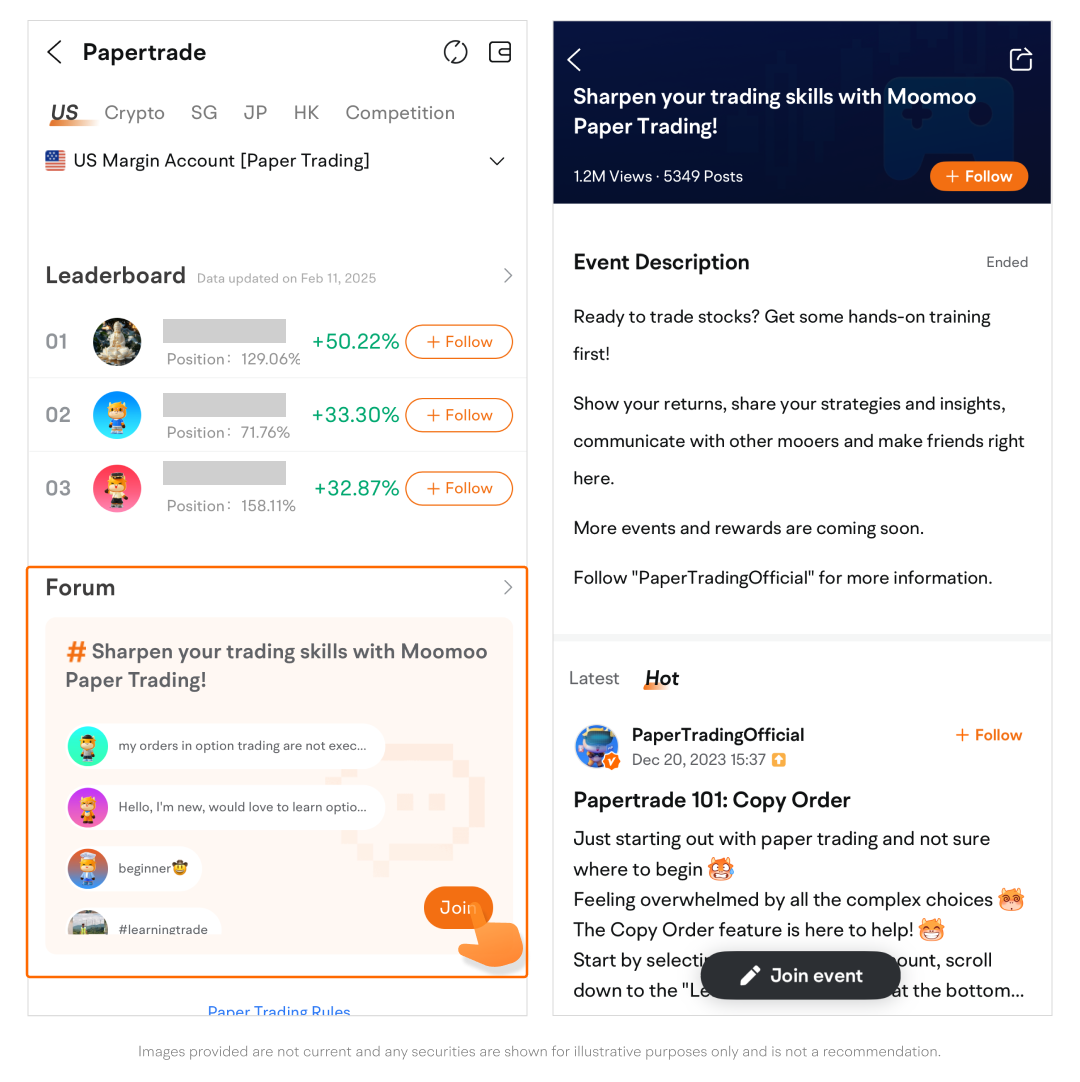
Forum: Connect, share trading ideas, and ask questions with fellow paper traders.
This presentation is for informational and educational use only and is not a recommendation or endorsement of any particular investment or investment strategy. Investment information provided in this content is general in nature, strictly for illustrative purposes, and may not be appropriate for all investors. It is provided without respect to individual investors’ financial sophistication, financial situation, investment objectives, investing time horizon, or risk tolerance. You should consider the appropriateness of this information having regard to your relevant personal circumstances before making any investment decisions. Past investment performance does not indicate or guarantee future success. Returns will vary, and all investments carry risks, including loss of principal.
Moomoo is a financial information and trading app offered by Moomoo Technologies Inc. In the U.S., investment products and services on Moomoo are offered by Moomoo Financial Inc., Member FINRA/SIPC.